Monitors have bezels to protect the screen, hold key components, and support safe, stable construction.
If you have ever wondered why do monitors have bezels, the answer involves much more than looks. A monitor bezel helps protect the delicate display panel, hide internal parts, support assembly, and improve everyday use. Once you understand how a monitor is built, the bezel makes much more sense.

What Is a Monitor Bezel?
A monitor bezel is the frame around the visible part of the screen. It may be made from plastic, metal, glass, or a mix of materials. The bezel sits between the display panel and the outer edge of the monitor body.
Bezel size can vary a lot. Older LCD monitors often had thick frames. Many modern monitors use slim bezels for a cleaner look. Some gaming monitors also have a narrow bezel on three sides but a wider lower edge.
The visible frame is only one part of the monitor housing. Inside it, the display needs support, wiring, control boards, cooling space, and protection from pressure or impact. This is one reason why do monitors have bezels remains a useful question, even as screen borders become thinner.

Why Do Monitors Have Bezels?
There is no single reason why do monitors have bezels. The frame performs several jobs at once, from protecting the panel to helping manufacturers build the screen.
1. Bezels protect the display panel
The glass or layered panel inside a monitor is fragile. A bezel acts like a border around a picture frame. It helps shield the panel’s edges from bumps, scratches, and pressure.
The edges of a display can be especially sensitive. Pressing near them may create temporary distortion or permanent damage. A bezel gives users a safer area to grip when moving the monitor.
This matters at home, in offices, and in schools. Monitors are often adjusted, cleaned, or moved many times during their lives.
2. Bezels hold the screen in place
A monitor panel must stay firmly aligned with its housing. The bezel helps secure the panel and prevents it from shifting during transport or normal use.
The frame works with clips, screws, brackets, adhesives, and the rear casing. Together, these parts create a rigid structure. Without some form of support around the display, the panel would be harder to assemble and more likely to flex.
3. Bezels hide internal parts
A monitor contains more than a sheet of glass. It may include:
• Display driver boards
• Ribbon cables
• LED backlights
• Buttons and sensors
• Speakers
• A webcam
• Status lights
• Power and control circuits
Some of these parts must sit near the edges of the screen. The bezel hides them and gives the product a neat finish.
4. Bezels provide space for assembly
Manufacturers need room to put the monitor together. Workers and machines must connect cables, secure the panel, and fit the front and rear housings.
A very small bezel leaves less room for clips and fasteners. It can also make repair and inspection more difficult. This creates a balance between a thin design and a practical manufacturing process.
5. Bezels help prevent light leakage
LCD monitors use a backlight behind the display layer. The frame helps block stray light from escaping around the edges.
If the panel and housing do not meet well, bright patches may appear near the corners. This issue is often called backlight bleed. A bezel cannot remove all backlight bleed, but good construction can help control it.
6. Bezels improve handling
A narrow edge can make a monitor look elegant, but it may be harder to hold safely. A small frame gives your fingers a place to grip without touching the active display area.
This is helpful when you tilt, rotate, or place the monitor on a stand. It also reduces the chance of leaving fingerprints on the screen.
7. Bezels hold useful features
The lower bezel often provides room for important parts. These may include:
• Power buttons
• Menu controls
• Infrared sensors
• Microphones
• Speakers
• A camera
• Brand markings
• Activity lights
This is another practical answer to why do monitors have bezels. The frame is not always empty space.

Why Are Some Monitor Bezels Thicker Than Others?
Monitor bezel thickness depends on the panel type, design goal, price, and features. A basic office monitor may use a thicker frame because low cost and easy assembly matter more than a seamless look.
Gaming monitors often use slim bezels to make the image feel larger. However, their lower edge may remain wider because it holds buttons, circuits, or structural parts.
Older displays also had thicker bezels because manufacturing methods were less advanced. Improvements in panel bonding, backlight design, and precision molding now allow thinner borders.
A thicker bezel is not always a sign of poor quality. It may offer better protection, stronger construction, or more room for speakers and controls. In daily use, panel quality, brightness, color accuracy, and ergonomics usually matter more than a few extra millimeters of frame.

What Is the Difference Between a Bezel and a Black Border?
People often use “bezel” and “black border” as if they mean the same thing. They are related, but they are not always identical.
The bezel is the physical frame around the screen. A black border may be part of the panel itself, hidden under the front glass or located just inside the bezel.
Some displays have a narrow black margin that does not show an image. This margin can make the visible bezel seem wider. On a multi-monitor setup, even a small border can create a noticeable gap between images.
When shopping, check the monitor’s total bezel width and its active display area. Product photos can make a bezel look thinner than it feels in person.
Do Bezels Affect Picture Quality?
A bezel does not normally improve color, sharpness, refresh rate, or resolution. Those qualities come from the display panel, backlight, processor, connection, and software settings.
Still, the bezel can affect how you experience the picture. A dark, slim frame may help the image feel more focused. It can also reduce the visual gap between monitors in a dual-screen or triple-screen setup.
Some bezels can create reflections under bright lights. Glossy frames may catch light near the edge of the screen. A matte finish is often more comfortable in a bright office.
The most important point is simple: a thin bezel does not guarantee a better panel. Treat bezel design as one feature, not a complete measure of monitor quality.

Why Do Monitors Have Bezels in Multi-Monitor Setups?
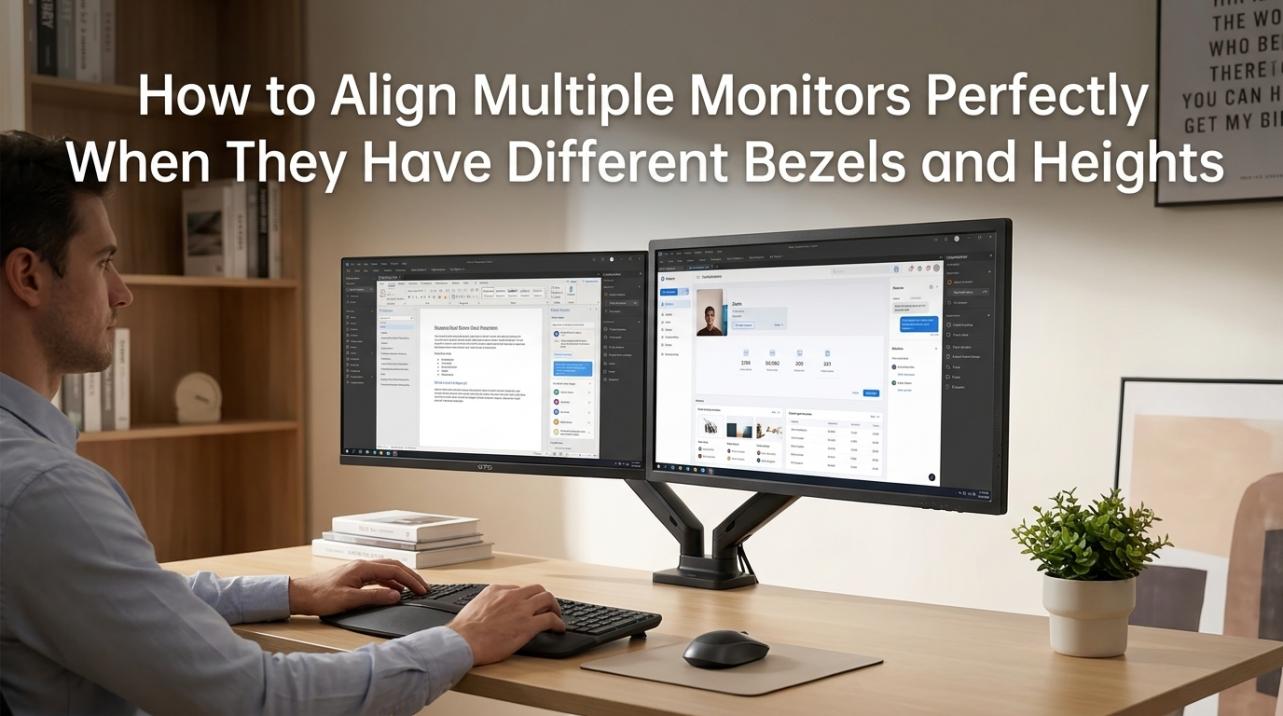
Many people prefer thin bezels when using two or more monitors. A wide frame creates a larger gap where the screens meet. This can interrupt a game, spreadsheet, video edit, or panoramic image.
Manufacturers make bezel-less-looking monitors to reduce this distraction. Yet even the thinnest models usually have a small inactive border around the image. A completely seamless display is difficult because each panel still needs structure and wiring.
For the best multi-monitor experience:
- Choose monitors with similar bezel widths.
- Match their screen size and resolution.
- Align the top or bottom edges.
- Use the same brightness and color settings.
- Place the screens at a slight angle around you.
- Keep the monitors close without pressing their edges together.
A thin bezel helps, but correct alignment often makes a bigger difference. In practice, uneven screen height can be more distracting than a narrow black border.
Why Do Monitor Bezels Matter for Touchscreens?
Touch monitors need a safe area around the active display. Users need somewhere to rest a finger without accidentally pressing an on-screen button.
The bezel also helps prevent edge touches. Touch sensors can be harder to calibrate near the very edge of a panel. A small frame gives the system a clearer boundary between the screen and the surrounding surface.
Some touchscreen monitors use a wide bezel for business controls, card readers, or mounting hardware. Interactive displays in stores, classrooms, and hospitals may need a stronger frame than a home monitor.
This shows why do monitors have bezels can have different answers depending on the product’s purpose. A studio display, a gaming screen, and a touchscreen terminal do not face the same design needs.

Are “Bezel-Less” Monitors Truly Bezel-Free?
Most “bezel-less” monitors are not completely free of bezels. The term usually means that the visible frame is very thin.
A monitor may have:
• A narrow outer plastic frame
• A black inactive border under the glass
• A thin edge on three sides
• A wider lower bezel
• A small gap between the panel and the image area
Manufacturers use different terms, so compare measurements when possible. Look for the bezel width in product specifications or review photos.
In my experience testing screen layouts, a monitor can look bezel-less on a product page but show a clear inner border when powered on. This is not always a flaw. It is often part of the panel design. The lesson is to judge the active image area, not only the outer frame.
Benefits of a Thin Monitor Bezel
A thin bezel can offer several practical and visual benefits:
• It creates a modern, clean appearance.
• It makes the screen seem larger in a small space.
• It reduces gaps in multi-monitor setups.
• It may support a more immersive gaming view.
• It can fit better on a narrow desk.
• It makes screen layouts look more consistent.
Thin frames are especially useful for professionals who use several displays. Designers, traders, programmers, and video editors may find a smaller gap easier to ignore.
However, the benefit depends on your setup. If you use one monitor, the difference may be mostly cosmetic.
Limitations of Thin Bezels
Very thin bezels can create trade-offs. The frame has less room for protection, mounting points, controls, and internal parts.
Possible drawbacks include:
• More delicate edges
• Less room for physical buttons
• Higher manufacturing cost
• Harder repairs
• More visible panel gaps
• A wider lower section for hidden electronics
A thin bezel can also make cleaning risky. Pressing a cloth into the edge may place stress on the panel. Use a soft, dry microfiber cloth and wipe gently.
When I help set up displays, one common mistake is lifting a thin-bezel monitor by the screen corners. Hold the rear housing or the stand instead. This small habit can prevent pressure marks and cracked panels.
How to Choose the Right Monitor Bezel
The best bezel depends on how you use your display. You do not need to pay extra for the thinnest border if it offers no real benefit in your setup.
Consider these points:
For one monitor
Choose a bezel that looks good and feels sturdy. Focus more on panel quality, size, resolution, brightness, and comfort.
For multiple monitors
Choose matching models with narrow and equal bezels. Pay attention to the inner black border as well as the outer frame.
For gaming
A slim bezel can improve immersion. Still, refresh rate, response time, variable refresh support, and motion clarity are more important.
For office work
A medium bezel may be perfectly fine. Prioritize text clarity, height adjustment, low blue light options, and reduced glare.
For design work
Look for accurate color, strong factory calibration, wide viewing angles, and a stable panel. Bezel size is useful, but it should not lead your buying decision.
For a touchscreen
Choose a frame that gives you a comfortable grip. A slightly wider bezel may make touch control easier and safer.
How to Clean and Protect Monitor Bezels
Monitor bezels collect dust, skin oils, and small bits of dirt. Cleaning them is easy if you avoid harsh products.
- Turn off the monitor and unplug it.
- Use a clean, dry microfiber cloth.
- Wipe the bezel with light pressure.
- Use a slightly damp cloth for stubborn marks.
- Keep liquid away from openings and buttons.
- Never spray cleaner directly onto the screen or frame.
- Let the surface dry before reconnecting the monitor.
Avoid paper towels, rough cloths, and household glass cleaner unless the manufacturer approves them. These products can scratch finishes or damage coatings.
Do not press the bezel inward while cleaning. The frame may look solid, but it connects closely to the delicate panel beneath it.
Common Myths About Monitor Bezels
Myth 1: A thicker bezel means a worse monitor
Not necessarily. A thick bezel may support stronger construction or include speakers, controls, and sensors.
Myth 2: Bezel-less monitors have no border
Most have a very thin physical frame and an inactive black edge. Truly border-free displays are rare.
Myth 3: A thin bezel improves resolution
Bezel size does not change pixel count. Resolution depends on the active panel.
Myth 4: All monitor bezels are plastic
Many are plastic, but some use aluminum, steel, glass, or mixed materials.
Myth 5: A bezel causes screen glare
The frame itself may reflect light, but screen glare mainly comes from the panel surface, coating, room lighting, and viewing angle.
Frequently Asked Questions About Why Do Monitors Have Bezels
Why do monitors have bezels around the screen?
Monitors have bezels to protect the display panel, hold it in place, and hide internal parts. The frame also provides space for buttons, speakers, sensors, and assembly hardware.
Do monitor bezels protect against screen damage?
Yes, bezels help protect the panel edges from bumps, pressure, and scratches. They cannot prevent all damage, so you should still handle the monitor by its rear housing or stand.
Are thin-bezel monitors better?
Thin-bezel monitors are better for a clean look and multi-monitor setups. They are not automatically better in color, brightness, resolution, or reliability.
Why is the bottom bezel often wider?
The bottom bezel may hold control buttons, speakers, indicator lights, sensors, or structural parts. It can also provide extra support for the display assembly.
Can you remove a monitor bezel?
You can remove some bezels, but doing so may void the warranty or damage the panel. Unless you have repair experience and proper instructions, it is safer to leave the frame in place.
Do bezels affect gaming?
Bezels do not directly affect frame rate or response time. A thin bezel may improve immersion, especially when you use multiple monitors, but the panel’s gaming specifications matter more.
Conclusion
Monitor bezels serve real engineering and safety purposes. They protect fragile edges, support the panel, hide electronics, reduce light leakage, and provide space for controls and other features.
The answer to why do monitors have bezels is therefore broader than “to make a frame.” Even modern slim bezels help the monitor remain strong, practical, and easier to build. When choosing a display, consider the bezel, but give equal attention to resolution, panel quality, ergonomics, refresh rate, and comfort.
Use this guide when comparing your next monitor, and share your experience with thin or thick bezels in the comments.