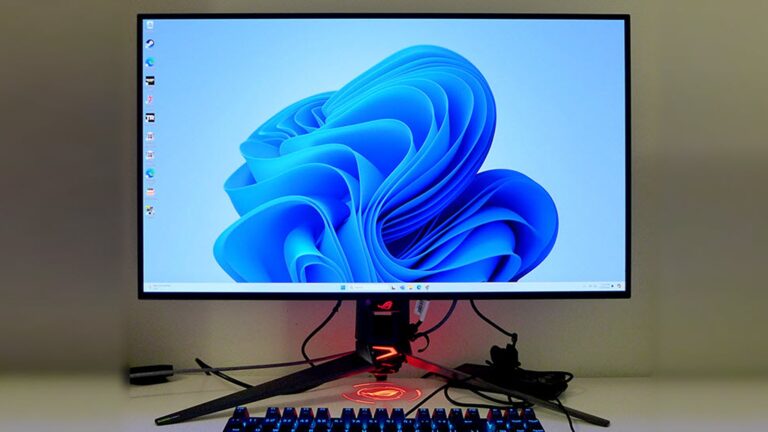
Curved monitors are often cheaper because mature panel production, strong competition, and lower demand reduce retail prices.
If you have searched for a new display, you may have noticed something surprising: a curved monitor can cost less than a flat monitor with similar size and features. The answer is not simply that curved screens are lower quality. Pricing depends on panel type, screen size, refresh rate, brand, sales demand, and how manufacturers use existing production lines. This guide explains why are curved monitors cheaper, when the lower price is a good deal, and what to check before buying.

Why are curved monitors cheaper?
The main reason why are curved monitors cheaper is that screen curvature is not always the most expensive part of a monitor. The panel’s resolution, refresh rate, brightness, response time, HDR support, and display technology often have a much larger effect on the final price.
A curved monitor may use the same basic LCD panel technology as a flat model. The manufacturer then adds a curved frame and bends the panel during production. If the monitor uses an older panel design, a 1080p resolution, or a standard 60 Hz refresh rate, its total cost can remain low.
Several market forces also affect the price:
• Curved gaming monitors are made in large numbers, which lowers production costs.
• Many brands compete in the same midrange price range.
• Stores often discount curved models to clear older inventory.
• Flat monitors are more common in offices, so some premium flat models keep stronger demand.
• Curved monitors may use older features while newer flat models receive the latest upgrades.
This means a curved screen is not automatically cheap because it is worse. It may simply be built for a different market. A 34-inch curved ultrawide with a high refresh rate can cost far more than a basic 24-inch flat monitor.
How manufacturing affects curved monitor prices
To understand why are curved monitors cheaper, it helps to look at how display panels are made. The LCD or OLED panel is usually the most important hardware component. The stand, frame, ports, speakers, and exterior shape also matter, but the panel often controls the largest share of the cost.
Many curved displays use panels that manufacturers already produce at scale. A gentle curve can be added without creating a completely new display platform. This is similar to selling the same car engine in two body styles. The outer shape changes, but many key parts stay the same.
Existing panel designs reduce development costs
Manufacturers often reuse proven panels across several product lines. For example, one panel design may appear in:
• A flat office monitor
• A curved gaming monitor
• An ultrawide display
• A budget monitor from another brand
Reusing a panel lowers research, testing, and tooling costs. Those savings can reach shoppers through lower prices.
Curved panels can reduce waste at scale
Curved displays once required more specialized manufacturing. However, production methods have improved, especially for common VA and LCD panels. Large display makers can now produce many curved panels with reliable results.
This does not mean every curved panel is cheap to make. A steep curve, OLED construction, high resolution, and large screen size can still raise costs. The curve alone, however, may not explain a high price.
Product age matters
A curved monitor may look modern, but the internal design may be several years old. Brands often keep older models in their catalogs because they remain useful and profitable. Once the development cost has been recovered, the monitor can sell at a lower price.
This is one of the clearest reasons why are curved monitors cheaper during sales. Retailers may discount a model when a newer version is ready to replace it.

Supply, demand, and retail competition
Price is shaped by supply and demand, not just by manufacturing cost. Curved monitors are popular with gamers, streamers, and people who want an immersive desktop. Yet flat monitors still dominate offices, schools, public spaces, and multi-monitor setups.
That difference creates an interesting price pattern. A curved monitor may have a lower price because brands use it to attract buyers in a crowded gaming market. A flat monitor with business features, USB-C charging, an adjustable stand, or accurate color may cost more because business users are willing to pay for those features.
Why gaming brands discount curved displays
Gaming monitor brands often compete on visible specifications. They advertise:
• 144 Hz, 165 Hz, or 240 Hz refresh rates
• Low response times
• Adaptive sync support
• Curved screens
• RGB lighting
• Large screen sizes
When many brands offer similar specifications, price becomes a powerful selling tool. A curved monitor may therefore receive a lower price tag to stand out from competing models.
Sales cycles can make the difference larger
Curved monitors often appear in major holiday sales, back-to-school promotions, and gaming events. A model that was expensive at launch may become much cheaper after six to twelve months.
Before judging a monitor’s quality by its price, check its release date. A low price can mean:
• The model is older
• A replacement is coming
• The retailer has excess stock
• A promotion is running
• The brand is targeting budget shoppers
Demand does not always reward premium features
Consumers may pay more for a flat monitor with a clean design, built-in USB-C docking, or factory color calibration. A curved monitor may focus instead on size and immersion. These different priorities can make the curved model cheaper even when it appears more visually dramatic.

Is a cheaper curved monitor lower quality?
Not always. A lower price can reflect sensible compromises rather than poor construction. Still, you should examine the full specification sheet instead of focusing only on the curve.
A budget curved monitor may use a VA panel. VA panels often offer strong contrast and deep blacks. They can be excellent for films and games. However, some VA displays show dark-level smearing, where dark objects leave a faint trail during motion.
An affordable curved IPS monitor may offer better viewing angles and more consistent colors. It may have weaker contrast than a VA model. A budget OLED monitor can deliver excellent contrast and fast motion, but OLED technology introduces concerns about image retention and burn-in.
Check these areas before buying:
• Resolution: 1080p is acceptable on smaller screens, while 1440p often looks sharper on 27-inch and larger displays.
• Refresh rate: A higher rate makes motion look smoother, but your computer must produce enough frames to benefit from it.
• Response time: Look for independent testing because advertised response times may use ideal conditions.
• Brightness: A low brightness rating can make a screen look dull in bright rooms.
• Contrast: This matters for movies, games, and dark scenes.
• Color accuracy: This is important for photo editing, video work, and design.
• Warranty: A longer warranty can reduce the risk of buying an inexpensive display.
The phrase why are curved monitors cheaper should not lead you to assume that every low-cost model is a bargain. Compare performance, warranty terms, and user reviews from reliable testing sites.

Benefits of buying a cheaper curved monitor
A lower-priced curved monitor can be a smart choice for the right user. It may provide a more immersive view without the cost of a premium ultrawide or OLED display.
Better immersion for games and movies
The curved edges can sit closer to your natural field of view. This may make racing games, flight simulators, role-playing games, and wide movies feel more engaging. The effect is strongest on larger screens and wider aspect ratios.
A curve does not improve game frame rates. It also does not make the image sharper. Its main benefit is the way the screen feels around you.
More screen space for work
An ultrawide curved monitor can replace two smaller displays. You can keep a browser on one side and a document or spreadsheet on the other. This may reduce the need for a dual-monitor stand and remove the gap between two screens.
The value depends on your software and desk. Some programs work well on a wide screen, while others do not use the extra space efficiently.
Good contrast at a low price
Many affordable curved monitors use VA panels. These panels often provide better native contrast than typical IPS panels at the same price. For evening use, movies, and darker games, that contrast can feel like a major upgrade.
A strong entry point for gaming
If you want a 144 Hz or 165 Hz gaming monitor but have a limited budget, curved models may offer more screen size for your money. This is especially true during seasonal sales.

Limitations of inexpensive curved monitors
The answer to why are curved monitors cheaper must also include their drawbacks. A low price can be useful, but it may come with design or performance limits.
Viewing angles can be less forgiving
Some VA curved panels lose color or brightness when viewed from the side. The problem is less noticeable when you sit directly in front of the display. It becomes more important when several people watch the screen together.
Curves may cause reflections
A curved surface can reflect windows, lamps, and ceiling lights in ways that feel distracting. A flat monitor may be easier to position in a bright room. Matte coatings help, but they do not remove every reflection.
Wall mounting may be harder
A curved monitor can sit farther from the wall than a flat display. It may also require a monitor arm that supports its size and weight. Check the VESA mount pattern before buying.
Two curved monitors can be awkward
A single curved display can look clean. Two curved displays may leave a wide gap or create an unusual viewing angle. For a side-by-side setup, flat monitors are often easier to align.
Text may look different
A strong curve can feel unusual when reading documents or working with straight lines. Most people adjust after a short period, but designers and office users may prefer a flat panel.
Curved versus flat monitors: which is better?
Neither design is best for everyone. The better choice depends on your desk, work, games, and viewing distance.
A curved monitor may suit you if:
• You want an immersive gaming or movie experience.
• You sit centered in front of the screen.
• You want one wide display instead of two monitors.
• You prefer strong contrast for dark rooms.
• You find a curved model with better specifications at the same price.
A flat monitor may suit you if:
• You work with photos, drawings, or straight lines.
• You need several monitors side by side.
• Your desk is narrow or close to a wall.
• Multiple people view the screen from different positions.
• You want the most flexible monitor arm setup.
When comparing why are curved monitors cheaper with flat monitor prices, compare equal features. A 27-inch curved 1080p monitor should not be compared with a 27-inch flat 1440p monitor. Resolution alone can explain a major price difference.
Also compare the stand. Some cheap displays have limited tilt adjustment and no height adjustment. A more expensive flat model may include a better stand, USB ports, speakers, and USB-C power delivery. Those extras can justify the higher cost.

How to choose a budget curved monitor
Use a simple checklist before you buy. It can help you avoid a low price that hides an unwanted compromise.
-
Choose the right size for your desk. A 24-inch to 27-inch screen works well for many users. Larger ultrawide models need more desk depth.
-
Match the resolution to the screen size. Aim for 1440p on many 27-inch gaming monitors if your computer can support it.
-
Check your graphics card. A high refresh rate has limited value if your computer cannot produce enough frames.
-
Read independent response-time tests. Do not rely only on a box that says “1 ms.”
-
Check the curve rating. A 1800R curve is gentle, while a 1000R curve is much stronger. The lower the number, the tighter the curve.
-
Look for adaptive sync support. This can reduce screen tearing when your frame rate changes.
-
Confirm the ports. HDMI, DisplayPort, USB-C, and headphone outputs serve different needs.
-
Review the stand and VESA support. Ergonomics matter during long work or gaming sessions.
-
Check the return policy. A curve that looks appealing online may feel strange on your desk.
-
Compare the full cost. Include a monitor arm, cable, shipping, and warranty if needed.
A practical mistake is buying the biggest screen that fits the budget without checking viewing distance. A huge display placed too close can cause neck movement and eye strain. Measure your desk first, then choose the size.
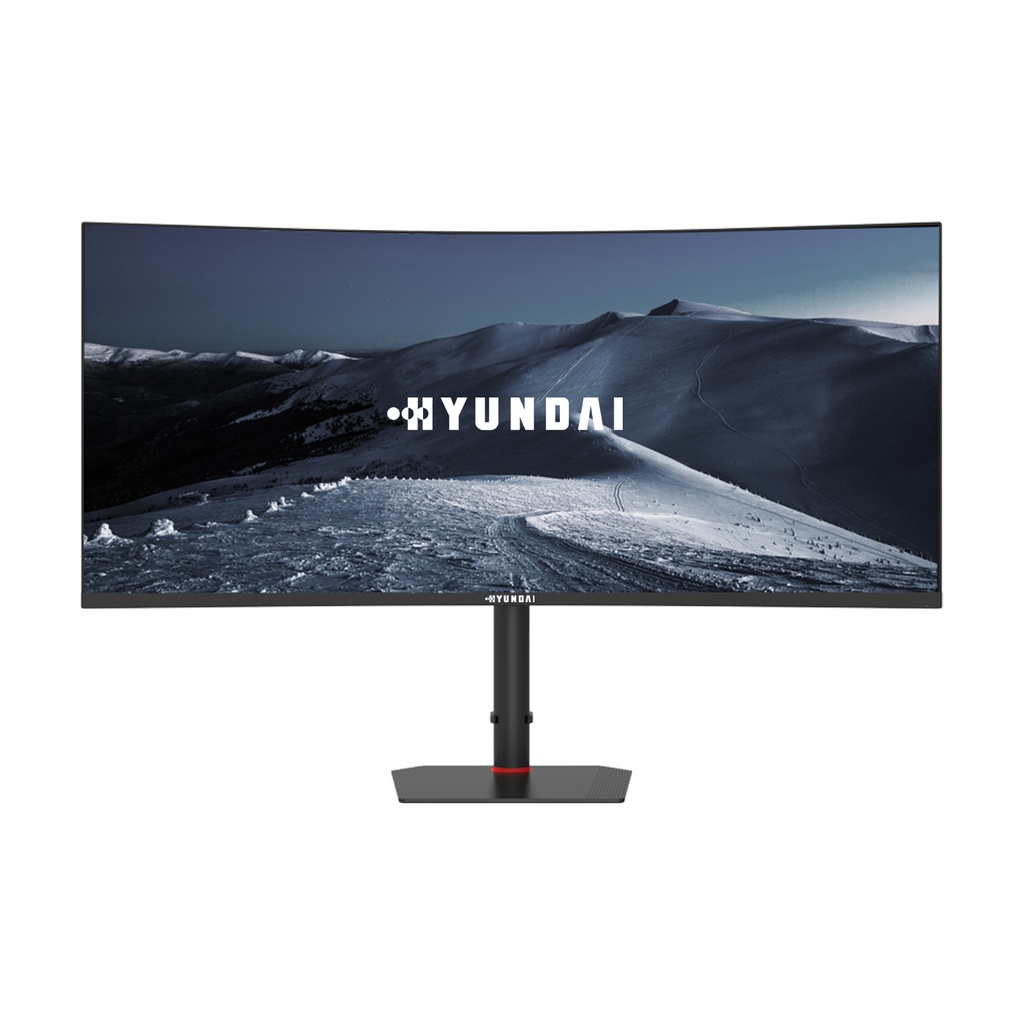
Why are curved monitors cheaper than flat monitors with similar features?
Curved monitors can be cheaper because brands often use mature panels, compete heavily in the gaming market, and discount older models. The curve may add little to the total production cost when the manufacturer already has the panel and electronics.
However, the price difference is not guaranteed. Premium curved OLED, high-resolution, and ultrawide displays can cost much more than basic flat monitors.
Are cheap curved monitors worth buying?
Yes, a cheap curved monitor can be worth buying if it has the resolution, refresh rate, brightness, and ports you need. Check independent reviews and warranty coverage before making a decision.
Do curved monitors last as long as flat monitors?
Curved and flat monitors can have similar lifespans when they use comparable components and receive proper care. Panel quality, heat, usage hours, and warranty support usually matter more than the shape of the screen.
Are curved monitors better for your eyes?
A curved monitor may feel comfortable because the edges sit at a similar distance from your eyes. It is not a medical solution for eye strain, though. Proper brightness, regular breaks, good viewing distance, and correct room lighting matter more.
What curve is best for a monitor?
A gentle 1800R or 1500R curve works well for general use and gaming. A stronger 1000R curve can feel immersive on an ultrawide display, but it may take more time to adjust to and may be less suitable for design work.
Why are some curved monitors much cheaper than others?
Price differences usually come from panel technology, resolution, refresh rate, size, HDR performance, ports, stand quality, and brand position. The curve is only one part of the product, so two curved monitors can have very different prices and performance.
Conclusion
The main answer to why are curved monitors cheaper is simple: manufacturers can produce many curved models with mature panels, while strong competition and retail discounts push prices down. A lower price does not automatically mean poor quality, but it can signal older technology, limited brightness, a basic stand, or weaker motion performance.
Focus on the complete monitor, not the curve alone. Compare resolution, refresh rate, panel type, response time, ports, warranty, and your own desk setup. If the specifications match your needs, a budget curved monitor can deliver excellent value and an enjoyable viewing experience. Explore independent reviews, measure your desk, and choose with confidence before placing your order.