OLED monitors are better because they deliver deeper blacks, faster motion, richer color, and sharper contrast than most LCD displays.
If you are asking why are OLED monitors better, the answer starts with how each pixel creates light. OLED pixels can turn fully off, while LCD monitors need a backlight that can cause glow and gray-looking blacks. After comparing display types for gaming, work, and creative tasks, I have found that OLED feels less like a screen and more like a window into the image. This guide explains the real benefits, the limits, and how to choose one wisely.
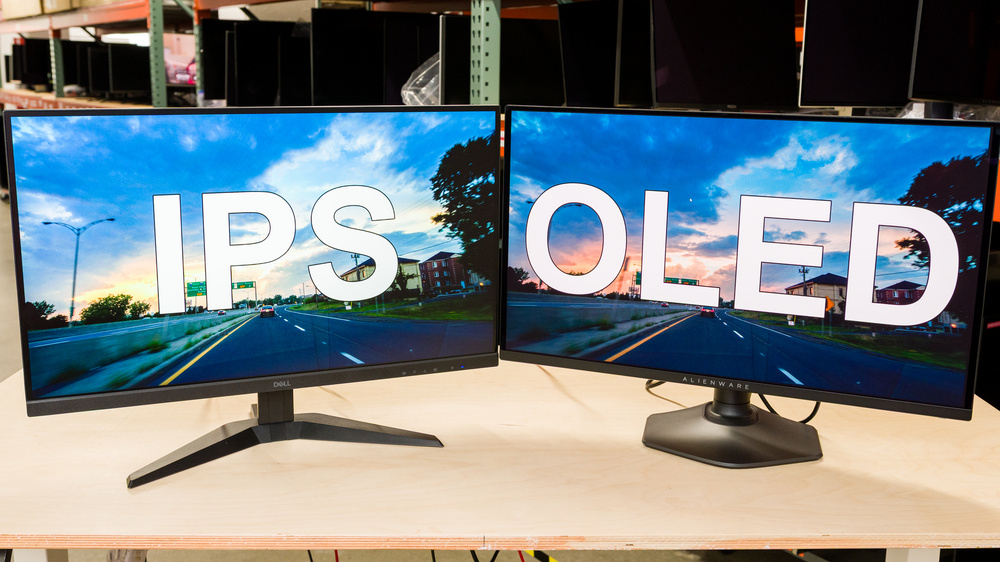
Why Are OLED Monitors Better Than LCD Monitors?
OLED stands for organic light-emitting diode. Unlike an LCD monitor, an OLED display does not need a separate backlight. Each pixel creates its own light and can switch off when the image needs true black.
That simple difference changes the whole viewing experience. Dark scenes look deeper, bright objects stand out more, and fine details remain easier to see. The result is a much higher perceived contrast ratio.
Most LCD monitors use a backlight that stays on behind the liquid crystal layer. Even when the screen shows black, some light can pass through. Local dimming can improve this, but it may still create halos around bright objects.
OLED avoids this problem at the pixel level. A star in a dark sky can appear bright without making the nearby black space look gray. This is one of the main reasons why OLED monitors are better for movies, games, and dark creative work.
OLED versus LCD at a glance
| Feature | OLED monitor | Typical LCD monitor |
|---|---|---|
| Black level | True black when pixels are off | Often dark gray |
| Contrast | Extremely high | Varies by panel type |
| Response time | Usually near-instant | Fast, but often slower |
| Viewing angles | Usually very wide | Depends on panel type |
| Motion clarity | Excellent | Good to excellent |
| Burn-in risk | Possible with static images | Very low |
| Brightness | Strong, but model dependent | Often higher for full-screen scenes |
| Price | Usually higher | More choices at lower prices |
OLED is not perfect for everyone. Still, its self-lit pixel design gives it a major advantage in image quality.
The Main Benefits of OLED Monitors
The strongest reason why OLED monitors are better is that several display benefits work together. You do not get only darker blacks. You also get fast pixel response, wide viewing angles, strong color, and smooth motion.
1. True blacks and powerful contrast
An OLED pixel can turn off completely. This produces a black level that LCD technology cannot fully match.
High contrast makes images look more three-dimensional. A dark room in a game feels deeper. A night scene in a film gains more detail. Even desktop text can appear more defined because bright areas stand out against a clean background.
This benefit is easy to notice in a dim room. In a bright office, the difference may seem smaller because room light reduces perceived contrast.
2. Very fast response times
OLED pixels change state extremely fast. Many OLED gaming monitors report response times near 0.03 to 0.1 milliseconds under certain test conditions.
That does not mean the whole monitor has zero delay. Input lag, refresh rate, image processing, and your computer still matter. However, fast pixel response helps reduce ghosting and smearing during quick movement.
This matters in:
• First-person shooters
• Racing games
• Sports games
• Fast video editing timelines
• Scrolling text and web pages
3. Smooth motion at high refresh rates
Many current OLED monitors support refresh rates such as 120 Hz, 144 Hz, 165 Hz, 240 Hz, or higher. A high refresh rate makes movement look smoother than 60 Hz.
OLED response time also helps the monitor keep up with that refresh rate. A fast 240 Hz screen is less useful if pixels cannot change quickly enough. OLED panels are well suited to high-refresh gaming because their pixels respond quickly.
You still need a graphics card that can produce enough frames. A 240 Hz monitor will not show 240 unique frames per second if your game runs at 90 frames per second.
4. Wide viewing angles
OLED monitors usually retain color and contrast when viewed from the side. This is useful when you share a screen, move around your desk, or use a large display from different positions.
Some LCD panels lose color strength or brightness at wider angles. This issue is more common with certain vertical alignment panels, though modern LCD designs vary.
5. Excellent color performance
OLED panels can produce rich colors and strong contrast. Many models cover wide color spaces such as DCI-P3 and may support 10-bit color output.
This makes OLED attractive for:
• Photo editing
• Video production
• Digital art
• Game development
• High-quality media use
Wide color coverage alone does not guarantee accurate color. A monitor also needs good factory calibration and useful color modes. If you work with color, check measured accuracy rather than trusting marketing terms.
6. A thinner, cleaner design
Since OLED does not need a large backlight system, some monitors can be thinner and lighter. This can create a cleaner desk setup.
A thin panel does not improve image quality by itself. However, it can make a large ultrawide or curved monitor feel less bulky. It may also allow more flexible stand and mounting designs.

Why OLED Monitors Are Better for Gaming
Gaming is where the strengths of OLED monitors become most visible. Deep blacks improve dark scenes, fast response reduces blur, and high refresh rates make movement feel smooth.
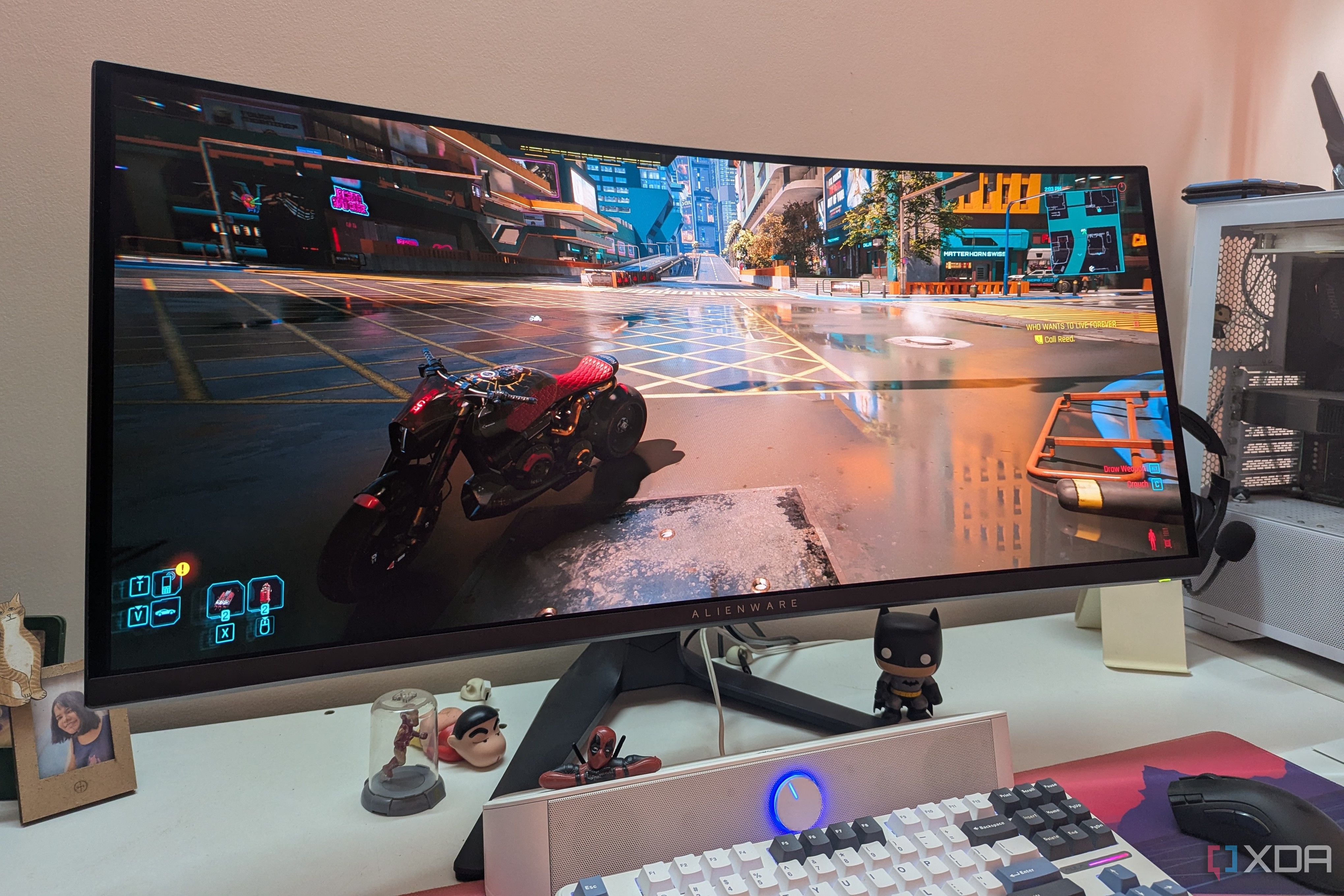
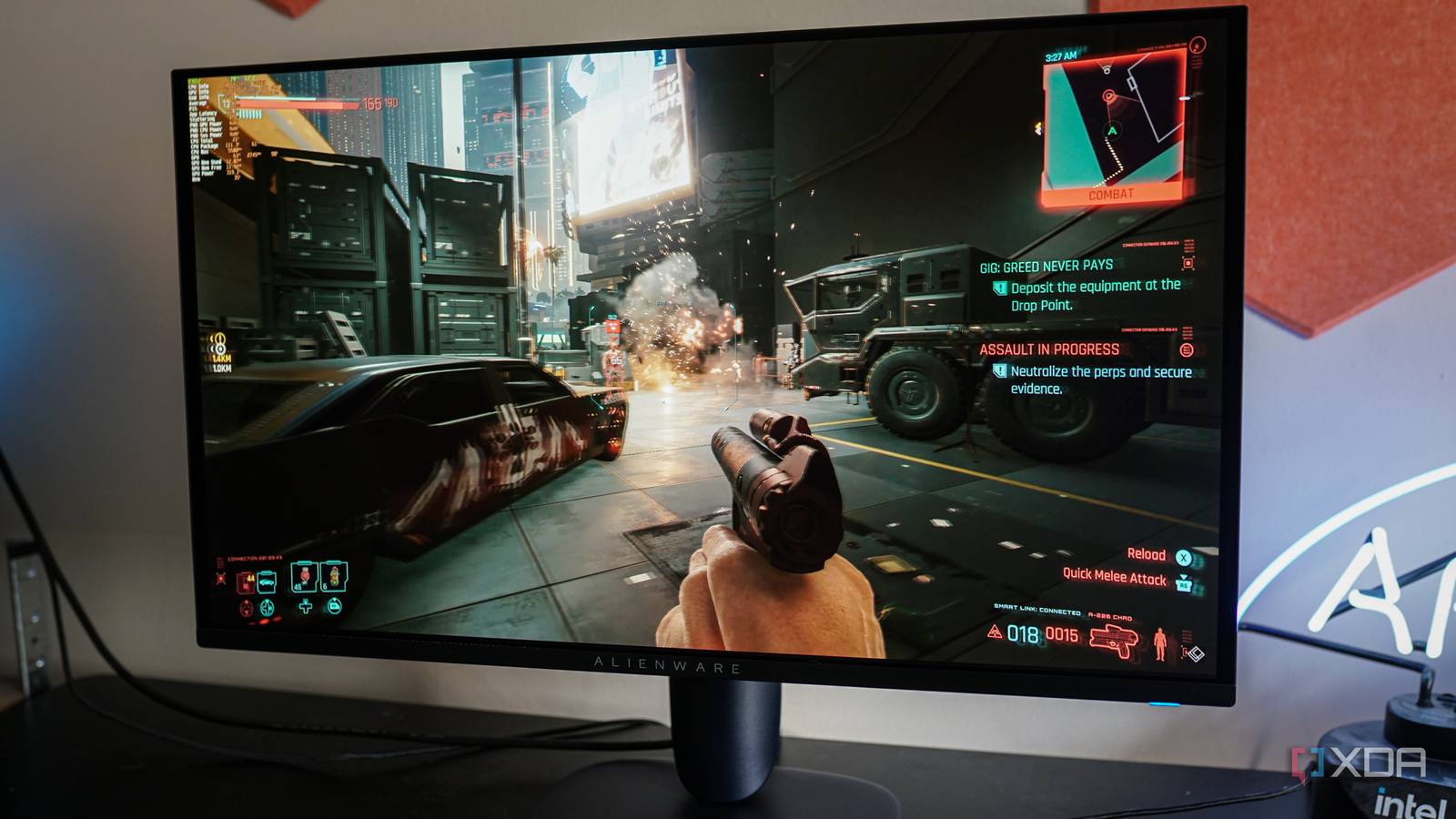
In a dark game level, an LCD monitor may show a black area with a gray haze. An OLED monitor can show that area as true black. Bright effects, muzzle flashes, and neon signs then look more vivid by comparison.
OLED also works well with variable refresh rate features. Technologies such as AMD FreeSync and NVIDIA G-SYNC Compatible can help reduce tearing when your frame rate changes.
A good gaming OLED should offer:
• A high refresh rate that matches your graphics card
• Low input lag
• Variable refresh rate support
• HDMI 2.1 if you plan to use a modern game console
• A useful pixel refresh or panel care system
• A screen size and resolution that fit your desk
I learned one practical lesson while comparing gaming displays: image quality can make a game feel more immersive, but it cannot fix weak hardware. If your graphics card struggles at 4K, a 1440p OLED may provide a better balance than a 4K model running at low frame rates.
OLED is also valuable for console gaming. A 4K OLED monitor with HDMI 2.1 can support features such as 4K resolution, high refresh rates, and variable refresh rates on compatible devices.

Why OLED Monitors Are Better for Movies and Media
OLED monitors are excellent for films and shows, especially when you watch in a dim room. Many movies use dark scenes, subtle shadows, and strong highlights. OLED displays can show these elements with impressive contrast.
The lack of backlight bleed is a major advantage. Backlight bleed appears when light escapes around the edges or corners of an LCD panel. It can make black bars, corners, and dark scenes look uneven.
OLED can also improve HDR content. High dynamic range video is designed to show both bright highlights and dark shadows. Since OLED controls light at the pixel level, it can display a bright moon beside a dark sky without the same halo effect seen on many LCD monitors.
However, HDR quality depends on more than panel type. Check:
• Peak brightness
• Sustained brightness
• HDR format support
• DisplayHDR certification
• Tone mapping behavior
• Screen size and viewing distance
Some OLED monitors have limited full-screen brightness. A small white highlight may look extremely bright, but a large white webpage may become dimmer. This is often caused by automatic brightness limiting, which protects the panel and controls heat.
Why OLED Monitors Are Better for Creative Work
OLED can be a strong choice for photo editing, video editing, animation, and design. Its contrast helps you judge shadows and highlights with more confidence.
For example, a video editor working on a night scene can see whether a shadow contains detail or has been crushed into black. A photographer can inspect fine color changes in dark clothing or a sunset.
Still, professional users should take extra care. OLED displays may use different pixel structures from standard RGB LCD panels. Text can sometimes show color fringing or a slight softness around fine letters, especially at lower pixel densities.
For creative work, look for:
• A high resolution
• Strong color accuracy
• A factory calibration report
• A suitable color gamut
• Hardware calibration support when needed
• A uniformity policy
• A screen with enough brightness for your room
A 32-inch 4K OLED often gives clearer text than a 27-inch 1440p OLED because it has a higher pixel density. If you spend eight hours reading small text, resolution may matter more than a small gain in refresh rate.
OLED Monitor Limitations You Should Know
A balanced answer to why are OLED monitors better must include their weaknesses. OLED offers outstanding image quality, but it may not be the best choice for every desk.
Burn-in and image retention
Burn-in is the biggest concern. It happens when repeated static elements, such as taskbars, logos, or game menus, age some pixels more than others. Over time, a faint permanent image may remain.
Temporary image retention can also appear. This may fade after the monitor runs a pixel refresh cycle.
Modern OLED monitors include protection features such as:
• Pixel shifting
• Logo dimming
• Screen savers
• Automatic brightness control
• Pixel refresh routines
These tools reduce risk, but they do not make the risk impossible. Long-term results depend on brightness, usage time, content, and panel design.
If your work involves the same spreadsheet or app window every day for many hours, a high-quality IPS or mini-LED monitor may be a safer choice.
Lower full-screen brightness
OLED screens often excel at small bright highlights. They may not maintain the same brightness across a full white screen as some LCD monitors.
This is usually not a problem for games and films. It can be more noticeable when browsing bright websites, editing documents, or working in a sunny room.
Higher cost
OLED monitors often cost more than comparable LCD models. You are paying for the panel technology, high refresh rate, HDR performance, and premium design.
Prices have started to fall as more models enter the market. Even so, a good OLED can cost much more than a solid IPS monitor.
Text clarity differences
Some OLED panels use subpixel layouts that can affect text sharpness. The result depends on the panel type, operating system scaling, pixel density, and viewing distance.
Before buying, read reviews that test text clarity. Do not rely only on gaming benchmarks.
OLED, QD-OLED, WOLED, and Mini-LED Explained
The term OLED covers several panel designs. Understanding them can help you choose the right monitor.
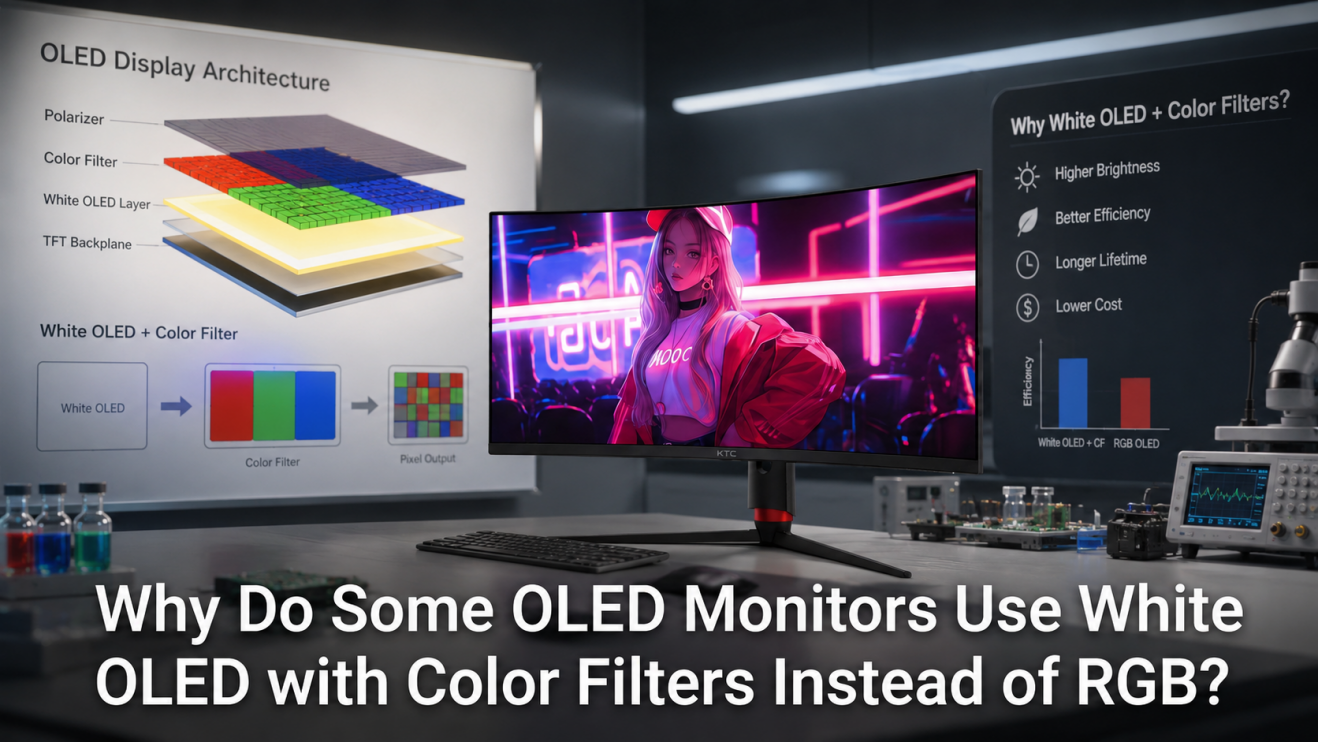
WOLED
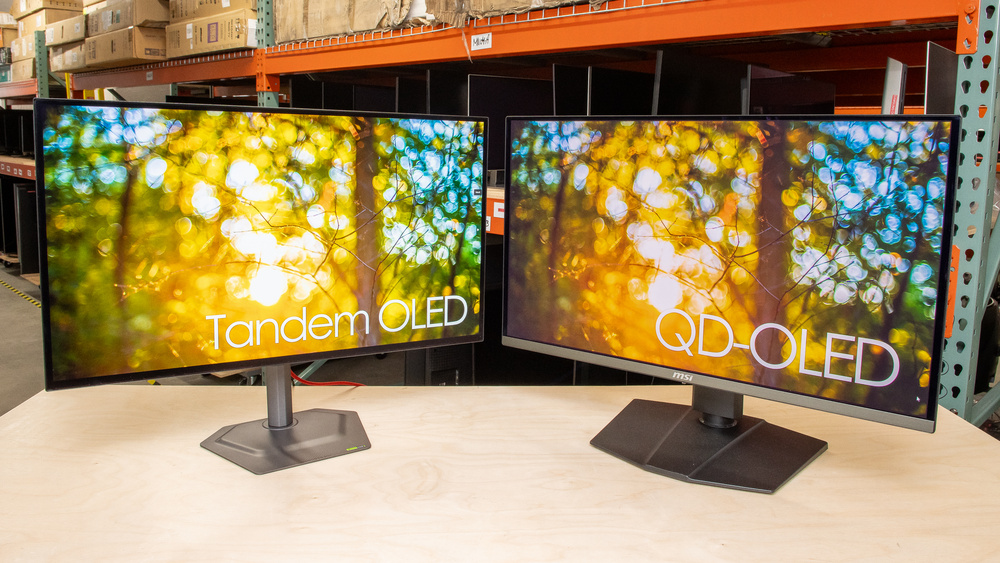
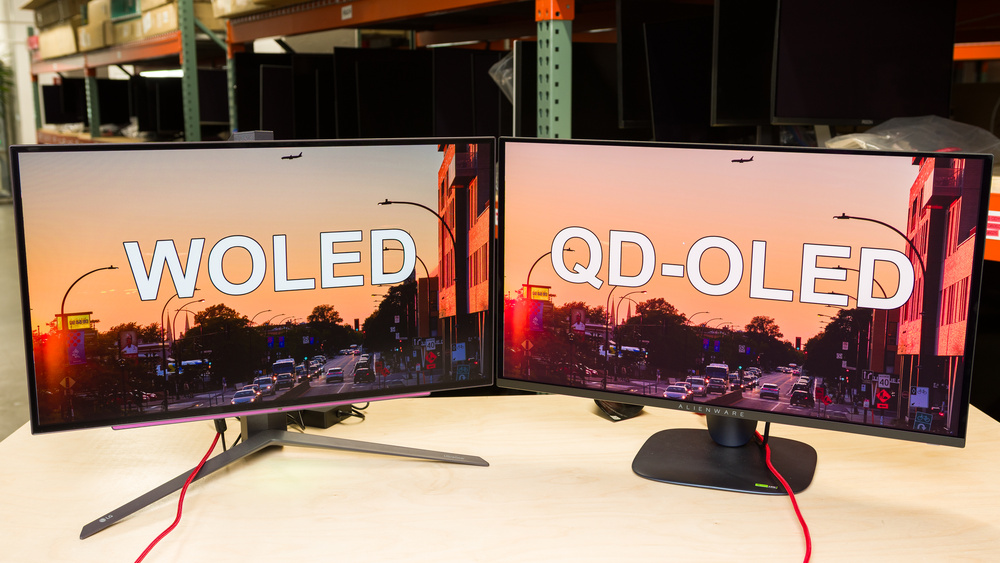
WOLED uses white OLED light with color filters. It can deliver deep blacks and strong response times. Many WOLED monitors use a familiar RGBW subpixel structure.
QD-OLED
QD-OLED combines blue OLED light with quantum dots. It can offer bright, vivid colors and strong HDR performance. QD-OLED models may have different text characteristics from WOLED models.
Mini-LED
Mini-LED is not OLED. It is an LCD display with many small backlight zones. It can become very bright and offers better contrast than standard LCD.
Mini-LED may be a better fit if you:
• Work in a bright room
• Display static apps all day
• Need strong full-screen brightness
• Want to reduce burn-in concerns
OLED usually wins for pixel-level black control and response time. Mini-LED may win for brightness and long-term static desktop use.
How to Choose the Best OLED Monitor
The best OLED monitor depends on what you do each day. Start with your main use rather than the most impressive specification.
For gaming
Choose a high refresh rate, low input lag, variable refresh rate support, and the correct ports for your computer or console.
A 1440p OLED may be ideal for competitive gaming. A 4K OLED is better for detailed single-player games if your graphics card can support it.
For office work
Prioritize pixel density, text clarity, brightness control, and burn-in protection. Consider how long static windows stay on your screen.
An OLED can work well for office use, but it may require good habits. Set your screen to turn off when you step away. Use a moving wallpaper or dark mode if it feels comfortable.
For creative work
Look for color accuracy, wide gamut support, calibration options, and uniformity. Confirm that the monitor has a mode suited to the color space you use.
For mixed use
A 32-inch 4K OLED or a 34-inch ultrawide OLED can work well for gaming, media, and general work. Make sure your desk has enough depth and that your computer can drive the selected resolution.
Before purchase, compare:
• Warranty length
• Burn-in coverage
• Return policy
• Panel care features
• Port selection
• Stand quality
• Brightness measurements from trusted reviews
The warranty deserves special attention. Some manufacturers offer specific burn-in coverage, while others do not. Read the full terms before you buy.

Tips to Reduce OLED Burn-In Risk
OLED care is simple, but consistency matters. These habits can help extend panel life:
-
Use the monitor’s pixel shift feature.
-
Allow automatic pixel refresh routines to finish.
-
Set a reasonable brightness for normal work.
-
Hide or reduce static taskbars when possible.
-
Use a screen saver after a short period of inactivity.
-
Turn the monitor off when you leave for a long time.
-
Avoid displaying the same bright logo or window for many hours every day.
-
Keep the monitor firmware updated.
Do not manually run a long pixel refresh more often than the manufacturer recommends. These routines are useful, but unnecessary use may add extra panel wear.
One mistake users often make is treating an OLED like a digital picture frame. Static images for hours each day create more risk than varied games, films, and changing web pages.
Are OLED Monitors Worth It?
OLED monitors are often worth the price if image quality is a top priority. They are especially appealing to gamers, movie fans, and creators who value deep blacks, smooth motion, and strong HDR.
They may not be worth it if you mainly work with static documents, use a very bright room, or need the highest full-screen brightness. In those cases, a quality IPS or mini-LED monitor may offer better value and less worry.
Think of OLED as a sports car for image quality. It feels fast, looks impressive, and offers a special experience. But if your daily route is rough or practical, another vehicle may fit your needs better.
The most important choice is not simply OLED versus LCD. It is whether the display matches your content, room, computer, and habits.
Frequently Asked Questions About Why Are OLED Monitors Better
Why are OLED monitors better for gaming?
OLED monitors offer true blacks, very fast response times, and smooth motion at high refresh rates. These features can make fast games look clearer and more immersive.
Are OLED monitors better than IPS monitors?
OLED monitors usually provide better contrast, deeper blacks, and faster pixel response than IPS monitors. IPS displays can still be better for lower cost, strong full-screen brightness, and long periods of static office work.
Do OLED monitors suffer from burn-in?
Yes, OLED monitors can develop burn-in when static images remain on screen for long periods. Pixel shifting, screen savers, brightness control, and varied content can reduce the risk.
Are OLED monitors good for office work?
OLED monitors can be good for office work, especially when they have high resolution and clear text. Users who display the same windows for many hours should use panel care features and consider a monitor with strong burn-in warranty coverage.
Is QD-OLED better than WOLED?
Neither is always better. QD-OLED can offer strong color volume and vivid HDR, while WOLED models can provide excellent contrast and broad viewing options; the best choice depends on brightness, text clarity, price, and your use.
Do OLED monitors use more power?
Power use depends on brightness and the content on screen. A mostly dark OLED image may use less power, while bright full-screen content can increase power draw.
How long do OLED monitors last?
An OLED monitor can last for many years, but its lifespan depends on brightness, usage, heat, and static content. A specific lifespan is difficult to promise because panel aging varies by model and user behavior.
Conclusion
OLED monitors are better in several important ways: they produce true blacks, powerful contrast, fast response times, smooth motion, and rich color. These strengths make them excellent for gaming, HDR movies, and creative work.
They also have real limits. Burn-in risk, lower full-screen brightness, higher prices, and possible text clarity concerns deserve careful thought. The right choice depends on how you use your monitor, not only on the OLED label.
Compare panel tests, warranty terms, brightness results, and text performance before buying. If OLED fits your needs, it can be one of the most noticeable display upgrades you make. Explore trusted monitor reviews, compare current models, and choose the screen that best matches your daily work and play.