Blow compressed air in short bursts to clear dust from your PS4 safely and effectively.
As a long-time gamer and hardware tinkerer, I’ll guide you step by step on how to clean ps4 with air duster. I’ve maintained multiple consoles over the years and tested safe cleaning methods to reduce noise, lower temperatures, and extend console life. Read on for clear, tested steps, safety tips, and when to seek professional help.

Why use an air duster for your PS4
An air duster is a quick, non-contact way to remove dust from vents, fans, and ports. Learning how to clean ps4 with air duster helps reduce fan noise and thermal throttling without opening the case. It is fast, inexpensive, and safe when done correctly.

What you need before you start
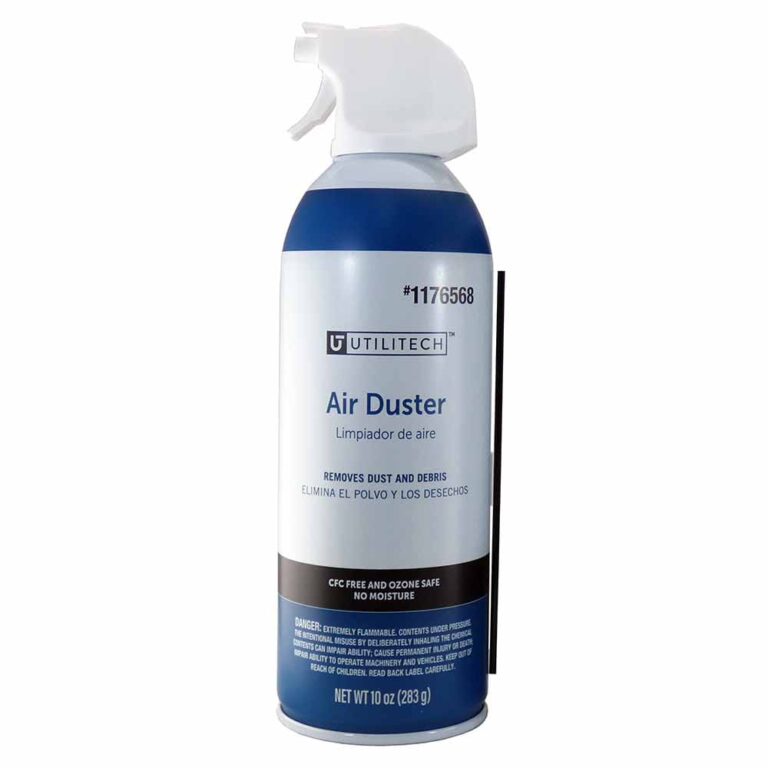
- A can of compressed air or an electronic-safe air duster.
- A soft microfiber cloth.
- A small Phillips screwdriver if you plan minor external panel removal.
- A clean, well-lit workspace and a flat surface.
Before you begin, read the can directions. Preparing these simple items makes how to clean ps4 with air duster easy and low-risk.
Step-by-step guide to clean PS4 with air duster
-
Power down and unplug
- Turn off your PS4 using the menu. Wait until it is fully off.
- Unplug the power cable, HDMI, and any USB devices. When learning how to clean ps4 with air duster, disconnecting power is the first safety rule.
-
Move to a ventilated workspace
- Work in a room with some airflow or next to an open window. Dust will blow out of the console and can settle elsewhere.
-
Remove loose dust from the outside
- Use the microfiber cloth to wipe the case surfaces. This removes surface dust so the air duster doesn’t just blow it back.
-
Blow out the vents with short bursts
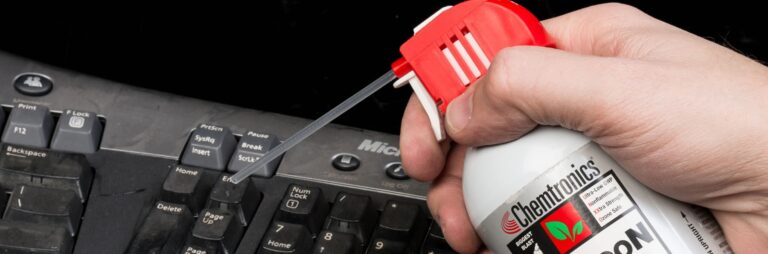
- Hold the can upright. Use 1–2 second bursts of air. Keep the nozzle 4–6 inches from vents and ports.
- Blow along the rear vents, side vents, and any openings. Do not use continuous blasts. This technique is core to how to clean ps4 with air duster safely.
-
Clean USB and HDMI ports
- Use short bursts to push dust from inside ports. Hold the console so dust falls out, not deeper inside.
-
Tackle stubborn dust around the fan area
- Aim at vents while gently tipping the console to let dust exit. If you hear the fan spin, stop and let it settle before continuing.
-
Final wipe and reassembly
- Wipe again with the microfiber cloth. Reconnect cables and power up.
Following these steps for how to clean ps4 with air duster will keep your console cooler and quieter with minimal risk.

Safety tips and common mistakes
- Use upright cans only. Holding cans upside down can spray liquid propellant.
- Use short bursts. Long blasts can spin the fan too fast and damage bearings.
- Avoid inserting anything into vents. Never poke objects into fans or ports.
- Don’t overdo it. A light cleaning every 3–6 months is usually enough.
- Keep the can a safe distance. Hold the nozzle 4–6 inches from openings.
Common mistakes when you clean ps4 with air duster include letting the can get cold, using continuous blasts, and tilting the can. These errors can cause moisture to spray into the console or harm internal parts.

When to deep clean or get professional help
If noise, heat, or crashes continue after you use an air duster, a deeper clean may be needed. Internal dust build-up, degraded thermal paste, or failing fans require opening the case or professional service. If your PS4 is under warranty, check terms before opening it. Rushing into internal disassembly can void warranty and cause damage, which is why knowing when to move beyond how to clean ps4 with air duster matters.

Common signs your PS4 needs cleaning
- Louder fan noise during menus or games.
- Higher operating temperatures or sudden shutdowns.
- Visible dust around vents and on the surface.
- Decreased performance or thermal throttling.
Knowing how to clean ps4 with air duster helps you catch these issues early. Regular light cleaning prevents bigger problems later.

Will an air duster damage internal components?
Short, controlled bursts are safe. Avoid spraying liquid propellant and avoid direct contact with delicate parts. If you follow can instructions, how to clean ps4 with air duster will not harm internal components.
How often should I use an air duster on my PS4?
A light cleaning every 3–6 months is a good rule. If you game in a dusty room or have pets, clean every 1–2 months to maintain airflow and reduce dust build-up.
Frequently Asked Questions of how to clean ps4 with air duster
Is it safe to use canned air on a PS4?
Yes, it is safe when used upright in short bursts. Keep the can vertical and avoid long continuous sprays to prevent moisture from entering the console.
Can I use a vacuum cleaner instead of an air duster?
A vacuum is not recommended near vents or ports because it can create static and pull fragile parts. Use an air duster or an electronics-safe blower for best results.
Will using an air duster void my PS4 warranty?
Using canned air for external cleaning normally does not void the warranty. However, opening the console or causing visible damage while cleaning can affect warranty coverage.
What if the fan keeps making noise after using an air duster?
Persistent noise can mean dust inside the fan bearings or a failing fan. If noise continues after air cleaning, consider professional cleaning or fan replacement.
Can I use a hair dryer on cold setting instead of an air duster?
A hair dryer on cool can work in a pinch, but it lacks the focused air and may not reach deep vents. An air duster is more precise for how to clean ps4 with air duster effectively.
Personal experience and practical tips
I once cleaned a heavily used PS4 with a can of compressed air after months of pet hair around the console. Short bursts cleared the vents and dropped the idle fan noise noticeably. I learned to always unplug first and to prop the console so dust falls out. Don’t rush. Small, regular cleans prevent major service needs down the line.
Final thoughts
Regular, careful cleaning with an air duster is one of the quickest ways to keep a PS4 running cool and quiet. Use short bursts, keep the can upright, and disconnect power before starting. If problems persist, move to deeper cleaning or professional help. Try a small cleaning session today, and comment below with your results or questions to keep your console performing its best.