Use short, upright bursts of canned air on vents while the PS5 is powered off and unplugged.
I’ve cleaned dozens of consoles and tested safe techniques for how to clean PS5 with air duster. This guide explains step-by-step methods, tools, and safety tips so you can remove dust, keep performance steady, and avoid damage. Read on for practical advice, my real-world lessons, and a simple maintenance plan you can use today.
Why clean your PS5 regularly
Dust builds up inside any living-room device. Left alone, dust can clog vents, raise fan speeds, and make the PS5 run louder or hotter. Using an air duster helps remove surface and vent dust without opening sensitive parts when done correctly. Regular cleaning improves airflow, extends component life, and keeps your console quieter and more reliable.

Tools you need before starting
- Air duster can (canned compressed air)
Use a high-quality can designed for electronics. - Microfiber cloth
For wiping external surfaces and faceplates. - Soft brush (small paintbrush or anti-static brush)
To loosen stubborn dust inside vents and around fan blades. - Phillips screwdriver (only if you remove certain covers)
Remove only external faceplates; avoid opening sealed parts. - Anti-static wrist strap (optional)
Helpful when touching internal parts to avoid static damage.

Step-by-step: how to clean ps5 with air duster
Follow these steps carefully to clean your PS5 with an air duster safely. Keep sentences short. Take breaks between cans to avoid cold spray.
-
Power down and unplug
Turn off the PS5 completely. Unplug power and all cables. Wait five minutes for capacitors to discharge. -
Move to a clean workspace
Place the PS5 on a flat table with a soft towel underneath. Work in a well-ventilated area to blow dust away from the console, not into your room. -
Remove dust from exterior first
Wipe the faceplates with a dry microfiber cloth. This reduces loose dust before you use the air duster. -
Hold the air duster upright
Shake the can gently if instructed. Keep the can upright to avoid liquid propellant from spraying. Hold the nozzle about 6 to 10 inches from vents. -
Use short bursts of air
Spray in short 1–2 second bursts. Move the can in a sweeping motion along vents. Avoid continuous spraying that chills the can and risks a liquid shot. -
Clean the intake and exhaust vents
Blow along the long vent seams and around the fan exhaust. Rotate the PS5 so gravity helps dust fall out rather than deeper into the housing. -
Loosen dust with a soft brush
If dust resists, use a soft brush to dislodge it while you blow short bursts of air. Work gently to avoid bending fins or pushing dust further in. -
Reattach faceplates and cables
Once vents look clear, wipe the exterior again and reattach the faceplates. Reconnect cables and power on the console.
This method for how to clean PS5 with air duster keeps risk low and performance high when done regularly.
Deep cleaning: removing faceplates safely
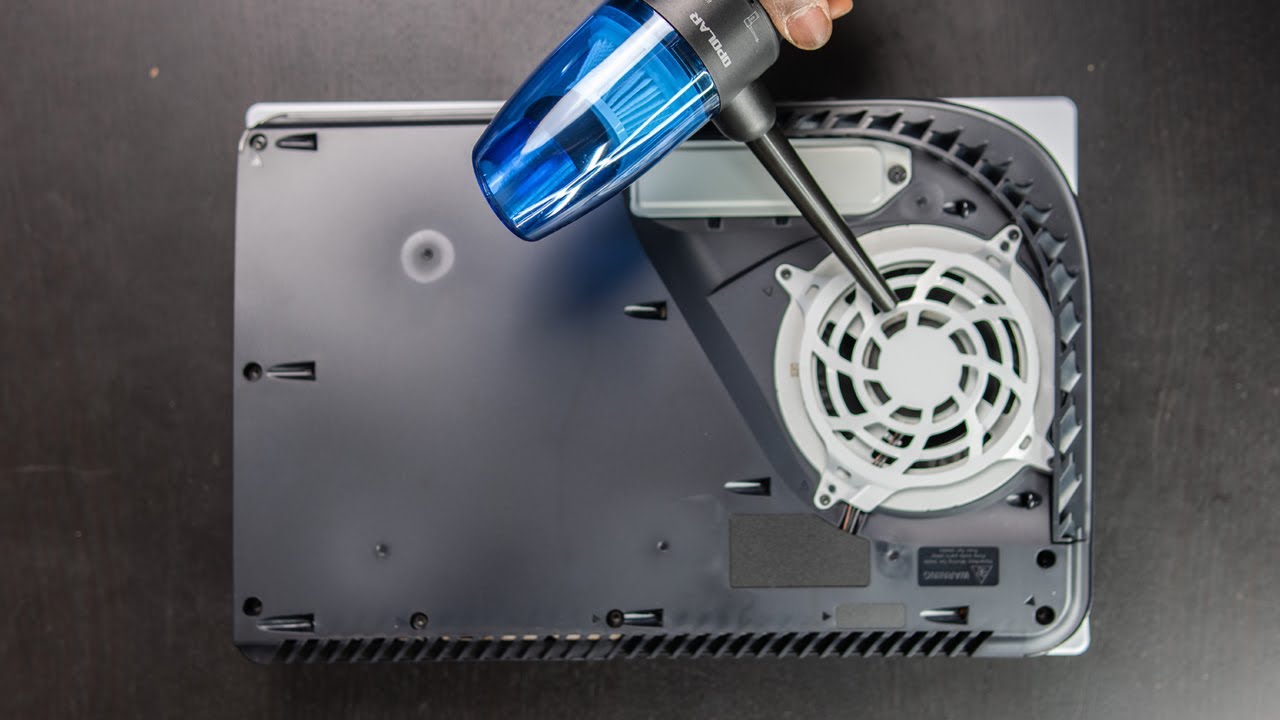
Removing PS5 faceplates gives better access to vents and the dust filter. Do this only if you’re comfortable and your warranty allows it.
-
How to remove faceplates
Press the tab and slide the faceplate off from the top or bottom depending on your model. Work slowly and follow the natural seam. -
Clean inside edges and the dust filter
Use short air-duster bursts to clear the filter area. A soft brush helps remove trapped fibers. -
Avoid opening sealed chassis
Do not remove screws from the main casing or attempt to access internal boards unless you’re a trained technician. That can void warranty and risk damage.
When removing faceplates, you can do a deeper version of how to clean PS5 with air duster without touching internal electronics.
Safety tips and common warnings when using an air duster
Using an air duster is simple but has risks if mishandled. Follow these safety points.
-
Never spray while the console is powered on
Spraying can force debris into the electronics and may spin fans at unsafe speeds. -
Avoid flipping the can
Do not hold the air duster upside down. This can release cold liquid and damage plastic or electronics. -
Don’t use high-pressure shop compressors
Canned air is safe because it’s low-pressure. Compressed air from a shop source can spin fans too fast and harm bearings. -
Watch for condensation and cold spray
If the can gets very cold or liquid appears, stop and let the can warm up. -
Be mindful of warranty and repairs
Cleaning vents and removing faceplates is usually fine. Internal repairs or opening the sealed chassis may void warranty.
If you’re unsure, consult a professional rather than risking damage while trying to clean PS5 with air duster.

Quick PAA-style questions within the safety section
How close should an air duster be to PS5 vents?
Keep the can 6 to 10 inches away and use short bursts to avoid liquid discharge.
Can canned air damage the PS5 fan?
Short, low-pressure bursts are safe. High-pressure compressors or continuous blasts can stress fan bearings.
Is it better to vacuum or use an air duster?
Vacuuming can create static. Use canned air for vents and a cloth for external vacuuming if needed.
Maintenance schedule and signs you need cleaning
Set a simple cleaning routine to prevent major dust buildup.
- Light use and clean environment
Clean vents with an air duster every 4 to 6 months. - Dusty rooms or pets present
Clean every 2 to 3 months if your room has heavy dust or pet hair. - Signs to clean sooner
Console gets louder, runs hotter, or shows thermal throttling messages. These are clear signs you should clean now.
Using this schedule makes how to clean PS5 with air duster an easy habit that protects your console.

Personal experience: lessons, mistakes, and practical tips
I’ve cleaned multiple PS5 units and learned a few simple rules that save time and headaches.
-
Start outside or near a window
Dust ends up on the floor or outdoors, not on your furniture. -
Short bursts work best
Early on I used long blasts and caused cold propellant to spray. Short bursts solved that. -
Keep replacement cans on hand
Don’t try to finish a full cleaning with a nearly empty can. Running out mid-clean can push dust deeper. -
Use a brush for stubborn lint
A small anti-static brush helps more than you expect. It loosens debris so the air duster can clear it. -
Respect warranty limits
After one incident of unscrewing the shell, I had a warranty issue. Now I only remove faceplates, not internal boards.
These tips come from hands-on experience cleaning consoles under real conditions. They make how to clean PS5 with air duster safer and quicker.

Frequently Asked Questions of how to clean ps5 with air duster
Can I use an air duster while the PS5 is turned on?
No. Always power off and unplug the PS5 before using an air duster to avoid short circuits and fan damage.
Will using canned air void my PS5 warranty?
Using canned air on exterior vents and removing faceplates usually does not void warranty. Opening sealed internals or screws could affect warranty terms.
How often should I use an air duster on my PS5?
For most homes, every 3 to 6 months is good. Clean more often if you have pets or a dusty room.
Can I spray the air duster inside the console deeply?
Avoid spraying deep inside or at circuit boards. Use short bursts aimed at vents and the dust filter only.
What if the air duster sprays liquid?
Stop immediately and let the console and can warm to room temperature. Liquid propellant can harm plastics and electronics.
Conclusion
Keeping your PlayStation 5 clean with an air duster is a low-cost way to maintain cooling, silence, and performance. Follow the simple steps: power down, use short upright bursts, remove faceplates carefully, and maintain a steady cleaning schedule. Start today by scheduling a quick vent-clean; a little care now prevents bigger problems later. If you found this helpful, try the steps and share your results or questions below — subscribe for more hands-on console care tips.