An ergonomic mouse is usually better for long work sessions because it supports a more natural hand position, while an ambidextrous mouse is better for users who need equal left and right hand use, fingertip control, or competitive gaming flexibility.
For many computer users in the United States, the choice between an ambidextrous and ergonomic mouse comes down to how the mouse will be used every day. Office workers, remote professionals, designers, and students often prioritize comfort during long hours, while gamers and users who switch hands may prefer a symmetrical design.
Both mouse styles can be effective, but they solve different problems. An ergonomic mouse changes the shape and angle of the device to reduce awkward wrist positioning, while an ambidextrous mouse focuses on balanced shape, flexibility, and consistent control regardless of hand preference. The right choice depends on your grip style, workload, and comfort requirements.
Source: Bing
What Is the Difference Between an Ambidextrous and Ergonomic Mouse?
The main difference between an ambidextrous and ergonomic mouse is the design goal. An ambidextrous mouse is built with a symmetrical body that allows use with either hand, while an ergonomic mouse is shaped around the natural resting position of a specific hand, usually the right hand.
Ergonomic designs often include a sloped body, thumb support, and angled grip that can reduce the amount of wrist twisting required during use. Ambidextrous designs usually keep the left and right sides similar, which gives users a consistent feel and makes quick switching easier.
Source: Bing
Ambidextrous mouse
A symmetrical mouse shape designed for left-handed and right-handed users, often preferred by gamers and people who value flexibility.
Ergonomic mouse
A contoured mouse designed to support a more natural hand position and reduce strain during extended use.
How Mouse Shape Affects Comfort
Mouse shape influences how your fingers, palm, wrist, and forearm interact with the device. A shape that matches your grip style can reduce unnecessary muscle tension, while an unsuitable shape may create discomfort even if the mouse has high-quality sensors or features.
Palm grip users
Often benefit from larger ergonomic shapes that support more of the hand.
Claw grip users
May prefer either style depending on hand size and preferred button control.
Fingertip grip users
Often prefer lighter ambidextrous designs for precise movement.
Ergonomic Mouse vs Ambidextrous Mouse: Key Differences Compared
The best way to compare these mouse types is to look at the factors that affect daily use. Comfort, hand compatibility, control style, and intended activity are usually more important than the label itself.
Source: Bing
Comfort during long sessions
Ergonomic mice generally provide more support for users who spend many hours working because their shape encourages a less twisted wrist position.
Hand flexibility
Ambidextrous mice offer greater flexibility because they can be used by either hand without changing the device.
Gaming performance
Many competitive gamers prefer ambidextrous mice because symmetrical shapes can support fast movements and different grip techniques.
Learning curve
An ergonomic mouse may require adjustment because its shape feels different from traditional mice.
Comparison Table: Ambidextrous vs Ergonomic Mouse
This comparison shows how each design typically performs in common situations. Individual comfort can vary based on hand size, grip style, and personal preference.
Best for office productivity
Ergonomic mouse designs are often preferred for long daily work sessions.
Best for left-handed users
Ambidextrous models provide easier access without needing a specialized left-handed shape.
Which Mouse Should You Choose for Work, Gaming, or Everyday Use?
The better mouse depends on your main activity. A person spending eight hours a day answering emails and working with documents may value ergonomic support, while a gamer who needs rapid movement may prefer an ambidextrous design.
Before choosing a mouse, consider your hand size, grip type, dominant hand, and the amount of time you use a computer each day.
Source: Bing
Choose an ergonomic mouse if
You work long hours, want more hand support, or frequently experience discomfort from traditional mouse shapes.
Choose an ambidextrous mouse if
You switch hands, share a computer, prefer symmetrical designs, or need precise gaming control.
Common Mistakes When Buying a Mouse
Many users choose a mouse based only on brand, appearance, or technical specifications. Sensor quality and extra buttons matter, but the shape and fit often have a larger effect on everyday comfort.
Ignoring hand size
A mouse that is too large or too small can make even a well-designed shape uncomfortable.
Choosing based only on gaming features
High DPI ratings and extra buttons do not guarantee better comfort for long-term use.
Can an Ergonomic Mouse Prevent Wrist Problems?
An ergonomic mouse can help encourage a more neutral hand position, but it is not a guaranteed solution for preventing or treating wrist conditions. Comfort depends on overall workstation setup, posture, breaks, and individual factors.
Users should also adjust desk height, keyboard position, monitor placement, and computer habits instead of relying only on a different mouse shape.
Source: Bing
Helpful changes
Use a comfortable grip, avoid excessive force, keep the wrist relaxed, and take regular breaks.
When to seek professional advice
Persistent pain, numbness, weakness, or symptoms affecting daily activities should be evaluated by a qualified healthcare professional.
Frequently Asked Questions
Q
Is an ergonomic mouse better than an ambidextrous mouse?
An ergonomic mouse is often better for users who prioritize long-term comfort, while an ambidextrous mouse may be better for users who need flexibility, gaming control, or left-hand compatibility.
Q
Are ambidextrous mice better for gaming?
Many gamers prefer ambidextrous mice because symmetrical shapes support fast movements and different grip styles, but the best option depends on personal preference.
Q
Can left-handed people use ergonomic mice?
Some ergonomic mice are available in left-handed versions, but ambidextrous mice are usually easier for left-handed users because the shape works on either side.
Q
How do I know which mouse shape fits my hand?
Consider your hand size, grip style, daily usage time, and whether you prefer support or movement freedom. Trying different shapes is the most reliable method.
Q
Does an ergonomic mouse improve computer comfort immediately?
Some users notice improved comfort quickly, but others need time to adjust to a different shape. A proper workstation setup remains important.
✦ Wrapping Up
Conclusion
The choice between an ambidextrous vs ergonomic mouse depends on your priorities. Ergonomic mice focus on supporting a natural hand position, while ambidextrous mice focus on flexibility and symmetrical control.
For long office sessions, an ergonomic design may provide the comfort benefits many users need. For gaming, shared computers, or users who value equal left and right hand use, an ambidextrous mouse may be the better match.
💡 Key Takeaway
Choose the mouse shape that matches your daily tasks, grip style, and comfort needs rather than choosing based only on appearance or specifications.
Kimberly ensures every piece of content is clear, helpful, and user-friendly. She focuses on creating guides that are easy to read while maintaining accuracy and trust.
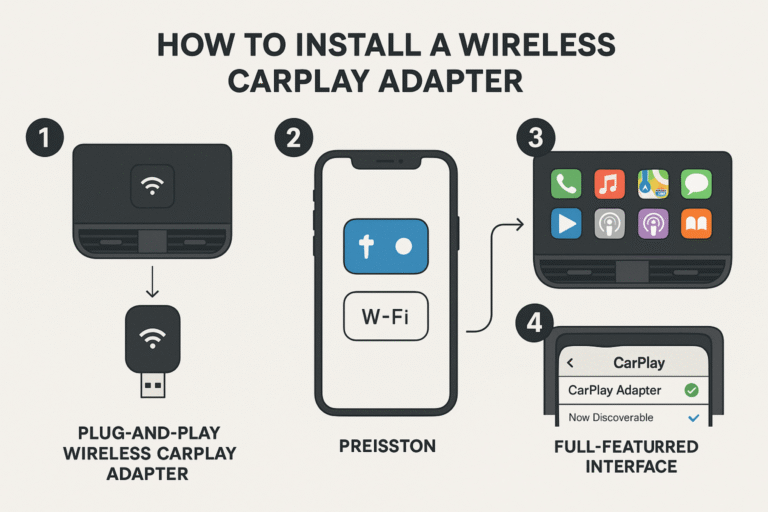
Learn how to enable wireless CarPlay on your iPhone and vehicle. This guide explains compatibility checks, setup steps, troubleshooting, adapters, and common mistakes.
Learn how to connect CarPlay wirelessly using Bluetooth and Wi-Fi, check compatibility, complete setup steps, and troubleshoot common wireless Apple CarPlay problems.