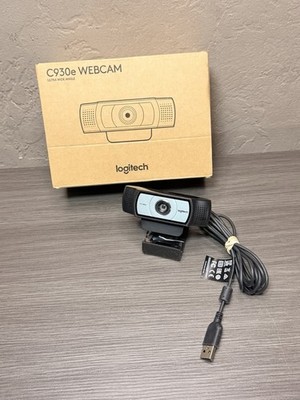
A webcam improves video calls, online classes, live streams, remote work, and digital communication from almost any device.
If you are asking why buy a webcam, the answer goes beyond sharper video. A good webcam can make you look and sound more professional, help you stay connected, and give you more control than the camera built into your laptop. This guide explains the real benefits, possible drawbacks, useful features, and smart buying tips so you can choose with confidence.

Why buy a webcam for better video quality?
Many laptops have built-in webcams, but they often use small sensors and weak lenses. Their video may look dark, soft, or grainy, especially in a room with poor light. An external webcam can offer a clearer image with better color, focus, and exposure.
The difference is easy to notice during a work meeting. Instead of appearing like a shadow near a bright window, your face can remain clear and balanced. A quality webcam acts like a small window that lets others see you more naturally.
When considering why buy a webcam, image quality is one of the strongest reasons. A dedicated model may provide:
• Full HD 1080p video for clear calls and recordings
• 4K video on premium models
• Better low-light performance
• Automatic exposure and white balance
• Faster and more accurate autofocus
• A wider or narrower viewing angle
A 1080p webcam is enough for most video calls. A 4K webcam can help creators, instructors, and professionals who crop or edit video. However, 4K also requires more computer power, storage, and internet bandwidth.

Why buy a webcam for remote work?
Remote work depends heavily on clear communication. A webcam helps you show attention, confidence, and professionalism during meetings. Facial expressions and eye contact can make conversations feel more personal, even when your team is spread across different cities.
Your laptop camera may point upward from a low desk. This angle can make the meeting feel less natural. An external webcam can sit on top of your monitor or mount on a tripod at eye level.
This small change often improves your appearance more than expensive equipment. Keep the lens near the top third of your screen. Then, look at the lens when speaking and at the screen when listening.
A dedicated webcam can also help during:
• Job interviews
• Client presentations
• Sales calls
• Team meetings
• Online conferences
• Virtual networking events
• Training sessions
In my experience testing webcams for desk setups, poor positioning causes more problems than low resolution. A basic 1080p webcam at eye level often looks better than a high-end camera placed too low or pointed toward a window.

Why buy a webcam for online school and learning?
Online learning is easier when students can see and hear one another clearly. A webcam supports live classes, group projects, tutoring, and virtual office hours. It can also help teachers read student reactions and notice when someone needs help.
Parents may also find that a dedicated webcam gives children a better setup for schoolwork. The camera can remain fixed on the monitor, while the laptop stays free for notes or research.
For teachers and instructors, a webcam can support:
• Live lessons
• Recorded lectures
• Demonstrations
• Screen sharing
• Virtual office hours
• Student presentations
A wide-angle webcam may be useful when several students sit together. For one student, a standard viewing angle usually works better because it keeps the image focused.
Privacy matters in education. Place a physical camera cover over the lens when the webcam is not in use. Also review the privacy settings in the learning platform and operating system.

Why buy a webcam for streaming and content creation?
A webcam offers an easy way to start streaming without buying a full camera system. It works well for live gaming, product demonstrations, podcasts, tutorials, and social video.
Many content creators begin with a webcam because it is simple. You connect it by USB, select it in your streaming software, and start recording. There is no need to learn advanced camera menus before making your first video.
A webcam can support platforms and tools such as:
• YouTube Live
• Twitch
• Zoom
• Microsoft Teams
• Google Meet
• OBS Studio
• Discord
For streaming, image quality is only one part of the result. Lighting, sound, background, and camera placement also matter. A basic webcam with a soft light and a good microphone may look better than a costly camera in a dark room.
If you plan to stream often, look for manual controls. Exposure, focus, white balance, and frame rate settings can give you more creative control. Some webcams also offer background removal, face tracking, and automatic framing.
These tools are helpful, but they are not magic. Software effects can create rough edges around hair, glasses, or moving hands. Use them as useful extras rather than the main reason to buy.

Why buy a webcam instead of using a phone?
A smartphone may have an excellent camera, but it is not always the most convenient webcam. You may need a special app, a phone mount, a cable, and a stable connection. Your phone may also become unavailable while it is being used as a camera.
A webcam stays on your desk and starts quickly. It is designed for computer use, so it usually works with common video apps without extra steps.
Here is a simple comparison:
• Webcam: Easy setup, stable desk placement, and direct computer support
• Smartphone: Often better image quality, but more setup and battery use
• Built-in laptop camera: Convenient, but often limited in quality and position
• DSLR or mirrorless camera: Excellent quality, but higher cost and greater complexity
This does not mean a webcam is always the best choice. If you already own a modern smartphone and only make occasional calls, using it may be enough. The best option depends on your budget, habits, and need for convenience.

Why buy a webcam with a built-in microphone?
Some webcams include microphones that are better than the microphone in a laptop. They may capture your voice more clearly from a short distance and reduce some background noise.
Still, built-in webcam microphones have limits. They may pick up keyboard sounds, fans, pets, and room echo. For frequent meetings or professional content, a USB microphone or headset often provides better sound.
When asking why buy a webcam, remember that viewers notice poor audio very quickly. They may forgive slightly soft video, but muffled speech can make a meeting tiring.
Improve webcam audio by following these tips:
• Sit close to the webcam
• Keep the microphone away from loud fans
• Close nearby windows
• Use a headset in noisy rooms
• Test your audio before an important call
• Choose noise suppression carefully because strong processing can distort speech
A webcam with a microphone is useful for convenience. It should not always replace a dedicated microphone.

Important webcam features to consider
The right webcam depends on how you plan to use it. Do not pay for features that will not improve your daily experience.
Resolution
Resolution describes the number of pixels in the image. Full HD, or 1080p, is the practical choice for most users. It gives a clear picture without demanding as much bandwidth as 4K.
Choose 4K if you record detailed videos, crop footage, or want extra flexibility during editing. Check that your computer and internet connection can handle it.
Frame rate
Frame rate measures how many frames appear each second. Thirty frames per second is common for meetings and standard recordings. Sixty frames per second creates smoother motion for gaming, demonstrations, and fast movement.
Autofocus
Autofocus helps keep your face or an object sharp. It is useful when you move during a presentation. Fixed-focus models can still work well if you remain at a steady distance.
Field of view
The field of view controls how much the camera captures. A narrow view keeps attention on one person. A wide view can include a whiteboard, product, or group of people.
Low-light performance
A larger sensor and a better lens can improve video in dim rooms. However, no webcam can fully replace good lighting. A small lamp placed in front of you can make a major difference.
Mounting options
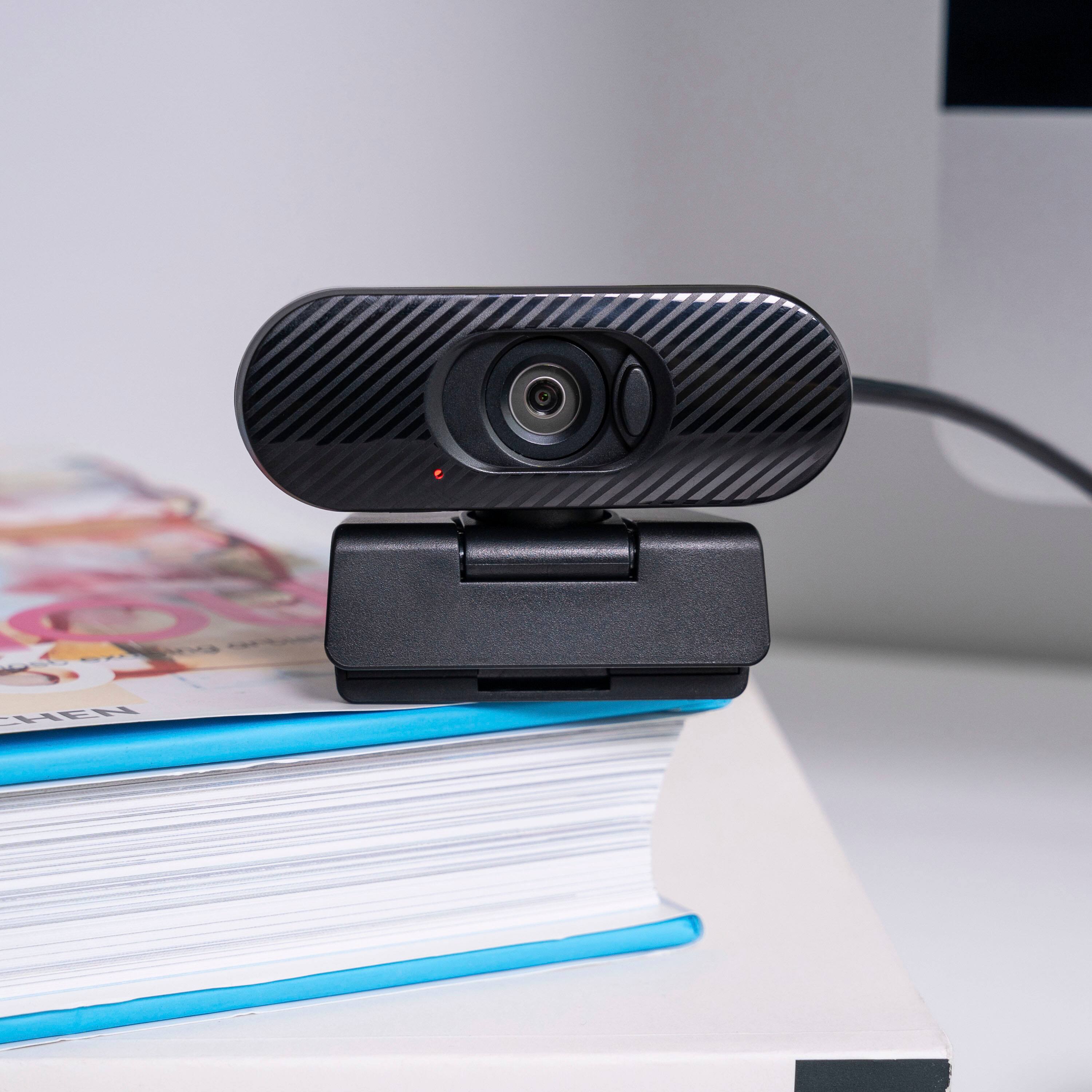
Look for a strong monitor clip and a standard tripod thread. A flexible mounting system lets you place the camera at the correct height and angle.
Privacy features
A sliding lens cover is a valuable feature. Some models also include a status light that shows when the camera is active. These features can provide peace of mind.
How much does a good webcam cost?
Webcam prices vary widely. A low-cost model may handle basic video calls, while a premium model may include 4K video, advanced software, and better low-light performance.
A simple budget guide looks like this:
• Entry level: Suitable for occasional calls and basic online classes
• Midrange: Better for remote work, interviews, and regular meetings
• Premium: Designed for streaming, production, and high-resolution recording
A higher price does not guarantee a better image in every room. Some premium webcams struggle in poor light, while a midrange webcam can look excellent with proper placement and lighting.
Before buying, check independent reviews that show real sample footage. Product descriptions can list impressive specifications, but real-world video reveals how the camera performs with skin tones, shadows, motion, and backlighting.
Webcam limitations and drawbacks
A balanced answer to why buy a webcam should include the disadvantages. An external webcam takes up desk space and adds another device to manage. You may also need to adjust its settings in each video app.
Some webcams need software for advanced features. That software may use computer resources or collect technical data. Review the privacy policy and install updates only from the manufacturer’s official website.
Other limitations include:
• Image quality still depends on room lighting
• Built-in microphones may not sound professional
• Autofocus can hunt or shift during movement
• Wide-angle lenses may create facial distortion
• 4K video can require more bandwidth
• Cheap mounts may slip or shake
• Some cameras work better with certain operating systems
Security is another important issue. Keep your operating system, browser, and webcam software updated. Disable camera access for apps that do not need it. Cover the lens when the camera is idle, especially in shared spaces.
How to set up a webcam correctly
A good setup can make an affordable webcam look far better. Use this simple process:
- Place the webcam at eye level.
- Position it close to the center of the monitor.
- Face a soft light source.
- Keep bright windows behind the camera, not behind you.
- Leave a small amount of space above your head.
- Clean the lens with a soft microfiber cloth.
- Select the correct camera in your meeting app.
- Test video and audio before an important call.
Your background should be tidy but does not need to look perfect. A clean wall, bookshelf, or simple room works well. Avoid strong patterns and bright lights that pull attention away from your face.
During my own desk tests, the biggest improvement came from moving the camera away from the laptop and toward eye level. The image felt more direct, and conversations felt less awkward. This is a useful lesson: setup often matters as much as specifications.
Is a webcam worth buying?
A webcam is worth buying if you regularly use video calls, remote work tools, online classes, or streaming platforms. It is also a smart choice if your laptop camera is blurry, poorly placed, or unreliable.
You may not need one if you rarely use video or already have a phone setup that meets your needs. Think about frequency, comfort, quality, and privacy before spending money.
Ask yourself:
• How often do I use video?
• Do I need to look professional?
• Is my built-in camera clear enough?
• Do I need better positioning?
• Will I record or stream content?
• Do I need a privacy cover?
For many people, the answer to why buy a webcam is simple: it makes everyday communication easier and more polished without the cost of a full camera system.
Frequently Asked Questions About Why Buy a Webcam
Why buy a webcam if my laptop already has one?
A dedicated webcam usually offers better positioning, image quality, and control than a built-in laptop camera. It can also provide improved autofocus, low-light performance, and privacy features.
Is a 1080p webcam good enough for Zoom?
Yes. A 1080p webcam is good enough for most Zoom calls, interviews, classes, and work meetings. Good lighting and correct camera placement may improve the result more than moving to 4K.
Do webcams work with all computers?
Most USB webcams work with Windows, macOS, and ChromeOS computers. Check the product requirements before buying, especially if you use an older computer or need special software.
Do I need a separate microphone with a webcam?
Not always. A webcam microphone can handle casual calls, but a headset or USB microphone usually provides clearer sound for meetings, streaming, and professional recording.
Can someone access my webcam without permission?
Unauthorized access is possible when a device has weak security or unsafe software. Keep your system updated, limit app permissions, use trusted software, and cover the lens when the webcam is not in use.
Is 4K worth it for a webcam?
4K is useful for creators who crop video, record tutorials, or want detailed footage. For standard video calls, 1080p usually offers better value and lower system demands.
Conclusion
The best answer to why buy a webcam is that it improves the way you communicate online. It can deliver clearer video, better camera placement, stronger privacy control, and a more professional presence for work, school, calls, and content creation.
You do not need the most expensive model. Start with your main use, choose reliable 1080p video for general needs, improve your lighting, and place the camera at eye level. Compare real sample footage, check software support, and protect your privacy with sensible settings.
Ready to improve your video setup? Explore webcams that match your budget and daily needs, then share your favorite setup tips in the comments.