Your front-facing camera may look bad because of a dirty lens, poor light, wide-angle distortion, or heavy image processing.
If you have wondered, “why does my front facing camera look bad,” you are not alone. Even a new phone can make your face look soft, uneven, stretched, or unlike the face you see in a mirror. The good news is that most problems come from lighting, camera distance, settings, or processing—not from your appearance. This guide explains the main causes and shows you how to get clearer, more natural selfies.
Why Does My Front Facing Camera Look Bad?
The front camera is designed for convenience, not always for the most natural portrait. It often uses a small lens and sensor, then applies software processing to sharpen, smooth, brighten, or reshape the image. These steps can change how your skin, eyes, nose, and face shape appear.
When people ask, “why does my front facing camera look bad,” the answer is usually a mix of several small issues rather than one major fault.
Common causes include:
• A smudged lens that makes the image hazy
• Low light that creates blur and digital noise
• A camera held too close to the face
• Wide-angle lens distortion
• Automatic beauty filters or face adjustments
• HDR processing that makes skin look flat or harsh
• A protective screen film covering the camera
• A damaged lens, software bug, or focus problem
The front camera also shows a reversed preview on many phones. A saved image may then look different from what you saw on the screen. That change can feel strange because you are more used to your mirror image than to a normal, non-reversed photo.

The Most Common Reasons Your Selfie Looks Bad
1. The front camera lens is dirty
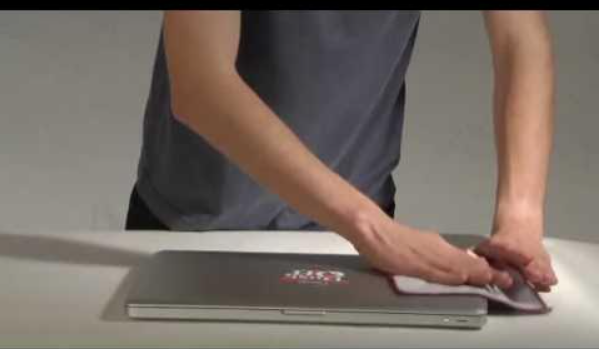
Fingerprints, skin oil, dust, and makeup can quickly cover a selfie camera. Even a thin layer can scatter light and reduce contrast. The result may look foggy, soft, or dull.
Use a clean microfiber cloth to wipe the lens. Avoid paper towels, rough fabric, or strong cleaning liquids. If your phone has a screen protector, check that its camera cutout is clear and properly aligned.
2. Your lighting is too low
Small front-camera sensors need enough light to create a clean image. In a dark room, the phone raises its digital exposure. This can produce grain, blurry details, and strange skin tones.
A bright window can help, but do not stand with the window behind you. Place the light in front of your face or slightly to one side. Soft daylight is often better than a bright ceiling light, which can create dark eye sockets and strong shadows.
3. The camera is too close
Most phone front cameras use a wide field of view. Wide lenses can make nearby features look larger. If the phone is close to your face, your nose may look bigger while the sides of your face appear narrower.
This is a form of perspective distortion. It does not mean your face changed. It means the camera is seeing different parts of your face from different distances.
Move the phone farther away and use a small amount of zoom if your phone allows it. A selfie stick or timer can also create a more balanced view.
4. The phone uses a wide-angle lens
A wide lens is useful for group selfies, but it is not ideal for a natural close-up. Facial distortion becomes stronger near the edges of the frame. This is why your face may look uneven when it is not centered.
Keep your face near the middle of the image. If your phone offers a narrower front-camera view, try it. Some camera apps also provide a focal-length option that reduces the stretched look.
5. Beauty mode is changing your face
Many phones and social apps apply skin smoothing, eye enlargement, face slimming, or jaw shaping. These effects may be active even when you did not turn them on yourself.
Look for settings such as:
• Beauty mode
• Face retouching
• Skin smoothing
• Face shape
• Eye enhancement
• Smart HDR
• Scene optimizer
Set these controls to zero or turn them off. If the camera still looks unusual, compare the phone’s main camera with the front camera. This can help you identify whether the issue is hardware or software.
6. The image is mirrored
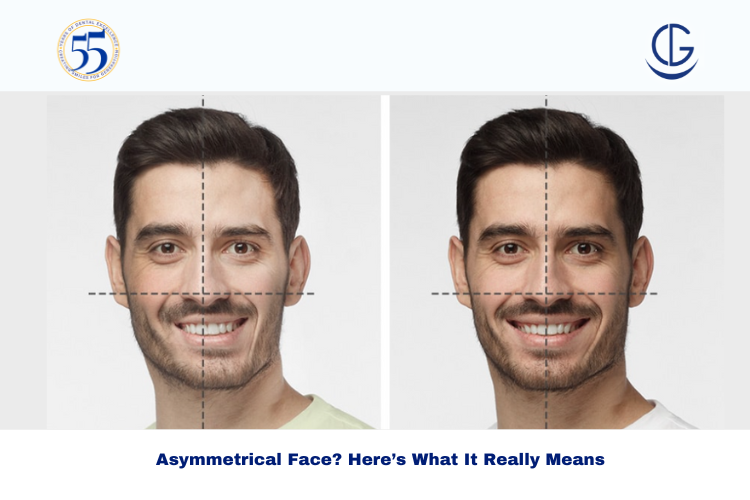
A mirrored selfie matches the way you see yourself in a mirror. A non-mirrored photo shows your face as other people usually see it. Since small differences in symmetry are normal, the non-mirrored image can look unfamiliar.
Check your camera settings for “Mirror front camera,” “Save selfies as previewed,” or a similar option. Neither setting is more truthful in every situation. The key is knowing which version you are viewing.
7. The phone is using too much image processing
Modern phones use computational photography to brighten faces, reduce noise, and improve detail. This can help in poor light, but aggressive processing may make skin look waxy or details look over-sharpened.
Some phones also brighten shadows while increasing contrast around the eyes and hair. This may make the selfie look harsh. Try taking a photo in the standard camera app instead of a social media app, since many apps reduce quality or apply their own filters.
8. Your screen protector blocks the camera
A poorly fitted screen protector can cover part of the lens. Scratches, bubbles, dust, or a cloudy camera opening can reduce image quality.
Remove the protector for a quick test. If the image improves, replace it with a high-quality protector made for your exact phone model.

How Lighting Changes Your Front Camera Photos
Lighting has a bigger effect on selfie quality than many people expect. A high-end phone can still take a poor photo in dim or uneven light. A basic phone can look much better when the light is soft and placed well.
Try these simple lighting changes:
-
Face a window during the day.
-
Keep the light slightly above eye level.
-
Avoid strong light directly above your head.
-
Avoid standing with a bright window behind you.
-
Use a soft lamp in front of you at night.
-
Turn off mixed lighting when possible.
Mixed lighting means two or more light sources have different colors. For example, a cool white ceiling lamp and a warm table lamp can make your skin look uneven. Move near one light source or use a lamp with a neutral color.
Harsh light can also show more texture, lines, and shadows. Soft light spreads across the face and creates a smoother, more balanced look without needing a beauty filter.

How Distance and Camera Angle Affect Your Face
The best selfie distance is usually farther than arm’s length. When the phone is very close, the nose and center of the face sit closer to the lens than the ears and cheeks. That difference creates a larger visual change in nearby features.
For a more natural result:
• Hold the phone about 2 to 3 feet away.
• Keep the lens near eye level.
• Place your face near the center of the frame.
• Tilt the phone slightly downward if it is above your eyes.
• Avoid pointing the camera sharply upward from below your chin.
A slight turn of the face can also help. Turn your head a little rather than facing the lens perfectly straight on. This creates gentle shadow and depth.
Remember that camera angle changes shape more than most people realize. A low angle can emphasize the jaw and nostrils. A very high angle can make the forehead look larger. Small changes can make a big difference.

Best Front Camera Settings to Try
Camera menus vary by phone, but these settings are worth checking:
Turn off unnecessary retouching
Set face smoothing and reshaping to zero. Natural skin texture is normal, and heavy smoothing often creates a plastic look.
Test mirror settings
Take one mirrored selfie and one non-mirrored selfie. Choose the version that matches your purpose. A mirrored image may feel more familiar, while a normal image may work better for profiles or documents.
Use the highest practical resolution
Choose the highest front-camera resolution available when you need detail. Keep in mind that high-resolution files use more storage and may not improve photos taken in very dark conditions.
Disable filters
Take a plain test photo with filters turned off. This gives you a reliable baseline.
Use the standard photo mode
Portrait mode can blur hair, glasses, and the edges of your face. Use standard photo mode first. Then compare it with portrait mode in good light.
Clean up camera app settings
If the camera began looking bad after an update, restart the phone. Then check for system updates and app updates. You can also reset camera settings without deleting your photos.

Why Your Face Looks Different in a Selfie Than in a Mirror
A mirror shows a reversed version of your face. A camera may show a reversed preview but save a normal image. This reversal makes familiar features look different.
Distance also matters. In a mirror, you usually stand several feet away. In a selfie, the lens may be only a foot from your face. The shorter distance increases perspective distortion.
Photos also freeze one moment. A mirror shows movement, changing expressions, and a three-dimensional view. A still image can catch an odd blink, tense smile, or uneven light. This is one reason a selfie may feel worse than your reflection.
Try not to judge your appearance from one frame. Take several photos with different distances and lighting. You may find that the camera setup, not your face, caused the problem.

How to Fix a Blurry or Low-Quality Front Camera
If your front-facing camera looks blurry, follow this order:
-
Wipe the lens with a microfiber cloth.
-
Remove any case or screen protector that may cover the camera.
-
Move into brighter, softer light.
-
Hold the phone farther from your face.
-
Tap your face on the screen to set focus or exposure.
-
Clean the camera app cache if your phone supports that option.
-
Restart the phone.
-
Install available software updates.
-
Test the camera in the default camera app.
-
Compare the result with a video call or another camera app.
If every app shows the same blur, inspect the lens for cracks or moisture. A phone that was dropped or exposed to water may have internal camera damage. In that case, professional repair may be needed.
A little softness in low light is normal. Constant blur in bright light is not. This difference helps you decide whether the issue is normal camera behavior or a hardware fault.
Why Social Media Selfies Often Look Worse
Social media apps may use their own camera systems. They can reduce resolution, compress images, apply filters, or process the photo in a different way from your phone’s camera app.
For a better result, take the photo in the standard camera app first. Edit it lightly, then upload it. This often preserves more detail than taking the selfie directly inside a social media app.
Compression can affect fine details such as hair, eyelashes, and skin texture. It may also create blocky shadows in dark areas. Uploading a large file does not always prevent compression, but starting with a clear, well-lit image gives the app more useful detail to work with.

Front Camera Quality on Different Phones
Not all front cameras perform the same way. Important features include:
• Sensor size
• Lens quality
• Autofocus support
• Low-light performance
• Image stabilization
• Software processing
Some phones use fixed-focus front cameras. These work best within a certain distance. If your face is too close or too far away, the image may look soft.
Other phones use autofocus, which can improve sharpness but may focus on the background or another face. Tap your face before taking the photo when the camera supports touch focus.
Megapixels matter, but they are not the whole story. A larger sensor and better lens can produce a cleaner image than a camera with more megapixels but weaker light performance.
Practical Selfie Tips That Work
After testing front cameras in different rooms and lighting conditions, one lesson stands out: setup matters more than expensive accessories. A clean lens, good light, and a little distance can improve a selfie within seconds.
Use this quick routine:
• Clean the camera.
• Face a window or soft light.
• Hold the phone farther away.
• Keep the lens at eye level.
• Turn off beauty effects.
• Center your face.
• Take several shots.
• Choose the most natural expression.
Do not rely on digital zoom too much. Zoom can reduce detail and make the image look soft. Moving the phone back and using a small crop usually gives a cleaner result.
Avoid placing your face at the extreme edge of a wide-angle frame. If you are taking a group selfie, ask the person nearest the edge to move slightly toward the center when possible.
When the Front Camera May Have a Hardware Problem
Sometimes the answer to “why does my front facing camera look bad” is a damaged component. Hardware trouble becomes more likely when the problem remains after cleaning, improving light, and changing camera settings.
Watch for these signs:
• The image stays blurry in bright light.
• A dark spot appears in every photo.
• The camera cannot focus at any distance.
• The lens looks cracked or foggy inside.
• The camera shakes or flickers.
• The problem began after a fall or liquid exposure.
• Face unlock or video calls also fail.
Back up your phone before repair. Avoid opening the device yourself unless you have the right tools and experience. Front-camera modules may connect to other security features, and incorrect repairs can cause more damage.
If the phone is under warranty, contact the manufacturer or an approved service center. A repair technician can test the camera module and rule out a software issue.
Common Mistakes to Avoid
Many people try to fix poor selfies by adding more filters. This can hide the real cause and make the image look less natural. Start with the lens, light, distance, and camera settings before editing.
Other mistakes include:
• Taking selfies under a ceiling light
• Holding the phone too close
• Using a cracked screen protector
• Judging your face from one photo
• Comparing a phone selfie with a professional portrait
• Using portrait mode in very poor light
• Taking photos through a dirty case opening
Professional portraits often use large sensors, soft lights, careful angles, and multiple takes. A quick phone selfie has very different conditions. It is fair to improve your setup, but it is not fair to compare one casual frame with a carefully produced image.
Frequently Asked Questions About Why Does My Front Facing Camera Look Bad
Why does my front facing camera look bad but my back camera looks fine?
The front camera usually has a smaller sensor and a wider lens than the main rear camera. It may also use stronger face processing, so the image can look softer or more distorted.
Why does my face look wider on the front camera?
A close front-camera distance can create perspective distortion. Move the phone farther away, keep your face near the center, and use a small amount of zoom if needed.
Why is my front camera blurry even after I clean it?
The lens cover, screen protector, focus system, or camera module may be damaged. Test the camera in bright light and in another app; if it stays blurry, seek professional support.
Why does my selfie look worse on Instagram or Snapchat?
Social apps may compress photos or apply their own filters and processing. Take the photo in your phone’s standard camera app, then upload the finished image.
Why does my front camera make my skin look strange?
Beauty filters, HDR, low light, and aggressive noise reduction can change skin texture and color. Turn off retouching and take a test photo in soft daylight.
Should I use a mirrored selfie or a normal selfie?
Use the setting you prefer for the purpose. A mirrored selfie looks more familiar because it matches your reflection, while a normal selfie shows the image without horizontal reversal.
Can a screen protector make the front camera look bad?
Yes. A cloudy, scratched, dirty, or poorly aligned protector can reduce sharpness and contrast. Remove it briefly to see whether the camera improves.
Conclusion
The answer to “why does my front facing camera look bad” is usually found in the lens, lighting, camera distance, angle, or software settings. A dirty lens and dim room can make a good camera look poor, while a wide-angle lens can change the shape of nearby features.
Start with the simple fixes: clean the lens, face soft light, move the phone farther away, turn off retouching, and test the standard camera app. If the image remains blurry or damaged, check the screen protector and contact a trusted repair center.
Try these steps during your next selfie, then compare the results. If you have a tip that improved your front camera photos, share it in the comments or explore more practical phone photography guides.