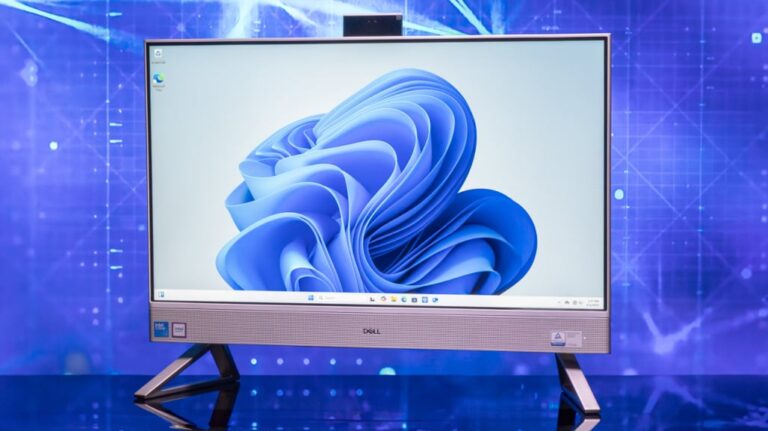
Laptops have less storage because manufacturers balance cost, size, speed, battery life, and user needs.
If you have ever bought a laptop advertised with 512 GB and found only about 476 GB available, you are not alone. Understanding why do laptops have less storage means looking at reserved system space, storage math, preinstalled software, recovery tools, and modern hardware design.
This guide explains why do laptops have less storage in simple terms. You will also learn how much space Windows or macOS uses, how to check what is filling your drive, and what you can do to gain more room without harming your computer.
Why do laptops have less storage than advertised?
The main reason why do laptops have less storage is that the advertised capacity uses decimal math, while operating systems often report space using binary-based measurements. A drive sold as 512 GB contains 512 billion bytes.
Your laptop may display that same drive as about 476 GB because the operating system calculates storage differently. Both numbers describe the same physical drive. Nothing is missing from the hardware.
There are also other reasons your usable storage looks smaller:
• The operating system uses space for core files.
• Recovery tools reserve part of the drive.
• Manufacturers install drivers and support apps.
• File systems need room to organize data.
• Hidden partitions may hold boot and repair information.
For example, a new 512 GB laptop may show between 450 GB and 480 GB of usable space. A 1 TB laptop may show around 900 GB to 950 GB after setup. The exact amount depends on the operating system, laptop brand, recovery partition, and installed apps.

Storage capacity uses different measurement systems
To understand why do laptops have less storage, you need to know how storage units work.
Storage companies use the decimal system:
• 1 KB equals 1,000 bytes.
• 1 MB equals 1,000 KB.
• 1 GB equals 1,000 MB.
• 1 TB equals 1,000 GB.
Computers often use a binary system based on 1,024 units. Technically, binary units are called kibibytes, mebibytes, gibibytes, and tebibytes. However, many operating systems still use labels such as GB and TB even when their calculations are closer to binary units.
This creates the familiar difference between the label on the box and the number shown on the screen.
A 512 GB drive contains 512,000,000,000 bytes. When converted using a 1,024-based calculation, that equals about 476 GB. This is a measurement difference, not a storage defect.
The same pattern appears with larger drives:
| Advertised capacity | Approximate capacity shown by many operating systems |
|---|---|
| 256 GB | 238 GB |
| 512 GB | 476 GB |
| 1 TB | 931 GB |
| 2 TB | 1.81 TB |
These figures are estimates. The available space becomes slightly lower after the operating system and recovery files are installed.

The operating system takes up space
Another major reason why do laptops have less storage is the operating system itself. Windows, macOS, and Linux all need storage for system files, updates, drivers, temporary data, and user settings.
A clean Windows installation may use several dozen gigabytes after updates, built-in apps, language files, and support components are added. macOS also needs significant space for the operating system, system data, caches, and recovery features.
The space used by the operating system can grow over time. Updates may temporarily keep older files so the computer can return to a previous version if an update fails. Some update files are later removed, but others may remain until system cleanup runs.
Your laptop may also store:
• Device drivers.
• Security definitions.
• System logs.
• Font files.
• Language packs.
• Temporary installation files.
• Virtual memory files.
• Sleep or hibernation data.
This is similar to moving into a new apartment. The advertised floor area may sound large, but closets, walls, utility rooms, and shared spaces reduce the room you can use for your own furniture.
Recovery partitions reserve hidden storage
Many laptops include a recovery partition. This hidden area contains tools that can repair the operating system or restore the laptop to its factory settings.
A recovery partition may include:
• Factory drivers.
• System recovery files.
• Diagnostic tools.
• Startup repair tools.
• A factory image of the operating system.
The amount of space varies by manufacturer. Some recovery partitions use only a few gigabytes. Others may use more than 15 GB, especially when they contain a complete factory image.
You may not see this space in File Explorer or Finder. That does not mean it is unused. It is set aside for a specific purpose.
Deleting a recovery partition can make more space available, but it also removes an important safety net. Before deleting it, create a recovery USB drive and confirm that you have a reliable way to reinstall the operating system and drivers.
A practical lesson from laptop repairs is that hidden recovery tools often matter most when the computer will not start. Freeing a small amount of space may not be worth losing that emergency option.
Preinstalled apps and manufacturer files use space
Laptop makers often install extra programs before shipping a computer. These may include trial antivirus tools, support assistants, media apps, cloud storage offers, and brand-specific utilities.
Each program may be small, but several apps can use many gigabytes. Some also create caches, logs, update packages, and backup files.
Preinstalled software can affect why do laptops have less storage in two ways. First, it uses space from the start. Second, some apps continue creating data after you begin using the laptop.
To review these programs in Windows:
-
Open Settings.
-
Select Apps.
-
Choose Installed apps.
-
Sort the list by size.
-
Remove programs you do not need.
On a Mac, open System Settings, select General, and choose Storage. You can review applications, documents, messages, and other categories from there.
Avoid deleting drivers or hardware utilities unless you know what they do. A support app may look unnecessary, but it could control keyboard features, battery modes, display settings, or firmware updates.

File systems and reserved space reduce usable capacity
A storage drive needs a file system. Windows commonly uses NTFS, while macOS often uses APFS. These systems track where files are stored and help the computer read, change, and protect data.
File systems use some storage for:
• File records.
• Folders and indexes.
• Permissions.
• Journaling.
• Metadata.
• Recovery information.
The amount is usually modest, but it contributes to the difference between advertised and available capacity. Drives may also reserve space for maintenance or performance features.
Solid-state drives, or SSDs, can use spare capacity for wear leveling. Wear leveling spreads writes across memory cells so the drive lasts longer. Some SSDs also use overprovisioning, which reserves memory for background maintenance and replacement of worn cells.
This reserved area is not always visible to the user. It helps the SSD maintain speed and reliability over time.
That means the full physical capacity is not always meant to be used for personal files. A small amount of hidden space acts like a service lane on a highway. You may not drive on it, but traffic works better because it exists.

Why modern laptops often ship with smaller drives
People also ask why do laptops have less storage than desktop computers. The answer includes cost, physical design, battery use, and changing user habits.
Laptop manufacturers must fit many parts into a thin body. A smaller SSD takes less space than an older hard drive. It also uses less power, creates less heat, and works silently.
Storage capacity also affects the laptop’s price. A budget laptop with a 256 GB SSD can cost much less than a model with a 1 TB SSD. Manufacturers often choose a smaller drive to keep the retail price attractive.
Many companies assume that users will store some files online. Cloud services, streaming apps, and web-based tools reduce the need for large internal drives. This assumption does not work for everyone, especially people who edit video, install large games, work with photos, or travel without steady internet access.
A 256 GB drive may be enough for web browsing and office work. It can feel very small for gaming, video editing, software development, or professional design.
How much storage do you really need?
The right laptop storage size depends on how you use the computer. The advertised number is only one part of the buying decision.
256 GB storage
A 256 GB SSD can work for:
• Web browsing.
• Email.
• Online documents.
• Light schoolwork.
• Streaming media.
It may become crowded after operating system updates, photos, apps, and personal files are added. It is often the minimum practical size for a modern Windows laptop.
512 GB storage
A 512 GB SSD is a better general choice. It can support office work, school projects, many apps, and a moderate photo or game library.
After setup, you may have roughly 400 GB or more available, depending on the laptop. This size gives most users a useful balance between price and flexibility.
1 TB storage
A 1 TB SSD is useful for:
• Large game libraries.
• Photo collections.
• Video editing.
• Music production.
• Virtual machines.
• Professional applications.
You still should keep free space available. An SSD that is nearly full may slow down, struggle with updates, and have less room for temporary files.
A good buying rule is to estimate your current needs, then add room for future use. If your files grow by 50 GB each year, a drive that is barely large enough today may feel cramped soon.
How to check what is using your laptop storage
If your laptop seems to have less storage than expected, check the storage breakdown before deleting anything.
On Windows:
-
Open Settings.
-
Select System.
-
Choose Storage.
-
Review categories such as Apps, Temporary files, Documents, Pictures, and Other.
On macOS:
-
Open the Apple menu.
-
Select System Settings.
-
Choose General.
-
Select Storage.
Look for large files and folders first. Video files, game installations, downloaded installers, virtual machines, and old backups often use more space than expected.
Temporary files can also grow. Use the built-in cleanup tools, but read the list before removing anything. Do not delete personal files simply because the category name seems unfamiliar.
Helpful habits include:
• Emptying the Downloads folder regularly.
• Removing apps you no longer use.
• Deleting duplicate videos and photos.
• Moving older files to an external drive.
• Reviewing cloud sync settings.
• Keeping at least 10% to 20% of an SSD free when possible.
That last point is not a strict rule for every drive, but it gives the operating system and SSD more working room.
Safe ways to get more laptop storage
You have several options when your laptop runs out of space.
Remove unnecessary files
Start with temporary files, old installers, unused apps, and duplicate downloads. This is free and often solves the problem quickly.
Use an external SSD
An external SSD is fast, quiet, and easy to move between computers. It works well for photos, videos, project files, and game libraries that you do not use every day.
Add a memory card
Some laptops include an SD or microSD slot. A card can provide extra space for photos and documents, but it may be slower and less durable than an internal SSD. Avoid using a memory card as your only backup.
Upgrade the internal SSD
Some laptops let you replace the internal SSD with a larger model. Check the laptop manual first. Thin laptops may use a soldered drive that cannot be upgraded.
Before opening the laptop, back up your files and confirm the drive type. Common formats include M.2 NVMe and 2.5-inch SATA, but compatibility depends on the model.
Use cloud storage
Cloud storage helps keep files available across devices. It is convenient for documents and photos, but it depends on an internet connection and may require a subscription for larger limits.
The safest approach is to keep important files in at least two locations. Extra storage is not the same as a backup.
Mistakes to avoid when freeing storage
Knowing why do laptops have less storage can prevent risky fixes. Do not delete random folders from the Windows or macOS system directories. Removing the wrong file can break updates, drivers, or startup functions.
Avoid registry cleaners and unknown “PC booster” apps. They may promise large savings but can create new problems, collect personal data, or remove files that the system needs.
Do not format the entire drive without a backup. A factory reset can erase personal photos, documents, saved passwords, and application data.
Other mistakes include:
• Keeping only one copy of important files.
• Filling an SSD until it has almost no free space.
• Deleting recovery tools without making recovery media.
• Buying an incompatible replacement drive.
• Confusing storage with RAM.
RAM helps the laptop run active programs. Storage holds files and applications. Adding RAM will not solve a full-drive problem.
Frequently Asked Questions About Why Do Laptops Have Less Storage
Why does a 512 GB laptop show only 476 GB?
Storage companies use decimal measurements, while many operating systems calculate capacity with larger binary units. The operating system and recovery files then reduce the free space slightly more.
Is the missing laptop storage being used secretly?
Usually, no. The difference comes from measurement methods, system files, file system data, recovery partitions, and preinstalled software. You can view much of this usage in the laptop’s storage settings.
How much free storage should a laptop have?
Try to keep at least 10% to 20% of the internal drive free when possible. Free space helps with updates, temporary files, system recovery, and SSD maintenance.
Can I delete the recovery partition?
You can, but doing so removes built-in recovery options. Create and test a recovery USB drive first, and keep a full backup of your personal files.
Does adding RAM increase storage?
No. RAM helps programs run, while storage holds files and applications. To gain more file space, remove data, use external storage, use cloud storage, or upgrade the internal drive.
Why do laptops have less storage than phones?
Laptop storage and phone storage are measured in similar ways, but laptops often include larger operating systems, recovery tools, desktop applications, and user files. A laptop may also reserve more space for professional software and system features.
Conclusion
Laptops have less usable storage than their advertised capacity because of decimal and binary measurements, operating system files, recovery partitions, file system data, preinstalled apps, and SSD maintenance space. A 512 GB laptop does not usually contain a faulty or incomplete drive simply because it shows less space.
Check your storage settings before deleting files, keep a backup, and choose a drive size based on your real workload. If you need more room, start with safe cleanup, then consider an external SSD, cloud storage, or an internal upgrade. Share this guide with someone choosing a new laptop, and explore your laptop’s storage settings today.