HDMI 2.1 supports higher resolution, faster frame rates, smoother gaming, and better audio than older HDMI versions.
If you are buying a modern gaming console, gaming PC, 4K TV, or home theater receiver, you may wonder, “Why do I need HDMI 2.1?” The answer depends on your devices and goals. After comparing real-world setups and studying the HDMI 2.1 standard, I found that it matters most for 4K gaming at 120Hz, variable refresh rates, advanced HDR, and lossless surround sound. This guide will help you decide whether the upgrade is useful or simply an extra cost.
What Is HDMI 2.1?
HDMI 2.1 is a newer version of the High-Definition Multimedia Interface standard. It allows compatible devices to send more data through one HDMI connection than HDMI 2.0 can handle.
That extra capacity supports features such as:
• 4K resolution at up to 120 frames per second
• 8K resolution at up to 60 frames per second
• Variable Refresh Rate, or VRR
• Auto Low Latency Mode, or ALLM
• Enhanced Audio Return Channel, or eARC
• Dynamic HDR formats
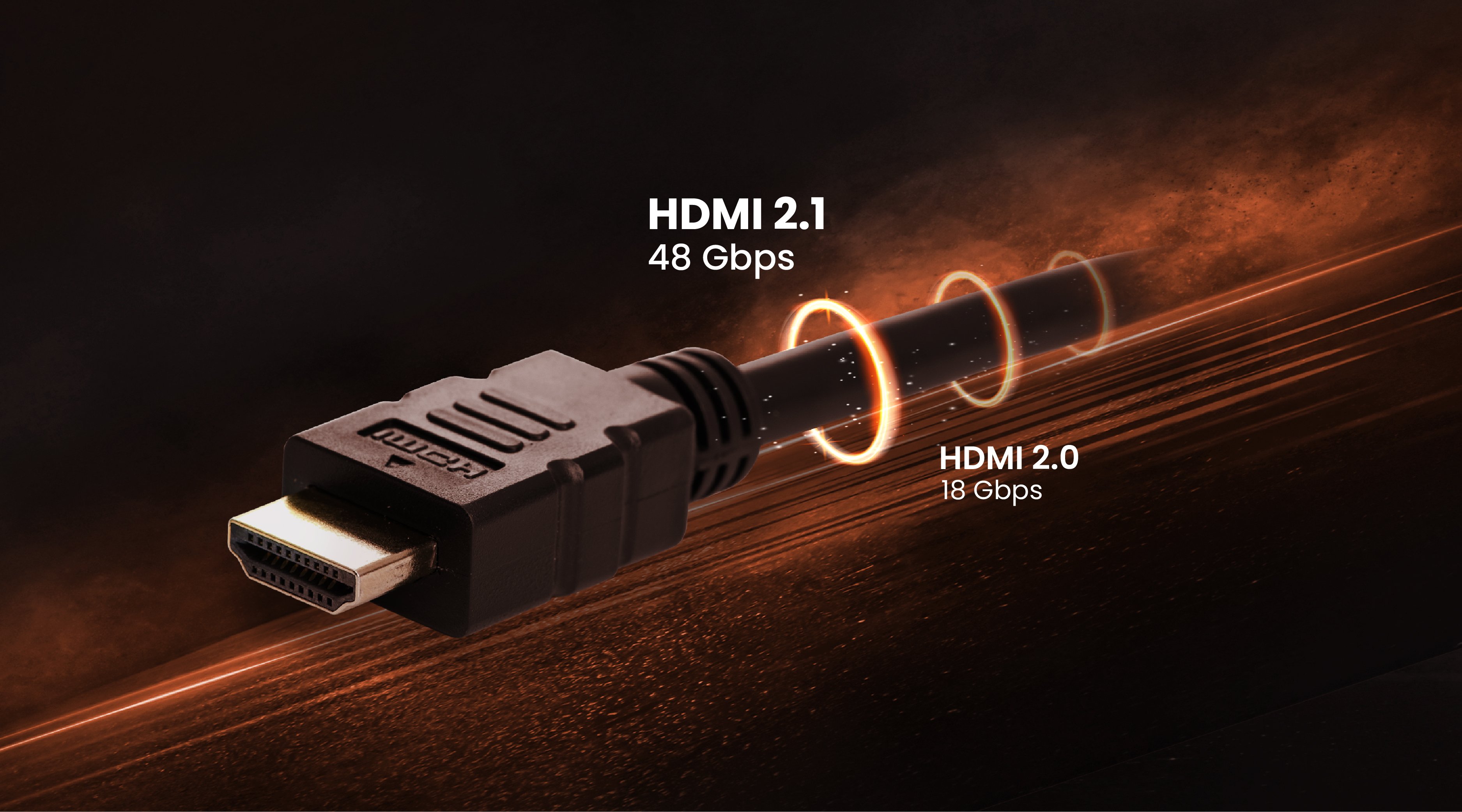
• Higher bandwidth of up to 48Gbps with a certified cable
Think of HDMI bandwidth as a road. Older HDMI versions offer fewer lanes, while HDMI 2.1 adds more lanes for larger video and audio signals. This does not automatically make every picture better, but it gives modern devices room to perform at their highest settings.
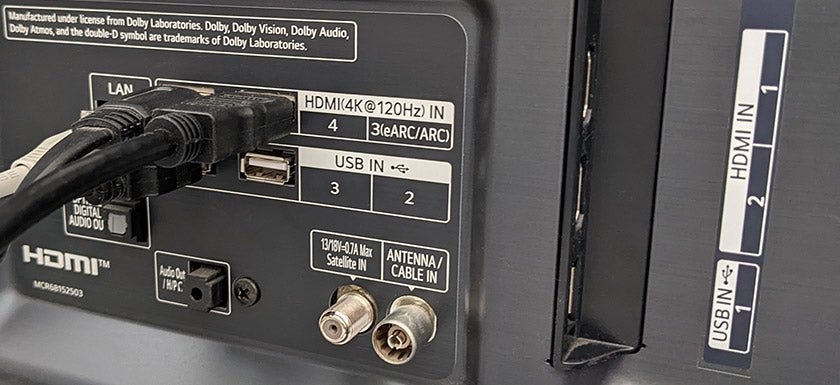
It is also important to understand that HDMI 2.1 features are not always included as one complete package. A TV may support 4K at 120Hz but lack full 48Gbps bandwidth. Another may include eARC but not VRR. Always check the exact specifications instead of relying only on the HDMI 2.1 label.

Why Do I Need HDMI 2.1 for Gaming?
The biggest reason many people ask why do I need HDMI 2.1 is 4K gaming at 120Hz. The PlayStation 5, PlayStation 5 Pro, Xbox Series X, and many modern gaming PCs can deliver high frame rates in supported games. HDMI 2.1 gives these systems the connection needed to send a 4K 120Hz signal to a compatible display.
A 60Hz screen refreshes the image 60 times per second. A 120Hz screen refreshes it twice as often. The result can feel smoother during fast camera turns, racing games, sports titles, and competitive shooters.
HDMI 2.1 can also reduce problems that interrupt gameplay:
• VRR matches the display refresh rate to the game’s frame rate.
• ALLM switches the TV into a low-latency game mode automatically.
• Higher bandwidth reduces the need to lower resolution or color settings.
• 4K 120Hz provides a smoother image than 4K 60Hz when the game supports it.
VRR is especially useful when a game moves between seventy and 120 frames per second. Without VRR, the TV may refresh at the wrong time, causing screen tearing or uneven motion. With VRR, the screen adjusts more closely to the console or computer’s output.
From practical setup work, one common mistake is buying a 120Hz TV but connecting a console to an older HDMI port on a soundbar or receiver. The console may then fall back to 4K 60Hz. Connecting the console directly to a compatible HDMI 2.1 port often solves the issue, with eARC sending sound back to the audio system.
HDMI 2.1 and 4K 120Hz
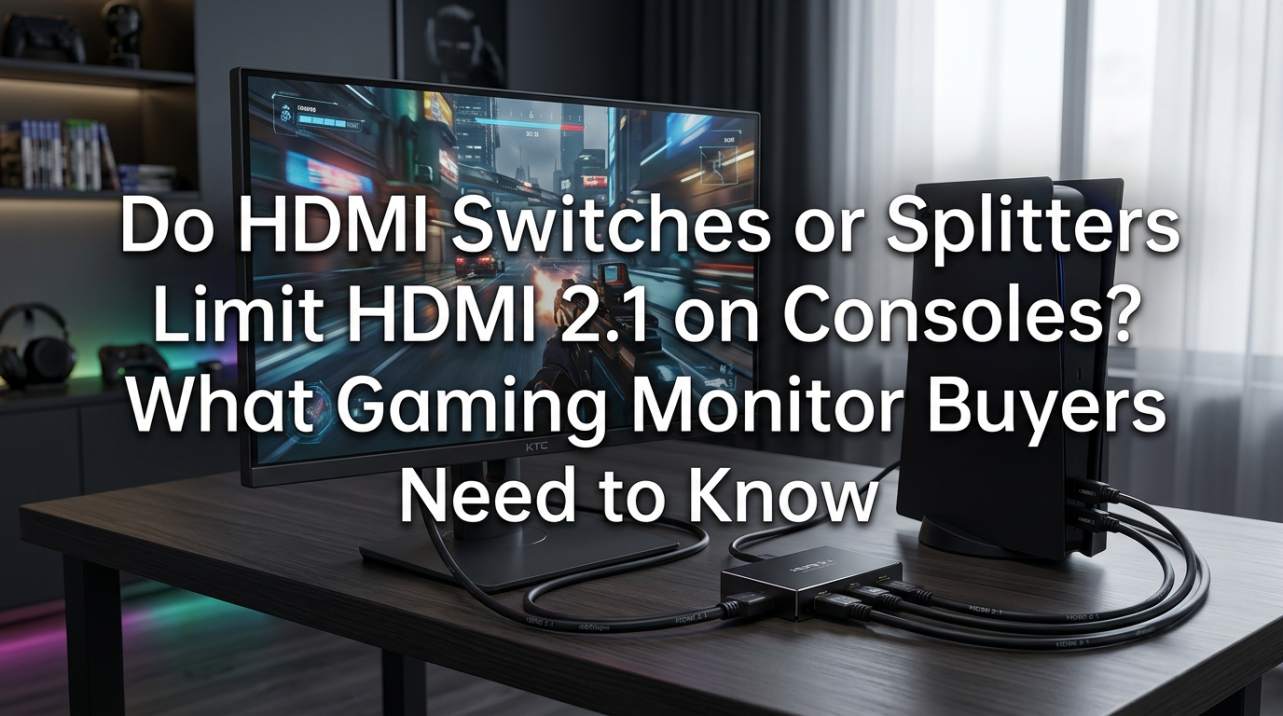
4K 120Hz is one of the clearest answers to why do I need HDMI 2.1. A 4K image contains four times as many pixels as Full HD. Sending that image 120 times each second requires much more data than sending 4K at 60Hz.
HDMI 2.0 can often handle 4K at 60Hz, but it does not provide the same headroom for 4K 120Hz with full color and advanced features. HDMI 2.1 was designed to handle demanding signals through its increased bandwidth.
You also need every part of the signal path to support the target setting:
• The source device must output 4K 120Hz.
• The TV or monitor must accept 4K 120Hz.
• The HDMI port must support the required feature.
• The cable must be certified for the needed bandwidth.
• A receiver or soundbar in the middle must also pass the signal.
If one part is limited to HDMI 2.0, the complete connection may be limited too. This is similar to a water pipe. A wide pipe at one end cannot increase the flow if a narrow pipe sits in the middle.
A small detail also matters: many games do not run at native 4K and 120 frames per second at the same time. Some use dynamic resolution or performance modes. HDMI 2.1 does not create extra performance. It simply allows compatible hardware to send a demanding signal without the connection becoming the bottleneck.
HDMI 2.1 for 8K and Future-Proofing
Some shoppers ask why do I need HDMI 2.1 because they want an 8K TV. HDMI 2.1 supports 8K at up to 60Hz under the standard, often with display stream compression, also called DSC, or other advanced methods depending on the device.
However, 8K is not yet a strong reason for most people to upgrade. Native 8K content remains limited, and streaming services, game consoles, and broadcast networks still focus mainly on 4K. An HDMI 2.1 connection may be more valuable today for 4K 120Hz gaming than for 8K video.
Future-proofing can still have value. A new TV may last seven years or more. Buying HDMI 2.1 now can prevent an early upgrade if newer consoles, computers, or media devices need higher bandwidth later.
Future-proofing has limits, though. Technology changes in ways that no port can predict. A TV with HDMI 2.1 may still lack newer image features, enough HDMI 2.1 ports, or the brightness needed for excellent HDR. Consider the full display, not just the version number.
HDMI 2.1 Features That Matter Most
The answer to why do I need HDMI 2.1 changes based on the feature you want. Here are the main features in simple terms.
Variable Refresh Rate
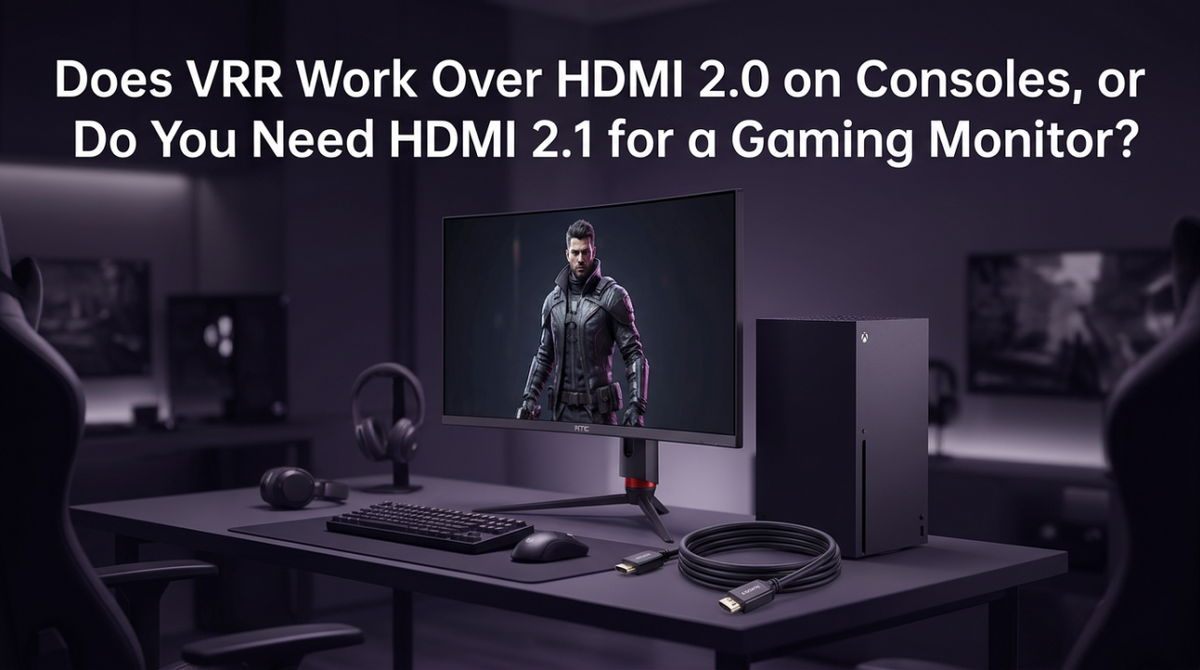
VRR helps prevent screen tearing and reduces uneven motion. It works by allowing the display to adjust its refresh rate as the source frame rate changes.
Common VRR systems include:
• HDMI VRR
• AMD FreeSync
• NVIDIA G-SYNC Compatible
Support varies by TV, monitor, console, and graphics card. A device may support one VRR format but not another.
Auto Low Latency Mode
ALLM tells a compatible TV to switch to its low-latency picture mode when a game begins. This can reduce input delay without requiring you to change the setting by hand.
ALLM is convenient, but it is not essential. You can often select Game Mode manually on older TVs.
Enhanced Audio Return Channel
eARC sends high-quality audio from a TV to a soundbar or AV receiver. It supports formats such as Dolby TrueHD, Dolby Atmos based on TrueHD, DTS-HD Master Audio, and other uncompressed or high-bitrate signals.
This is helpful when your game console or streaming device connects directly to the TV. The TV can send the audio to the receiver through one eARC connection.
Dynamic HDR
Dynamic HDR can adjust brightness and color information scene by scene or frame by frame. Supported formats may include Dolby Vision and HDR10+, although support depends on the device and manufacturer.
HDMI 2.1 can carry advanced HDR signals, but the HDMI version alone does not guarantee better HDR. Panel brightness, contrast, local dimming, and content quality still play major roles.
Quick Frame Transport and Quick Media Switching
These less common features can reduce display delay or shorten the time needed to switch between content types. They are useful in certain advanced setups but are not usually the main reason to buy a new TV.
Do I Need HDMI 2.1 for a PS5 or Xbox Series X?
You may ask why do I need HDMI 2.1 if you already own a current-generation console. The answer is yes if you want the best chance of using 4K at 120Hz, VRR, and other advanced features.
The PlayStation 5 and Xbox Series X include HDMI 2.1 output. Many games offer a choice between quality mode and performance mode. Quality mode may focus on higher visual detail, while performance mode may target a smoother frame rate.
For the best console setup, check these points:
- Use the HDMI cable included with the console or a certified Ultra High Speed HDMI cable.
- Connect the console to an HDMI 2.1 port on the TV.
- Turn on 120Hz, VRR, and ALLM in the console settings when available.
- Check the TV’s input settings for enhanced or high-bandwidth HDMI mode.
- Test the signal in the console’s video information screen.
A mistake I often see is assuming every HDMI port on a new TV has the same abilities. Some models have only one or two HDMI 2.1 ports, while the rest support HDMI 2.0. Label the correct ports before installing your console and audio equipment.
If you play mostly slower games at 4K 60Hz, HDMI 2.1 is helpful but not required. Your console will still work through HDMI 2.0.
Do I Need HDMI 2.1 for a Gaming PC?
For PC gaming, the answer to why do I need HDMI 2.1 depends on your graphics card, monitor, and preferred resolution. A powerful modern graphics card can produce high frame rates at 4K, especially when using performance technologies such as DLSS, FSR, or XeSS.
HDMI 2.1 is useful when you want:
• 4K gaming above 60Hz
• 8K output from a supported graphics card
• VRR on a large gaming TV
• HDR gaming with high refresh rates
• One cable for high resolution, high frame rate, and audio
DisplayPort may be a better choice for some desktop monitors. Many PC monitors offer higher refresh rates through DisplayPort than through HDMI. Before buying a cable or monitor, compare both connection types.
Also check the graphics card’s HDMI output. A monitor cannot provide HDMI 2.1 features if the graphics card has only an older HDMI port. The same rule applies to laptops, docking stations, and USB-C adapters.
For a living room gaming PC, HDMI 2.1 is often more valuable. It lets a computer connect to a modern 4K TV at 120Hz while keeping VRR and HDR available.

HDMI 2.0 vs. HDMI 2.1
Understanding the difference between HDMI 2.0 and HDMI 2.1 makes it easier to decide why do I need HDMI 2.1.
| Feature | HDMI 2.0 | HDMI 2.1 |
|---|---|---|
| Maximum bandwidth | Up to 18Gbps | Up to 48Gbps |
| 4K at 60Hz | Yes | Yes |
| 4K at 120Hz | Generally no | Yes |
| 8K support | Limited | Yes, with compatible methods |
| VRR | Limited or device-specific | Stronger support |
| ALLM | Not a core feature | Supported |
| eARC | Not available through standard ARC | Supported |
| Dynamic HDR | Possible in some formats | Expanded support |
These are broad comparisons. Device makers can implement features differently, and some HDMI 2.0 devices support features that were later associated with HDMI 2.1.
HDMI 2.1 is not automatically better for every viewer. If you watch cable TV, stream movies, or use a Blu-ray player at 4K 60Hz, HDMI 2.0 may be enough. The upgrade makes the biggest difference when you use high frame rates, advanced gaming features, or high-bitrate audio.
Do You Need a New HDMI 2.1 Cable?
A new cable may be necessary when asking why do I need HDMI 2.1 and trying to use 4K 120Hz. Look for the official “Ultra High Speed HDMI” certification label. It is designed for up to 48Gbps and includes a QR code that can help verify certification.
Avoid cables that promise extreme performance without clear certification. Cable length also matters. Long cables may need active electronics or optical designs to carry high-bandwidth signals reliably.
Use these practical tips:
• Buy a certified Ultra High Speed HDMI cable for 4K 120Hz.
• Keep the cable as short as your setup allows.
• Avoid sharp bends and poor-quality adapters.
• Replace the cable if the screen flickers, loses signal, or shows random blackouts.
• Do not assume an expensive cable will improve picture quality.
A certified cable does not make a non-compatible TV support HDMI 2.1. It only helps carry the signal between compatible devices.
You usually do not need to replace every HDMI cable in your home. Replace the cable connected to the high-bandwidth source first, then test the system. This saves money and avoids unnecessary upgrades.

HDMI 2.1 Limitations and Common Problems
HDMI 2.1 can be useful, but it is not a magic upgrade. Knowing its limits helps you avoid disappointment.
One issue is confusing HDMI 2.1 with a complete feature package. Manufacturers may list HDMI 2.1 while offering only one supported feature. Check the exact port bandwidth and supported resolutions.
Another problem is limited port availability. If a TV has two HDMI 2.1 ports, you may need to choose between a console, gaming PC, and receiver. An eARC port may also use one of those connections.
Other common problems include:
• A receiver that cannot pass 4K 120Hz signals
• A soundbar that supports eARC but not high-bandwidth video pass-through
• VRR flicker on certain TV and game combinations
• Firmware that needs an update before advanced features work
• A TV that supports 120Hz only at certain screen sizes or resolutions
• A cable that is not certified for the required bandwidth
If the screen goes black during gaming, try connecting the console directly to the TV. Then use eARC for sound. This simple change often separates a video problem from an audio equipment problem.
It is also worth checking product manuals. Marketing pages may use broad terms, while the manual lists the exact resolution, refresh rate, chroma format, and HDR limits.
When You Do Not Need HDMI 2.1
You probably do not need HDMI 2.1 if your setup matches most of these points:
• You watch movies and shows at 4K 60Hz or lower.
• You use an older console such as a PlayStation 4 or Xbox One.
• Your TV or monitor has a 60Hz refresh rate.
• You do not use VRR or ALLM.
• Your sound system works well with standard ARC or optical audio.
• You do not plan to buy a high-end gaming PC or current-generation console.
For many homes, HDMI 2.0 remains perfectly capable. A good HDMI 2.0 TV with strong contrast and accurate color can look better than a weak HDMI 2.1 TV with poor brightness.
Picture quality depends on more than the connection. Consider the display panel, peak brightness, local dimming, black levels, viewing angle, processing, and warranty before choosing a TV.
The best buying choice is the one that fits your actual use. Do not pay extra for 8K or 4K 120Hz if you will never use those features.
How to Choose HDMI 2.1 Devices
If you decide that why do I need HDMI 2.1 applies to your setup, use this checklist before buying.
- Check the source device. Confirm that your console, PC, or player can output the resolution and frame rate you want.
- Check the display. Look for 4K 120Hz, VRR, ALLM, and the number of HDMI 2.1 ports.
- Check bandwidth. Some products support HDMI 2.1 features but do not provide the full 48Gbps.
- Check audio needs. Choose eARC if you use lossless surround sound or route devices through the TV.
- Check the receiver and soundbar. They must pass the video signal you plan to use.
- Buy a certified cable. Select an Ultra High Speed HDMI cable for demanding signals.
- Update firmware. TVs, consoles, receivers, and graphics cards may need current software.
- Plan your ports. Leave enough HDMI 2.1 connections for devices you may add later.
A good setup plan prevents most compatibility problems. Write down each device, its HDMI version, its target resolution, and its connection path before purchasing anything.
Frequently Asked Questions About Why Do I Need HDMI 2.1
Is HDMI 2.1 worth it for a 4K TV?
HDMI 2.1 is worth it if you want 4K at 120Hz, VRR, ALLM, or advanced gaming features. For streaming and movie viewing at 4K 60Hz, HDMI 2.0 is often enough.
Do I need HDMI 2.1 for 4K 120Hz?
Yes, HDMI 2.1 is normally required for 4K 120Hz with the full range of color, HDR, and gaming features. The source, display, port, and cable must all support the signal.
Does HDMI 2.1 improve picture quality?
HDMI 2.1 does not automatically improve picture quality. It allows higher resolution, higher frame rates, VRR, HDR formats, and other features that may improve the viewing experience when supported.
Do PS5 and Xbox Series X need HDMI 2.1?
They do not need HDMI 2.1 to work, but they benefit from it. HDMI 2.1 helps compatible games run at 4K 120Hz and supports features such as VRR and ALLM.
Can an HDMI 2.1 cable work with HDMI 2.0?
Yes, HDMI 2.1 cables are backward compatible with older HDMI devices. However, the connection will operate at the limits of the older device, so the cable alone cannot add HDMI 2.1 features.
Does HDMI 2.1 support eARC?
Yes, HDMI 2.1 supports eARC. It can carry higher-quality audio formats from a compatible TV to a soundbar or AV receiver.
Are all HDMI 2.1 ports the same?
No. Manufacturers can include different HDMI 2.1 features and bandwidth levels. Check the product specifications for details such as 4K 120Hz, 48Gbps, VRR, and eARC.
Conclusion
The best answer to why do I need HDMI 2.1 is simple: you need it when your setup depends on high bandwidth. It is most valuable for 4K 120Hz gaming, VRR, ALLM, eARC, advanced HDR, and certain 8K applications.
You do not need HDMI 2.1 just because it is newer. A quality HDMI 2.0 setup can still serve viewers who stream movies, watch TV, or game at 4K 60Hz. Check the full signal path, including the source, display, receiver, port, cable, and settings.
Before you buy, match the HDMI features to the way you actually use your screen. Explore your TV or monitor’s manual, confirm its supported ports, and choose a certified cable for demanding signals. Then share your setup or questions in the comments.