Screens are rectangular because rectangles use space well, match human vision, and fit books, desks, cameras, and digital content.
If you look at a phone, laptop, TV, cinema display, or smartwatch, you will see the same basic shape. The reason screens are rectangular is not based on one choice alone. It comes from geometry, human vision, manufacturing, content formats, and the way we use technology every day. This guide explains the practical and scientific reasons behind that familiar shape.
The short history of rectangular screens
Early screens did not begin as thin glass panels. They used bulky cathode-ray tubes, or CRTs. A CRT created an image by sending an electron beam across a phosphor-coated surface, line by line.
Manufacturers shaped the visible area as a rectangle because the beam could scan in straight horizontal lines. This method made the image easier to control and helped engineers build displays with a stable width and height.
The rectangular format also matched older media. Books, newspapers, paintings, photographs, and movie frames were already wider than they were tall. As television and computer displays grew, people were familiar with this layout.
Over time, the rectangle became an industry standard. Once broadcasters, software makers, camera companies, and computer designers built around it, changing the shape became costly and confusing.
That history helps explain why screens are rectangular today. The shape is not just a leftover from old televisions. It became part of a large system that includes content, hardware, furniture, and user habits.
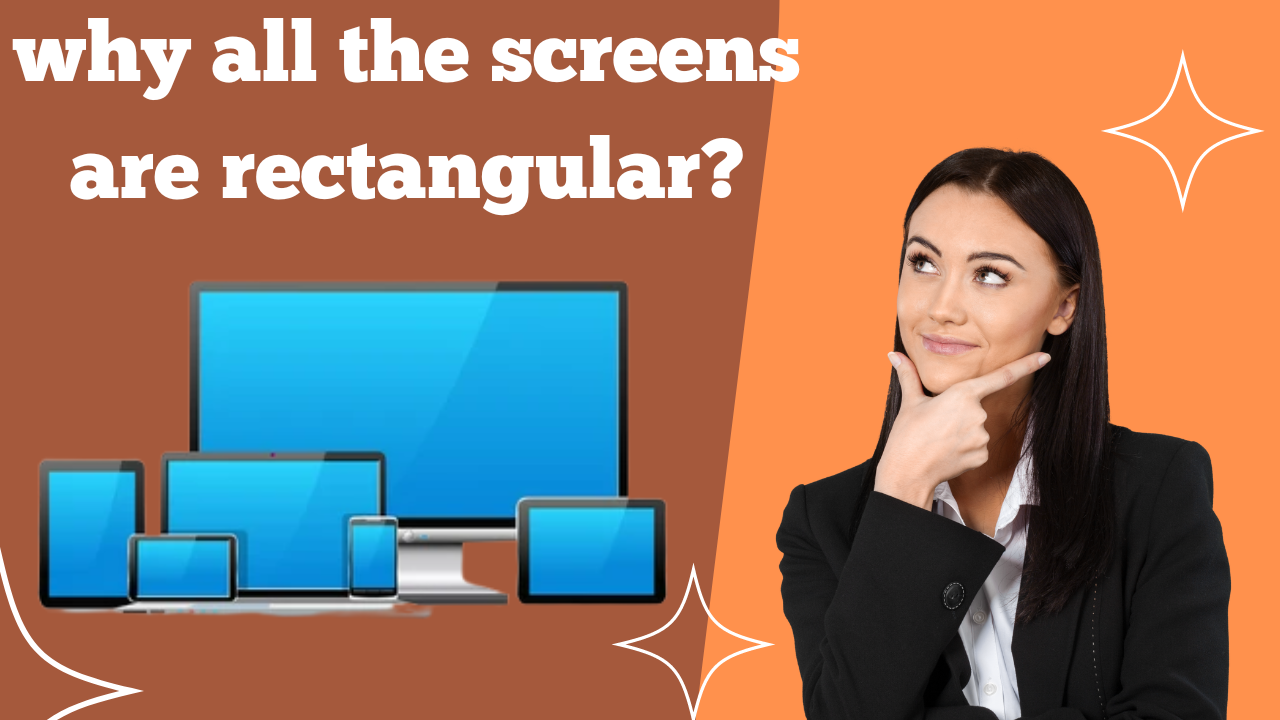
Why rectangles work well for human vision
Human eyes sit side by side. This gives us a wider field of view than a taller one. A wide display can use that natural view without wasting much space above or below the main image.
This is one reason why screens are rectangular. The shape gives viewers a broad area for reading, watching, and comparing objects. It feels natural because it is similar to the way we scan a room or look across a landscape.
A rectangle also supports clear visual order. Designers can place menus on one side, content in the middle, and controls along the top or bottom. This structure is useful for websites, apps, video editors, maps, and games.
Most screens are not extremely wide, though. If a display becomes too long and narrow, important content may sit far outside the viewer’s central vision. A balanced rectangle gives both width and useful height.
The shape also suits our two-eye vision. Since our eyes are arranged horizontally, a horizontal screen can show more detail across the scene while keeping the image easy to view.
Why screens are not shaped like circles
A circle may look attractive, but it does not use space as efficiently as a rectangle. A circular screen leaves empty corners when it displays a document, photo, video, or web page.
Imagine placing a rectangular movie inside a circle. The corners would need black bars, or the movie would need to be cropped. Either option wastes part of the display or removes useful content.
A circle can work for special products, such as watch faces or art installations. For general computing, the rectangle usually offers more usable image area for the same amount of material.
Rectangles use space efficiently
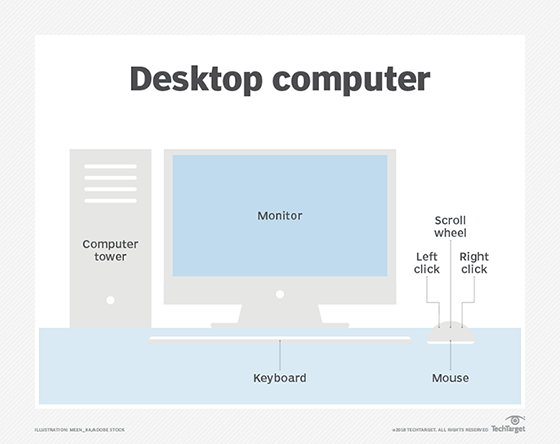
A rectangle can fill a wall, desk, dashboard, or pocket with very little wasted space. This matters in both homes and factories.
For example, several rectangular monitors can sit side by side. Their straight edges meet with only small gaps. A row of round displays would create large empty spaces between them.
The same idea applies inside a laptop lid or phone body. A rectangular display can use most of the front surface. This helps manufacturers provide a larger viewing area without making the device much bigger.
Rectangles are also efficient for printed and digital content. A web page can flow from left to right and top to bottom. A spreadsheet can show rows and columns. A video can use a wide frame. These tasks all benefit from straight edges.
Here are some practical benefits:
• More image area fits into a given space.
• Devices can stack and align neatly.
• Text lines are easy to arrange.
• Photos and videos can fill the display with less cropping.
• Screen protectors and covers are simple to design.
This explains why screens are rectangular in classrooms, offices, stores, vehicles, and homes. The shape works well with the spaces around it.

Manufacturing makes the rectangle a smart choice
Modern displays use layers. These may include glass, polarizers, touch sensors, color filters, light sources, and thin-film transistor circuits.
Many of these layers are made in large sheets. Manufacturers cut several panels from each sheet. Rectangular panels are easier to arrange in a regular pattern, much like tiles on a floor.
This cutting pattern reduces waste. It also makes the production process easier to automate. A factory can measure, cut, inspect, and package rectangular panels with high precision.
Square corners also make it easier to connect the display to a circuit board. Flexible cables and driver chips can be placed along the edges. A curved or irregular outline would need more complex parts and more careful assembly.
The glass itself may be rectangular before the final corners are rounded. Many phones now have curved-looking corners, but the main display area is still based on a rectangle.
What about rounded corners?
Rounded corners are mostly a design and safety feature. They can make a device feel smoother and reduce sharp points.
A phone with rounded corners still has a rectangular display grid underneath. Software may hide a few pixels near each corner, creating the appearance of a softer shape.
This design also helps modern phones use more of their front surface. The display can reach close to the edge without creating an uncomfortable sharp corner.
So, when asking why screens are rectangular, it helps to separate the screen’s basic geometry from its visible border. A display may look rounded while still using a rectangular pixel layout.
Screen shapes match common content formats
Content strongly influences hardware. Television shows, films, websites, games, documents, and photos have traditionally used rectangular frames.
A screen that matches the content can show more of the original image. A screen with a different shape may need to crop the image or add empty bars.
Common aspect ratios include:
• 4:3, used by older televisions and many classic computer monitors.
• 16:9, widely used for modern televisions, video platforms, and computer displays.
• 16:10, common in some laptops and professional monitors.
• 21:9 or wider, used for ultrawide monitors and some cinema-style displays.
An aspect ratio describes the relationship between a screen’s width and height. It does not tell us the exact size. A 16:9 screen could be a small tablet or a huge television.
Phones often use taller rectangles than televisions. This shape supports scrolling, messaging, reading, and portrait photos. Even so, the phone remains rectangular because apps and media still rely on predictable edges and layouts.
Why televisions are wider than tall
People often watch television from a distance. A wider image fills more of the viewer’s side-to-side vision and works well for landscapes, sports, and group scenes.
The 16:9 format became common because it offers a useful middle ground. It is wide enough for movies and television while still tall enough for news, shows, menus, and games.
No aspect ratio is perfect for every type of content. That is why black bars sometimes appear. They preserve the original image instead of cutting off part of it.

Rectangular pixels make images easier to build
A digital screen is made of tiny picture elements called pixels. Most modern panels arrange these pixels in straight rows and columns.
This grid is simple to address. The display controller can identify a pixel by its row and column, then assign its color and brightness.
A rectangular grid also works well with digital images. Cameras, websites, games, and video files store pictures as rows of pixels. The screen can show that information directly, without reshaping every frame.
This is another major reason why screens are rectangular. The shape is not only about the outer frame. It also describes the organized pixel field inside the panel.
A square screen would still use a rectangular grid. It would simply have equal width and height. A round screen would require unused corner pixels or special software to mask them.
That would add complexity without helping most users. For general displays, a rectangular pixel grid is simple, flexible, and reliable.
Why some screens use unusual shapes
Rectangular screens are common, but they are not the only option. Engineers use different shapes when a product has a special purpose.
Examples include:
• Round smartwatches that imitate traditional watch faces.
• Curved car displays that follow a dashboard.
• Flexible screens that bend around a device.
• Long digital signs used in stores and transit stations.
• Irregular displays built into aircraft, medical tools, or industrial equipment.
These products accept extra design challenges to gain a specific benefit. A round watch may look familiar. A curved car screen may fit the dashboard better. A long sign may display a route or price in a narrow space.
However, unusual screens often cost more to design and manufacture. They may also waste pixels near the edges or require special software.
This shows why screens are rectangular in the mainstream market. Rectangles offer the best balance of cost, usability, content support, durability, and production speed.
The benefits and limits of rectangular screens
A rectangle is highly practical, but it is not perfect for every task. Its strengths and weaknesses depend on the device and the content.
Main benefits
• Efficient use of space.
• Easy support for text and images.
• Simple pixel addressing.
• Lower manufacturing complexity.
• Easy alignment with furniture and other devices.
• Strong support for standard video and web formats.
• Simple mounting, packaging, and protection.
Main limitations
• A wide screen may feel awkward for portrait content.
• A tall screen may show black bars with widescreen video.
• Corners may be unused when content has a different aspect ratio.
• Large rectangular displays can be difficult to carry.
• A fixed shape cannot perfectly match every human activity.
Social media helped make vertical video more popular. That trend shows that content can influence screen design. Still, vertical video usually appears on a rectangular phone because the device must also support text, games, websites, photos, and other tasks.
A practical way to choose the right screen shape
If you are buying a monitor, television, tablet, or phone, focus on how you will use it. The best screen shape depends on your daily tasks.
Use these points as a guide:
-
Choose a wider rectangle for movies, sports, gaming, and side-by-side work.
-
Choose a taller rectangle for reading, messaging, coding, and portrait photos.
-
Consider a square-like display for documents, design work, or limited desk space.
-
Check the aspect ratio of your main content before buying.
-
Measure your desk, wall, bag, or vehicle mount.
-
Look for adjustable stands if you switch between portrait and landscape use.
A common mistake is choosing a display only by diagonal size. A 27-inch ultrawide monitor has a different working shape from a 27-inch 16:9 monitor. Width, height, resolution, and viewing distance all matter.
In practical screen tests, I have found that people often notice the shape before they notice small differences in resolution. A screen that fits the work area and content type can feel more useful than one with slightly sharper pixels.
The lesson is simple: do not ask only why screens are rectangular. Ask which rectangle fits your eyes, space, and habits.
Will screens ever stop being rectangular?
New display technology may produce more flexible and unusual shapes. Foldable phones already show that a screen can bend, fold, and change size.
Transparent displays, rollable panels, and wearable screens may also expand the range of possible designs. These products could fit clothing, vehicle interiors, windows, or curved surfaces.
Even so, rectangular screens will likely remain common. Most digital content still uses rectangular frames. Most software still depends on rows, columns, windows, and panels.
A future device may look curved or flexible from the outside while using rectangular sections inside. Engineers may combine several shapes, but the rectangle will remain useful because it is easy to manufacture and easy to understand.
The biggest change may not be the disappearance of rectangles. It may be the ability to reshape them when needed.
Frequently Asked Questions About Why Are Screens Rectangular
Why are screens rectangular instead of square?
Rectangles can provide more width than height, which suits human vision and common content such as video and web pages. A square can work well for some tasks, but a wider rectangle often uses space more effectively.
Why do phone screens have rounded corners?
Rounded corners improve the look and feel of a phone and remove sharp points from the glass. The active pixel area is still mainly rectangular, with software often masking a few corner pixels.
Why are computer monitors rectangular?
Computer monitors need to display text, windows, tables, images, and video. A rectangular layout supports these tasks well and allows multiple monitors to line up with little wasted space.
Why are movie screens rectangular?
Movies are recorded in rectangular frames called aspect ratios. A rectangular cinema screen can show that image clearly, although black bars may appear when the movie and screen have different proportions.
Could a screen be perfectly round?
Yes, a screen can be round, and some watches use this design. However, round displays waste space around the corners when showing text, photos, websites, or standard videos.
Are all screens the same rectangular shape?
No. Screens use many aspect ratios, such as 4:3, 16:9, 16:10, and 21:9. Their width and height vary based on the device, content, and intended use.
Why do screens have different aspect ratios?
Different aspect ratios suit different activities. Wide screens work well for movies and multitasking, while taller screens are useful for reading, scrolling, and portrait content.
Conclusion
Screens are rectangular because the shape combines efficient space use, natural viewing, simple pixel grids, easier manufacturing, and strong support for digital content. From old CRT televisions to modern foldable phones, the rectangle has remained useful because it solves many problems at once.
The next time you compare a phone, monitor, or television, look beyond its diagonal size. Check the aspect ratio, viewing distance, content type, and available space. Choose the rectangle that fits your life best, then explore more display guides to make your next technology purchase with confidence.