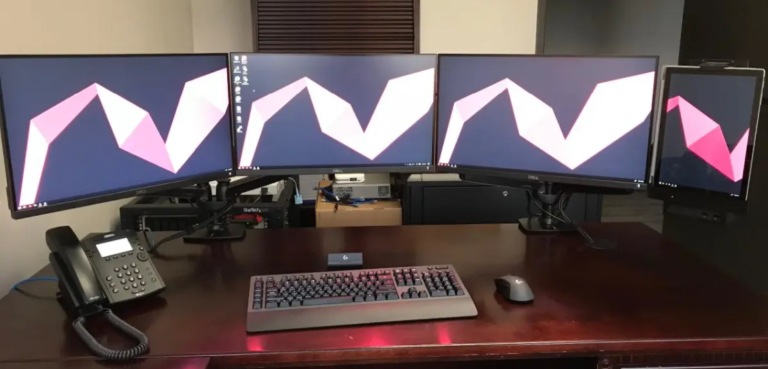
It is called a desktop because the computer was designed to sit on top of a desk.
The question “why is it called a desktop” has a simple answer, but the history behind the term is more interesting. It reflects how early personal computers were built, where people used them, and how computer names changed as technology became smaller and more portable.

Why is it called a desktop?
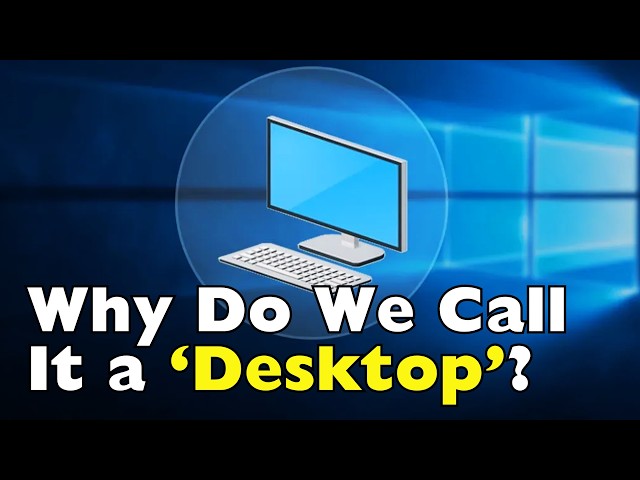
A desktop computer is called a “desktop” because it usually sits on a desk or table while you use it. The word describes both the computer’s location and its design.
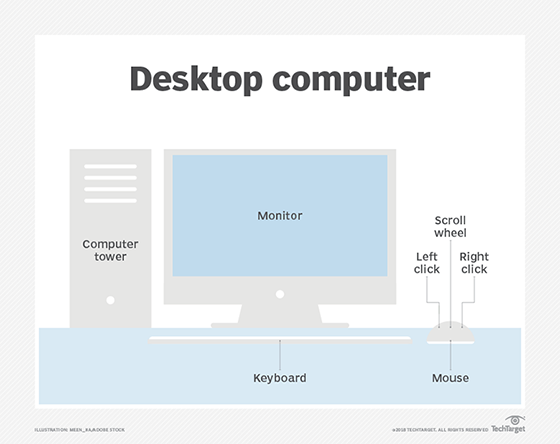
Unlike a laptop, tablet, or smartphone, a desktop computer is not made for easy travel. It normally stays in one place and connects to separate parts, such as:
• A monitor
• A keyboard
• A mouse
• Speakers
• A printer or other accessories
The computer itself may sit beside or under the desk. Even so, the whole setup is called a desktop because it belongs in a fixed workspace.
So, why is it called a desktop instead of a personal computer? “Personal computer” describes who uses it. “Desktop” describes the type and placement of the machine. A desktop can be a personal computer, but the terms do not mean exactly the same thing.
The name is much like “laptop.” A laptop is designed to rest on your lap. A desktop is designed to rest on your desk.
The history behind the desktop computer name
To understand why is it called a desktop, it helps to look at the early days of personal computing.
The first computers were huge machines. Some filled entire rooms and needed special cooling, power systems, and trained operators. These computers were not placed on desks. They were usually kept in laboratories, universities, government offices, or large businesses.
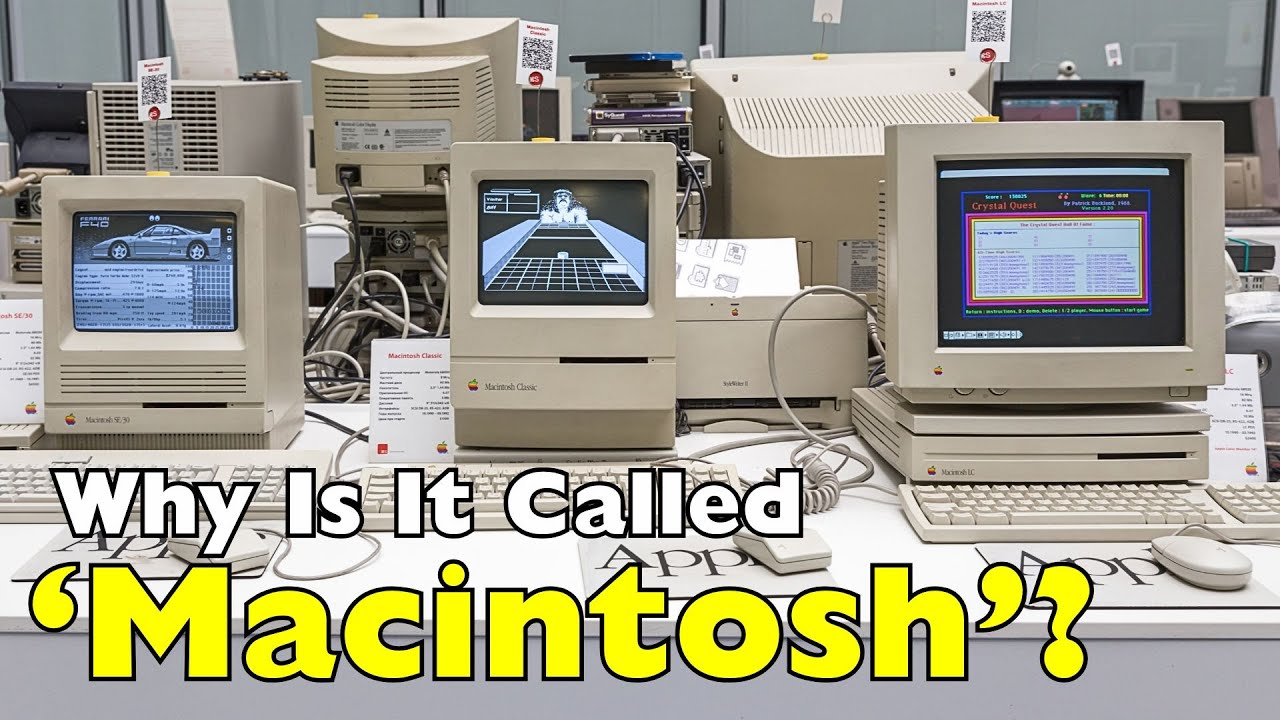
During the 1970s and 1980s, computer technology became smaller and more affordable. Companies began building computers for homes, schools, and small offices. These new machines could fit on or near a desk.
Early personal computers often came in separate pieces. A typical setup included a box for the processor and storage, a screen, and an input device such as a keyboard. The complete system was still much larger than a modern laptop, but it was small enough for ordinary users.
The term “desktop computer” became useful because it separated these machines from:
• Mainframe computers
• Minicomputers
• Portable computers
• Handheld devices
• Dedicated business terminals
The name described a new class of computer that ordinary people could keep in a home or office.
One important point is that the word “desktop” did not mean every computer sat directly on top of the desk. Some computer towers were placed on the floor. The term referred more broadly to a fixed computer setup used at a desk.
Desktop as a physical computer and a software screen
The word “desktop” has two common meanings in technology.
First, it means a physical desktop computer. This is the machine with a monitor, keyboard, mouse, and computer case.
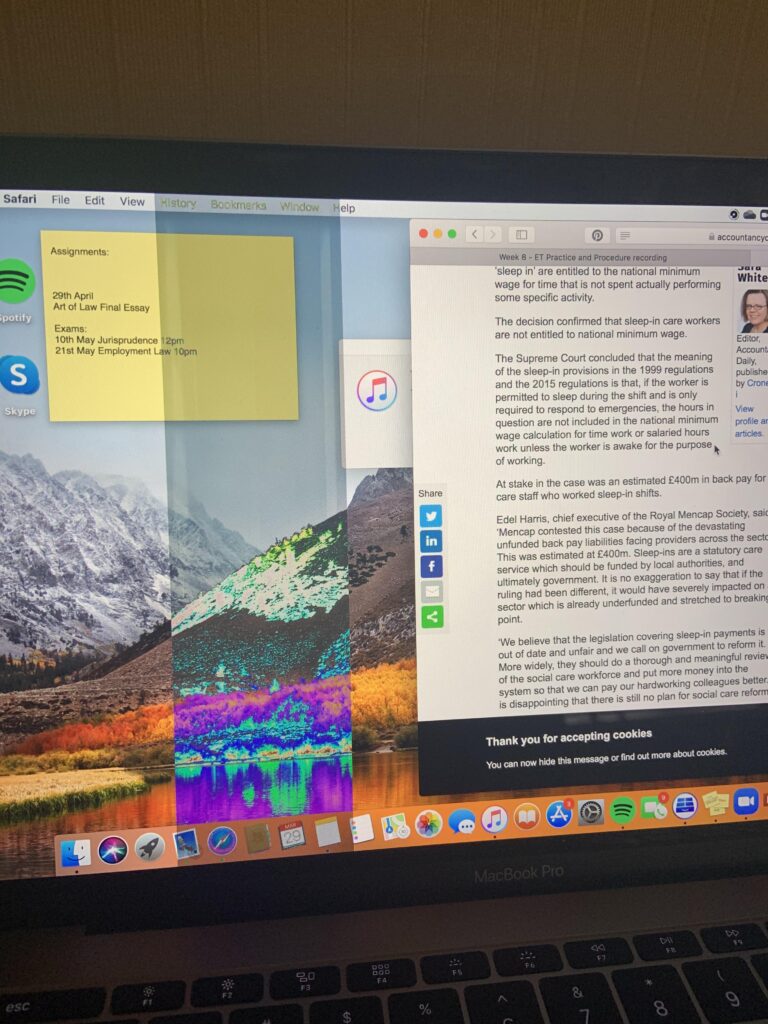
Second, it means the main screen you see after starting an operating system. Windows, macOS, and Linux all use a desktop-style interface.
The digital desktop is based on the idea of a real desk. It may show:
• Files
• Folders
• Shortcuts
• A trash or recycle bin
• Menus
• Applications
This design is called a graphical user interface, or GUI. It uses familiar objects to make computers easier to understand.
For example, a folder on the screen represents a real folder. A trash can represents a place for unwanted files. A desktop background acts like the surface of a real desk.
This connection explains another part of why is it called a desktop. Computer designers used the desk as a simple metaphor for organizing digital work.
Instead of typing commands for every task, users could click icons and move files around. This made computers feel less like machines for experts and more like tools for everyday work.
What makes a desktop computer different?
A desktop computer usually has separate parts that work together. This design gives it several strengths.
Separate components
A desktop system often includes a separate monitor, computer case, keyboard, and mouse. You can replace or upgrade many of these parts without replacing the entire computer.
For example, you might buy a larger monitor while keeping the same computer case. You could also replace an old keyboard or add better speakers.
More room for powerful parts
Desktop cases are often larger than laptop bodies. This gives manufacturers more space for cooling fans, graphics cards, memory, storage drives, and power supplies.
That extra space can help a desktop run demanding programs. Video editors, engineers, gamers, and 3D artists often choose desktops for this reason.
Easy upgrades
Many desktop computers allow users to add or replace parts. Common upgrades include:
• More memory
• A larger solid-state drive
• A stronger graphics card
• A faster processor
• Additional cooling
• A larger power supply
Upgrade options depend on the computer model. Some small or all-in-one desktops have limited upgrade space.
Stable use
A desktop stays in one place and connects to wall power. It does not need to balance battery life, weight, and portability.
This makes it useful for long work sessions. It is common to see desktop computers in offices, schools, stores, studios, and home workspaces.
Desktop computer versus laptop
The answer to why is it called a desktop becomes clearer when you compare it with a laptop.
A laptop combines the main computer parts into one folding device. It includes a built-in screen, keyboard, touchpad, battery, and computer hardware.
A desktop usually separates those parts. You can choose each part based on your needs.
| Feature | Desktop computer | Laptop |
|---|---|---|
| Main use | A fixed workspace | Work in different places |
| Power | Usually uses wall power | Uses a battery and charger |
| Screen | Often separate | Built in |
| Upgrades | Often easier | Often limited |
| Portability | Low | High |
| Cooling | Usually stronger | More compact |
| Workspace | Needs a desk | Needs less space |
A laptop is often better for students, travelers, and people who move between rooms. A desktop may be better for users who want performance, a larger display, easier repairs, or a comfortable permanent setup.
Neither type is always better. The right choice depends on your work, budget, space, and need for mobility.
Why desktops are still popular
Some people assume desktops disappeared when laptops became common. That has not happened. Desktop computers remain useful because they offer value and power.
A desktop can often provide more performance for the same price as a laptop. It may also last longer because its parts are easier to cool, replace, and repair.
Desktops are especially popular for:
• Gaming
• Graphic design
• Video editing
• Software development
• Music production
• Scientific work
• Office use
• Home servers
• Online learning
A large monitor can also reduce eye strain and make complex work easier. A full-size keyboard may feel more comfortable than a small laptop keyboard.
In my experience helping people choose computer setups, the biggest mistake is buying based only on appearance. A slim laptop looks convenient, but a desktop may serve better if the user works at one desk every day.
Another common mistake is ignoring the monitor, chair, and keyboard. A computer is part of a workspace. Good comfort and lighting matter as much as processor speed.

Common desktop computer designs
Not every desktop looks like a large box under a desk. The term now covers several designs.
Tower desktop
A tower desktop has a separate case that usually stands beside or under the desk. It often gives users the most space for upgrades and cooling.
Tower computers are common in gaming, business, and professional work.
Small-form-factor desktop
A small-form-factor computer uses a compact case. It takes less space but may offer fewer upgrade options.
These computers work well in reception areas, small offices, and home workspaces.
All-in-one desktop
An all-in-one computer places the computer hardware inside the monitor. This reduces cable clutter and gives the setup a clean look.
The trade-off is that upgrades and repairs may be harder than with a traditional tower.
Mini desktop
A mini desktop is a very small computer that can sit beside a monitor or attach to the back of one. It is useful for web browsing, office work, streaming, and light tasks.
Its small size may limit performance, ports, and future upgrades.
These designs still fit the basic meaning of why is it called a desktop: they are made for use in a fixed desk-based workspace.

The desktop screen in Windows and other systems
When someone says “go to your desktop,” they may not be talking about a physical computer. They may mean the main screen of an operating system.
On Windows, the desktop usually appears after you sign in. It may contain icons, a taskbar, a Start menu, and a background image.
On macOS, the desktop works as the main work area behind open windows. Linux systems also offer desktop environments, such as GNOME, KDE Plasma, and Cinnamon.
The digital desktop helps users manage their work. You can open a program, create a file, move items into folders, and return to the main screen.
This interface has changed over time. Modern systems also use search tools, cloud storage, virtual desktops, widgets, and touch controls. Still, the old desk metaphor remains useful because most people understand how a desk works.
The screen is like a work surface. Windows are like papers. Folders are like file holders. The recycle bin is like a wastebasket.
Is a desktop the same as a personal computer?
No. A desktop and a personal computer are related, but they describe different ideas.
A personal computer, or PC, is a computer made for one person or a small group. A PC can be a desktop, laptop, mini computer, or all-in-one system.
A desktop describes a computer designed for stationary use. It may run Windows, Linux, or another operating system.
For example:
• A Windows tower is a desktop PC.
• A Mac mini is a desktop computer.
• A MacBook is a personal computer, but it is a laptop.
• A Chromebook is a personal computer, but it is usually portable.
This distinction is useful when shopping for technology. If a product listing says “desktop PC,” expect a computer designed to stay in one place. Check whether the monitor and other accessories are included.
Benefits and limits of using a desktop
Desktop computers offer clear benefits, but they also have limits.
Benefits
• Strong performance for the price
• Easier repairs and upgrades
• Larger screens and full-size accessories
• Better cooling in many models
• No battery charging
• More ports and connection choices
• Comfortable use at a permanent desk
Limitations
• Difficult to carry
• Needs a dedicated workspace
• May require several cables
• Can use more electricity than a small laptop
• Some models are hard to upgrade
• A power outage can interrupt work
A desktop also depends on the quality of its parts. A cheap desktop with poor cooling may perform worse than a well-built laptop. Always check the processor, memory, storage, graphics hardware, warranty, and upgrade options.
The term desktop tells you how the computer is used. It does not automatically tell you how powerful, reliable, or modern the computer is.
How to choose the right desktop computer
If you are considering a desktop, start with your real needs instead of choosing the most powerful model.
-
List your main tasks. Decide whether you need the computer for email, office work, gaming, design, programming, or demanding professional software.
-
Set a practical budget. Remember to include the monitor, keyboard, mouse, speakers, webcam, and operating system if they are not included.
-
Check the upgrade path. Look for accessible memory slots, storage bays, standard power connections, and space for future components.
-
Choose the right size. A tower offers more room, while a mini desktop saves space.
-
Review the warranty. A clear warranty can reduce stress if a component fails.
-
Plan your desk setup. Leave room for airflow. Keep vents clear, and place the computer away from moisture and heavy dust.
A simple office user may need only a modest mini desktop. A video editor may need a powerful processor, lots of memory, fast storage, and a dedicated graphics card.
Why is it called a desktop instead of a workstation?
A desktop is a broad category. A workstation is usually a higher-performance computer built for professional tasks.
Workstations may use special processors, professional graphics cards, error-correcting memory, and certified software support. They are often used in engineering, architecture, medical imaging, science, and film production.
A gaming desktop can be very powerful, but it is not automatically a workstation. The difference is often based on design goals, reliability needs, software certification, and professional support.
The word “desktop” focuses on placement. The word “workstation” focuses on the job the computer is built to perform.
Frequently Asked Questions
Why is it called a desktop computer?
It is called a desktop computer because it was designed to sit on or near a desk. The name separates it from portable computers such as laptops and tablets.
Can a desktop computer be placed on the floor?
Yes, a desktop computer can sit on the floor if the area is clean, dry, and well ventilated. However, keeping it on a stand or shelf can reduce dust intake and protect it from accidental spills.
Is a desktop computer better than a laptop?
A desktop is often better for performance, upgrades, and long-term stationary use. A laptop is usually better for portability, travel, and working in different locations.
Why is the computer screen called a desktop?
The screen is called a desktop because it acts like a digital desk. Icons, folders, files, and menus appear in a workspace that copies familiar objects from a real desk.
Does desktop mean Windows?
No. Desktop is not limited to Windows. Windows, macOS, and Linux can all run on desktop computers and provide desktop-style interfaces.
Are desktop computers becoming outdated?
No. Desktops remain useful for gaming, office work, creative tasks, development, and professional applications. Their design continues to change, with smaller cases, quieter cooling, and more efficient parts.
Conclusion
The answer to why is it called a desktop is simple: the computer was made for a fixed workspace on or near a desk. Over time, the word also became the name for the main screen where users organize files and open programs.
Desktop computers remain valuable because they can offer strong performance, easy upgrades, large displays, and comfortable long-term use. Before buying one, match its size and power to your actual needs.
Now that you know why is it called a desktop, you can make smarter choices when comparing computers and planning your workspace. Explore more computer guides, share this article with someone who is learning about technology, or leave a comment with your desktop questions.