Curved monitors can improve gaming immersion, comfort, viewing angles, and peripheral awareness during long play sessions.
If you have ever wondered why are curved monitors better for gaming, the answer goes beyond their stylish look. Their shape follows the natural curve of your vision, which can make games feel more immersive while reducing the need to move your eyes across a wide screen. Still, the benefits depend on screen size, viewing distance, game type, and your personal setup.
Why Are Curved Monitors Better for Gaming?
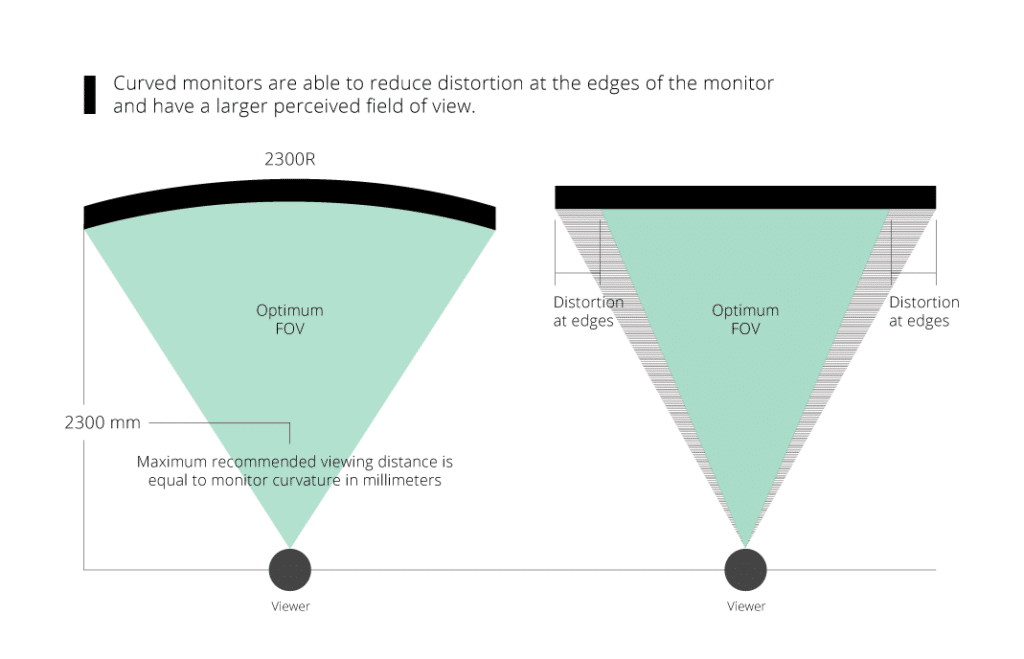
The main reason why are curved monitors better for gaming is that they bring the edges of the screen closer to your eyes. A flat monitor can make the sides feel farther away, especially when you use a large ultrawide display. A curved panel keeps more of the image within your natural field of view.
This design can create a stronger sense of depth. In racing games, the track may feel wider and more realistic. In first-person shooters, the screen can fill more of your vision without forcing you to sit extremely close.
A curved gaming monitor does not make your graphics card faster or give you automatic aim. Its value comes from how you see and interact with the image.
The main benefits include:
• More immersive gameplay, especially on ultrawide screens
• A wider and more natural viewing angle
• Less eye movement across large displays
• A stronger sense of depth in supported games
• A more comfortable view during long sessions
• Better use of an ultrawide monitor’s extra screen space
The curve works best when you sit near the center of the screen. If you sit too far away, or move from side to side often, the effect becomes less noticeable.
A Curved Screen Can Improve Gaming Immersion
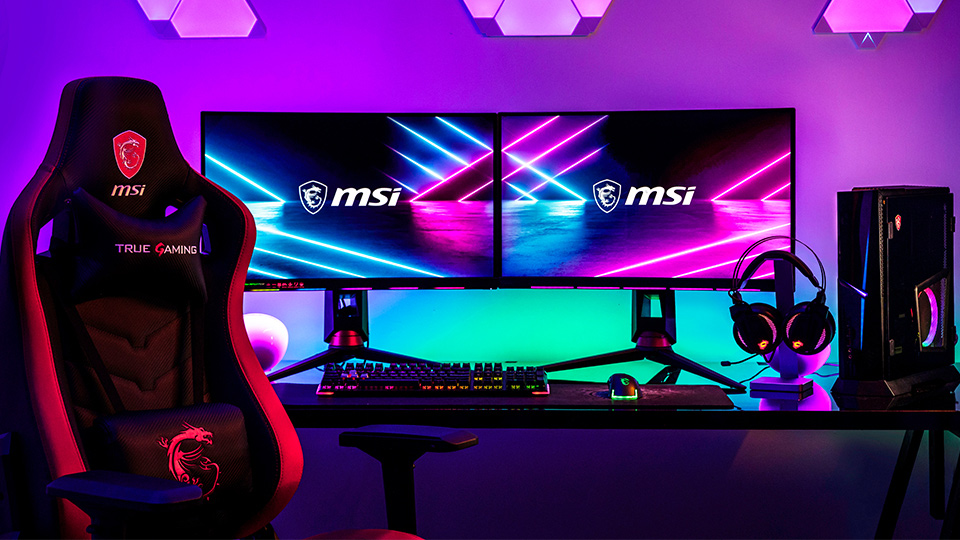
Immersion is one of the clearest answers to why are curved monitors better for gaming. The screen surrounds more of your central vision, so the game can feel less like a flat picture and more like a window into another world.
This effect is strongest with large monitors. A 24-inch curved display may offer only a small visual change. A 34-inch or 49-inch ultrawide monitor can make the curve much easier to notice.
Curved monitors are especially engaging in:
• Racing games, where the wider view shows more of the track
• Flight and space simulators, where peripheral vision adds realism
• Open-world games, where the landscape fills more of the screen
• First-person games, where a wider field of view can feel more natural
• Simulation games, where several panels or views fit side by side
Think of the curve as the difference between looking at a map on a table and looking through a broad windshield. The information is similar, but the second view can feel more connected to your surroundings.
A curved monitor cannot replace a virtual reality headset. It also cannot fix poor game design or low graphics settings. However, it can make a traditional desktop gaming setup feel more involving.
Curved Monitors Offer a Wider Field of View
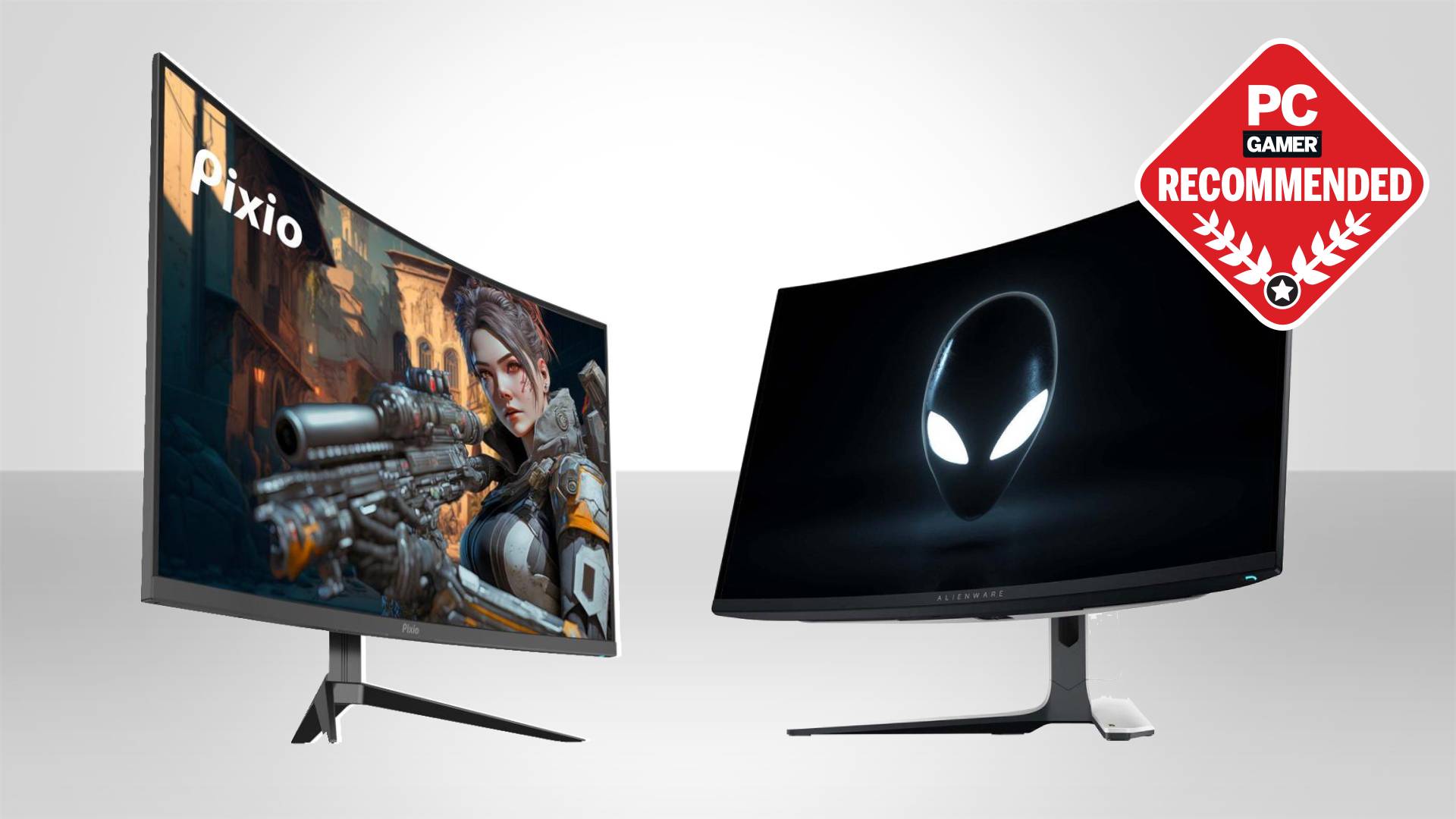
A wider field of view, or FOV, is another reason why are curved monitors better for gaming. FOV describes how much of the game world you can see at once. A wider display can show more of the scene to your left and right.
This advantage is useful in games where awareness matters. You may notice another vehicle beside you, spot movement near the edge of the screen, or see more of a game map without turning your character.
However, the monitor alone does not decide your FOV. The game must support a wider view. Some console games and older PC titles may stretch the image, add black bars, or limit the usable screen area.
Before buying an ultrawide curved monitor, check:
• Whether your favorite games support 21:9 or 32:9 resolutions
• Whether the game offers a proper FOV slider
• Whether your graphics card can handle the higher resolution
• Whether your console supports the monitor’s aspect ratio
• Whether competitive games allow ultrawide displays
A wider FOV can be helpful, but too much FOV may make distant targets look smaller. In competitive shooters, many players prefer a balance between peripheral awareness and target size.
.jpg)
Curved Monitors May Reduce Eye Strain
Many buyers ask why are curved monitors better for gaming when they already own a good flat display. One possible benefit is reduced eye movement across a large screen.
On a wide flat monitor, the distance from your eyes to the center may differ from the distance to the corners. A curved screen can keep the edges at a more similar viewing distance. This may help the eyes adjust less when you scan across the display.
That does not mean every curved monitor prevents eye strain. Eye comfort also depends on:
• Screen brightness
• Room lighting
• Viewing distance
• Refresh rate
• Text size
• Glare
• Break frequency
• Monitor height
The best setup is often around an arm’s length away, with the top of the screen near eye level. You should also follow the 20-20-20 habit: every 20 minutes, look at something about 20 feet away for 20 seconds.
During long gaming sessions, I have found that screen placement matters more than the curve alone. A badly placed curved monitor can still cause neck pain, glare, or tired eyes. The curve is helpful, but it is not a substitute for good ergonomics.
Curved Monitors Work Well With Ultrawide Gaming
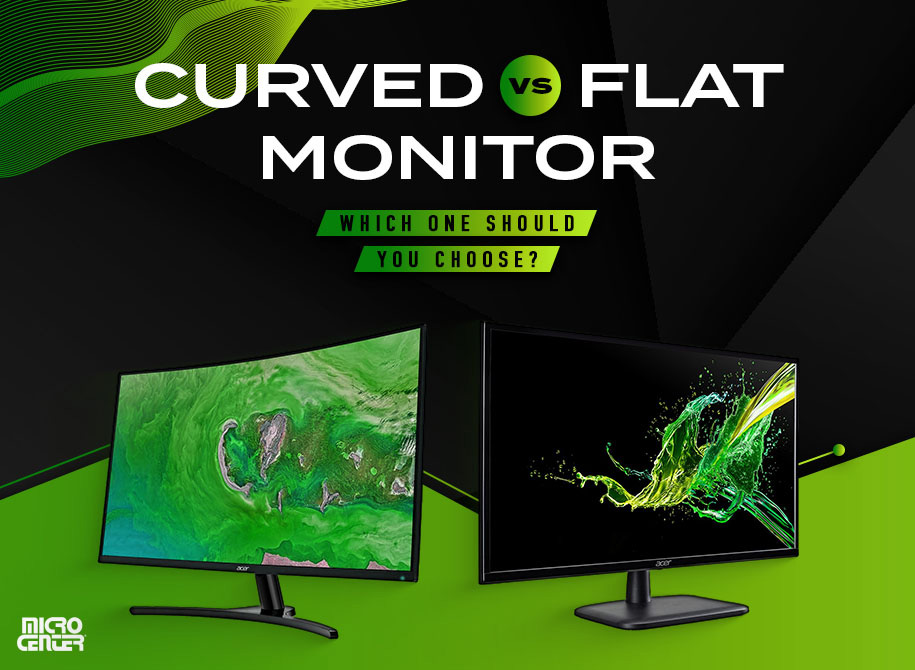
The connection between curved monitors and ultrawide gaming is central to why are curved monitors better for gaming. A wide screen gives you more horizontal space, but that space can feel awkward when it is completely flat.
A gentle curve helps bring the outer parts of the screen into your view. This can make an ultrawide monitor feel more balanced and easier to scan.
Common monitor curve ratings include:
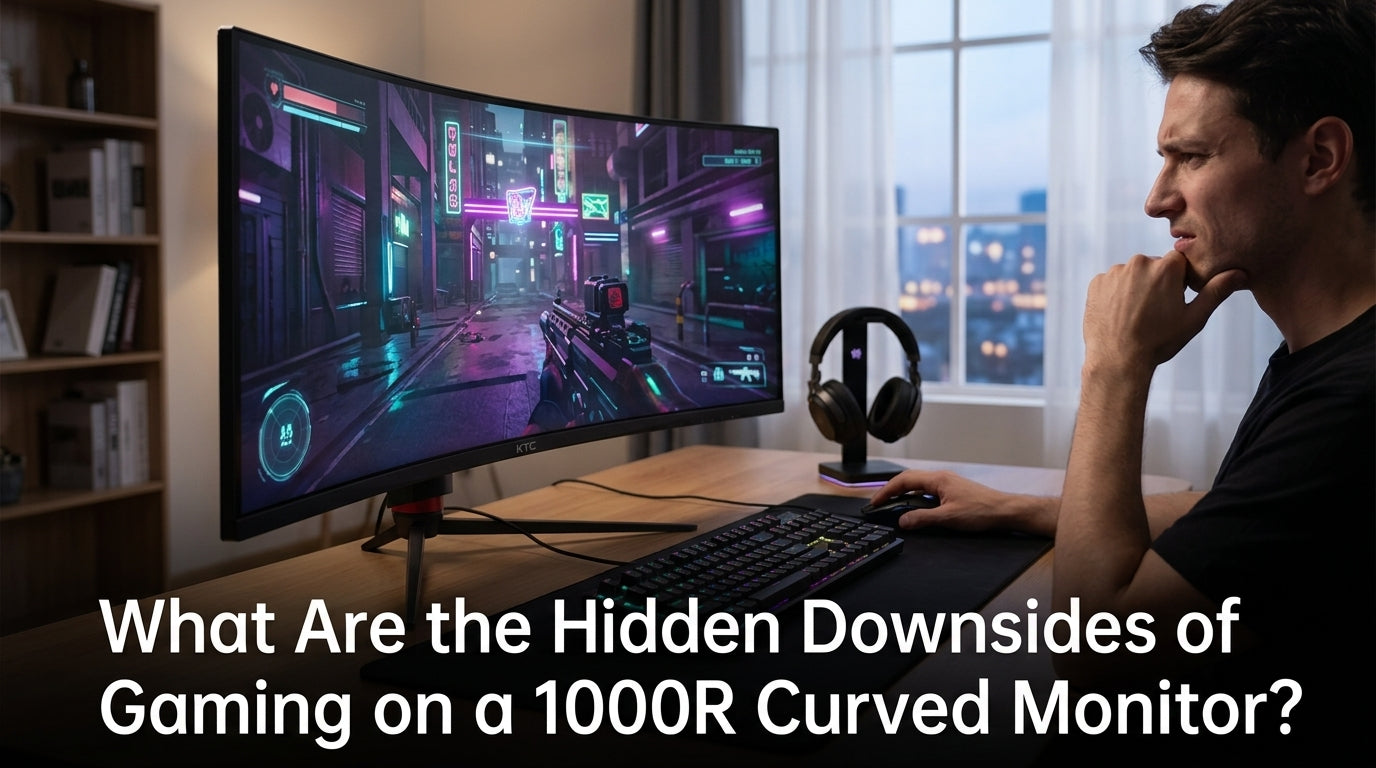
• 1000R: A tight curve that suits close viewing and very wide screens
• 1500R: A moderate curve that offers a mix of immersion and comfort
• 1800R: A gentler curve that feels more subtle
The “R” means radius. A 1000R monitor follows a circle with a 1,000-millimeter radius. A lower number means a stronger curve.
For most desk setups, 1500R or 1800R is easy to live with. A very tight 1000R curve may feel excellent on a large ultrawide display, but it can feel unusual on a smaller screen.
Your desk width matters too. Measure the space before buying. A 34-inch ultrawide monitor may need more room than expected, especially when you add speakers, a keyboard, and a deep stand.
.jpg)
Curved Monitors Can Improve Gaming Comfort
Comfort is another practical reason why are curved monitors better for gaming. The screen can feel more natural when it fills your view without requiring constant head movement.
This is most noticeable during games with large user interfaces. Strategy games, role-playing games, and simulation titles often place menus, maps, and status panels near the edges. On a large flat screen, you may turn your head often to check them. A curved design can make those areas easier to see with small eye movements.
Still, comfort depends on correct alignment. Follow these simple steps:
-
Place the monitor directly in front of you.
-
Center your chair with the middle of the display.
-
Keep the screen about 20 to 36 inches from your eyes.
-
Tilt the panel slightly to avoid reflections.
-
Adjust brightness to match the room.
-
Keep your back supported and your feet flat.
Do not place a curved monitor at an extreme angle. The image may look uneven, and the curve may feel distracting. A centered position is essential.
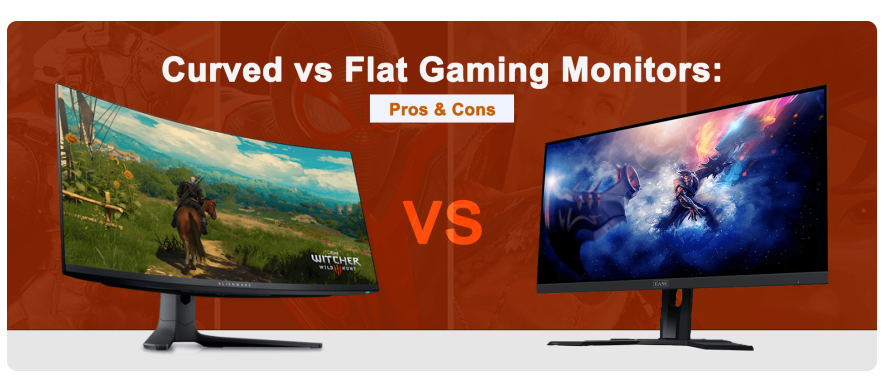
Curved Versus Flat Monitors for Different Games
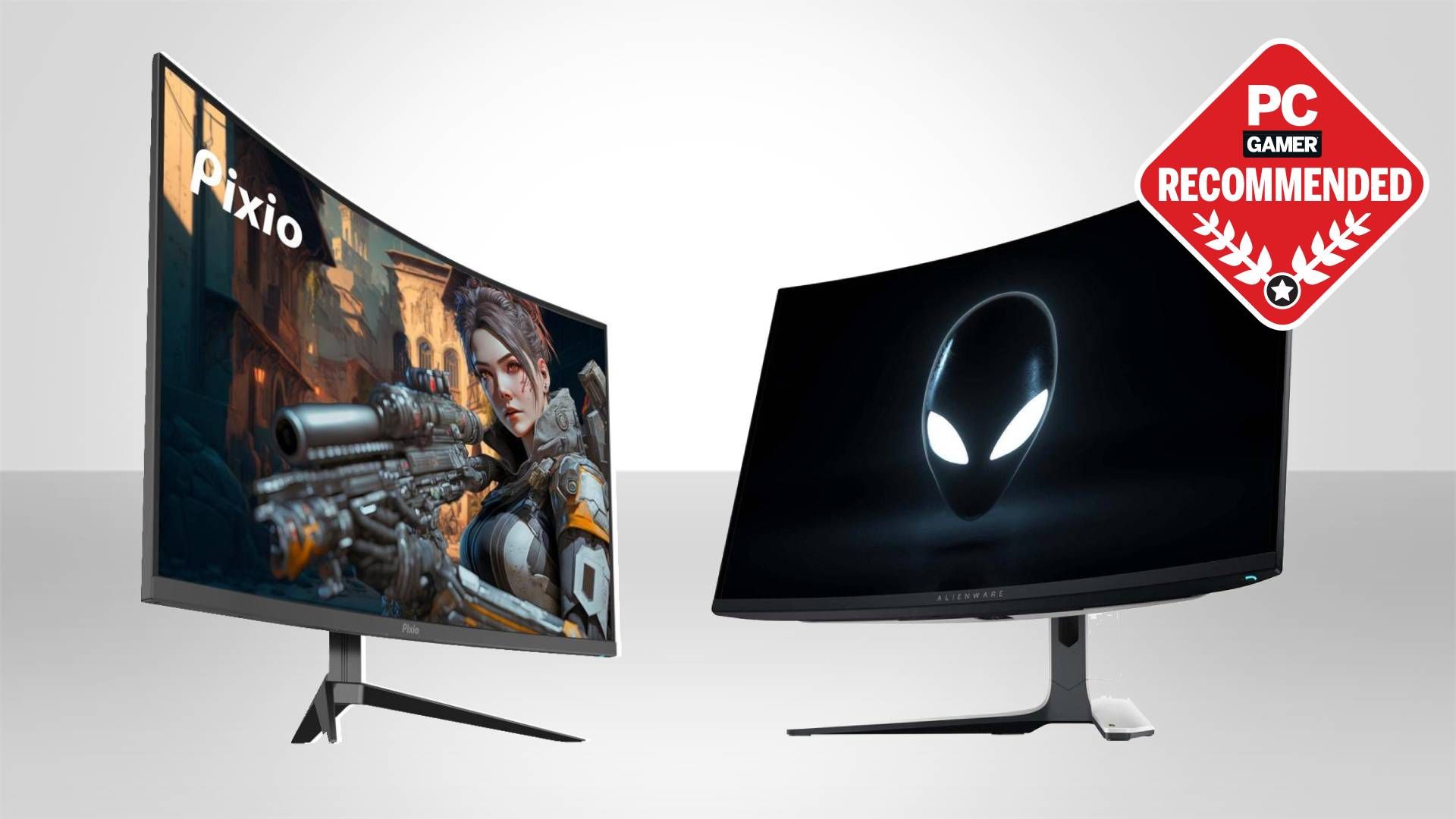
The question why are curved monitors better for gaming has no single answer because game genres use screens in different ways. A curved display can be excellent for some games and less useful for others.
Racing and flight games
Curved monitors are a strong match for racing and flight simulators. The wider view can show more of the road, cockpit, horizon, or runway. A large ultrawide screen can also reduce the need for multiple monitors.
First-person shooters
A curved monitor may improve peripheral awareness, but competitive players should check tournament rules and game support. Some players prefer a flat screen because it offers a familiar image shape and consistent aim practice.
Strategy and role-playing games
The extra horizontal space can show more of the map and interface. The curve may also make edge panels easier to view on a large screen.
Fighting games
A curved monitor is usually not necessary. These games often use a smaller central play area, so refresh rate, response time, and input lag matter more.
Console gaming
Many consoles work best with standard 16:9 displays. A curved 16:9 monitor can still look attractive, but an ultrawide model may leave unused space or display black bars.
The best monitor is the one that matches your games. Do not buy a curved display only because it looks impressive in a store.
Gaming Performance Features Matter More Than the Curve
A curved panel does not automatically make a monitor good for gaming. When comparing displays, focus on the full feature set.
Refresh rate
Refresh rate shows how many times the screen updates each second. A 144Hz monitor can look much smoother than a 60Hz model when your computer can produce enough frames.
Competitive players may prefer 165Hz, 240Hz, or higher. Casual players may find 120Hz or 144Hz more than enough.
Response time
Response time affects how quickly pixels change color. A low response time can reduce visible ghosting during fast movement. Check independent testing when possible because advertised figures may use different measurement methods.
Adaptive sync
AMD FreeSync and NVIDIA G-SYNC Compatible technology can reduce screen tearing and stutter. Your graphics card and monitor must support a compatible version.
Resolution
Higher resolution creates a sharper image but demands more GPU power. A 3440 × 1440 ultrawide display needs more rendering power than a 2560 × 1440 monitor.
HDR
Good HDR can improve bright highlights and dark scenes. However, a monitor needs strong brightness, wide contrast, and effective local dimming to deliver a convincing HDR experience.
Panel type
IPS panels often provide strong color and viewing angles. VA panels usually offer deeper contrast. OLED panels can deliver excellent blacks and fast response times, but they may cost more and require care because of image retention risks.
When deciding why are curved monitors better for gaming, remember that the curve is only one part of the experience. A flat monitor with better motion handling may be the better choice for competitive play.
Downsides of Curved Gaming Monitors
A balanced guide to why are curved monitors better for gaming must include the drawbacks. Curved monitors are not ideal for every player or every desk.
They often cost more
A curved design, especially on an ultrawide or OLED panel, can raise the price. You may get better value from a flat monitor with a higher refresh rate or better HDR.
Wall mounting can be harder
A curved display may not sit as neatly against a wall. Its shape can also make arm and mount compatibility more important.
Reflections may be distracting
Curved screens can reflect windows and lamps in unusual ways. Place your monitor away from direct light, or use curtains and softer room lighting.
Straight lines may look different
For office work, photo editing, and design, some people notice that straight lines appear slightly different near the edges. A flat monitor may feel more natural for precision work.
The curve is less useful on small screens
The benefits are usually easier to notice on larger displays. On a compact monitor, the curve may add cost without adding much immersion.
Multi-monitor setups can be complicated
Mixing curved and flat monitors may create different viewing angles. A triple-monitor setup often works best when the displays have similar curves and bezels.
These drawbacks do not make curved monitors bad. They simply show why your space, budget, and daily use should guide the decision.
How to Choose the Right Curved Gaming Monitor
If you decide that why are curved monitors better for gaming fits your needs, use a practical buying process.
-
Measure your desk. Confirm the monitor will fit with enough space for your keyboard and speakers.
-
Choose the screen size. A 27-inch model is flexible, while 34 inches or more creates a stronger ultrawide effect.
-
Pick the resolution. Match it to your graphics card and the games you play.
-
Select the refresh rate. Choose at least 120Hz or 144Hz for smooth modern gaming when your hardware supports it.
-
Check adaptive sync. Confirm compatibility with your GPU.
-
Compare response time tests. Do not rely only on the box rating.
-
Consider the curve. Choose 1500R or 1800R for a moderate feel, or 1000R for a more surrounding view.
-
Review the stand. Height adjustment and tilt can make a major comfort difference.
-
Check connectivity. DisplayPort, HDMI, USB hubs, and audio features may affect your setup.
-
Read return policies. A curve can feel different in person, so a flexible return window is valuable.
One common mistake is buying a very wide monitor without checking game compatibility. Another is choosing resolution before checking whether the graphics card can maintain a stable frame rate.
Tips for Getting the Most From a Curved Monitor
Once you understand why are curved monitors better for gaming, a few setup changes can improve the experience.
• Sit in the center of the screen. This keeps the curve balanced around your eyes.
• Use the recommended viewing distance. Large screens often need more space than smaller screens.
• Set the correct resolution. Native resolution usually gives the sharpest image.
• Turn on adaptive sync. This can help match the monitor’s refresh rate to your frame rate.
• Adjust the FOV carefully. A wider setting is not always better.
• Use a stable frame rate. Lowering a few graphics settings may create smoother play.
• Calibrate brightness. A bright screen in a dark room can cause discomfort.
• Reduce reflections. Move lamps and windows out of the direct viewing path.
• Keep the monitor level. The center should sit close to eye height.
• Take regular breaks. Comfortable gaming still requires healthy screen habits.
In testing and everyday use, I have seen people blame the monitor for discomfort when the real issue was poor height or brightness. Fix the basics before deciding that the curve does not work for you.
Frequently Asked Questions About Why Are Curved Monitors Better for Gaming
Are curved monitors really better for gaming?
Curved monitors can be better for gaming when you use a large screen, sit close to it, and want more immersion. They are not automatically better than flat monitors for every game or player.
Do curved monitors reduce eye strain?
They may reduce the amount of eye movement needed across a wide screen. Eye strain also depends on brightness, glare, viewing distance, screen height, and regular breaks.
Is a curved monitor better for FPS games?
It can provide a wider and more engaging view, especially on an ultrawide model. However, competitive FPS players may prefer a flat display because aim habits, game support, and refresh rate often matter more than the curve.
What curve is best for gaming?
A 1500R or 1800R curve is a comfortable choice for many desk setups. A 1000R curve may suit large ultrawide monitors but can feel too strong on smaller screens.
Are curved monitors good for console gaming?
A curved 16:9 monitor can work well with a console. Ultrawide curved monitors may show black bars or unused space because many consoles are designed for standard 16:9 output.
Do curved monitors improve FPS?
No. The curve itself does not increase frames per second. GPU power, game settings, resolution, and refresh rate have a much larger effect on performance.
Are curved monitors worth it for work and gaming?
They can be useful for both, especially if you want a wide workspace and immersive games. If you do design work that needs perfectly straight lines, a flat monitor may be more suitable.
Conclusion
Curved monitors can make gaming feel wider, deeper, and more engaging. They are especially useful with large ultrawide screens, racing games, simulators, and titles that benefit from a broad field of view.
The answer to why are curved monitors better for gaming depends on your setup. A good curve can improve immersion and comfort, but refresh rate, response time, resolution, adaptive sync, and panel quality still matter more for many players.
Measure your desk, check game compatibility, and match the monitor to your graphics card before you buy. If you are considering a new display, compare curved and flat models in person when possible, then choose the one that feels best for your games and daily use.