Monitors still have VGA because many offices, schools, and older computers rely on its low cost and wide compatibility.
If you have ever unpacked a new monitor and found a blue VGA port beside HDMI or DisplayPort, you may wonder why this old connector remains. The answer involves legacy computers, business budgets, simple support needs, and the long life of VGA equipment. Understanding why do monitors still have VGA can help you choose the right cable, adapter, and display for your setup.
What Is VGA?
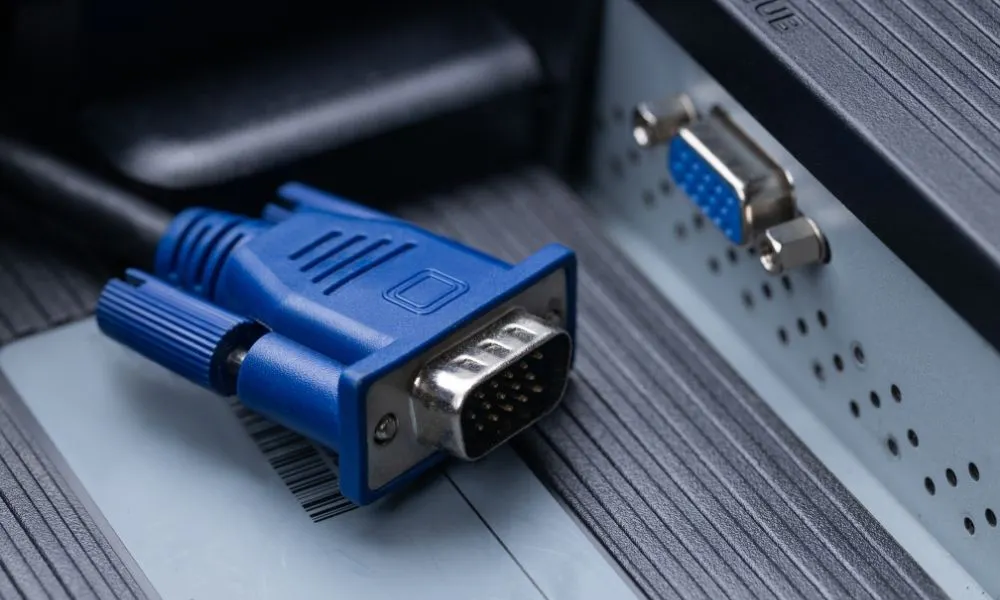
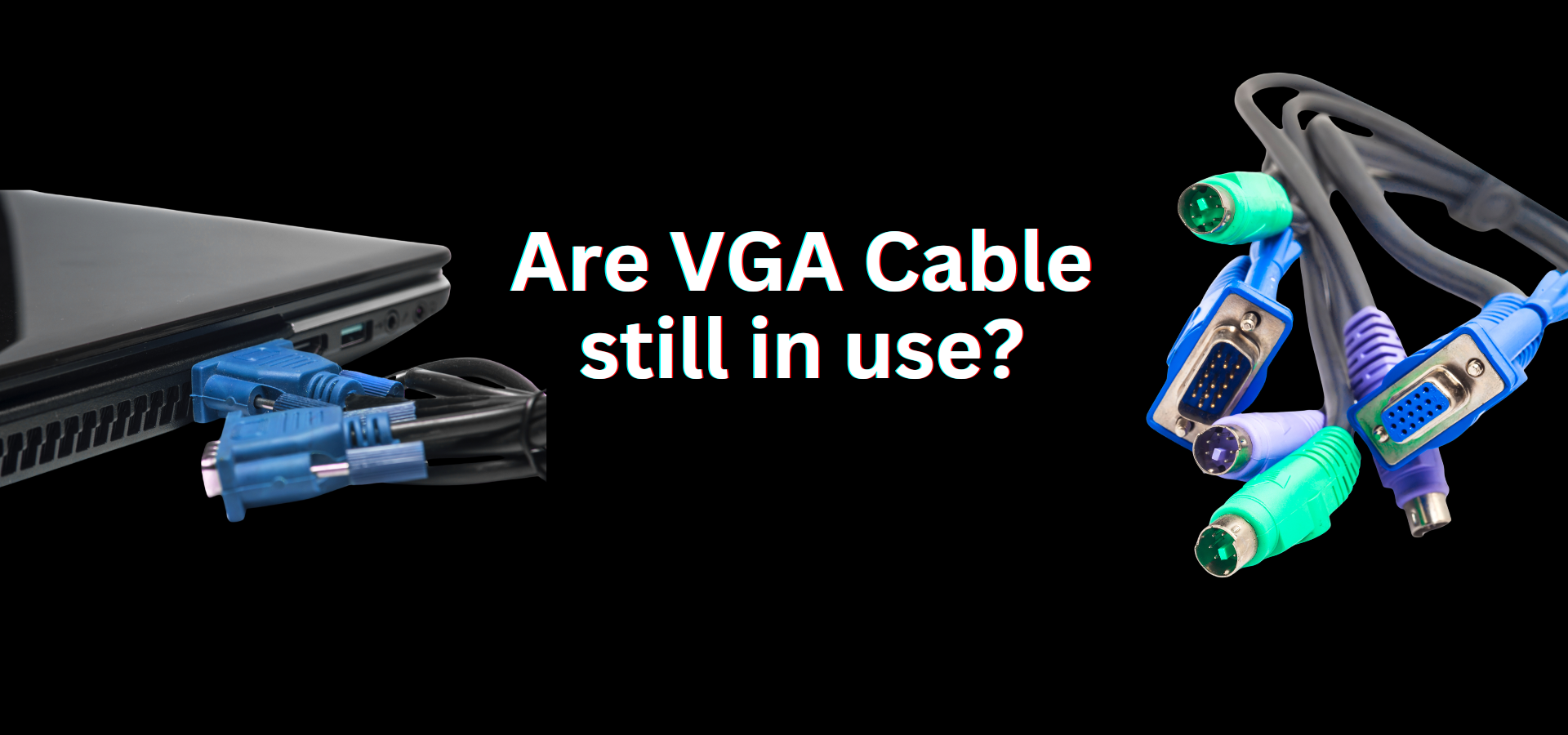
VGA stands for Video Graphics Array. It is an analog video connection first introduced by IBM in 1987. The familiar VGA connector uses 15 pins arranged in three rows and usually has blue plastic inside the shell.
VGA sends image data as an analog signal. Unlike HDMI and DisplayPort, it does not carry digital audio. It also does not normally carry digital video, which means the computer converts its digital image into an analog signal before transmission.
The VGA port became a standard connection for:
• Desktop computers
• Office monitors
• School projectors
• Business laptops
• Industrial computers
• Security and control systems
• Older game consoles and media devices
VGA supports common resolutions such as 640 × 480, 800 × 600, and 1,024 × 768. With a good cable and a strong graphics output, it can also support higher resolutions, although image quality may decline.

Why Do Monitors Still Have VGA?
The main reason is compatibility. Millions of older computers, laptops, projectors, and workplace systems still use VGA. Removing the port could make a monitor harder to use with existing equipment.
Here are the most important reasons why do monitors still have VGA.
1. Businesses Still Use Older Computers
Many offices replace computers in stages rather than all at once. A company may have new desktop computers in one department and older systems in another. A monitor with VGA can work with both.
This matters in places where equipment must last for many years. Schools, clinics, factories, warehouses, and government offices often keep reliable computers long after newer video standards appear.
A VGA port can prevent a simple connection problem. Instead of buying a new monitor or several adapters, an organization can connect an older computer directly.
2. VGA Is Cheap to Include
VGA hardware is now inexpensive. Monitor makers may already have the components, circuit designs, and production tools needed to add the port. Including VGA can increase product flexibility without adding much manufacturing cost.
For buyers, this can make a monitor useful in more situations. The same display can serve a home user with a new laptop, an office with an older desktop, or a school with an aging projector system.
This low-cost feature is one of the clearest answers to why do monitors still have VGA.
3. VGA Has Huge Legacy Support
VGA has been used for decades. That long history created a massive installed base of compatible devices. Even if new computers rarely use VGA directly, older equipment does not disappear overnight.
Some systems are also difficult to replace. A factory machine may run specialized software. A medical device may have a display output built around VGA. A control room may use a monitor that must remain compatible with established hardware.
In these cases, VGA is not included because it is modern. It is included because it is dependable and already present.
4. It Works Without Drivers
A basic VGA connection usually works as soon as the cable is attached. The operating system detects the display and sends an image without requiring a special driver or software utility.
This plug-and-play behavior is useful for support teams. If a technician needs to connect a monitor to an older computer, VGA can offer a quick and familiar solution.
HDMI and DisplayPort are also easy to use in most cases. However, older computers may not support them, while VGA is often the only available output.
5. VGA Remains Common in Education
Schools often use equipment for many years. A classroom projector, teacher computer, or document camera may still use VGA. Replacing every cable and display at the same time can be expensive.
A monitor with VGA can connect to older classroom computers without a converter. This reduces setup problems for teachers and technology staff.
In education, the answer to why do monitors still have VGA often comes down to limited budgets and mixed generations of hardware.
6. VGA Is Useful in Industrial Systems
Industrial computers and control systems are built for stability. They may run continuously for years in places such as:
• Manufacturing plants
• Traffic control centers
• Energy facilities
• Warehouses
• Laboratory systems
• Transportation networks
Replacing a display interface can require testing, certification, or downtime. A VGA monitor lets technicians keep older systems running with fewer changes.
7. Some Buyers Still Need a Flexible Monitor
A monitor is often used with more than one computer. For example, a user may connect a modern desktop by DisplayPort and an older laptop through VGA. This can make switching between systems easier.
A small repair shop may also keep VGA available for testing old computers. The extra port acts like a spare key. Most people may not use it every day, but it can be valuable when needed.
Why VGA Has Not Fully Disappeared
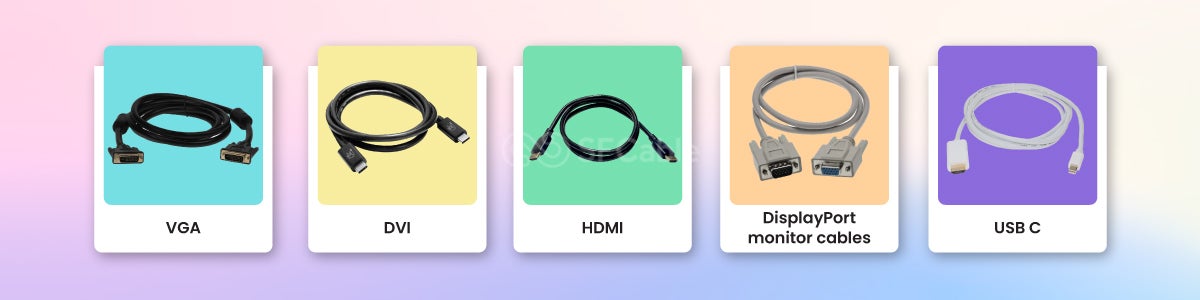
Technology changes in layers. A new connection does not immediately remove every older connection. Instead, both standards often exist together until the older one becomes too costly or too difficult to support.
VGA is similar to older USB ports, wired telephone jacks, and legacy serial connections. Newer options are faster and more capable, but older systems may still depend on the original design.
Another reason why do monitors still have VGA is product positioning. Manufacturers often sell the same monitor model in many markets. Adding VGA lets the product meet the needs of buyers who use older equipment.
Some customers also prefer a simple analog input for basic office work. They may not need high refresh rates, HDR, digital audio, or advanced color features. For these users, VGA can still display documents, web pages, and simple software.
VGA Compared With HDMI and DisplayPort
VGA can display an image, but modern digital connections offer major advantages. Here is a simple comparison.
| Feature | VGA | HDMI | DisplayPort |
|---|---|---|---|
| Signal type | Analog | Digital | Digital |
| Audio support | No | Yes | Yes |
| Image quality | Can weaken with cable quality | Usually sharper | Usually sharper |
| High refresh support | Limited | Stronger | Very strong |
| Connector design | Screw-secured | Small plug | Locking option on some cables |
| Common use | Older equipment | TVs, consoles, PCs | PCs and high-end monitors |
VGA does not have a fixed maximum resolution in the same way some digital standards do. Its practical limits depend on the graphics hardware, monitor electronics, cable length, and signal quality.
Still, digital connections are usually better for modern displays. HDMI and DisplayPort preserve image data in digital form. This helps produce a sharper picture, cleaner text, and more reliable performance at high resolutions.
The Main Limits of VGA
VGA remains useful, but it is not ideal for every monitor. Its analog design creates several limits.
Lower Image Clarity
VGA can produce a soft image, especially at high resolutions. Text may look slightly blurry, and thin lines may show ghosting or shimmer.
This happens because the signal can lose quality as it travels through the cable. The monitor must also convert the analog signal back into digital data for its panel.
No Digital Audio
VGA carries video only. If you connect a computer to a monitor with VGA, sound must travel through another connection, such as a headphone cable, USB audio device, or separate speakers.
Limited High Refresh Performance
A VGA connection may work at higher refresh rates on some systems, but it is not the best choice for modern gaming. High refresh monitors need a stable connection that can carry large amounts of digital image data.
For gaming at 144 Hz, 240 Hz, or higher, DisplayPort or a suitable HDMI version is normally the better choice.
Possible Interference
Because VGA is analog, it can pick up interference. Long, poorly shielded cables may cause:
• Flickering
• Color shifts
• Ghost images
• Horizontal lines
• Fuzzy text
A short, well-built VGA cable often performs much better than a cheap, thin cable.
No Support for Modern Display Features
VGA does not support features such as:
• HDR
• Adaptive sync
• Digital content protection
• Advanced multi-monitor functions
• Digital audio
• One-cable docking features
This is why most modern monitors treat VGA as a secondary input rather than the main connection.

Does VGA Affect Picture Quality?
Yes, VGA can affect picture quality. The effect depends on the resolution, refresh rate, cable quality, distance, and the quality of the computer’s VGA output.
At 1,024 × 768 or 1,280 × 1,024, a good VGA connection can look perfectly acceptable for basic work. At 1080p, it may still look fine on some systems. However, small text and detailed images often look cleaner through HDMI or DisplayPort.
Think of VGA like sending a sketch through an old phone line. The message can arrive, but fine details may become less clear. A digital connection sends the image with less room for that kind of distortion.
In my own monitor troubleshooting work, the most common VGA mistake has been blaming the monitor before checking the cable. A loose screw, bent pin, or low-quality cable can create problems that look like a failing screen.
Should You Use VGA With a Modern Monitor?
Use VGA when it is the only practical connection or when the display is used for simple tasks. It can be suitable for email, word processing, point-of-sale software, and older computers.
Choose HDMI or DisplayPort when you want the best image quality and modern features. These connections are better for gaming, photo editing, video work, high-resolution monitors, and multi-monitor setups.
Before using VGA, check these points:
• Use the shortest practical cable.
• Tighten both connector screws.
• Inspect the pins for damage.
• Select the correct input on the monitor.
• Set the monitor to its native resolution.
• Use the monitor’s auto-adjust feature if available.
• Test another cable if the image looks blurry.
If your computer has only HDMI or DisplayPort and your monitor has only VGA, you need an active adapter in some situations. A simple passive cable may not work because digital and analog signals are different.
For example, HDMI to VGA conversion usually needs an active digital-to-analog converter. VGA to HDMI conversion may also need extra electronics and sometimes external power.

VGA Adapters and Compatibility Tips
Adapters can make old and new devices work together, but they do not improve VGA quality. They only change the signal type or connector.
When buying an adapter, identify the direction of conversion:
• HDMI to VGA converts a digital source to an analog display.
• DisplayPort to VGA converts a digital source to an analog display.
• VGA to HDMI converts an analog source to a digital display.
Many adapters work in only one direction. An HDMI-to-VGA adapter cannot normally be used as a VGA-to-HDMI adapter.
Also check the supported resolution and refresh rate. Some inexpensive adapters support only basic 1080p output. Others may require USB power, especially when the source device cannot provide enough energy.
A practical lesson is to avoid buying an adapter based only on the shape of its plugs. The electronics inside matter more than the connector appearance.
When Should Manufacturers Remove VGA?
Manufacturers can remove VGA when the target market no longer needs older equipment. Many premium monitors already focus on DisplayPort, HDMI, and USB-C. These connections support higher resolutions, better refresh rates, audio, and modern device features.
However, budget and business monitors may keep VGA for a longer time. It helps them serve offices, schools, and industrial buyers with mixed hardware.
The decision is not only technical. It also depends on cost, customer demand, product life, and support requirements. A port that seems outdated to a home gamer may still be important to a company with hundreds of older computers.
This balance explains why do monitors still have VGA even as newer connections become standard.
Common Mistakes to Avoid With VGA
A few simple mistakes can create unnecessary frustration.
-
Do not assume every VGA cable supports the same quality. Cable construction and length affect the signal.
-
Do not force the connector into place. VGA pins bend easily, and one damaged pin can affect color or prevent an image.
-
Do not expect VGA to carry sound. Connect speakers or an audio cable separately.
-
Do not buy a passive adapter without checking signal direction. Digital-to-analog conversion often requires an active adapter.
-
Do not judge a monitor only by its VGA port. Check its HDMI, DisplayPort, USB-C, resolution, refresh rate, and panel quality too.
-
Do not use VGA for demanding gaming if a digital connection is available. Digital video is usually sharper and more stable.
Frequently Asked Questions About Why Do Monitors Still Have VGA
Why do monitors still have VGA if HDMI is better?
Monitors still have VGA because many older computers, projectors, and business systems continue to use it. VGA is also inexpensive to include and offers broad backward compatibility.
Is VGA better than HDMI?
VGA is not generally better than HDMI. HDMI sends a digital signal and can carry both video and audio, while VGA sends analog video only.
Can VGA support 1080p?
Yes, VGA can support 1080p in some setups. Results depend on the computer, monitor, cable quality, refresh rate, and signal strength.
Does VGA reduce monitor quality?
VGA can reduce clarity compared with HDMI or DisplayPort, especially at high resolutions. Text may look softer, and analog interference can cause ghosting or color problems.
Can I connect HDMI to VGA?
Yes, but you usually need an active HDMI-to-VGA adapter. A basic passive cable may not work because HDMI is digital and VGA is analog.
Is VGA still useful for gaming?
VGA can work for older games and basic displays, but it is not the best choice for modern gaming. HDMI or DisplayPort is better for high resolution, high refresh rates, HDR, and adaptive sync.
Why does my VGA monitor show no signal?
Check the cable, connector pins, input selection, computer output, and display resolution. If the computer uses HDMI or DisplayPort, you may also need the correct active adapter.
Conclusion
Monitors still have VGA because older computers and specialized systems remain in service, while the port is cheap and easy to support. VGA can handle basic display work, but it has clear limits in image sharpness, audio, refresh rate, and modern features.
For everyday office tasks with older hardware, VGA is still practical. For gaming, creative work, high-resolution displays, and new computers, HDMI or DisplayPort is usually the smarter choice. Check your device outputs, choose the right cable or active adapter, and use the strongest connection available.
If this guide helped you understand why do monitors still have VGA, share it with someone building or troubleshooting a mixed-age computer setup.