HP ZBooks cost more because they use professional parts, powerful performance, strict testing, and long-term support.
If you are wondering why is HP ZBook so expensive, the answer goes far beyond the HP logo. ZBook laptops are mobile workstations built for engineers, designers, architects, video editors, developers, and business users who need stable performance under heavy workloads. In this guide, we will break down the hardware, certification, support, design, and buying factors that shape the price.
Why is HP ZBook so expensive?
The main reason why is HP ZBook so expensive is that it belongs to the mobile workstation category, not the regular consumer laptop market. A standard laptop may focus on web browsing, office work, and entertainment. An HP ZBook is designed to handle professional software, large files, complex calculations, and long work sessions.
A ZBook often includes parts that are more costly than normal laptop hardware. These can include professional graphics cards, high-core-count processors, large amounts of memory, fast storage, color-accurate displays, and strong cooling systems.
The price also reflects testing, warranty options, security tools, and business support. You are paying for a complete work platform, not only for a screen, keyboard, battery, and processor.

Professional hardware raises the price
One major reason why is HP ZBook so expensive is the use of workstation-grade hardware. These parts are selected for demanding tasks where stability and accuracy matter.
Professional graphics cards
Many ZBook models can use NVIDIA RTX professional graphics or similar workstation GPUs. These graphics cards are built for tasks such as:
• 3D modeling and animation
• Computer-aided design
• Architecture and engineering software
• Video production
• Scientific visualization
• Artificial intelligence development
A gaming GPU may deliver excellent frame rates. A professional GPU focuses more on software stability, precise calculations, and certified drivers.
For example, an architect working with large building models may benefit from a professional graphics card that is tested with applications such as AutoCAD, Revit, or SolidWorks. This can reduce crashes and display errors during important work.
Powerful processors
HP ZBook laptops often offer Intel Core, Intel Xeon, or AMD Ryzen Pro processors, depending on the model and generation. These chips can include many cores and strong performance for rendering, compiling code, simulations, and multitasking.
A regular laptop may slow down when you open several large design files. A ZBook is built to keep more demanding applications running at the same time.
More memory and storage choices
ZBooks commonly support high memory capacities. Some models also offer multiple storage drives or faster professional storage options.
This matters when you work with:
• Large video projects
• Complex 3D scenes
• Virtual machines
• Massive data sets
• High-resolution photos
• Engineering simulations
More memory and storage increase the price, but they can also reduce delays. In professional work, saving ten minutes several times each day can have real financial value.
Workstation certification adds value
Another answer to why is HP ZBook so expensive is software certification. Many ZBook models are tested with popular professional applications.
This process is often called independent software vendor certification. It means the laptop and its drivers are tested for use with specific professional programs. Certification does not make a laptop perfect, but it can improve trust and reliability.
A designer may care more about stable viewport performance than a high gaming score. An engineer may prefer a system that works reliably with a certified driver. A video editor may value accurate color and smooth playback over thinness.
This is similar to buying a commercial kitchen tool instead of a basic home appliance. Both may perform the same simple task, but the professional tool is built for more intense use and fewer surprises.
It is important to check the exact model. Not every ZBook has the same certifications, graphics card, display, or upgrade options. The family name alone does not tell you the full story.

Strong build quality and cooling cost more
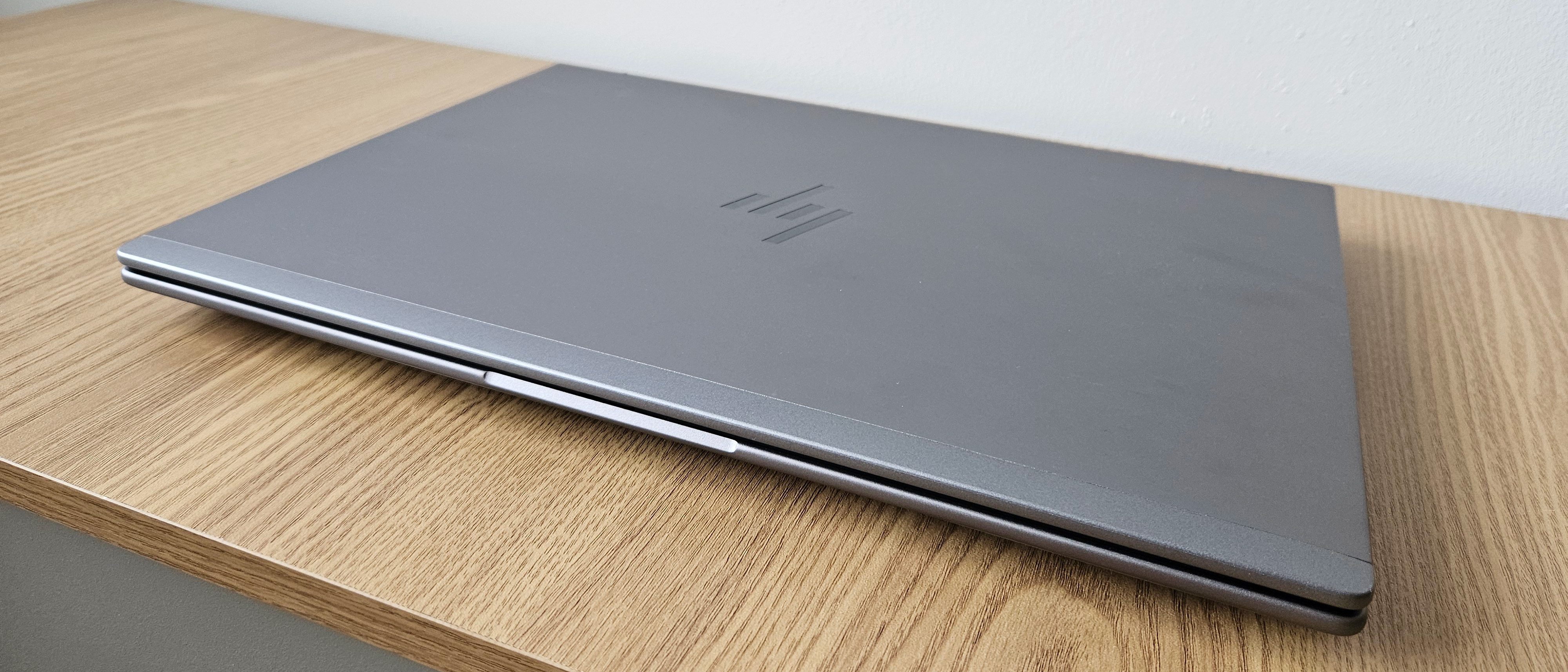
The answer to why is HP ZBook so expensive also involves physical design. Many ZBook models use durable materials, strong hinges, rigid frames, and carefully designed cooling systems.
A powerful processor creates heat. If that heat is not managed well, the laptop may slow down, become noisy, or suffer long-term wear. Workstation laptops often use larger fans, heat pipes, vents, and internal cooling structures to keep performance steady.
This is known as sustained performance. A laptop may look fast in a short benchmark, but professional users need it to remain useful after an hour of rendering or compiling.
ZBooks are also made for frequent travel in many business settings. Some models go through durability tests based on military standards. These tests can include exposure to vibration, temperature changes, dust, or drops. However, certification and test coverage vary by model, so buyers should check the official specifications.
Durability does not mean the laptop is indestructible. A strong chassis still needs proper care, especially around the display, ports, and cooling vents.
High-quality displays increase the cost
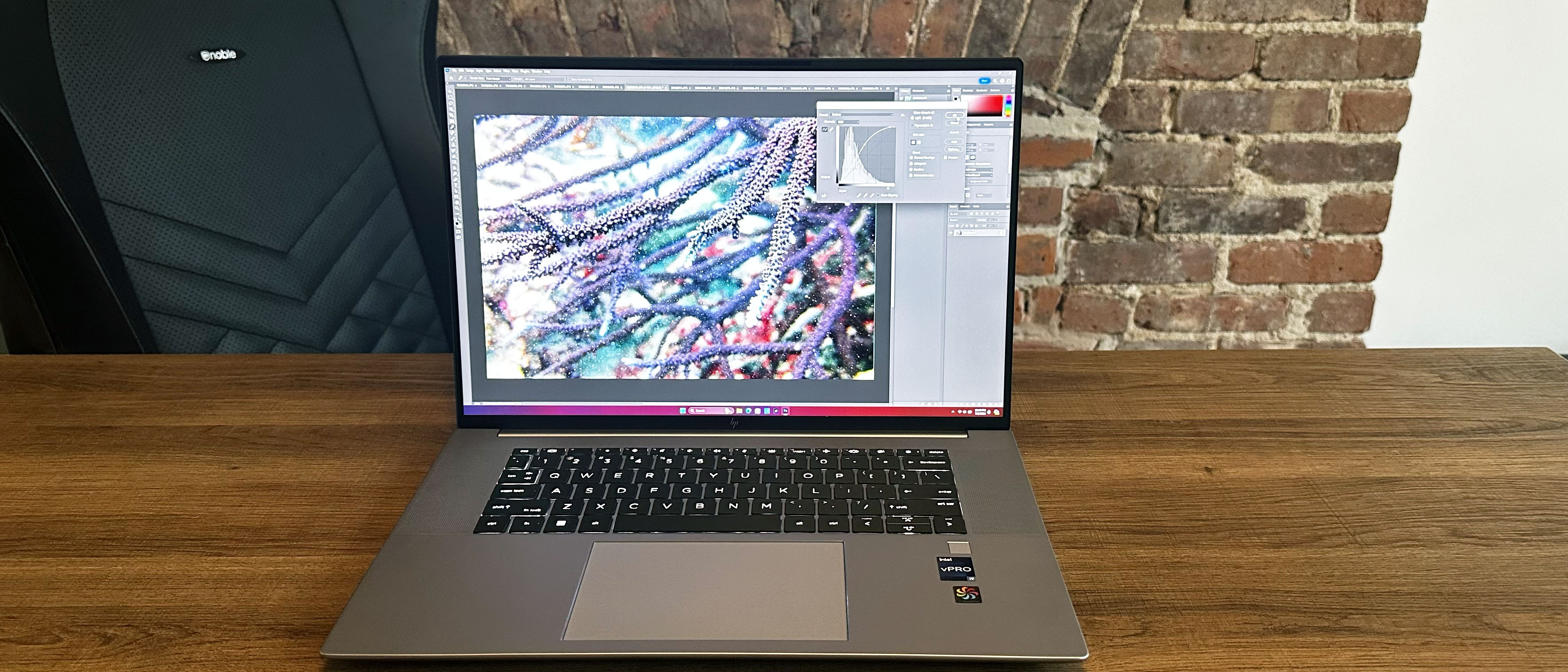
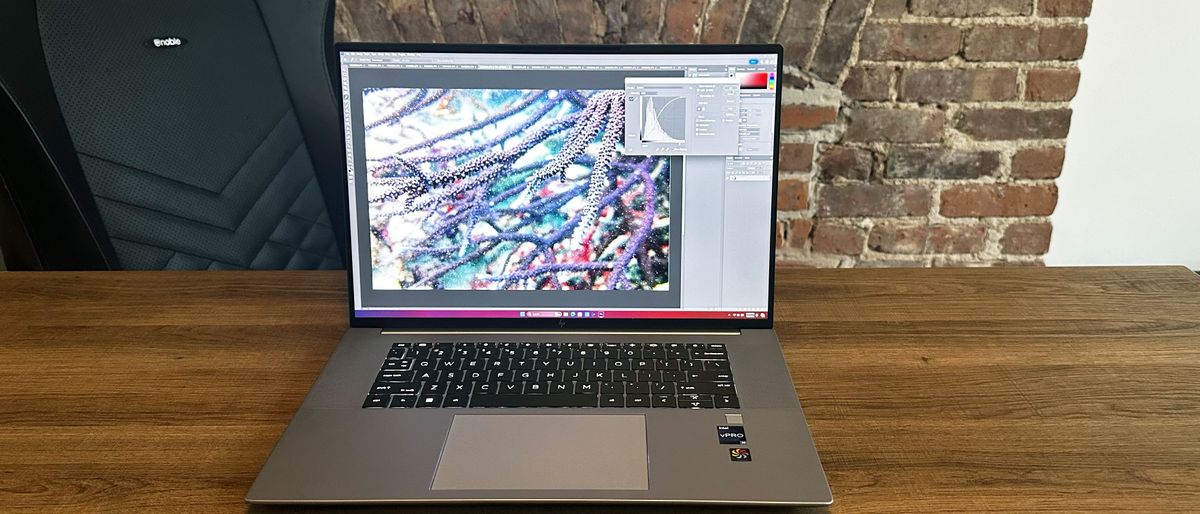
Many buyers ask why is HP ZBook so expensive after seeing the display options. A ZBook may offer a high-resolution screen, wide color coverage, factory calibration, strong brightness, or touch support.
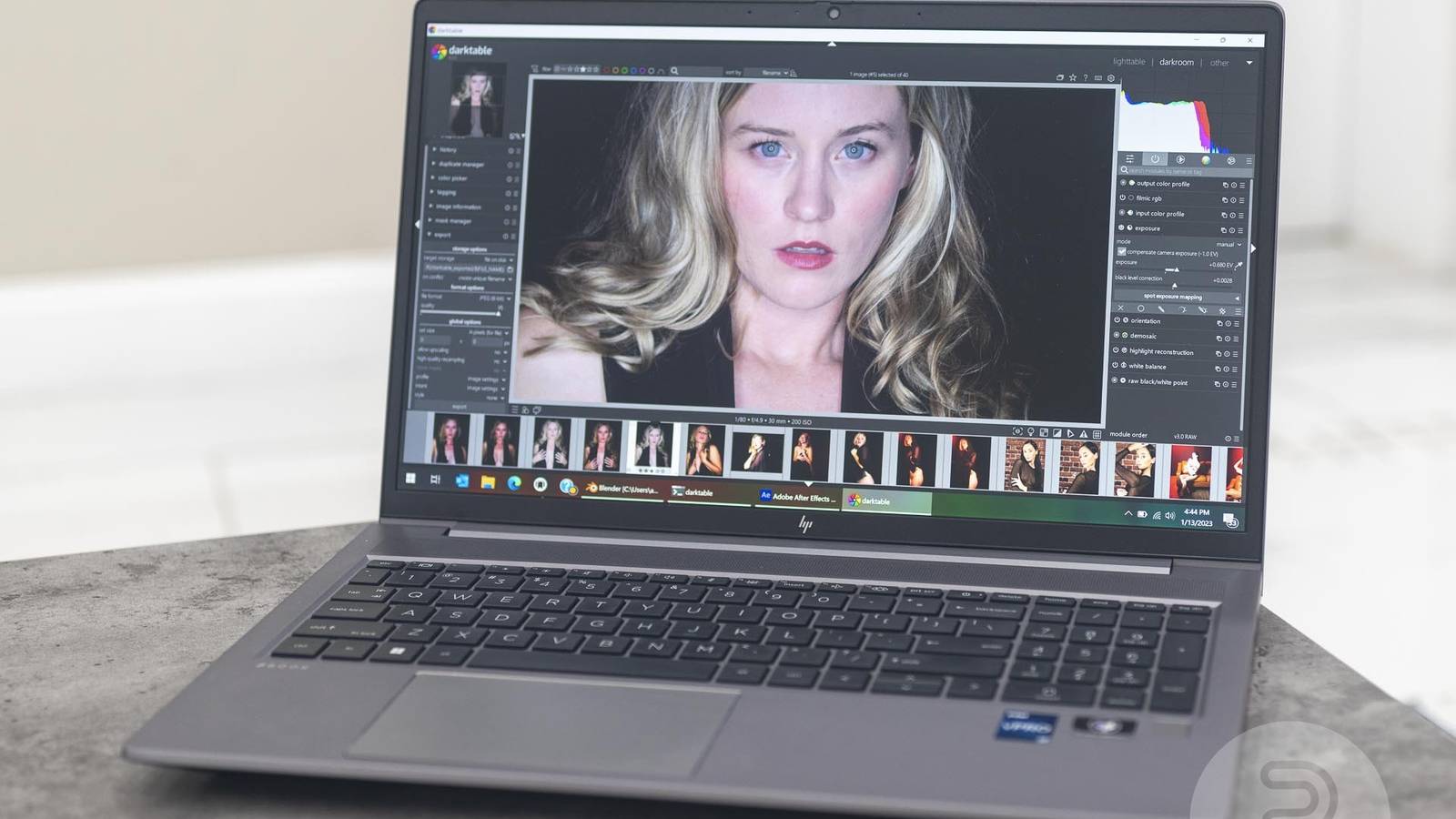
These features matter to people who work with visual content. A photographer may need accurate colors. A video editor may need a wide color range. An architect may want more room for tool panels and detailed drawings.
A basic office laptop often uses a standard display with limited color coverage. That is fine for documents and web pages. It may not be suitable for color-sensitive work.
Higher resolution can also improve productivity. A 4K screen lets you view more detail, but it can use more battery power. For many users, a sharp Full HD or QHD screen may offer a better balance.
The most expensive screen is not always the best choice. Think about your work, lighting, battery needs, and software before paying for a premium panel.

Business security and management features matter
HP ZBook pricing can also include advanced security features. Business buyers often need more than a password and basic antivirus software.
Depending on the model, security tools may include:
• A fingerprint reader
• An infrared camera for facial login
• A privacy screen option
• A secure business BIOS
• Firmware protection
• Hardware-based encryption support
• Remote management features
• Smart card support
These tools help protect company data. For a small business or large organization, a stolen laptop can create much bigger costs than the price of the computer itself.
IT departments may also need tools for managing many laptops. Business management support can make it easier to update systems, control settings, and respond to security risks.
Home users may not need every feature. This is one reason why is HP ZBook so expensive for some buyers: part of the price is designed for business needs that personal users may never use.
Warranty and professional support raise the total price
A consumer laptop may include a basic warranty with limited repair choices. An HP ZBook can be purchased with stronger business support, on-site service, accidental damage coverage, or longer warranty periods.
Professional users often cannot wait several weeks for a repair. If a designer misses a deadline or an engineer cannot access project files, downtime can be expensive.
Business support may include:
• Faster repair response
• On-site service
• Phone support
• Extended warranty coverage
• Replacement parts availability
• Fleet management assistance
These services are not always included in the advertised base price. They can be added as options, which makes the final cost higher.
When comparing prices, look at the complete ownership cost. A cheaper laptop may become less affordable if it needs frequent repairs or lacks useful support.
HP ZBook models are built for long-term use
A key part of why is HP ZBook so expensive is its expected working life. A ZBook is often purchased as a business tool that should remain useful for several years.
A good workstation may support upgrades, repairs, and replacement parts better than a thin consumer laptop. Some models provide access to memory and storage, although upgrade options vary by generation.
Long-term value depends on how you use the laptop. If you only browse the web and write documents, you may not benefit from a workstation. If the laptop helps you earn money, the higher price may make more sense.
Think of it like a professional camera. A beginner may not need the advanced body, but a working photographer may save time and produce better results with it. The value comes from the work it enables.

Why is HP ZBook more expensive than a regular laptop?
A regular laptop usually targets common tasks. It may have an energy-efficient processor, integrated graphics, limited cooling, and a simple display. This keeps the design light and the price low.
An HP ZBook is often made for specialized workloads. It may include stronger parts, more ports, better cooling, professional drivers, and higher upgrade potential.
Here is a simple comparison:
| Feature | Regular laptop | HP ZBook workstation |
|---|---|---|
| Main use | Web, office, school | Design, engineering, media, data |
| Graphics | Integrated or consumer GPU | Professional GPU options |
| Cooling | Basic cooling | Larger, sustained-load cooling |
| Display | Standard panel | High-resolution and color-focused options |
| Support | Basic warranty | Business and on-site support options |
| Upgrades | Often limited | More options on selected models |
| Price | Lower | Higher |
The comparison explains why is HP ZBook so expensive without assuming every model has the same features. Entry-level ZBooks can cost less, while high-end configurations can become very expensive.
Does an expensive ZBook always perform better?
Not always. The most expensive ZBook configuration may include features you do not need.
For example, a high-end professional GPU may be useful for 3D rendering but unnecessary for office work. A 64GB memory upgrade may help a developer running virtual machines, but it may not help someone writing reports.
Performance also depends on cooling, software, drivers, and the type of task. A laptop with a fast processor may not be the best choice if your work mainly depends on graphics performance.
Before buying, identify your main applications. Check their recommended hardware requirements. Then choose the processor, graphics card, memory, storage, and display that match your actual workload.
This approach can save hundreds of dollars. It also prevents a common mistake: buying a powerful workstation and using it mainly for email and streaming.
How to choose the right HP ZBook configuration
If you understand why is HP ZBook so expensive, the next step is choosing the right model. Start with your work instead of starting with the highest price.
For office work and light creative tasks
Look for:
• A modern Core or Ryzen processor
• 16GB of memory
• A fast 512GB solid-state drive
• Integrated graphics or an entry-level GPU
• A comfortable Full HD display
This setup can handle documents, meetings, browsing, coding, and light photo work.
For programming and data work
Consider:
• A processor with several performance cores
• At least 16GB or 32GB of memory
• A 1TB solid-state drive
• Good keyboard comfort
• Strong battery life
• Support for external monitors
Developers who use containers, emulators, or virtual machines may need more memory.
For design, CAD, and engineering
Look for:
• A certified professional graphics card
• 32GB or more memory
• A high-resolution display
• Strong cooling
• Multiple ports
• ISV certification for your software
Check the requirements for your exact program. CAD performance can vary based on file size and workflow.
For video editing and 3D work
Consider:
• A powerful multi-core processor
• A professional or high-end graphics card
• At least 32GB of memory
• Fast storage with enough space for media files
• A color-accurate display
• The ability to connect external drives
Video projects grow quickly. A small internal drive can become frustrating, even when the laptop itself is powerful.
Mistakes to avoid when buying an HP ZBook
Many buyers focus on the processor name and ignore the rest of the system. That can lead to a poor purchase.
Avoid these mistakes:
• Buying a professional GPU without checking software support
• Choosing too little memory for your work
• Paying for a 4K display when battery life matters more
• Ignoring the laptop’s weight
• Forgetting the price of a docking station
• Assuming every ZBook is easy to upgrade
• Comparing only the processor and not the cooling system
• Skipping warranty and repair details
• Buying an older model without checking driver support
One practical lesson is to compare the exact configuration, not only the product family. Two laptops may both be called ZBook while having very different screens, processors, graphics cards, and upgrade options.
Refurbished or previous-generation ZBooks can offer strong value. However, check battery health, warranty status, port condition, storage health, and return policies before buying.
Is an HP ZBook worth the money?
An HP ZBook can be worth the money when your work needs workstation features. It may be a smart choice for professionals who use demanding software every day.
The price is easier to justify when the laptop helps you:
• Finish projects faster
• Avoid software crashes
• Work with larger files
• Travel without a desktop workstation
• Protect business data
• Reduce downtime
• Keep the same system for several years
It may not be worth the money for simple tasks. Students, casual users, and home office workers can often get excellent results from a less expensive business laptop.
The best value is not the lowest price. It is the laptop that meets your needs without paying for features that sit unused.
Frequently Asked Questions About Why Is HP ZBook So Expensive
Why is HP ZBook so expensive compared with HP EliteBook?
HP ZBooks are mobile workstations made for demanding professional software, while EliteBooks focus more on business productivity. ZBooks usually offer stronger graphics, cooling, certification, and performance options.
Is an HP ZBook better than a gaming laptop?
It depends on the task. A gaming laptop may offer better gaming performance for the price, while a ZBook can provide professional drivers, application certification, business security, and more reliable support for specialized work.
Can an HP ZBook replace a desktop workstation?
For many users, yes. A powerful ZBook can handle design, engineering, editing, programming, and data tasks while remaining portable. A desktop may still offer better upgrade options, cooling, and performance per dollar.
Are HP ZBooks good for everyday use?
Yes, but they may be more powerful and expensive than needed for basic browsing, email, and documents. Their extra weight, fan noise, and cost may not benefit casual users.
Can you upgrade an HP ZBook?
Some ZBook models allow memory or storage upgrades, but the options differ by generation and configuration. Always check the service guide before buying, especially if future upgrades are important.
Does a professional graphics card matter?
It matters when your software benefits from certified drivers, accurate calculations, or workstation stability. For basic office work and many games, a professional GPU may offer little practical value.
Is a refurbished HP ZBook a good purchase?
A refurbished ZBook can offer strong performance at a lower price. Check the battery, display, keyboard, storage, warranty, and return policy before making a decision.
Conclusion
The answer to why is HP ZBook so expensive comes down to its purpose. It combines workstation-grade performance, professional graphics, strong cooling, durable construction, advanced security, software certification, and business support.
That value is real, but it is not useful for everyone. Choose a ZBook when your work depends on demanding applications, reliable performance, or long-term support. Otherwise, a less expensive business or consumer laptop may be the smarter choice.
Compare exact configurations, check your software requirements, and avoid paying for features you will not use. If this guide helped, explore more laptop buying advice and share your own HP ZBook experience in the comments.