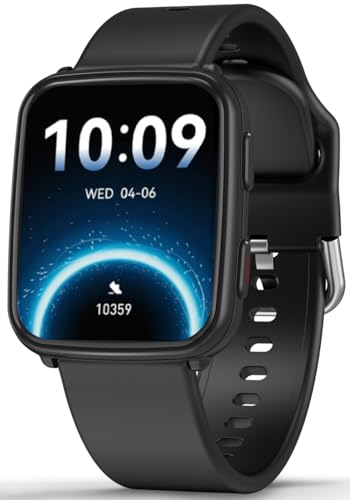
The best smartwatch for seniors balances a clear screen, simple controls, health tools, safety features, and long battery life.
A watch can help when a phone feels too far away or hard to use. It can show calls, count steps, track sleep, and offer a quick way to ask for help. I looked at comfort, screen size, health features, water resistance, phone support, and daily ease of use. This guide compares nine popular options so you can find the best smartwatch for seniors, whether the main need is fitness, calling, reminders, or emergency support.
MorePro Fitness Tracker
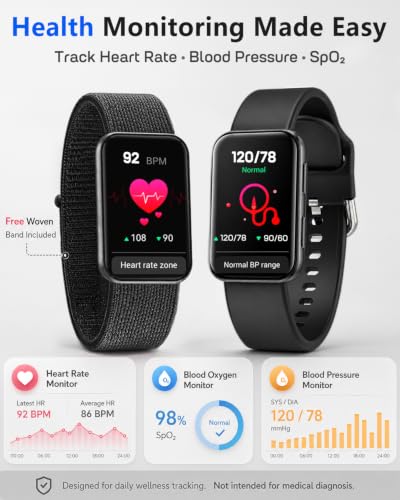
The MorePro Fitness Tracker is a practical pick for older adults who want health data without paying for a premium smartwatch. Its feature list includes 24/7 heart rate tracking, blood oxygen readings, blood pressure monitoring, sleep tracking, steps, and calories. The watch also supports phone use with Android and iOS devices. Its slim tracker style may feel lighter than a large, full-size watch.
The IP68 water-resistant design suits walks, chores, and normal daily wear. I like the broad mix of tools because it gives seniors one place to review basic activity trends. Still, users should treat these readings as wellness estimates, not medical tests. A doctor should handle diagnosis, treatment, and any concern about blood pressure, oxygen, or heart rate.
Pros:
- Tracks heart rate throughout the day
- Includes sleep and blood oxygen tracking
- Offers step and calorie counting
- Works with both Android and iOS phones
- IP68 water resistance adds daily protection
- Light tracker design may suit small wrists
Cons:
- Health readings should not replace clinical equipment
- Small tracker screens may be harder for some users to read
- Some features may depend on the companion phone app
My Recommendation
The MorePro is best for a senior who wants many basic health and fitness tools at a lower cost. It makes sense for walkers, active grandparents, and users who want to see daily trends. I would choose it when a light body matters more than advanced apps or GPS. For many shoppers, it can be a budget-friendly best smartwatch for seniors, but family members should help with setup and app permissions.
Garmin vívoactive 5

The Garmin vívoactive 5 is a strong choice for seniors who want a polished watch with GPS and deep fitness tools. The 42mm size offers a useful balance between screen space and wrist comfort. It tracks workouts, daily movement, sleep, and health trends through the Garmin system. Built-in GPS can help record an outdoor walk without relying on a phone for location data.
Garmin also gives this watch a bright color display and a broad set of wellness features. Its interface has more menus than a simple step tracker, so I recommend setup help for anyone who dislikes new technology. The watch is better suited to a senior who enjoys learning and staying active. As with any wrist sensor, its health data can guide a conversation but cannot confirm a medical condition.
Pros:
- Built-in GPS supports outdoor walking and exercise
- 42mm case fits many wrists comfortably
- Strong activity and workout tracking system
- Bright screen is easier to view indoors and outdoors
- Useful sleep and wellness features
- Good fit for regular walkers and active users
Cons:
- More features can create a learning curve
- Usually costs more than a basic fitness band
- Some phone features vary by Android or iPhone model
My Recommendation
I recommend the vívoactive 5 for active seniors who want reliable GPS, detailed exercise records, and a watch that can grow with them. It is especially useful for walking groups, travel, and outdoor routines. It is not the simplest option here, but it may be the best smartwatch for seniors who want a long-term fitness partner. Its value is highest when the owner will use more than just the step counter.
Amazfit Bip 6 Smart Watch

The Amazfit Bip 6 stands out with its large 1.97-inch AMOLED display. That size can make text, menus, and workout information easier to see for users with less sharp eyesight. It includes GPS and works with both iOS and Android phones. The large screen also gives the watch a more open feel than a narrow fitness band.
This model suits seniors who want a modern watch but do not need a cellular medical alert plan. GPS can help record walks and outdoor activity, while the color screen makes daily information pleasant to view. A large display may also help during setup, though the many functions can still take time to learn. I suggest turning off unneeded alerts so the watch feels helpful instead of noisy.
Pros:
- Large 1.97-inch AMOLED display
- Built-in GPS for outdoor routes
- Compatible with iOS and Android phones
- Color screen offers clear visual feedback
- Useful for walking and general fitness
- Large touch targets may aid daily use
Cons:
- Large case may feel too wide on a small wrist
- Smart features require time to learn
- It is not a replacement for a cellular emergency alert device
My Recommendation
The Amazfit Bip 6 is best for seniors who value a large, bright display and want GPS at a reasonable price. It can be a good match for a grandparent who walks often and checks information without squinting. I would also consider it for a phone user who wants a broad feature set without moving to a high-end brand. Among large-screen choices, it offers strong overall value and may be the best smartwatch for seniors with mild vision concerns.
1.32-Inch AMOLED Calling Smart Watch

This compact smartwatch focuses on basic connection and daily activity. Its 1.32-inch AMOLED screen should provide rich color and clear contrast, while Bluetooth calling lets the wearer answer or make calls from the wrist when paired with a phone. That can help when the phone sits in another room or inside a bag. The smaller case may feel more natural for seniors who dislike bulky watches.
The watch is a sensible pick for light use, such as checking calls, counting steps, and viewing simple health trends. Bluetooth calling is not the same as independent phone service, so the connected phone must stay nearby for calls to work. I would test the speaker and microphone during setup. This small step can prevent frustration later.
Pros:
- Compact 1.32-inch AMOLED display
- Supports answering and making Bluetooth calls
- Useful for basic steps and activity tracking
- Color and contrast can make the display pleasant to view
- May suit smaller wrists better than large watches
- Offers a simple way to see alerts
Cons:
- Small screen may not suit users with poor vision
- Calling depends on a nearby paired phone
- May offer fewer advanced tools than Garmin or Samsung
My Recommendation
I would choose this model for a senior who mainly wants wrist calls, alerts, and simple activity tracking. It is a good fit for someone who finds larger watches heavy or unattractive. It does not offer the strongest safety setup, so it works best for independent users with a phone close by. As a compact and low-cost option, it can serve as an approachable best smartwatch for seniors who want basic smart features.
Samsung Galaxy Fit3

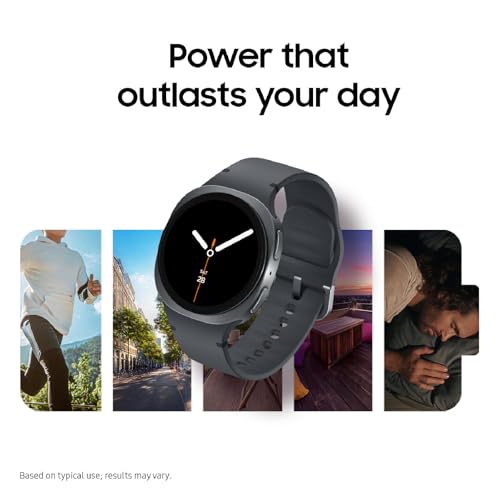
The Samsung Galaxy Fit3 is a slim fitness band with a 1.6-inch AMOLED display and a listed battery life of up to 14 days. Long battery life matters for seniors because daily charging can become an easy task to forget. The watch supports many exercise modes and offers a large selection of watch faces. Its light shape makes it comfortable for all-day wear.
This model is best for activity, sleep, and notification basics rather than medical response. It can encourage short walks and make progress easy to see. Samsung phone owners may find the setup more natural, but buyers should confirm phone compatibility before ordering because this is an international model. I also recommend checking the exact included charger and warranty terms on the current listing.
Pros:
- Up to 14 days of listed battery life
- 1.6-inch AMOLED display
- Light, band-style design for daily comfort
- More than 100 exercise modes listed
- Many watch face choices
- Strong option for simple activity goals
Cons:
- International model may have compatibility limits
- Not a cellular emergency alert watch
- Some smart features work best with Samsung phones
My Recommendation
The Galaxy Fit3 is best for seniors who want a comfortable fitness band and do not want to charge every night. It is especially useful for a Samsung household that already uses the brand’s phones and apps. I like it for gentle exercise goals, sleep review, and simple reminders. If battery life is the top concern, this may be the best smartwatch for seniors in this group, provided the phone works with the international model.
KIPTUMTEK Bluetooth Calling Watch

The KIPTUMTEK smartwatch offers a broad feature set at an entry-level price. It has a 1.83-inch HD touchscreen, Bluetooth calling, sleep tracking, a pedometer, and multi-sport modes. The screen is larger than many narrow bands, which may make taps and menu items easier to find. It supports Android and iOS phones.
Its IP67 rating gives protection from dust and brief water exposure, but I would not use it for swimming or long submersion. This watch can help an older adult stay connected during a walk or around the home. As with other Bluetooth models, calls depend on a paired phone. The best experience will come from a careful first setup with notifications kept to the essentials.
Pros:
- Large 1.83-inch HD touchscreen
- Bluetooth calling for quick phone access
- Supports Android and iOS devices
- Includes sleep tracking and a pedometer
- Offers several sport modes
- IP67 protection helps with everyday splashes
Cons:
- IP67 is not intended for swimming
- Phone must remain nearby for Bluetooth calls
- Budget software may feel less polished
My Recommendation
I recommend KIPTUMTEK for budget-minded seniors who want a larger screen and wrist calls. It is a good starter watch for a parent who has never owned a wearable. It can also suit a user who wants basic health and activity tools without paying for GPS. This is not my first choice for emergency care, but it can be a useful best smartwatch for seniors who need simple phone support.
1.85-Inch AMOLED Fitness Smartwatch
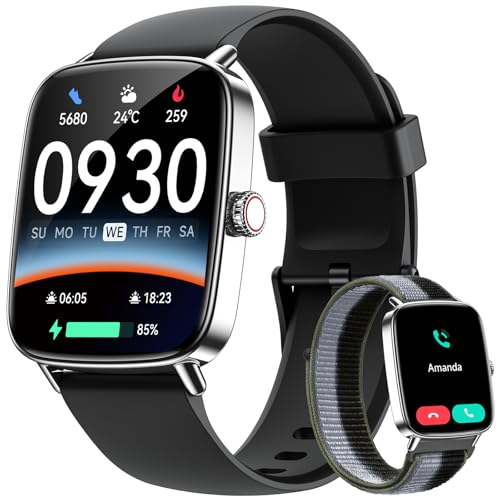
This 1.85-inch AMOLED smartwatch combines a broad screen with calling and health tracking. It lists 24/7 heart rate, sleep, and blood oxygen monitoring, along with more than 120 sports modes. The watch can answer and make calls when paired with a compatible phone. Two bands add flexibility for different outfits or wrist preferences.
The AMOLED display should make colors and numbers stand out, which helps during quick checks. The large screen also gives space for watch controls, but it may look oversized on a narrow wrist. Its IP68 rating is useful for normal water exposure, yet I would still follow the maker’s care rules. Buyers should view health numbers as estimates and seek medical advice for symptoms or unusual readings.
Pros:
- Large 1.85-inch AMOLED display
- Supports wrist calls with a paired phone
- Lists 24/7 heart rate and sleep tracking
- Includes blood oxygen trend data
- More than 120 sports modes listed
- Includes two bands for added choice
Cons:
- Large body may not suit every wrist
- Bluetooth calling needs a nearby phone
- Health sensors are not a substitute for medical tools
My Recommendation
This model is best for a senior who wants a big AMOLED screen, frequent activity tracking, and Bluetooth calls. It offers more features than a basic step band and costs less than many premium watches. I would choose it for a user who enjoys exercise modes and likes to see bold numbers. It may be the best smartwatch for seniors who want the most features from a budget-friendly Android and iPhone accessory.
1.85-Inch Waterproof Calling Watch

This smartwatch has a 1.85-inch HD display and supports answering and making calls. It is designed for iPhone, Samsung, and other Android users, though exact features may vary by phone. The feature list includes more than 100 sports modes, heart rate tracking, sleep tracking, and blood oxygen monitoring. Two included bands let the wearer change the look or keep a spare ready.
The IP68 water-resistant build helps with daily wear, hand washing, and light rain. A senior may enjoy the large screen because it reduces the need to hunt through tiny icons. The watch does not provide cellular service by itself, so it should not be treated as a stand-alone emergency line. I recommend pairing it with a phone before giving it as a gift and testing every call feature.
Pros:
- Clear 1.85-inch HD display
- Supports calls from the wrist
- Works with many iPhone and Android phones
- More than 100 sport modes listed
- Tracks heart rate, sleep, and blood oxygen
- Includes two bands
- IP68 water resistance supports daily use
Cons:
- Requires a paired phone for calls
- Large screens can feel heavy on smaller wrists
- App and notification quality may vary by phone
My Recommendation
I suggest this watch for seniors who want a large display, calls, and many exercise choices in one affordable package. It is a good family gift for a parent who already carries a smartphone. It is less suitable for someone who needs professional medical alerts or stand-alone GPS. For normal daily activity, it can be a flexible best smartwatch for seniors with a phone-based routine.
Smart Watch for Women With 100+ Sports Modes
This product listing focuses on a 1.85-inch smartwatch for women, but its functions can suit many users. It supports phone calls, fitness tracking, sleep review, heart rate monitoring, and blood oxygen trend readings. The 100-plus sport modes give active users many ways to label a workout. Its two-band setup helps the owner match the watch to daily clothing.
The watch offers a bright, easy-to-see screen and an IP68 water-resistant design. I see it as a simple phone companion rather than a medical alert system. The wearer should keep the phone close during calls and should not rely on the watch alone after a fall or health event. Its friendly design may appeal to a senior who wants useful features without a technical-looking device.
Pros:
- Large 1.85-inch display
- Supports answering and making phone calls
- Includes more than 100 sports modes
- Tracks heart rate, sleep, and blood oxygen
- Comes with two bands
- IP68 rating suits everyday water exposure
Cons:
- Bluetooth calls depend on a nearby smartphone
- Feature names may feel confusing to a first-time user
- Not designed as a stand-alone medical alert watch
My Recommendation
This watch is best for a senior who likes a stylish design and wants a wide range of fitness tools. It can work well for light gym sessions, walks, and daily call access. I would give it to an iPhone or Android user who wants a large screen but does not need advanced GPS. It earns a place among the best smartwatch for seniors options because it blends practical health tracking with an approachable look.
Seculife Cellular Medical Alert Watch

The Seculife Cellular Medical Alert Smartwatch is the most safety-focused choice in this guide. Its listed features include fall detection, GPS tracking, an SOS button, two-way calling, medical reminders, heart rate monitoring, blood pressure monitoring, and a pedometer. Cellular support may let the wearer contact help without keeping a smartphone nearby. That difference matters for seniors who live alone, walk outside, or may forget a phone.
The IP67 water-resistant design adds protection during normal daily activity. A medical alert watch still needs careful setup, an active service plan if required, charging, and accurate emergency contacts. Fall detection can miss some events or trigger a false alert, so the SOS button remains important. I strongly advise checking coverage, fees, response service, battery details, and return terms before purchase.
Pros:
- Cellular design can work without a nearby smartphone
- Includes a dedicated SOS button
- Lists fall detection and GPS tracking
- Supports two-way calling
- Offers medical reminder functions
- Includes activity and heart rate tracking
- IP67 water resistance helps with daily wear
Cons:
- May require a paid cellular or monitoring plan
- Fall detection is not perfect and needs testing
- More safety features require more setup
- Users must keep the watch charged
My Recommendation
The Seculife is best for seniors who need more than fitness tracking. It suits people who live alone, have a history of falls, or want a direct SOS and calling option outside the home. It is also the clearest pick for families seeking a senior medical alert smartwatch with GPS. In my view, it is the best smartwatch for seniors when emergency access matters more than app depth or exercise data. Confirm service costs and cellular coverage before ordering.
How I Compare the Best Smartwatch for Seniors
Choosing a senior smartwatch is not the same as choosing a watch for a marathon runner. I start with the person, not the feature list. A large screen may matter more than 120 sports modes. A simple SOS button may matter more than a bright collection of watch faces.
Screen Size and Readability
A readable screen can make a watch feel calm instead of frustrating. Look for clear numbers, strong contrast, and a font size that the wearer can read without reaching for glasses. The Amazfit Bip 6 and several 1.85-inch models offer the largest displays in this group. The 1.32-inch model may feel lighter, but its smaller screen may not suit every senior.
Brightness also matters outdoors. A screen that looks good in a dim room may seem weak in sunlight. I suggest viewing the display from an arm’s length before final setup. Turn on larger text if the companion app offers that choice.
Simple Controls
A senior-friendly smartwatch should not hide key tools behind a maze of swipes. The best layout places calls, steps, time, and emergency options where the wearer can find them. Too many alerts can cause the user to ignore all alerts. I prefer a short list of useful notifications.
A family member can make setup easier by removing apps and alerts that have no daily value. Add an emergency contact, test the call button, and write down the charging steps. Small changes often matter more than a long manual.
Health Tracking
Most watches in this guide track some mix of heart rate, sleep, steps, calories, and blood oxygen. These tools can show patterns over time. They may encourage movement or help a user bring useful questions to a doctor. They do not replace a blood pressure cuff, pulse oximeter, clinical ECG, or medical exam.
Wrist sensors can lose accuracy when the band is loose, the skin is cold, or the wearer moves. Blood pressure claims need extra care. A watch may estimate or trend blood pressure, but the user should use a validated cuff for health decisions unless a medical professional says otherwise.
Fall Detection and Emergency Help
Fall detection is valuable, but it is not magic. A watch may not recognize every fall. It may also mistake a hard movement for a fall. The wearer should know how to cancel a false alarm and how to press SOS by hand.
Cellular medical alert watches differ from Bluetooth smartwatches. A Bluetooth watch normally needs a phone nearby. A cellular watch may connect on its own, but it may require a subscription and cellular coverage. Always check who receives the alert. Some services contact family members, while others use a professional response center.
Battery and Charging
A dead watch cannot track steps or call for help. Long battery life is a major benefit for seniors who forget daily tasks. The Samsung Galaxy Fit3 lists up to 14 days, while other models may need more frequent charging depending on screen use, calls, GPS, and notifications.
I recommend a fixed charging routine. Place the charger near the bed or a favorite chair. A contrasting charging stand can help the user see where the watch belongs. For a safety device, ask the owner to charge it at the same time each day and check the battery before leaving home.
Phone Compatibility
Most affordable watches in this guide work with Android and iOS, but that does not mean every feature works the same way. Calls, text replies, app alerts, and health data can vary by phone brand and operating system. The Samsung Galaxy Fit3 is an international model, so compatibility deserves special attention.
Before buying, check the exact phone model, operating system, and app requirements. If a relative will manage the device, check whether the app allows shared access. A few minutes of research can prevent a return.
Water Resistance
Water ratings can sound alike but mean different things. IP67 generally protects against dust and brief water exposure. IP68 often offers stronger protection, but the exact depth and time depend on the maker. Water resistance can weaken after drops, repairs, or normal wear.
I would remove any watch before a hot shower, sauna session, or swim unless the maker clearly allows it. Dry the watch and skin after water exposure. This simple habit can protect both comfort and the device.
Best Features by User Need
| Best for | Why |
|---|---|
| Emergency help and fall concerns | Seculife adds cellular calling, GPS, SOS, and listed fall detection |
| Large screen and outdoor walks | Amazfit Bip 6 combines a 1.97-inch AMOLED display with GPS |
| Long battery and light fitness | Samsung Galaxy Fit3 lists up to 14 days of battery life |
Smartwatch Features Seniors May Not Need
A long feature list can look impressive, but unused tools add clutter. A senior who only wants time, steps, calls, and reminders may not need dozens of sports modes. More menus can make a simple watch feel like a small computer.
GPS is helpful for outdoor walks and route records. It does not always provide live family tracking unless the app and service support it. Likewise, heart rate alerts may need correct settings before they help. I focus on features that solve a real daily problem.
Voice assistants can help some users, but they depend on the phone, internet, language settings, and clear speech. Music controls can be nice during exercise, but they do not improve emergency care. Buy for the user’s routine, not for a box full of features.
How to Set Up a Smartwatch for an Older Adult
First, charge the watch fully and install the correct app. Create the account with an email and password that a trusted family member can help manage. Pair the watch with the phone, allow only useful permissions, and update the firmware when prompted.
Next, set the time, language, units, watch face, and alert contacts. Use a large face with high contrast. Turn off social media alerts if they create noise. Add family contacts and test a call from the watch.
If the watch has SOS or fall detection, explain what happens after the button is pressed. Test it only in the way the maker allows. Do not stage a dangerous fall. Write simple steps on a card and keep it near the charger.
Finally, teach three tasks: check the time, answer a call, and charge the watch. Add health features later. Learning one habit at a time works better than giving a full lesson on day one.
Important Safety and Health Notes
Smartwatches are useful wellness tools, but they have limits. A heart rate number can change after movement, stress, caffeine, or poor sensor contact. Blood oxygen readings can vary with cold fingers, motion, skin contact, and device design. A single result should not create panic or false comfort.
If the wearer has chest pain, severe shortness of breath, fainting, confusion, or another emergency symptom, call emergency services. Do not wait for a smartwatch reading. A doctor can explain which readings matter and which medical tools the person should use at home.
Fall detection also has limits. A soft fall, a slow slide, or a fall while the watch is loose may not trigger an alert. Keep emergency contacts current. Make sure the senior knows the SOS button and can reach it with the other hand.
Who Should Buy a Senior Smartwatch?
A smartwatch can help an independent senior build a walking habit, see calls, and remember daily tasks. It can also reassure family members when the device has a strong safety plan. The right choice depends on the person’s health needs, phone habits, eyesight, hearing, and comfort with technology.
Choose a basic tracker when the main goal is steps and sleep. Choose a large-screen watch when reading small text is hard. Choose a GPS model for outdoor walking. Choose a cellular medical alert watch when independent emergency communication is the main goal.
Do not buy a watch only because it claims to measure everything. Ask whether the owner will wear it, charge it, and understand it. The best smartwatch for seniors is the one that stays on the wrist and gets used every day.
Pros and Cons of Buying a Smartwatch for Seniors
Benefits
A watch keeps useful information close. The wearer can see an incoming call without searching for a phone. Step goals can turn a short walk into a small win. Sleep trends may help a user notice changes worth discussing with a doctor.
A safety watch can add another layer of support. GPS and SOS tools may help a person contact family during a walk. Reminders can support medicine schedules or appointments, but users should confirm that the device can provide the type of reminder they need.
Smartwatches may also support confidence. For some seniors, the watch acts like a quiet safety net. It does not take away independence. It can make independent living feel more manageable.
Limitations
Every smartwatch needs power. Every connected watch needs setup. Some features need a phone, an app, internet access, or a paid plan. These details can surprise buyers who expect the watch to work alone.
Small text, touch controls, and frequent updates may frustrate users with vision, tremor, or memory issues. Speakers may not be loud enough in a busy room. Bluetooth calls may feel less natural than a phone call.
Health sensors also have limits. Marketing language can sound more certain than the technology deserves. I advise buyers to read the manual, check current specifications, and ask a clinician about medical use.
Which Smartwatch Is Easiest to Use?
The answer depends on the user. The Samsung Galaxy Fit3 has a slim design and a focus on fitness. A large 1.85-inch model may feel easier because its icons have more room. The MorePro tracker may suit someone who wants health and activity data in a lighter body.
The Seculife has the most safety-focused purpose, but it may require the most setup. Cellular service, GPS, contacts, reminders, and fall detection all need attention. Once set up, those tools can be more valuable than a simple fitness band.
I would not call one interface perfect for every senior. I would call a watch easy when the wearer can complete three tasks without help. Test those tasks before deciding.
FAQs Of best smartwatch for seniors
What is the best smartwatch for seniors?
The best choice depends on the need. Seculife is the strongest safety option because it lists cellular calling, GPS, SOS, and fall detection. Amazfit Bip 6 is a strong large-screen fitness choice, while Samsung Galaxy Fit3 suits users who value long battery life.
Can a smartwatch detect a fall?
Some watches offer fall detection, but no system catches every fall. A watch may miss a slow fall or send a false alert after a hard movement. Seniors should learn to use the SOS button and keep emergency contacts current.
Do senior smartwatches need a phone?
Most Bluetooth smartwatches need a nearby phone for calls, messages, and some app features. A cellular medical alert watch may work without a phone, but it may require a monthly plan. Check the product listing and service terms before buying.
Are smartwatch heart rate and blood pressure readings accurate?
They can help show general trends, but they are not a replacement for clinical devices. Wrist fit, movement, skin contact, and other factors affect readings. Use approved medical equipment and ask a health professional about any concern.
What smartwatch features matter most for older adults?
A clear screen, simple controls, comfortable band, reliable battery, phone compatibility, and emergency access matter most. GPS and cellular service help some users, while long battery life may matter more to others. Choose features that match the senior’s real daily routine.
Final Verdict: Which Should You Buy?
The Seculife Cellular Medical Alert Watch is my top safety pick, while Amazfit Bip 6 is my top large-screen fitness pick. For long battery life, choose Samsung Galaxy Fit3. The best smartwatch for seniors is the model that matches the wearer’s phone, comfort, and support needs.
Check current price, service fees, compatibility, and return terms before ordering. With the right setup, a senior smartwatch can support movement, connection, and peace of mind.