To reset a GMC tire pressure monitoring system, first confirm all tires are inflated to the recommended pressure, then use the vehicle’s TPMS relearn procedure or calibration setting depending on the GMC model year.
Drivers across the United States rely on GMC trucks, SUVs, and crossovers for daily commuting, towing, work, and long-distance travel. When the tire pressure warning light stays on after adjusting tire pressure or replacing a tire, the GMC tire pressure monitoring system may need to be reset or relearned.
A TPMS reset does not usually repair a damaged sensor or fix an actual tire pressure problem. Instead, it allows the vehicle computer to recognize updated tire pressure information or newly installed sensors. The exact reset process varies by GMC model, including vehicles such as the Sierra, Yukon, Terrain, Acadia, and Canyon.
This guide explains the documented methods for resetting a GMC TPMS system, what preparation is required, why the warning light may remain active, and when professional diagnostic help may be necessary.
Source: snapklik.com
What Is a GMC Tire Pressure Monitoring System Reset?
A GMC tire pressure monitoring system reset is the process of allowing the vehicle’s onboard computer to update or relearn tire pressure sensor information. The TPMS uses sensors inside or near each wheel to measure air pressure and send information to the vehicle control module.
When tires are rotated, replaced, inflated after a warning, or equipped with new sensors, the vehicle may need to identify the sensor locations again. Some GMC models automatically relearn sensors after driving, while others require a manual relearn procedure using the vehicle controls or a TPMS activation tool.
Source: westvillageauto.com
TPMS purpose
The system monitors tire pressure and alerts the driver when one or more tires fall below the recommended pressure level.
Reset purpose
A reset updates the vehicle’s stored tire pressure information rather than physically changing tire pressure.
When GMC TPMS Reset Is Usually Needed
A reset or relearn procedure may be required after certain maintenance events. However, drivers should verify tire pressure first because a warning light may simply indicate an underinflated tire.
Tire rotation, replacing one or more tires, installing new TPMS sensors, seasonal tire changes, or a persistent warning after correcting tire pressure.
How to Reset the GMC Tire Pressure Monitoring System Step by Step
The correct GMC TPMS reset method depends on the vehicle model and year. Always check the owner’s manual for the exact procedure before starting. The following steps describe the general process used on many GMC vehicles.
The first step is always checking tire pressure. Use a reliable tire pressure gauge and adjust each tire to the pressure listed on the driver-side door label, not the maximum pressure printed on the tire sidewall.
Source: hitchesguide.com
Step 1: Check tire pressure
Measure all tires, including the spare tire if your GMC model monitors it, and correct any pressure differences.
Step 2: Turn on the ignition
Place the vehicle in the required ignition mode according to the GMC reset procedure without starting the engine when instructed.
Step 3: Start the TPMS relearn process
Use the vehicle information display, steering wheel controls, or relearn mode if available.
Step 4: Activate sensors
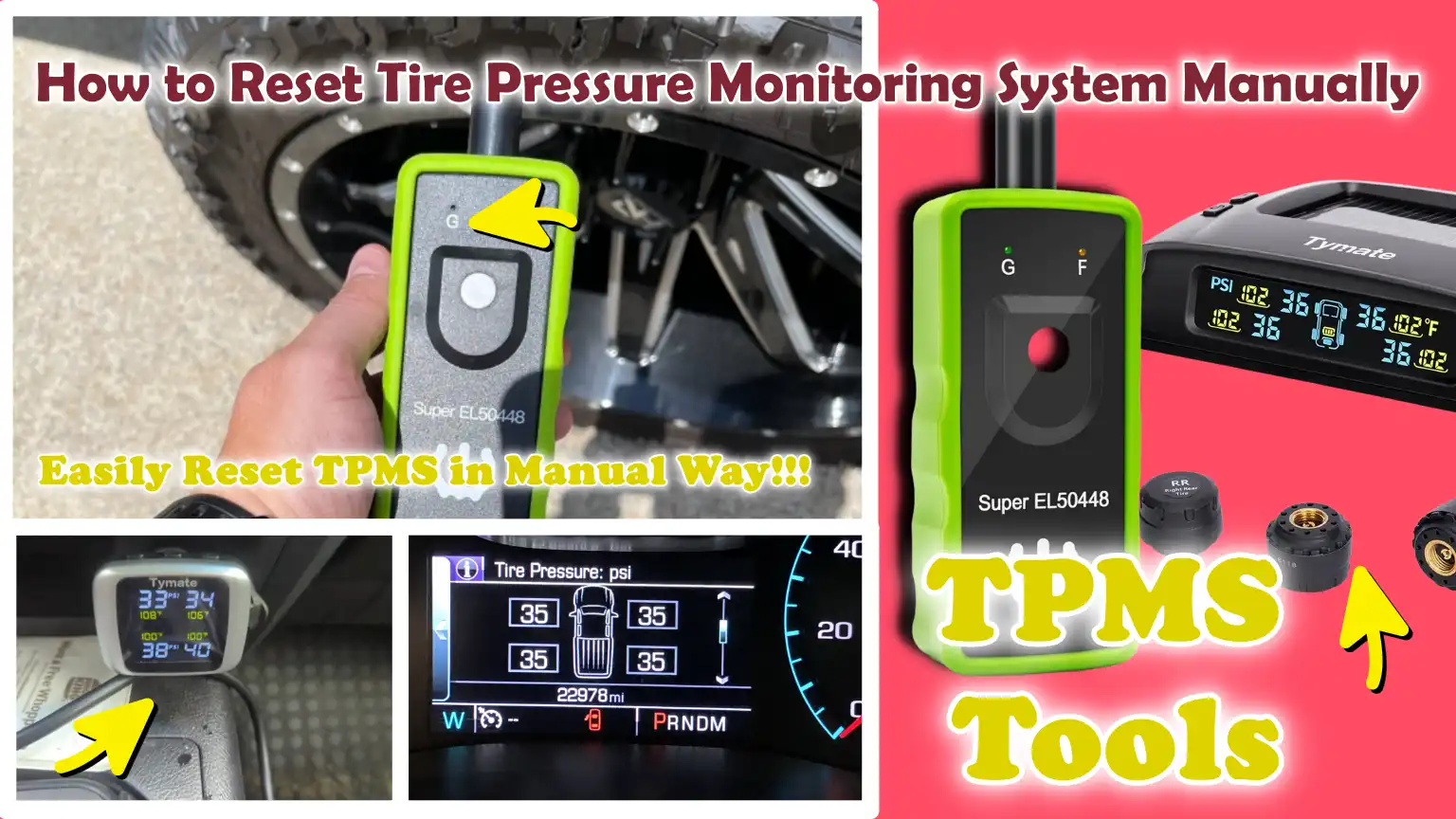
Some GMC vehicles require a TPMS tool or a sensor activation sequence at each wheel.
Step 5: Confirm completion
The vehicle may sound a horn or display a confirmation message when the relearn process is complete.
Automatic TPMS Reset on Some GMC Models
Some GMC vehicles can relearn tire positions automatically after correct tire inflation and normal driving. The vehicle computer may update sensor information after a short drive cycle, but the required time and distance vary by model.
Important limitation
Automatic relearning is not available on every GMC vehicle, so the owner’s manual remains the most reliable source for model-specific instructions.
GMC TPMS Reset After Tire Rotation or Sensor Replacement
A tire rotation can change the position of each tire, which means the vehicle may need to relearn sensor locations. If a new TPMS sensor is installed, the vehicle must typically recognize the replacement sensor before the warning light turns off.
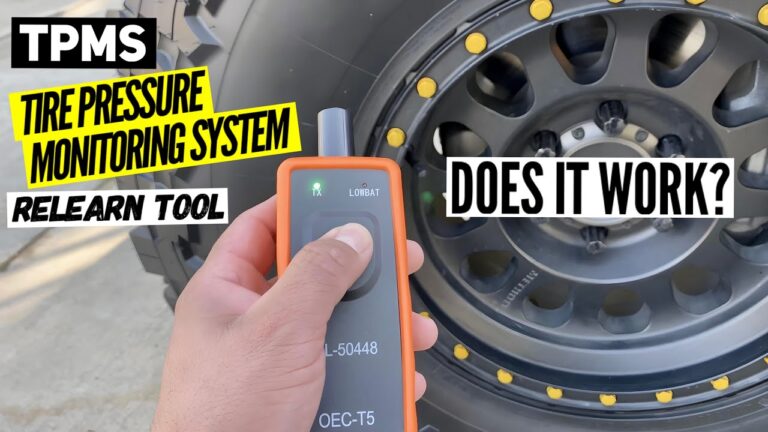
A TPMS relearn tool may be needed for certain GMC vehicles, especially after sensor replacement. These tools communicate with the sensors so the vehicle module can store their new locations.
Source: hitchesguide.com
After tire rotation
The system may need to identify which sensor belongs to each wheel position.
After sensor replacement
The replacement sensor must be compatible and properly programmed before relearning.
Why a GMC TPMS Warning Light May Stay On
If the warning light remains after resetting, the issue may not be the reset procedure. The system could be detecting a mechanical or electronic problem.
Low tire pressure
One or more tires may still be below the recommended pressure.
Weak sensor battery
TPMS sensors contain batteries that can eventually lose power.
Sensor communication problem
The vehicle may not receive a signal from one or more sensors.
Common GMC TPMS Reset Problems and Solutions
Most GMC TPMS problems can be narrowed down by checking the simplest causes first. Correct tire pressure, proper sensor compatibility, and following the correct model-specific procedure are the most important factors.
Source: hitchesguide.com
Reset procedure does not start
Confirm the ignition mode, vehicle settings, and procedure match the exact GMC model year.
Warning light flashes then stays on
A flashing TPMS light often indicates a system fault rather than only low tire pressure.
New sensors are not recognized
Verify the sensors are compatible, installed correctly, and programmed when required.
When to Visit a Professional Technician
Professional diagnosis may be necessary when the TPMS warning remains after correct tire inflation and relearn attempts. A technician can use scan equipment to identify sensor communication failures and other system faults.
Seek assistance when
The warning light continues flashing, multiple sensors fail, or the vehicle cannot complete the relearn process.
Frequently Asked GMC TPMS Reset Mistakes
Incorrect assumptions about TPMS operation can make a simple reset attempt unsuccessful. Avoid these common mistakes before replacing parts or scheduling repairs.
Source: www.youtube.com
Ignoring actual tire pressure
Resetting the system without correcting low pressure does not remove the underlying safety issue.
Using the wrong reset method
Different GMC models may use different relearn procedures.
Replacing sensors unnecessarily
A warning light may result from incorrect pressure or relearn failure rather than a failed sensor.
Frequently Asked Questions
Q
How do I reset the TPMS light on a GMC?
Check and adjust tire pressure first, then follow the GMC-specific relearn procedure using the vehicle controls or a TPMS activation tool if required. The exact steps depend on the model and year.
Q
Why is my GMC tire pressure light still on after filling tires?
The light may remain because the system has not relearned updated information, a sensor may have a fault, or one tire may still be below the recommended pressure.
Q
Do GMC vehicles automatically reset TPMS?
Some GMC vehicles can automatically relearn sensors after driving, while others require a manual relearn procedure. Check the owner’s manual for the specific vehicle.
Q
Can I reset a GMC TPMS without a tool?
Some GMC models allow manual or automatic relearning without special equipment, but others require a TPMS relearn tool after sensor replacement.
Q
How long does a GMC TPMS reset take?
The process may take only a few minutes for some vehicles, while others may require a drive cycle or sensor activation sequence.
✦ Wrapping Up
Conclusion
A GMC tire pressure monitoring system reset helps the vehicle recognize accurate tire pressure information after maintenance, tire changes, or sensor replacement. The correct method depends on the specific GMC model and year.
Before attempting a reset, always confirm tire pressures are correct and follow the documented relearn procedure for the vehicle. If the TPMS warning remains, investigate possible sensor or system faults instead of repeatedly resetting the system.
💡 Key Takeaway
Start by checking tire pressure, then use the correct GMC TPMS relearn process for your vehicle. If the warning light continues, have the system diagnosed to identify the actual cause.
Learn how to reset tire pressure monitoring system Chevy vehicles with step-by-step instructions, TPMS relearn methods, troubleshooting tips, and common fixes.
Learn how to connect wireless CarPlay in your vehicle. This guide explains compatibility checks, setup steps, troubleshooting tips, and common connection issues for Apple CarPlay users.