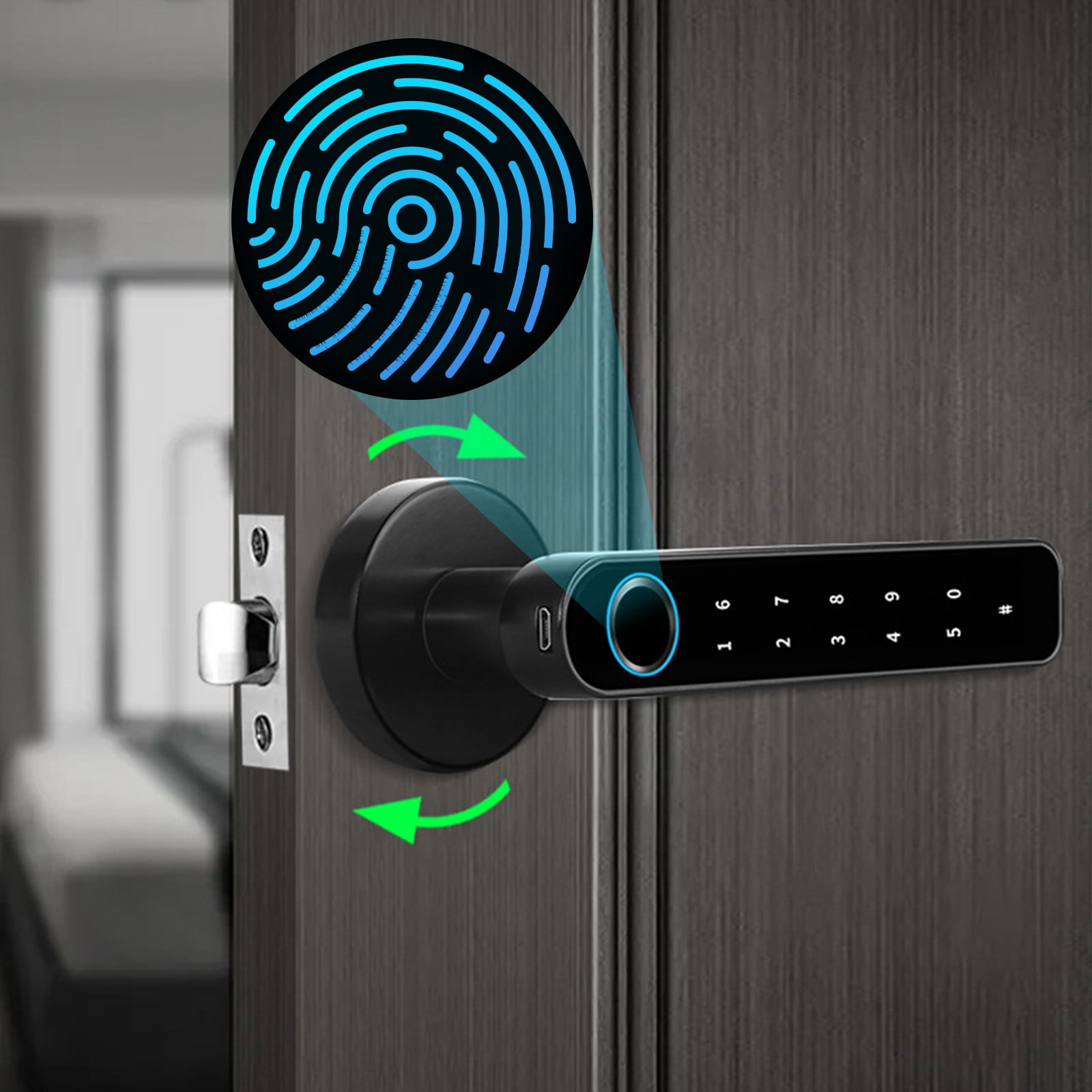
A smart lock without WiFi can secure and control a door without needing an internet connection. These locks typically use Bluetooth, keypads, fingerprints, NFC, or traditional keys instead of cloud-based WiFi access.
Across homes in the United States, many homeowners are choosing smart locks without WiFi because they want keyless entry without depending on a wireless internet connection. A non-WiFi smart lock can provide convenient access through PIN codes, fingerprints, or nearby smartphone connections while reducing reliance on routers, subscriptions, and cloud services.
The right choice depends on how you plan to use the lock. A smart lock without WiFi may work well for apartments, rental properties, vacation homes, offices, or homeowners who only need local access control. However, users who want remote unlocking, live notifications, or integration with internet-based smart home platforms may need a WiFi-enabled model or an additional bridge device.
Source: Bing
What Is a Smart Lock Without WiFi?
A smart lock without WiFi is an electronic door lock that provides keyless entry features without connecting directly to a home wireless network. Instead of sending commands through the internet, the lock processes access through local technologies such as Bluetooth, keypad entry, fingerprint scanning, NFC cards, or built-in mechanical keys.
These locks are designed for users who want modern access control but do not need constant internet connectivity. They can still offer features like temporary passcodes, automatic locking, and smartphone control when the phone is within Bluetooth range.
Source: Bing
Local control
Commands are usually handled directly between the user and the lock rather than through a remote cloud service.
No router dependency
The lock can continue functioning even if the home’s WiFi network is unavailable.
Different access methods
Common options include PIN codes, fingerprints, key cards, Bluetooth phones, and backup keys.
How Does a Non WiFi Smart Lock Work?
A non WiFi smart lock uses built-in electronics to verify whether a person is authorized to open the door. For example, a keypad lock checks a programmed PIN, while a fingerprint lock compares a scanned fingerprint with stored access data.
Bluetooth models may communicate with a smartphone when the phone is nearby. Because there is no direct internet connection, these locks generally cannot receive commands from far away unless a separate compatible hub or bridge is added.
Bluetooth connection
Allows nearby smartphone control without requiring a WiFi network.
Keypad entry
Lets users unlock the door by entering a stored access code.
Benefits of Using a Smart Lock Without WiFi
The main advantage of a smart lock without WiFi is simplicity. Because the lock does not depend on an internet connection, fewer network-related problems can affect daily operation. This makes these locks practical for users who mainly need secure local entry.
A non-WiFi smart lock can also reduce ongoing costs because many models do not require cloud subscriptions for basic unlocking features.
Source: Bing
Works during internet outages
Local unlocking methods can continue working when home WiFi is disconnected.
Installation usually does not require connecting the lock to a router or smart home network.
Privacy advantages
Some users prefer local access control because fewer internet-connected services handle their lock data.
Who Should Consider a WiFi Free Smart Lock?
A smart lock without WiFi can be a good fit for people who want convenient entry without remote management. It may suit homeowners who only need access at the door, landlords managing rental units, or families who prefer PIN or fingerprint access.
Apartment residents
Useful where changing WiFi settings or installing smart home equipment is inconvenient.
Vacation properties
Can provide controlled access without depending on internet availability.
Smart Lock Without WiFi vs WiFi Smart Lock
The main difference between these two types of smart locks is how they connect and what features they support. A WiFi smart lock can usually communicate through the internet, while a non-WiFi smart lock focuses on local access.
Choosing between them depends on whether you value remote control or simple local operation.
Source: Bing
Smart lock without WiFi
Best for local access, fewer connectivity requirements, and simpler operation.
WiFi smart lock
Best for remote unlocking, notifications, and online smart home integrations.
Feature Comparison
The following comparison shows common differences. Actual features vary by manufacturer and model.
Internet access
Non-WiFi locks do not require internet access for normal operation.
Remote unlocking
Usually requires WiFi connectivity or an additional bridge.
Battery usage
Both types depend on batteries, but usage varies by features and communication methods.
How to Choose the Right Smart Lock Without WiFi
Selecting a smart lock without WiFi requires checking compatibility, access methods, battery performance, and security features. The best option depends on your door type and how many people need access.
Before buying, confirm that the lock fits your existing deadbolt or door preparation. Some electronic locks replace the entire lock mechanism, while others attach to existing hardware.
Source: Bing
Check door compatibility
Verify measurements, deadbolt type, and installation requirements before purchase.
Choose an access method
Select between keypad, fingerprint, Bluetooth, card access, or physical keys based on your needs.
Review backup options
Look for emergency unlocking methods such as mechanical keys or external battery support.
Common Mistakes to Avoid
Many buyers focus only on smart features and overlook practical details such as battery replacement, installation limits, and emergency entry options.
Ignoring battery warnings
A low battery can prevent electronic access if maintenance is delayed.
Assuming remote access exists
A non-WiFi lock generally cannot be controlled from outside Bluetooth range without extra hardware.
Troubleshooting a Smart Lock Without WiFi
When a smart lock without WiFi stops working, start with basic checks such as battery condition, mechanical alignment, and access settings. Because these locks rely on local systems, problems are often related to power or setup rather than internet connectivity.
Source: Bing
Lock does not respond
Replace batteries, check battery contacts, and confirm the lock has power.
Keypad or fingerprint fails
Clean sensors, verify saved credentials, and re-register access data if needed.
Motor struggles to lock
Check whether the door closes correctly and whether the deadbolt is aligned.
When Professional Help May Be Needed
If the lock installation affects the door frame, deadbolt alignment, or physical security of the entry point, consider contacting a qualified locksmith or following the manufacturer’s installation guidance.
Damaged door hardware
Physical door problems may prevent the lock from operating correctly.
Frequently Asked Questions
Q
Can a smart lock work without WiFi?
Yes. Many smart locks work without WiFi by using Bluetooth, PIN codes, fingerprints, NFC, or physical keys. WiFi is only needed for certain remote access features.
Q
Can I unlock a smart lock without WiFi from anywhere?
Usually no. A non-WiFi smart lock normally requires you to be nearby unless the lock supports an additional bridge or hub that connects it to the internet.
Q
Are smart locks without WiFi secure?
A smart lock without WiFi can provide secure access when properly installed and maintained. Security depends on the lock design, encryption methods, installation quality, and user practices.
Q
Do non WiFi smart locks need batteries?
Most electronic smart locks require batteries. Battery life depends on usage frequency, lock features, and communication technology.
Q
What happens if the battery dies on a smart lock without WiFi?
Many models include backup options such as a physical key, emergency power connection, or low-battery warning system. Check the specific model instructions before installation.
✦ Wrapping Up
Conclusion
A smart lock without WiFi provides keyless entry without requiring an internet connection. It can be a practical choice for users who want simpler access control through PIN codes, fingerprints, Bluetooth, or other local methods.
Before choosing a model, consider your need for remote access, door compatibility, battery maintenance, and emergency entry options. The right lock should match your daily routine and security expectations.
💡 Key Takeaway
Choose a smart lock without WiFi if you need reliable local access and do not require internet-based remote control features.
Kimberly ensures every piece of content is clear, helpful, and user-friendly. She focuses on creating guides that are easy to read while maintaining accuracy and trust.
Is a wireless mouse good for gaming? Learn how modern wireless gaming mice compare with wired models, including latency, battery life, accuracy, advantages, disadvantages, and what gamers should choose.
Why are workstation laptops so expensive? Explore their premium components, professional features, durability, and performance to see if they’re worth it.
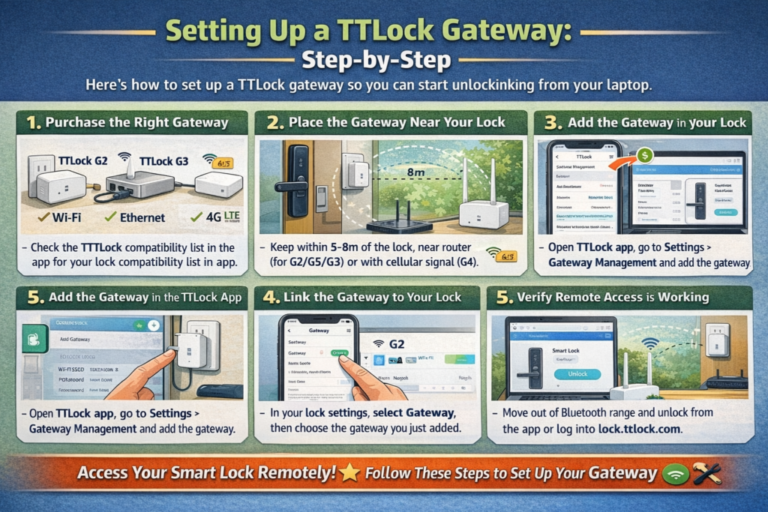
How to unlock the ttlock from the laptop with easy Bluetooth or USB steps — secure, fast, and beginner-friendly. Follow our guide and regain access now.