Two monitors improve gaming by adding space for chat, guides, streams, tools, and multitasking without interrupting play.
If you are asking why do you need 2 monitors for gaming, the answer goes beyond having a wider desktop. A dual-monitor setup can make streaming easier, keep helpful tools visible, and let you enjoy games while handling other tasks. After testing different layouts and learning from common setup mistakes, I found that the real value comes from using each screen with a clear purpose.

What Does a Two-Monitor Gaming Setup Mean?
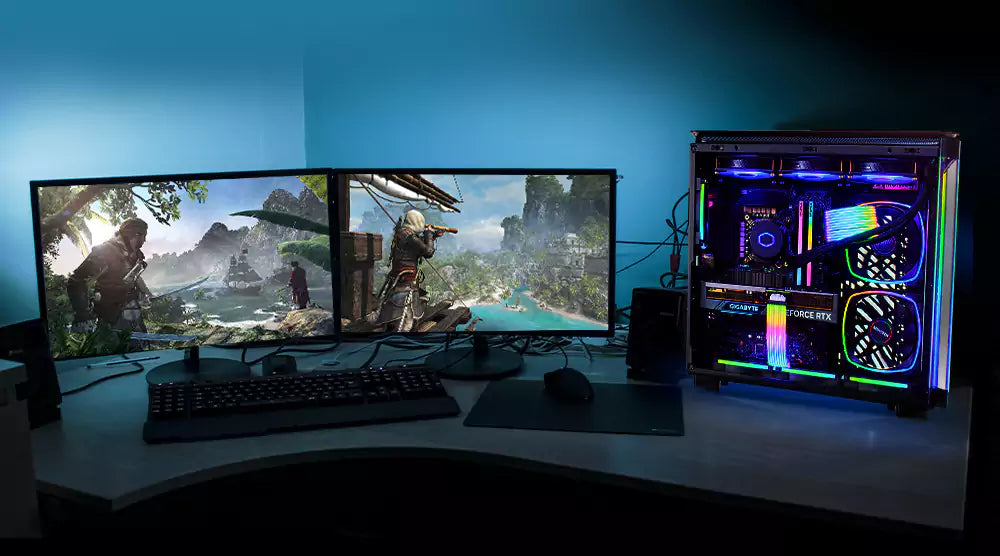
A two-monitor gaming setup uses two displays connected to the same computer. Usually, one monitor shows the game, while the second screen handles other tasks such as Discord, a browser, music, streaming software, or system tools.
The monitors do not need to be the same. Many gamers use a fast 144Hz or 240Hz display for gaming and a cheaper 60Hz or 75Hz monitor for support tasks. Matching screens can look cleaner, but they are not required.
The main reason why do you need 2 monitors for gaming is control. You can see more information at once instead of pressing Alt+Tab and hiding the game every time you need another app.
A dual-monitor setup is different from an ultrawide monitor. An ultrawide gives you one large image area, while two monitors create separate workspaces. This separation can be useful when you want the game on one screen and communication or tools on the other.
Why Do You Need 2 Monitors for Gaming?
There are several practical reasons to use two monitors. The best reason depends on the games you play and how you use your computer outside gaming.
Keep Discord and Chat Visible
Many multiplayer games depend on communication. Discord, team chat, and voice controls can help you coordinate with friends or teammates.
With two monitors, you can keep Discord open without covering the game. You can read messages, check who is online, or change a voice channel with less disruption.
This is one of the clearest answers to why do you need 2 monitors for gaming. A second screen keeps communication close while your main display stays focused on the action.
Watch Guides Without Leaving the Game
Some games have complex maps, puzzles, crafting systems, or boss fights. You may need a guide, map, or build planner while playing.
A second monitor lets you view that information beside the game. This works well for titles such as:
• Role-playing games with skill trees
• Survival games with crafting recipes
• Strategy games with large maps
• Racing games with track guides
• Online games with character builds
You can also keep a map open during exploration. This saves time and reduces the frustration of switching between windows.
Improve Streaming and Recording
Streamers often need to watch several tools at once. These may include chat, alerts, stream health, donation messages, and recording controls.
The main monitor can show the game. The second monitor can display streaming software and viewer chat. This layout helps you respond to viewers without placing chat over the game.
For new streamers, this can make the process feel much smoother. You do not need an expensive studio setup. A second display and a simple desk layout can provide a useful starting point.
Make Multitasking Easier
Gaming is not the only task you may do at your desk. You might listen to music, check email, compare hardware prices, or follow a live event.
Two monitors let you play while handling light tasks. You can pause music, change a playlist, or check a message without closing the game.
Still, multitasking can reduce focus. In competitive games, even a few seconds of distraction may affect your performance. Use the second screen for quick tasks rather than constant browsing during an important match.

Benefits of Dual Monitors for Different Types of Gamers
The value of two monitors changes from person to person. A competitive player may want a clean and focused setup, while a streamer may need several windows open.
Competitive Gamers
Competitive players often care about refresh rate, response time, input delay, and stable frame rates. A second monitor can support the gaming experience, but it should not weaken the main display.
Use the faster monitor for the game. Keep Discord, a browser, or performance data on the second monitor. If extra programs cause stutters, close them before starting a ranked match.
For this type of player, why do you need 2 monitors for gaming is not always about better aim. The second display offers convenience, but it does not automatically improve skill or reaction time.
Streamers and Content Creators
Streamers gain some of the biggest benefits from a dual-monitor setup. They can monitor their broadcast while playing, which helps them notice audio problems or dropped frames.
A second monitor can also support:
• OBS or other recording software
• Live chat and viewer messages
• Stream alerts
• Video editing tools
• Notes and content ideas
This setup reduces the need to guess whether a stream is working correctly. It also makes it easier to stay connected with viewers.
Casual Gamers
Casual players can use two screens for entertainment and daily tasks. You might play a game on one display while watching a video on the other.
This setup is especially useful for long games. You can follow a podcast, music playlist, or game guide without leaving the main screen.
However, casual gamers should consider cost and desk space. If you only play for a short time each week, one good monitor may provide better value.
Sim Racing and Flight Simulation Players
Simulation games can use a second monitor for extra information. Racing players may display lap times, telemetry, or a map. Flight simulation players may use charts, checklists, or navigation tools.
A single second monitor does not create the same wide view as a triple-monitor setup. Still, it can provide useful support information without covering the main game.

Does a Second Monitor Improve Gaming Performance?
A second monitor does not directly increase frame rate, aim, or game skill. Your gaming performance still depends on your graphics card, processor, game settings, display refresh rate, and connection quality.
In some cases, running extra apps on a second screen may use system resources. Video playback, browser tabs, recording software, and animated programs can consume memory or GPU power.
Modern computers often handle light multitasking well. Problems are more likely when the system is already near its limits. Watch for signs such as:
• Frame-rate drops
• Stuttering
• Delayed input
• Game crashes
• High memory use
• Screen flickering
To protect gaming performance, keep the main game on the stronger display. Close apps that you do not need. You can also lower the quality of videos or disable hardware acceleration in certain programs if they cause issues.
So, why do you need 2 monitors for gaming if performance may change? You need them for convenience, organization, and access to information—not as a direct performance upgrade.

How to Set Up Two Monitors for Gaming
A good setup does not require complicated equipment. Follow these steps to create a clean and useful dual-monitor desk.
1. Choose the Main Gaming Monitor
Put your best monitor in front of your chair. Use the display with the highest refresh rate and lowest response time for gaming.
A 144Hz monitor is a strong choice for many players. A 240Hz model may help competitive players, but only if the computer can produce high frame rates.
2. Pick the Right Second Monitor
The second display does not need the same speed. A 60Hz or 75Hz screen works well for chat, guides, music, and streaming tools.
Try to choose a monitor with a similar height and size. Different screens can work together, but large differences may feel uncomfortable.
3. Connect Both Displays Correctly
Most modern graphics cards support multiple monitors. Common connection types include:
• DisplayPort
• HDMI
• USB-C with DisplayPort support
Connect both monitors to the graphics card when possible. Plugging one monitor into the motherboard may cause problems if your processor does not support integrated graphics.
4. Arrange the Displays in Your Operating System
In Windows, open display settings and choose which screen should be the main display. You can extend the desktop so each monitor acts as a separate workspace.
Set the correct resolution and refresh rate for each screen. A high-refresh monitor may run at a lower setting until you change it manually.
5. Adjust the Physical Position
Place the top edges of both screens at a similar height. Keep the main display directly in front of you, with the second monitor slightly to the side.
You can place the second screen vertically if you read chat, documents, or long web pages. A vertical layout often saves desk space.
6. Test Games and Apps
Some games open on the wrong monitor. Check the game’s video settings and select the correct display if that option is available.
Borderless windowed mode can make switching between screens easier. Exclusive fullscreen mode may offer slightly better performance in some games, but the difference depends on the title and computer.

Common Mistakes to Avoid
A second monitor can improve your desk, but poor planning can make it annoying.
Buying Two Expensive Gaming Monitors
You usually do not need two high-refresh gaming monitors. Spend most of your budget on the screen used for gaming.
The second monitor can focus on color, size, comfort, and viewing angle. Its job is to support your game, not compete with the main display.
Ignoring Ergonomics
Looking far to the side for hours can strain your neck. Adjust the screen angle and keep the second monitor close enough for comfortable viewing.
Follow basic workplace guidance by keeping your eyes near the top third of the screen. Take regular breaks and change your position during long sessions.
Covering the Second Screen With Too Many Apps
A second screen can become a wall of clutter. Too many windows may distract you and make simple tasks harder.
Use a clear layout. For example, keep Discord at the top, music controls at the bottom, and a guide in the remaining space.
Forgetting Cable and Port Limits
Some computers have limited ports. Older graphics cards may not support the resolution or refresh rate you want on both displays.
Check the graphics card specifications before buying. Also confirm that your cables support the selected resolution and refresh rate.
Expecting Better Aim
Two monitors will not make you a better player by themselves. They can improve access to information, but practice, settings, and good habits matter more.
This is an important part of understanding why do you need 2 monitors for gaming. The setup adds flexibility, not automatic skill.
One Monitor vs. Two Monitors vs. an Ultrawide
Each option has strengths.
One Monitor
One monitor is simple, affordable, and easy to manage. It is often best for players who want maximum focus or have limited desk space.
A single display also uses fewer ports and usually places less demand on the computer.
Two Monitors
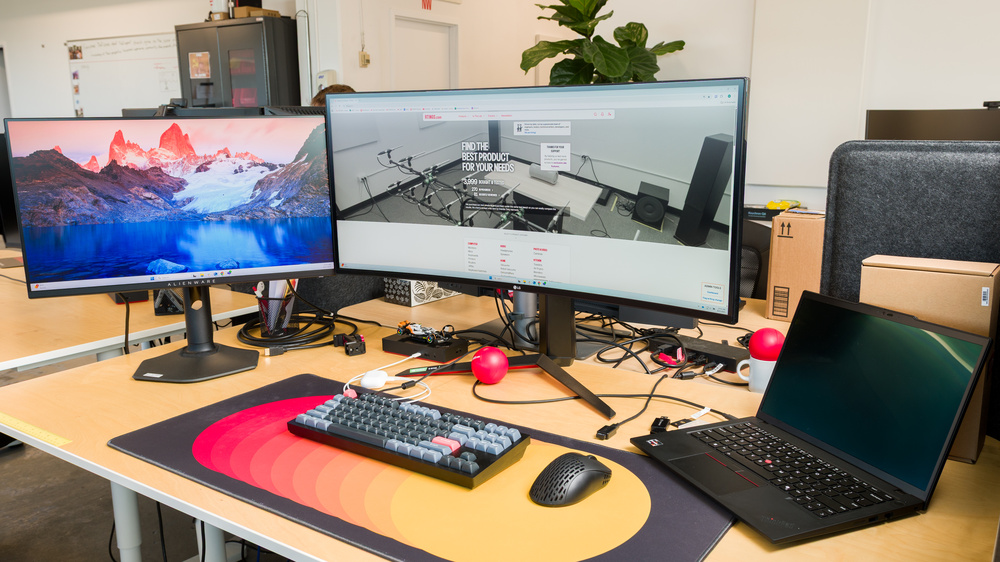
Two monitors provide separate spaces. You can place the game on one screen and support apps on the other.
This is often the most flexible choice for streamers, multitaskers, and players who use guides or chat.
Ultrawide Monitor
An ultrawide monitor gives you a wide, continuous image. It can feel immersive in racing, adventure, and simulation games.
Some games do not support ultrawide ratios well. You may also pay more for an ultrawide with a high refresh rate.
The best choice depends on your budget, desk, graphics card, and gaming habits. Why do you need 2 monitors for gaming instead of an ultrawide? Choose two monitors when separate work areas matter more than one continuous view.

Is a Dual-Monitor Setup Worth the Cost?
A second monitor is worth it when you use the extra space often. Streamers, students, remote workers, and gamers who use guides may benefit every day.
It may not be worth the cost if you have a small desk, a limited graphics card, or little interest in multitasking. In that case, upgrading your main monitor, chair, or headset may provide more value.
From my own setup testing, the biggest improvement came from organization. I stopped minimizing the game to check chat or a guide. The biggest mistake was placing the second screen too far away, which made it uncomfortable to use for long periods.
Before buying, ask yourself:
• Do I stream or record gameplay?
• Do I use Discord while playing?
• Do I follow guides or maps?
• Do I work or study at the same desk?
• Do I have enough desk space?
• Can my computer support two displays?
If you answer yes to several questions, a second monitor may be a smart upgrade.

Frequently Asked Questions About Why Do You Need 2 Monitors for Gaming
Do two monitors make gaming better?
Two monitors can make gaming more convenient by keeping chat, guides, music, and tools visible. They do not directly improve frame rate, aim, or reaction speed.
Do I need two gaming monitors?
No, you do not need two gaming monitors. One strong gaming monitor is enough for most players, while the second display can be a basic monitor for support tasks.
Does a second monitor lower FPS?
A second monitor may lower performance slightly when it runs demanding apps such as video playback or recording tools. The effect depends on your graphics card, game, drivers, and background programs.
Can I use two monitors with one graphics card?
Most modern graphics cards can run two monitors. Check the available ports and the card’s support for your chosen resolutions and refresh rates.
Should both monitors have the same refresh rate?
No. The main gaming monitor should have the refresh rate you want for play, while the second monitor can use a lower rate for chat and general tasks.
Is a vertical second monitor good for gaming?
A vertical monitor is useful for Discord, web pages, guides, coding, and long documents. It is less useful if you want to watch wide videos or use the screen for another game.
Is two-monitor gaming better than an ultrawide monitor?
Two monitors offer separate workspaces, while an ultrawide offers one wide image. The better choice depends on whether you value multitasking or a continuous gaming view.
Conclusion
The best answer to why do you need 2 monitors for gaming is simple: a second screen gives you more control and less interruption. It can keep Discord, guides, streaming tools, music, and system data visible while your main monitor stays focused on the game.
A dual-monitor setup will not magically improve your skill or frame rate. Choose it for convenience, streaming, multitasking, and better organization. Start with one fast gaming monitor and add an affordable second screen when your needs justify it.
Plan the layout before you buy, check your computer ports, and keep comfort in mind. If you use two monitors already, share your favorite setup and tips in the comments.