The Google Pixel Watch 4 is the best smartwatch for Google Maps, with clear directions, fast GPS, and strong Android support.
You know the moment: your phone is buried in a pocket, your hands are full, and you need the next turn now. A good smartwatch can show walking, driving, cycling, or transit directions without making you stop and check your phone. I tested the key features that matter most, including Google Maps support, GPS accuracy, screen clarity, comfort, battery life, and phone compatibility. This guide compares the best options for different budgets and needs, including models that work well with Android and those that offer only limited map support.
Google Pixel Watch 4 45mm

The Google Pixel Watch 4 is my top pick for the best smartwatch for Google Maps. Its Wear OS platform gives Android users direct access to Google Maps, so directions appear on the watch instead of only on the phone. The 45mm case also gives maps, turn prompts, and other alerts more room to breathe. Its round design looks smart enough for work but remains useful during a walk or bike ride.
I especially like this model for people who already use Google services. You can search for a place, begin a route, and follow turn-by-turn guidance from your wrist, depending on the connection and phone setup. Built-in location tools help track your position, while the bright display makes short glances easier outdoors. As with any small watch, the screen is not ideal for studying a full map, but it works very well for quick turns.
Pros:
- Excellent Google Maps and Wear OS integration
- Large 45mm screen gives directions more room
- Strong Android phone compatibility
- Useful GPS tracking for walking, cycling, and outdoor use
- Clear turn prompts and vibration alerts
- Premium design suits daily wear
Cons:
- Not the best match for iPhone users
- Battery life may require regular charging
- Some features depend on phone, Wi-Fi, or LTE access
My Recommendation
I recommend the Pixel Watch 4 to Android users who want the smoothest map experience. It is especially useful for commuters, travelers, walkers, and cyclists who already rely on Google Maps. The larger case makes it easier to read a turn without squinting. If you want the best smartwatch for Google Maps and prefer a modern Wear OS watch, this is the strongest overall choice when available at a fair price.
| Best for | Why |
|---|---|
| Android navigation | Direct Wear OS access to Google Maps and Google services |
| Walking and cycling | GPS tools, turn prompts, and a roomy display |
| Daily wear | Premium look with health and smart features in one watch |
Google Pixel Watch 3 41mm

The renewed Google Pixel Watch 3 remains one of the best smartwatch for Google Maps choices for Android owners. It runs Wear OS and supports the Google Maps experience many users already know. The 41mm body feels light and compact, which helps people with smaller wrists or those who dislike bulky watches. Its matte black case and dark band also hide everyday marks well.
This watch makes sense when you want Pixel features but do not need the newest large case. It can show route guidance, alerts, and location information while your phone stays in a pocket or bag. The display is sharp enough for street names and next-turn prompts, though a full route still feels easier to view on a phone. Since this listing is renewed, I would inspect the seller details, warranty, battery condition, and return terms before buying.
Pros:
- Reliable Wear OS support for Google Maps
- Compact 41mm size feels comfortable all day
- Sharp display for turn-by-turn prompts
- Useful health and fitness tracking
- Good choice for Android and Pixel phone owners
- Often costs less than the newest model
Cons:
- Renewed units can vary in cosmetic condition
- Smaller display is less convenient for map details
- Battery life still calls for frequent charging
My Recommendation
I would choose this Pixel Watch 3 for Android users who want premium navigation in a smaller watch. It is a smart value pick if the renewed price is much lower than a new model. The 41mm case works well for slim wrists, office wear, and daily walking. For shoppers seeking the best smartwatch for Google Maps without paying top current-generation pricing, this model deserves close attention.
| Best for | Why |
|---|---|
| Small wrists | Compact 41mm case is lighter and less bulky |
| Pixel owners | Works naturally with Android and Google services |
| Value buyers | Renewed pricing can reduce the cost of Wear OS navigation |
Renewed Pixel Watch with Fitbit Tracking

The first-generation Pixel Watch is an affordable way to enter the Google smartwatch family. It uses Wear OS, supports Google apps, and can provide Google Maps guidance when paired with a compatible Android phone. Fitbit activity and heart-rate tracking add useful health tools beyond navigation. The 41mm size feels neat and light, making it easy to wear from morning to night.
In daily use, this watch is best for simple route prompts rather than long map sessions. It can help you find a nearby address, follow a walking route, and feel a vibration before a turn. The small round screen limits how much map detail you can see at once, so I still prefer a phone for route planning. Because this is a previous or renewed model, battery health and software support deserve extra attention before checkout.
Pros:
- Wear OS access to Google Maps
- Low-cost entry into the Pixel Watch range
- Fitbit activity and heart-rate features
- Comfortable 41mm design
- Helpful vibration alerts for turns
- Elegant stainless steel appearance
Cons:
- Older processor and hardware than newer Pixel Watches
- Renewed battery condition may differ by unit
- Small display is not ideal for detailed navigation
My Recommendation
This watch suits budget-focused Android users who want real Google Maps support at a lower entry price. It is also a good choice for light navigation, fitness, and notifications. I would not buy it for heavy GPS use or the longest battery life. Still, it can be the best smartwatch for Google Maps for a careful shopper who finds a well-rated renewed unit with a clear return policy.
| Best for | Why |
|---|---|
| Low-cost Wear OS | Offers Pixel software and Google Maps access for less |
| Fitness basics | Includes Fitbit activity and heart-rate tracking |
| Light navigation | Compact screen and turn alerts handle short trips well |
Renewed Pixel Watch Silver 41mm

This polished silver Pixel Watch offers the same basic navigation idea as the other first-generation Pixel Watch listing. Wear OS connects it to Google Maps, while Fitbit tools monitor activity, sleep, and heart rate. The chalk band gives it a brighter look than the black version. Its round 41mm screen remains comfortable for daily wear and quick route checks.
I like this version for users who want a smartwatch that looks less sporty. The screen can show the next turn, route alerts, and other phone notifications without adding visual clutter. It does not replace a full-size phone map, especially when you need to compare several roads. As a renewed product, I suggest checking the seller rating, included charger, battery statement, and warranty before placing an order.
Pros:
- Google Maps support through Wear OS
- Bright silver finish looks polished
- Useful Fitbit health tracking
- Small case suits many wrist sizes
- Vibration cues help during walks
- Usually more affordable than newer Pixel models
Cons:
- Older hardware than current Pixel Watch models
- Renewed condition may not be identical across sellers
- Limited screen area for full route viewing
My Recommendation
I recommend this model to Android users who care about style as much as navigation. It works well for city walks, short commutes, and casual fitness tracking. The lighter case color may appeal to office users who do not want a dark sports watch. If the listing has strong seller feedback, it can be a practical best smartwatch for Google Maps bargain.
| Best for | Why |
|---|---|
| Dressier daily wear | Silver case and light band look clean with work clothes |
| Android users | Wear OS connects with Google Maps and phone alerts |
| Budget shoppers | Older renewed hardware can deliver useful value |
Google Pixel Watch 4 45mm Obsidian

This Obsidian Pixel Watch 4 is another excellent choice for people who want Google Maps on the wrist. Its 45mm size gives route prompts a larger viewing area than compact models. The dark case and band create a simple look that works for exercise, travel, and everyday use. Wear OS also brings access to other Google tools and a broad range of watch apps.
The larger display is the main reason I would choose this version over a smaller watch. Street names and arrows are easier to read at a glance, which matters when you are crossing a busy street or riding a bike. GPS performance and route guidance still depend on the watch connection, phone setup, and local conditions. I recommend setting up Maps at home and testing a short route before depending on it during travel.
Pros:
- Large, readable 45mm display
- Strong Google Maps and Android integration
- Useful for walking, cycling, and commuting
- Dark Obsidian finish hides daily wear
- Access to Wear OS apps and notifications
- Premium design and broad smart features
Cons:
- Large case may feel wide on small wrists
- Regular charging may still be needed
- Full route planning remains easier on a phone
My Recommendation
I would pick this Pixel Watch 4 for users who want the largest screen in this group and prefer a dark style. It is a strong travel and commuting watch because turn prompts are easy to see. It also makes sense for people who want health, message, and payment features in the same device. For most Android buyers, it is a leading best smartwatch for Google Maps option.
| Best for | Why |
|---|---|
| Large-screen navigation | 45mm display makes arrows and street names easier to read |
| Commuters | Combines directions, alerts, and daily smart tools |
| Active users | Supports outdoor activity tracking and route guidance |
Fitbit Versa 4 Black and Graphite
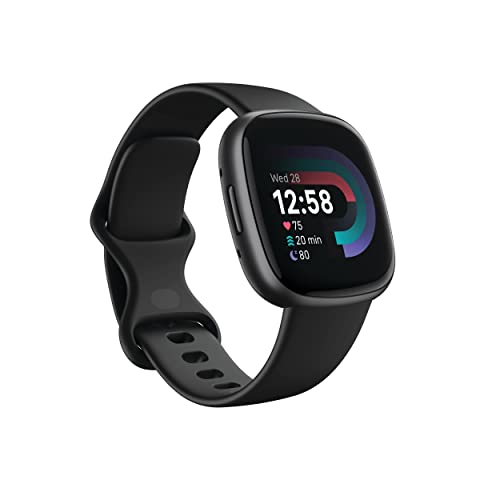
The Fitbit Versa 4 is a fitness-first smartwatch with built-in GPS, a light body, and a comfortable shape. It is important to set expectations: it does not offer the same native Google Maps experience as a Wear OS Pixel Watch. You can still use it to track outdoor workouts and view phone notifications, but detailed wrist-based Google Maps navigation is limited. This makes it a useful fitness watch, not my first choice for the title of best smartwatch for Google Maps.
Its main strength is simple daily health tracking. The watch monitors activity, heart rate, workouts, and sleep, while its battery can last longer than many full Wear OS watches. That longer run time helps during trips when charging access is limited. If you mainly need route tracking for a run and can keep your phone nearby for directions, the Versa 4 may be a sensible buy.
Pros:
- Built-in GPS for outdoor workout tracking
- Light and comfortable for long wear
- Strong Fitbit activity and sleep features
- Usually better battery life than Pixel Watch models
- Easy-to-read rectangular display
- Useful phone notification support
Cons:
- No full native Google Maps experience like Wear OS
- Less suitable for wrist-only turn-by-turn directions
- Some Fitbit features may require a subscription
My Recommendation
I recommend the Versa 4 for fitness users who care more about battery life than live Google Maps directions. It can track a route well, but it is not the best smartwatch for Google Maps if you need map prompts on your wrist. Choose it when your phone will handle navigation and the watch will handle fitness. Its value is strongest for simple health tracking and long battery use.
| Best for | Why |
|---|---|
| Fitness tracking | Focuses on workouts, heart rate, sleep, and activity |
| Long battery use | Often runs longer between charges than Wear OS watches |
| Phone-assisted routes | Tracks GPS activity while the phone provides full maps |
Fitbit Versa 4 Waterfall Blue
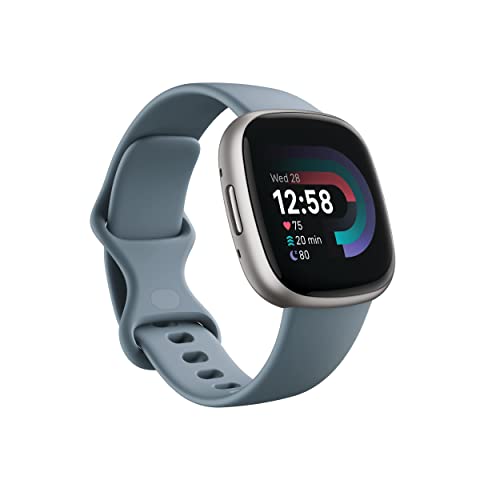
The Waterfall Blue Versa 4 offers the same fitness-focused platform in a softer color. Its built-in GPS can record walks, runs, and bike rides without needing the phone to measure every step. However, shoppers should know that GPS tracking is not the same as full Google Maps navigation. The watch is better at recording where you went than showing every turn as you go.
I find this version appealing for people who want a calm, less basic color and a light watch for everyday exercise. The display provides clear activity stats and notifications, while the Fitbit app gives more detail after a workout. It can work beside Google Maps on a phone, but it does not replace a Pixel Watch for live route help. Battery life and comfort remain its main selling points.
Pros:
- Built-in GPS for route and workout recording
- Light design feels good during exercise
- Long battery life supports travel and daily use
- Fitbit tools cover activity, heart rate, and sleep
- Distinct Waterfall Blue color
- Simple interface is easy for beginners
Cons:
- Limited Google Maps support
- Not ideal for phone-free turn-by-turn guidance
- Advanced Fitbit insights may cost extra
My Recommendation
This Versa 4 is best for casual athletes, walkers, and users who want a colorful fitness watch. I would select it over a Pixel Watch only when long battery life and workout tracking matter more than map features. If your phone stays in your hand or bag during a route, it can do the job. For actual wrist-based Google Maps use, look to a Wear OS model instead.
| Best for | Why |
|---|---|
| Casual workouts | GPS records walks, runs, and rides with little fuss |
| Color choice | Waterfall Blue adds a softer look than black or gray |
| Travel battery | Longer battery life reduces charging stress |
Fitbit Versa 4 Pink Sand
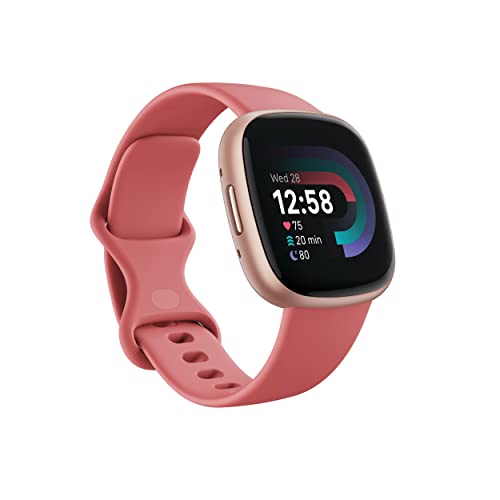
The Pink Sand Versa 4 is a comfortable fitness smartwatch for users who prefer a warm, stylish finish. It has built-in GPS, so it can record outdoor activity and show workout data without relying on continuous phone location. Still, it does not run Google Maps in the same direct way as a Pixel Watch. That difference matters when your main goal is turn-by-turn directions from your wrist.
During a normal day, this watch handles steps, heart rate, sleep, exercise, and notifications with ease. Its battery-friendly design is useful for people who dislike charging every night. The display is simple and readable, but it focuses on fitness cards rather than detailed maps. I would pair it with a phone for navigation and view it as a stylish health tracker with GPS.
Pros:
- Built-in GPS for outdoor exercise
- Comfortable shape for all-day wear
- Attractive Pink Sand and Copper Rose styling
- Good battery life for regular use
- Helpful sleep and activity tracking
- Easy controls for beginners
Cons:
- Does not provide full Google Maps navigation
- Map use depends heavily on the paired phone
- Some health features may need Fitbit Premium
My Recommendation
I suggest this Versa 4 to users who want a soft, fashionable fitness watch and do not need live wrist directions. It is not my pick for the best smartwatch for Google Maps, but it can support phone-based navigation while tracking a walk. The battery and comfort are better reasons to buy it. Select it for style and fitness, not for detailed map guidance.
| Best for | Why |
|---|---|
| Style-focused fitness | Soft color and slim design suit everyday outfits |
| Health tracking | Monitors common fitness and sleep metrics |
| Phone-based navigation | GPS tracks activity while the phone shows the map |
Smartwatch for Men with GPS Maps

This 1.46-inch smartwatch targets shoppers who want a large screen, GPS tools, calls, and message replies at a lower price. The product title mentions GPS maps, but buyers should confirm the exact map app and phone compatibility before purchase. Many low-cost watches show GPS routes or notifications without running the official Google Maps Wear OS app. That distinction can prevent a disappointing order.
The large display should help with basic route viewing and outdoor activity data. Bluetooth calling and text replies may also make it useful for work or exercise. However, app support, update quality, GPS accuracy, and map detail can vary more than they do on a Pixel Watch. I would treat it as a budget GPS smartwatch, not a guaranteed replacement for the best smartwatch for Google Maps.
Pros:
- Large 1.46-inch screen is easy to view
- GPS features support outdoor activity use
- Bluetooth calling adds daily convenience
- Text reply features help reduce phone handling
- Potentially lower purchase price
- Bold design may suit larger wrists
Cons:
- Official Google Maps support may be limited or unclear
- App quality can vary by phone and software version
- Budget GPS accuracy may not match Pixel Watch models
My Recommendation
I recommend this watch only for buyers who confirm the map features they need before checkout. It may suit someone who wants a large screen, calls, and basic GPS tools without paying for a premium Wear OS device. Android users who need dependable Google Maps turn prompts should choose a Pixel Watch instead. The low price is attractive, but clear expectations matter more than a product title.
| Best for | Why |
|---|---|
| Large-screen budget use | 1.46-inch display provides plenty of viewing space |
| Calls and replies | Bluetooth features reduce the need to reach for a phone |
| Basic GPS activity | Can record outdoor movement at a lower cost |
Pixel Watch 4 45mm Moonstone
The Moonstone Pixel Watch 4 is a polished option for Android users who want navigation, health tracking, and a premium everyday watch. Its Wear OS software gives it a clear advantage over fitness watches that only record GPS activity. Google Maps can provide route prompts, while the watch also handles notifications and other smart tasks. The 45mm size is useful when readability matters.
This is a strong pick for travel because it keeps basic directions close at hand. I prefer to start a route on the phone, then use the watch for quick turns and vibration cues. That habit saves battery and avoids trying to study a tiny screen while moving. The Moonstone finish gives this version a softer look, which may suit users who want technology that blends into daily clothing.
Pros:
- Direct Google Maps support through Wear OS
- Large 45mm display improves readability
- Soft Moonstone styling looks distinctive
- GPS and health tools support active users
- Useful vibration alerts for navigation
- Strong fit for Android phone owners
Cons:
- May feel large on narrow wrists
- Needs more frequent charging than fitness-focused watches
- Full maps remain easier to inspect on a phone
My Recommendation
This is a great fit for Android users who want the best smartwatch for Google Maps in a lighter, more refined color. It is especially useful for travelers, commuters, and people who walk in unfamiliar areas. I would choose it over a Versa 4 when live route prompts matter. Its overall value depends on the current Amazon price, included band, and availability.
| Best for | Why |
|---|---|
| Travelers | Quick route prompts stay visible while exploring new places |
| Android navigation | Wear OS supports the Google Maps app experience |
| Personal style | Moonstone finish offers a softer alternative to dark cases |
Original Pixel Watch with Fitbit

The original Pixel Watch remains a capable entry-level Wear OS option for Android users. It supports Google Maps and offers the familiar Pixel design with Fitbit activity and heart-rate tracking. The stainless steel case feels more premium than many budget watches. At 41mm, it stays compact and comfortable for daily use.
For basic navigation, this watch can still do what many shoppers need: show the next turn, provide vibration alerts, and keep the phone out of sight. It will not feel as fast or modern as newer Pixel Watch generations, and the small display limits map detail. Since this listing is a previous model, I would confirm the software status and battery condition. A good price can make it worthwhile, but a small price gap may favor a newer model.
Pros:
- Wear OS supports Google Maps navigation
- Premium stainless steel case
- Fitbit activity and heart-rate tracking
- Compact size suits smaller wrists
- Useful smart notifications and alerts
- Can be a low-cost Pixel ecosystem entry
Cons:
- Oldest hardware in this comparison
- Battery condition varies on previous or renewed units
- Small screen is less comfortable for map viewing
My Recommendation
I recommend the original Pixel Watch only when the price is clearly lower than newer Pixel models. It is a better navigation choice than Versa 4 because it runs Wear OS and supports Google Maps. It suits light daily use, short walks, and Pixel fans on a tight budget. If you want the best smartwatch for Google Maps at the lowest Pixel price, compare its condition with the newer renewed Pixel Watch 3.
| Best for | Why |
|---|---|
| Pixel beginners | Provides the core Pixel and Wear OS experience |
| Short routes | Turn alerts work well for simple trips |
| Premium budget buys | Stainless steel design may cost less as an older model |
Fitbit Versa 4 Waterfall Blue
This second Waterfall Blue Versa 4 listing gives shoppers another color and seller option for the same fitness platform. It includes built-in GPS, Fitbit tracking, and a lightweight design. However, built-in GPS does not mean it runs Google Maps with live watch directions. I want to make that clear because it is the most important buying point in this comparison.
The watch works best when you use your phone to plan and view maps, then let the Versa 4 record the workout. It can track a walk or run and provide useful health data after you finish. The long battery life is a major benefit for people who travel or forget to charge devices. Check the listing details carefully because colors, packaging, warranty terms, and seller support can differ.
Pros:
- Built-in GPS for tracking outdoor activities
- Comfortable design for walking and running
- Good Fitbit health and sleep tools
- Long battery life for everyday use
- Bright Waterfall Blue finish
- Simple controls and clear fitness data
Cons:
- Not a full Google Maps smartwatch
- Requires the phone for the best map experience
- Advanced Fitbit features may involve a paid plan
My Recommendation
Choose this watch if you want GPS exercise tracking and long battery life more than map directions. It is not the best smartwatch for Google Maps, but it can be a good companion to Google Maps on your phone. I would recommend it for runners, walkers, and casual users who value simplicity. Compare the price with the black and pink versions before buying.
| Best for | Why |
|---|---|
| Runners and walkers | Records outdoor workouts with built-in GPS |
| Battery-minded users | Runs longer than many app-rich smartwatches |
| Simple controls | Fitness data is easy to see without a complex setup |
What to Look For in a Google Maps Smartwatch
Before choosing the best smartwatch for Google Maps, check the operating system first. Wear OS watches can run the official Google Maps app and provide a much better experience than basic fitness watches. A watch that only says “GPS maps” may simply record a route or mirror a phone alert. Product wording can be broad, so I always confirm app support, phone requirements, and connection type.
GPS hardware also matters. A watch with built-in GPS can track your location without using the phone for every measurement. That does not always mean it can calculate a new route on its own. For reliable turn prompts, look for Wear OS, Google Maps support, a compatible Android phone, and a stable data connection when the route begins.
Screen size affects comfort. A 45mm Pixel Watch gives directions more room than a 41mm model, but a smaller case may feel better on a narrow wrist. Brightness matters outdoors, too. I prefer a watch that shows a clear arrow and street name at a glance rather than one that forces me to stare at a tiny, dim map.
Battery life deserves an honest look. GPS, bright screens, LTE, music, and frequent notifications can drain a watch faster than basic timekeeping. A long battery claim often reflects light use, not constant navigation. I recommend charging before a long trip and carrying a phone as a backup, even when the watch has its own GPS.
Phone compatibility is another key detail. Pixel and other Android phones pair most naturally with Pixel Watches. Fitbit Versa models work across a wider range of phones but do not provide the same Google Maps app experience. iPhone owners should avoid assuming that an Android smartwatch will offer full features on iOS.
How I Compared These Smartwatches
I focused on real navigation needs rather than a long list of flashy features. I looked at whether each watch can access Google Maps, how much screen space it gives directions, and whether it has built-in GPS. I also considered battery habits, comfort, Android support, and the risks of buying a renewed or previous model.
Google’s own software documentation shows that Google Maps on Wear OS can provide navigation features on supported watches. Fitbit documentation separates GPS workout tracking from full smartwatch app support. That is why I rank Pixel Watch models above Versa 4 models for live Google Maps use. The distinction is small in a product listing but large in daily use.
I also recommend using a watch as a quick-glance tool. A watch is like a road sign on your wrist: it gives the next useful clue, but it is not a full atlas. Start the route on your phone, keep the phone charged, and use the watch for turns. This method improves safety and helps preserve battery.
Google Maps Watch Setup Tips
Pair the watch with the correct Android phone before leaving home. Install updates, sign in to your Google account, and allow location permissions. Open Google Maps on the phone, choose the destination, and start navigation. Then check whether the watch shows the route prompts and provides vibration alerts.
Test the setup on a short familiar walk. This step can reveal a weak Bluetooth link, missing permissions, or an unsupported app before you need it. Downloading offline areas to the phone may help when mobile service is weak, but offline behavior can differ by device and route type. Do not assume every watch can calculate a route without a phone.
For longer trips, reduce unnecessary notifications and lower screen brightness if needed. Carry a charging cable or power bank. Keep the phone available for complicated junctions, lane changes, and emergency route changes. Even the best smartwatch for Google Maps works best as part of a phone-and-watch system.
FAQs Of best smartwatch for google maps
What is the best smartwatch for Google Maps?
The Google Pixel Watch 4 is my top choice for Android users. It combines Wear OS, Google Maps access, GPS tools, a clear display, and strong Android integration.
Can Fitbit Versa 4 use Google Maps?
Versa 4 has built-in GPS, but it does not offer the same native Google Maps app experience as a Wear OS Pixel Watch. It is better for tracking routes than showing full turn-by-turn directions.
Can I use Google Maps on a smartwatch without a phone?
Some Wear OS watches can support more independent navigation, especially with Wi-Fi or cellular service. However, setup, route calculation, and data access may still depend on the phone and network.
Is a 41mm or 45mm smartwatch better for maps?
A 45mm watch usually makes arrows and street names easier to read. A 41mm watch feels smaller and lighter, so it may be better for narrow wrists or people who prefer a compact design.
Do all GPS smartwatches support Google Maps?
No. GPS can record your location without running Google Maps. Always check the operating system and official app support before buying.
Final Verdict: Which Should You Buy?
The Google Pixel Watch 4 45mm is the best smartwatch for Google Maps. It offers the clearest Wear OS experience, strong Android support, useful GPS, and a roomy screen.
Choose a renewed Pixel Watch for value, or a Versa 4 for longer battery and fitness tracking. For dependable wrist directions, Pixel Watch remains the safer buy.