Gamers use two monitors to expand screen space, multitask smoothly, and keep game information visible.
If you have watched a streamer play, chat, check a map, and manage music at the same time, you may wonder why do gamers have 2 monitors. The answer goes beyond looks. A second display can improve focus, make streaming easier, and help players manage tasks without leaving the game.
After testing dual monitor setups for gaming, work, and streaming, I have found that the best setup is not always the most expensive one. This guide explains the real benefits, common drawbacks, setup tips, and cases where one monitor may be enough.

Why Do Gamers Have 2 Monitors?
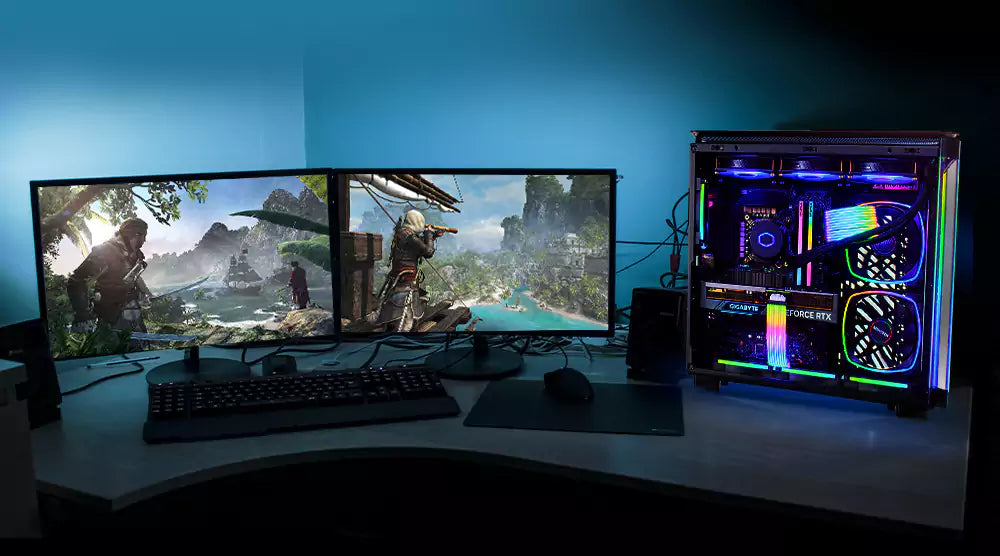
Gamers have two monitors because one screen can show the game while the other handles extra tasks. These tasks may include chat, guides, music, hardware controls, video recording, or a web browser.
A dual monitor setup works like having two desks beside each other. One desk holds your main activity. The other keeps useful tools close without covering your work.
The most common reasons include:
• Playing a game on the main monitor while reading live chat on the second
• Watching a walkthrough without minimizing the game
• Checking Discord, email, or a browser during breaks
• Monitoring streaming software and alerts
• Viewing maps, inventory guides, or game notes
• Recording gameplay and checking system performance
• Keeping work or school tasks open beside a game
The answer to why do gamers have 2 monitors also depends on the type of player. A competitive player may want a dedicated screen for game data. A streamer may need the second display for audience interaction. A casual player may simply enjoy having more room.
A second monitor does not automatically make someone play better. It improves access to information and makes multitasking easier. Skill, practice, game knowledge, and a stable system still matter more.
The Main Benefits of a Dual Monitor Gaming Setup
A second monitor can make a gaming desk more flexible. It can also reduce the need to switch between windows with Alt + Tab.
Better multitasking
With two screens, you can keep the game open on one monitor and use the other for supporting tasks. For example, you might play a role playing game while viewing a map or keep a music app open during a long session.
This saves small amounts of time. Those small savings add up during a long gaming session.
Easier streaming
Streamers often use one monitor for the game and another for broadcasting tools. The second display can show:
• Stream chat
• New follower alerts
• Stream health
• Recording controls
• Scene layouts
• Microphone levels
• Stream notes
This setup helps the streamer stay connected with viewers. It also reduces the chance of missing a technical problem.
Faster access to guides
Some games have large maps, complex crafting systems, or many character builds. A second screen lets you check information without closing the game.
This is useful for games such as survival titles, online role playing games, strategy games, and simulation games. A guide becomes a nearby reference, much like a cookbook beside a kitchen counter.
More workspace outside gaming
Many gamers also use their computers for school, work, design, or video editing. Two monitors can support a document on one screen and research or communication on the other.
This makes a dual monitor gaming setup useful even when no game is running. The purchase can serve more than one purpose.

Does a Second Monitor Improve Gaming Performance?
A second monitor usually improves convenience, not raw game performance. It does not increase frame rate by itself. In some cases, it may use extra graphics processing power, especially when the second screen plays video or runs demanding software.
Your main game performance depends more on:
• The graphics card
• The processor
• System memory
• Game settings
• Storage speed
• Cooling
• Monitor resolution and refresh rate
If the second monitor displays a simple chat window, the performance impact is often small. If it plays a high resolution video while the game runs, the effect may be larger.
Competitive players should also think about focus. A second screen can create distractions. Notifications, videos, and chat can pull your eyes away from the match. For ranked play, some gamers prefer to disable the extra screen during important rounds.
The answer to why do gamers have 2 monitors is not always linked to higher frame rates. The main gain is better control over information and tasks.
How screen size and resolution affect performance
A second monitor adds pixels that your computer may need to manage. A 1080p side display is usually easier to run than a 4K display. Refresh rate also matters, though basic desktop tasks do not need an extremely high refresh rate.
For a practical setup, many gamers use:
• A 1440p or 1080p high refresh rate monitor for games
• A 1080p monitor for chat, browsing, or streaming tools
• Matching screen sizes when a clean look matters
• Different sizes when saving money is more important
Best Ways to Use Two Monitors for Gaming
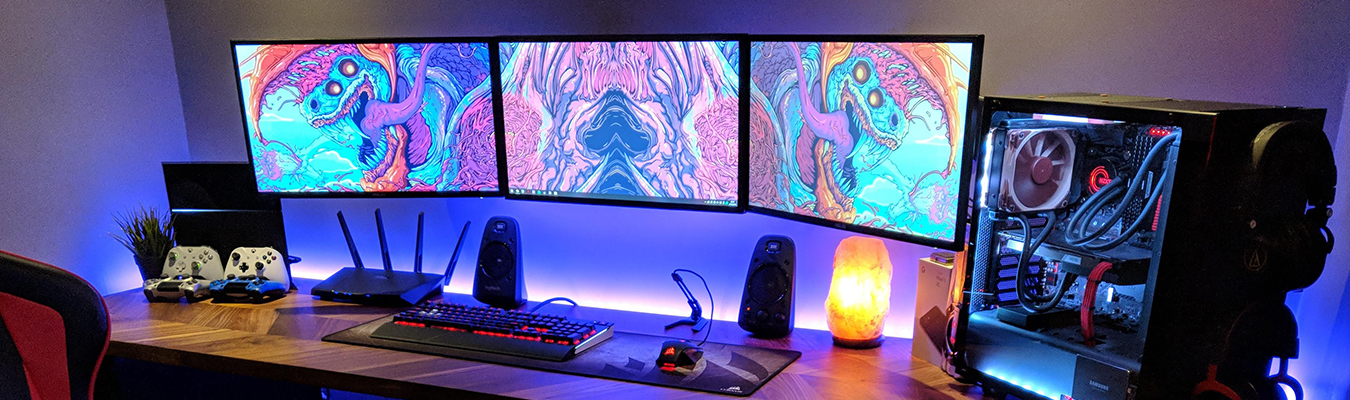
The best setup depends on what you do while gaming. There is no single correct arrangement.
Gaming and chat
Place the game on the main screen. Put Discord, Twitch chat, or a team communication app on the second screen. Keep the chat window large enough to read but small enough to avoid clutter.
Gaming and streaming
Use the main monitor for the game. Use the second monitor for OBS or another broadcast program. Keep an eye on audio levels, dropped frames, and alerts.
This is one of the clearest examples of why do gamers have 2 monitors. A streamer can manage the broadcast without placing controls over the game.
Gaming and a guide
For a complex game, place a map, build guide, or wiki on the second display. This works well for games with deep systems and large worlds.
Try to use trusted guides. Some websites contain incorrect or outdated information. If a guide conflicts with the game itself, test the advice before relying on it.
Gaming and music
A second screen can hold Spotify, a music player, or a podcast. This helps when the game has weak background music or when you prefer your own playlist.
Avoid loud audio during team games. Clear voice communication often matters more than background music.
Gaming and performance tools
Hardware tools can show temperatures, frame rates, fan speeds, and memory use. These tools can help you find problems such as overheating or unstable performance.
Do not obsess over every number. A stable game that feels smooth is more important than watching a graph move.

How to Set Up Two Monitors Correctly
A good setup should feel natural. You should not need to twist your neck or move your eyes far away for every small task.
Follow these steps:
-
Connect both monitors to the graphics card when possible. This can help avoid confusion with integrated graphics.
-
Open your operating system display settings and choose the extended desktop option.
-
Arrange the displays in the same order as they sit on your desk.
-
Select the main gaming monitor as the primary display.
-
Set each monitor to its correct resolution and refresh rate.
-
Match brightness and color as closely as possible.
-
Place the main monitor directly in front of you.
-
Angle the second monitor slightly toward your face.
-
Set notifications to quiet mode during competitive matches.
-
Test full screen, borderless window, and windowed modes.
DisplayPort and HDMI both work well. The best choice depends on the monitor, graphics card, resolution, and refresh rate. Always check the supported version before buying a cable.
Choose the right monitor position
Many people place the second monitor vertically. This works well for chat, documents, long web pages, and coding. A horizontal layout may feel better for video, maps, and wide menus.
Your eyes should be close to the top third of both displays. Keep the main screen centered. Poor placement can cause neck pain, eye strain, or shoulder tension.
In my own testing, the biggest comfort mistake was placing the second screen too far to the side. It looked impressive, but I had to turn my head too often. Moving it closer made the setup feel much better.
Should Both Gaming Monitors Match?
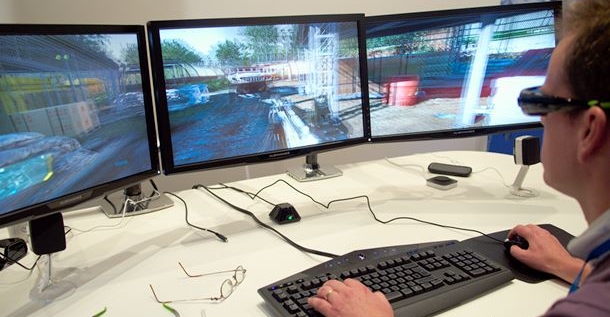
Matching monitors are not required, but they can make the setup look cleaner. Similar screens may also have closer colors, brightness levels, and viewing angles.
There are good reasons to mix monitors:
• You can spend more on the main gaming display.
• An older monitor can become a useful side screen.
• A vertical monitor may work better for chat.
• A small display can fit a limited desk.
• Different resolutions may suit different tasks.
For example, a gamer may use a 27 inch 1440p monitor at 165 Hz for gaming and a 24 inch 1080p monitor at 75 Hz for chat. The second screen does not need the same refresh rate if it will not display the game.
A matched pair is more helpful when you move windows between screens often. It can also make color work and video editing easier.
The answer to why do gamers have 2 monitors does not mean both screens need to be identical. Function should come before appearance.

Drawbacks of Using Two Monitors
Two monitors are useful, but they are not perfect for everyone. They need more desk space, cables, and setup time.
Common drawbacks include:
• Higher total cost
• More power use
• Extra cable management
• Possible distraction
• More desk space required
• Uneven colors between displays
• Different refresh rates that may feel less consistent
A second monitor may also expose computer limitations. Older graphics cards can struggle with demanding games and high resolution video at the same time.
Some games handle multiple screens poorly. A game may minimize when you click the other monitor, or the cursor may move outside the game window. Borderless window mode often helps, but it can sometimes affect performance or input behavior.
Eye strain is another concern. The problem is not simply having two monitors. Long sessions, poor lighting, glare, and infrequent breaks are larger factors. The 20 20 20 rule is a simple habit: every 20 minutes, look at something about 20 feet away for 20 seconds.

Is Two Monitors Better Than One Ultrawide Monitor?
An ultrawide monitor gives you one large, continuous screen. Two monitors give you separate displays with more flexible placement.
An ultrawide may be better when you want:
• A clean desk
• No gap between screens
• A wide view in supported games
• Simple cable management
Two monitors may be better when you want:
• A dedicated game screen
• A separate vertical display
• Easy screen sharing
• Different screen sizes or resolutions
• A lower cost upgrade using an existing monitor
Ultrawide gaming can feel immersive, but not every game supports wide aspect ratios well. Some competitive players also prefer standard screen sizes because they are common in esports and tournaments.
The choice depends on your space, budget, games, and work habits. Neither option is automatically superior.

Who Benefits Most From Two Monitors?
A second screen is most useful for people who perform several tasks at once. This includes streamers, content creators, online players, and people who work from home.
You may benefit from two monitors if you:
• Stream games regularly
• Record and edit gameplay
• Use guides while playing
• Manage online communities
• Join voice calls
• Work or study at the same desk
• Track computer performance
• Switch between many windows
A casual player who launches a game and focuses only on playing may not need two monitors. One high quality display could provide a better experience.
Before buying, ask what problem the second screen will solve. If you cannot name two or three daily tasks, the upgrade may not be worthwhile.
When people ask why do gamers have 2 monitors, they often expect one universal answer. In practice, the value depends on habits, not status.
Practical Buying Tips for a Second Monitor
You do not need to buy the most expensive gaming monitor for your second screen. Focus on the features that match its job.
Consider these points:
• Resolution: 1080p is often enough for chat and browser use.
• Size: A 24 inch or 27 inch monitor fits many desks.
• Refresh rate: A high refresh rate matters most for the display used for gaming.
• Ports: Check HDMI and DisplayPort support before buying.
• Stand: An adjustable stand can improve comfort.
• VESA support: This helps if you plan to use a monitor arm.
• Panel type: IPS panels often offer strong viewing angles and color quality.
• Warranty: A reliable warranty protects your purchase.
Used monitors can be a smart choice. Test for dead pixels, flicker, uneven brightness, and damaged ports before paying. Ask how long the monitor was used and whether it was exposed to smoke or moisture.
One lesson I learned is to measure the desk first. A second monitor may fit on paper but leave no room for speakers, notebooks, or a mouse. Measure the width and depth before shopping.
Common Mistakes to Avoid
A dual monitor gaming setup should reduce friction, not create it. Avoid placing both monitors at extreme angles. This can lead to discomfort during long sessions.
Do not ignore color and brightness differences. A bright side screen beside a dim main screen can make your eyes work harder. Adjust both displays in the same room lighting.
Do not run every possible app on the second screen. Too many windows create visual noise. Keep only the tools you use often.
Do not assume that a second monitor fixes poor hardware. If your game stutters, check temperatures, drivers, memory use, and game settings first.
Finally, do not buy a second screen only because other gamers have one. A simple setup that supports your habits is better than an expensive setup that stays unused.
Frequently Asked Questions About Why Do Gamers Have 2 Monitors
Does having two monitors make gaming better?
Two monitors can make gaming more convenient by giving you extra space for chat, guides, music, and streaming tools. They do not automatically improve your skill, frame rate, or reaction time.
Do two monitors lower FPS?
They can lower performance in some situations, especially when the second monitor plays high resolution video or runs demanding software. For simple tasks such as chat or browsing, the effect is often small on a modern computer.
Do streamers need two monitors?
Streamers do not need two monitors, but many find them useful. One screen can show the game while the other displays chat, broadcast controls, alerts, and audio levels.
Is a vertical second monitor good for gaming?
A vertical monitor is useful for chat, documents, coding, web pages, and long lists. It may be less useful for wide maps, videos, or games that need a horizontal layout.
Can I use two monitors with one graphics card?
Yes, most modern graphics cards support two or more monitors. Check the available ports and confirm that the graphics card can support the combined resolutions and refresh rates.
Is one ultrawide monitor better than two monitors?
It depends on your needs. An ultrawide gives one seamless image, while two monitors offer more flexible multitasking and separate screen layouts.
Conclusion
Gamers have two monitors because a second display makes multitasking easier. It can keep chat, guides, music, streaming tools, and performance data away from the main game.
The setup is most valuable for streamers, creators, online players, and people who use the same computer for work or school. It is less useful if you only play one game and prefer a simple desk.
Start by identifying the tasks you want to move off your main screen. Then choose a comfortable layout, match the display settings, and avoid unnecessary distractions. If you use two monitors, share your setup and favorite tips in the comments.