A curved monitor can improve comfort, focus, and screen visibility by keeping wide content within your natural field of view.
If you are asking why curved monitor for work makes sense, the answer depends on your tasks, desk, and viewing distance. A well-chosen curved display can make long workdays feel more natural, reduce head movement, and create a smooth view across documents, spreadsheets, timelines, and browser tabs. It is not a magic fix, but it can be a smart upgrade when the screen fits your work style.

Why curved monitor for work is worth considering
A curved monitor bends the display slightly toward you. This shape helps keep the edges of a wide screen closer to your eyes than they would be on a flat panel.
That small change can make a large screen feel more balanced. Instead of looking across a broad, flat surface, your eyes follow a gentle arc. Think of it as sitting inside a small viewing bubble rather than looking at a billboard.
The main reasons people choose a curved monitor for work include:
• Better viewing comfort on wide screens
• Less need to turn your head
• A more consistent viewing distance from the center to the edges
• A more immersive workspace
• Easier access to several windows at once
• A cleaner setup with one large screen instead of two or three smaller displays
A curved display does not automatically improve productivity. Your work habits, chair height, lighting, screen size, and software layout still matter. However, the right curved monitor can support a more comfortable and organized desk.
How a curved monitor may improve comfort
Comfort is one of the strongest answers to why curved monitor for work is popular. On a wide flat monitor, the far edges sit at a wider angle from your eyes. You may need to move your eyes or head more often to read them.
A curved panel brings those edges slightly inward. This can make text and visual content feel more evenly placed, especially on screens that measure 34 inches or more.
A curved monitor may help with:
• Reducing repeated head turns
• Making the edges of an ultrawide screen easier to see
• Keeping your eyes focused at a more similar distance
• Creating a smoother view for long reading or editing sessions
Research on visual comfort does not prove that every curved monitor reduces eye strain for every user. Eye strain can also come from glare, poor brightness, dry eyes, small text, and long periods without breaks. The curve is one part of a comfortable setup, not a replacement for healthy screen habits.
The 20-20-20 rule remains useful. Every 20 minutes, look at something about 20 feet away for at least 20 seconds. You should also blink often and adjust the screen so the top edge is near eye level.
Why curved monitor for work can help productivity
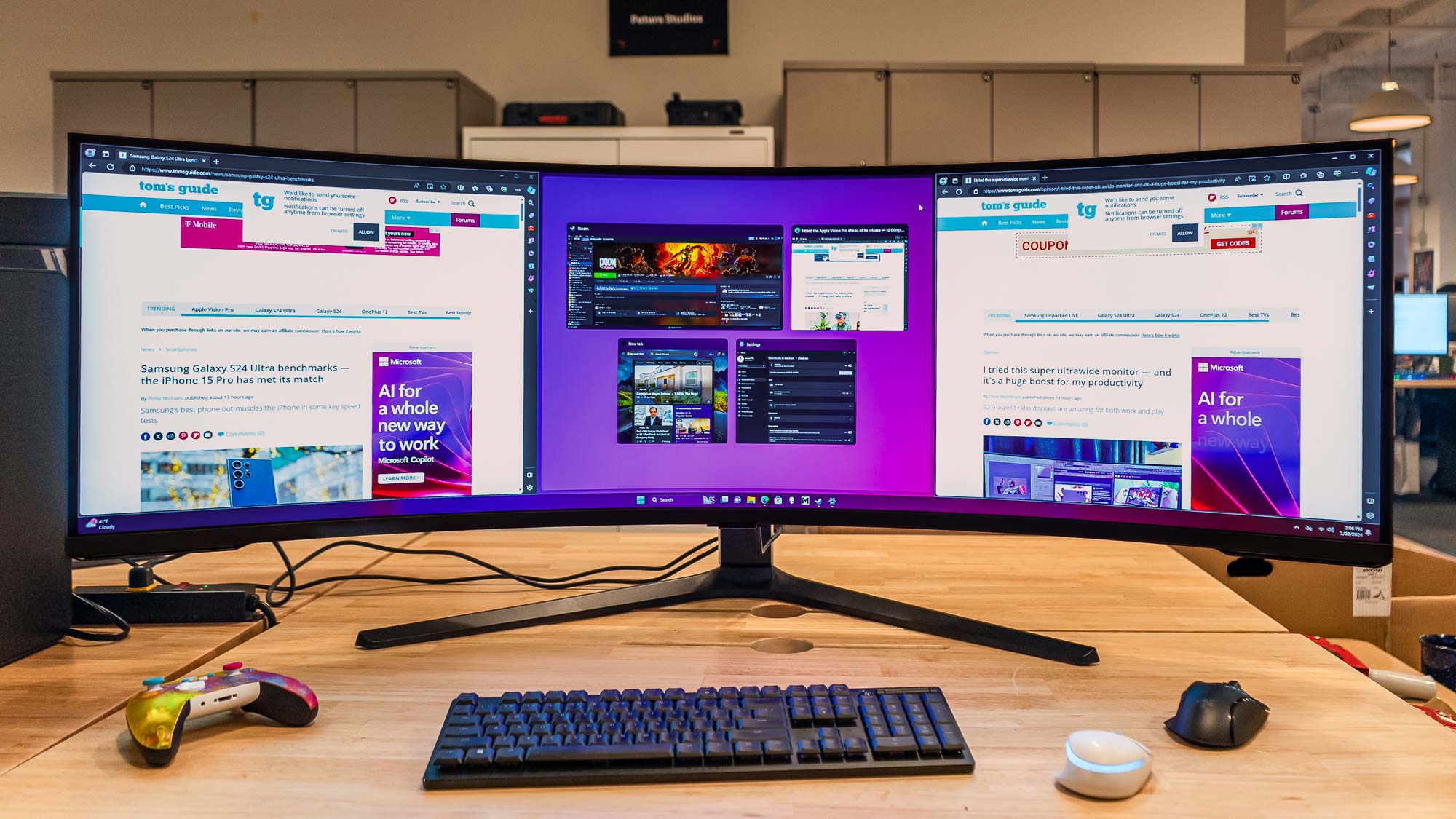
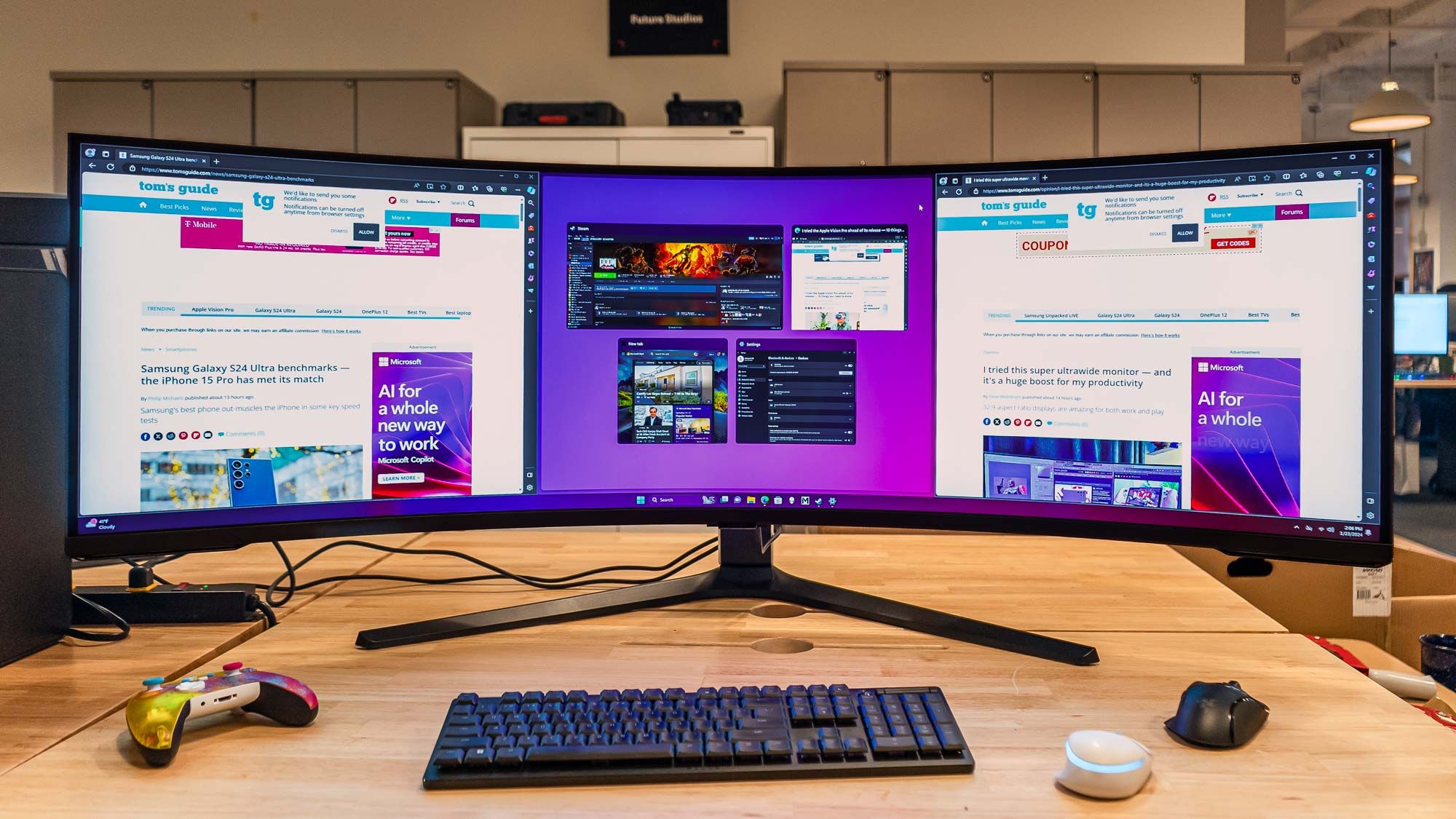
A curved monitor can support productivity by giving you more usable screen space. You can place a document on one side, a browser on the other, and a chat or task window in the center.
This is useful for many types of work:
• Writers can keep research beside a draft
• Developers can view code, documentation, and a test window together
• Accountants can compare columns without switching screens
• Video editors can expand the timeline and preview window
• Designers can keep tools and references visible
• Project managers can view schedules, notes, and communication apps at once
The benefit is not that the monitor makes you work faster by itself. The benefit is fewer window changes. Each switch interrupts your attention. A wide screen can act like a well-organized desk, with each tool placed where you need it.
Window management software can make this benefit even stronger. Use zones or split-screen layouts to create fixed areas for your main tasks. Without a layout plan, a large display may become a crowded desktop.
Why curved monitor for work suits ultrawide setups
The curve matters most when the monitor is wide. A 21:9 ultrawide display often benefits more from a curve than a small 16:9 screen.
On a 34-inch ultrawide monitor, the left and right sides can sit far from the center. A curve helps turn those sides toward you. This can make the entire screen feel more connected.
Curved ultrawide monitors work well for:
• Large spreadsheets
• Coding and software testing
• Financial dashboards
• Digital audio workstations
• Video editing
• 3D modeling
• Research and data review
A 49-inch super ultrawide monitor may offer even more space, but it needs a deeper desk and a careful viewing distance. If you sit too close, the screen can feel overwhelming. If you sit too far away, text may look small.
For most desks, a 34-inch ultrawide model offers a useful balance of space, comfort, and price. Your ideal size depends on your desk depth and the type of content you view.

Curved versus flat monitor for office work
The choice between curved and flat depends on the type of work you do. Neither design is best for everyone.
A curved monitor may be better when:
• You use a wide screen
• You work with several windows
• You sit near the center of the display
• You want a more immersive workspace
• You spend long periods viewing wide timelines or dashboards
A flat monitor may be better when:
• You work with printed documents beside the screen
• You need simple wall mounting
• You share the screen with other people
• You do precise design work that requires straight lines
• You use several monitors at different angles
• You want the lowest cost
A flat display can make straight lines look more predictable. This matters in architecture, technical drawing, layout work, and some forms of graphic design. A curve can slightly change how lines and shapes appear near the edges, even if the effect is small.
For normal office work, writing, browsing, and coding, this is rarely a serious problem. Still, professional designers should test a curved screen before buying one.
The best curve for work monitors
Monitor curvature is usually shown with an “R” rating, such as 1000R, 1500R, or 1800R. The number describes the radius of the curve in millimeters.
A lower number means a stronger curve:
• 1000R is strongly curved
• 1500R is moderately curved
• 1800R is more gentle
• 3000R is a mild curve
The best curve depends on screen size and viewing distance. A strong curve can suit a large ultrawide monitor when you sit close. A mild curve may feel more natural for general office use.
For many work setups:
• 1000R to 1500R can suit large ultrawide screens
• 1500R to 1800R can suit mixed office and creative work
• 1800R to 3000R can suit users who prefer a subtle curve
There is no universal best rating. If possible, view the monitor in person. A curve that feels helpful to one person may feel distracting to another.

How a curved monitor affects eye strain
People often ask why curved monitor for work may reduce eye strain. The main idea is simple: the curve can reduce the difference in viewing angle between the center and the sides of a wide display.
This may make it easier for your eyes to scan the screen. However, eye strain has many causes. A curved screen will not solve discomfort caused by poor lighting or incorrect text size.
Use these setup tips:
• Keep the monitor about 20 to 30 inches from your eyes
• Place the screen directly in front of you
• Set the top of the display near eye level
• Reduce glare from windows and lamps
• Match screen brightness to the room
• Increase text size instead of leaning forward
• Take short breaks during long sessions
• Keep the display clean
A matte coating can help reduce reflections. Flicker-free operation and a comfortable brightness range may also help sensitive users. Check the monitor’s specifications, but remember that marketing terms do not replace real-world comfort.
If you have lasting pain, blurred vision, headaches, or dry eyes, speak with an eye-care professional. Do not assume the monitor is the only cause.
Curved monitors for different types of work
The value of a curved monitor changes with your daily tasks. Here is how it may fit common work styles.
Office and administrative work
A curved monitor can help you compare emails, documents, and spreadsheets. A 27-inch or 32-inch model may offer enough space without taking over your desk.
Writing and research
Writers can place notes, source material, and a word processor side by side. A 34-inch ultrawide display can reduce the need to switch between full-screen windows.
Programming
Developers may benefit from a wide code editor and a second window for documentation or testing. A high-resolution display is important because small text must stay sharp.
Video editing
The extra horizontal space can make a timeline easier to use. A curved screen may also create a more immersive view during preview work. For color-critical editing, focus on color accuracy, calibration, and panel quality first.
Graphic design
Some designers prefer a flat panel because straight lines look more familiar. Others enjoy the workspace of a curved ultrawide. Check geometric accuracy and viewing angles before making a choice.
Remote work and meetings
A curved display can hold a meeting window, notes, and work documents at the same time. A built-in webcam is not required, but make sure the screen does not make your camera angle look unusual.
Important drawbacks of curved monitors for work
Understanding why curved monitor for work may not be right for you is just as important as knowing its benefits.
Common drawbacks include:
• Higher prices than similar flat monitors
• More space needed on the desk
• Possible reflections on glossy panels
• Less convenient viewing for groups
• Wall mounting challenges
• A learning period for users who prefer flat screens
• Potential image distortion for precise line work
A curved monitor also works best when you sit in the center. If you often move around, share the display, or work from different seating positions, a flat monitor may be more practical.
Some curved monitors use large stands. Measure your desk before buying. Check the monitor’s width, depth, stand height, and VESA mount support.
Cable placement matters, too. A wide monitor may need DisplayPort, HDMI, or USB-C connections. If you plan to connect a laptop, confirm that the USB-C port supports video output and enough power delivery.
How to choose a curved monitor for work
Use this checklist before you buy:
-
Choose the right size. A 27-inch model suits many desks. A 34-inch ultrawide offers more room but needs more depth.
-
Check the resolution. Look for at least 2560 × 1440 on larger screens. A 4K display can provide sharper text, but it may require scaling.
-
Consider the panel type. IPS panels often offer strong viewing angles and color quality. VA panels can provide deep contrast. OLED panels offer excellent contrast but may cost more and need care with static content.
-
Review the refresh rate. Sixty hertz is enough for most office work. Higher refresh rates can make scrolling and movement feel smoother.
-
Look for ergonomic adjustment. Height, tilt, and swivel options can improve comfort.
-
Check connectivity. USB-C, DisplayPort, HDMI, and a built-in hub may simplify your desk.
-
Think about text clarity. Read user reviews that discuss fonts, scaling, and real office use.
-
Match the curve to your distance. A strong curve may feel best when you sit close to a large screen.
-
Check warranty terms. Look for coverage for dead pixels, panel defects, and repair service.
Do not spend most of your budget on the curve alone. Resolution, panel quality, ergonomics, and reliable connectivity often matter more.
My practical lessons from curved monitor setups
One common mistake is buying the largest screen that fits the budget. More space sounds better, but a giant monitor can force you to move your head too much or sit too close.
A better approach is to measure your desk first. Mark the monitor’s width with tape, then sit in your usual chair. This quick test can show whether the display will feel useful or oversized.
Another lesson is to plan the software layout. A wide monitor without window zones can become a messy pile of overlapping apps. Set up two or three repeatable layouts for writing, meetings, research, or data work.
I also recommend adjusting the monitor before judging it. Many screens arrive too bright, too cool, or too low. After setting the height, distance, brightness, and text scale, the viewing experience can change a great deal.
The most useful question is not only why curved monitor for work. It is also how the monitor will support your exact routine. A good display should remove small daily frustrations, not add new ones.
Is a curved monitor good for remote work?
Yes, a curved monitor can be good for remote work when you often use several apps at once. It can hold video calls, notes, documents, and communication tools on one screen.
However, a laptop with a flat external monitor may be simpler for occasional remote work. Choose a curved model when you will use the extra space often and have enough room for proper viewing distance.
Does a curved monitor reduce eye strain?
It may improve comfort for some people by making the sides of a wide screen easier to view. It does not guarantee less eye strain, since lighting, brightness, text size, and breaks also play major roles.
Is a curved monitor better than two flat monitors?
It can be, especially if you want one continuous workspace without a bezel between screens. Two flat monitors may be better if you need separate displays, different orientations, or flexible viewing angles.
What size curved monitor is best for work?
A 27-inch curved monitor suits smaller desks, while a 34-inch ultrawide often works well for multitasking. Larger models can be useful, but they need more desk depth and a suitable viewing distance.
Are curved monitors good for spreadsheets?
Yes, a curved ultrawide monitor can show many columns and windows at once. Make sure the resolution is high enough for clear text and use zoom or scaling to keep numbers easy to read.
Are curved monitors suitable for graphic design?
They can be suitable for many design tasks, but a flat monitor may be better for precise layouts and straight-line work. Color accuracy, calibration, resolution, and panel quality should come before curvature.
Conclusion
The best answer to why curved monitor for work is that it can make a wide workspace feel more natural, organized, and comfortable. It may help with multitasking, reduce repeated head movement, and keep more of your work visible at once.
Still, the curve is only one buying factor. Screen size, resolution, ergonomics, brightness, panel quality, and desk space matter just as much. Measure your setup, consider your daily tasks, and test the viewing angle if you can.
A curved monitor can be a valuable work tool when it matches your habits instead of simply looking impressive. Compare suitable models, improve your desk layout, and share your own curved monitor experience in the comments.