Dell laptops can feel heavy because they use sturdy materials, large batteries, cooling parts, and many built-in ports.
If you have ever carried a Dell laptop in a backpack, you may wonder why it feels heavier than a similar-sized MacBook, Chromebook, or ultrabook. The answer depends on the model, but Dell often gives priority to durability, performance, battery life, repair access, and business features. This guide explains why are Dell laptops so heavy, which parts add weight, and how to choose a lighter Dell model without losing the features you need.
Why are Dell laptops so heavy?
The main reason Dell laptops are heavy is that many models are built for strength and long-term use rather than extreme portability. A slim laptop must remove or shrink many parts, while a durable laptop often keeps a stronger frame, larger cooling system, and more ports.
The Dell lineup includes many types of computers. A lightweight Inspiron is very different from a rugged Latitude, a powerful Precision workstation, or an Alienware gaming laptop. So, the question “why are Dell laptops so heavy” does not have one answer for every model.
Common reasons include:
• Strong plastic, aluminum, or magnesium frames
• Larger batteries for longer use
• More powerful processors and graphics chips
• Bigger fans, heat pipes, and cooling vents
• Full-size ports and removable components
• Reinforced hinges and screens
• Larger displays and full-size keyboards
• Extra storage, memory, or business hardware
Think of a laptop like a car. A small city car is easy to move, but a larger vehicle may have more safety systems, power, and space. Dell often takes the same approach with its heavier laptops.

Durable materials add weight
Dell builds many laptops with materials designed to handle daily use. Business laptops may pass durability tests for drops, vibration, temperature changes, keyboard wear, and hinge stress. These tests do not mean that every laptop is unbreakable, but they can lead to a stronger body.
Aluminum and magnesium alloy can feel solid and premium. They may also weigh more than a very thin plastic shell, depending on the design. A thick plastic frame can also add weight when it includes extra support ribs and reinforced corners.
The Dell Latitude line shows this design choice clearly. Many Latitude models are made for offices, schools, travel, and field work. They often have firm hinges, strong screen lids, and easier access to internal parts. Those features improve serviceability, but they can make the computer heavier than a basic consumer laptop.
A light laptop may use a thin shell that flexes under pressure. That design can still work well, but it may not offer the same feel or long-term toughness. This is one important part of understanding why are Dell laptops so heavy.

Larger batteries increase laptop weight
Battery size is another major factor. A laptop with a larger battery can run longer, especially when it has a bright screen, a fast processor, or a dedicated graphics card. The trade-off is simple: more battery cells usually mean more weight.
Many Dell business and performance laptops use batteries with higher capacity. Battery capacity is often shown in watt-hours, or Wh. A higher Wh rating does not always guarantee longer battery life because software, screen brightness, processor power, and battery health also matter.
For example, a laptop with a powerful Intel Core Ultra, AMD Ryzen, or workstation processor may need more energy than a basic Chromebook-style computer. Dell may add a larger battery to balance that demand.
Battery weight is easy to overlook because it is hidden inside the laptop. Yet it can account for a noticeable part of the total weight. If you are comparing two Dell laptops, check both the battery capacity and the official weight.

Powerful processors need larger cooling systems
Performance creates heat. A laptop with a fast processor or dedicated graphics card needs a way to move that heat away from the chips. Dell may use larger fans, copper heat pipes, vapor chambers, heat spreaders, and stronger internal frames.
Gaming laptops and mobile workstations are the clearest examples. A Dell G Series, Alienware, or Precision laptop may support demanding tasks such as:
• 3D design
• Video editing
• Computer-aided design
• Gaming
• Data analysis
• Software development
• Scientific workloads
These tasks can push the processor and graphics chip for long periods. A thin chassis may become hot, loud, or slower under sustained work. A larger chassis gives Dell more room for airflow and cooling hardware.
This is another practical answer to why are Dell laptops so heavy. The extra mass is not always wasted. In some cases, it helps the laptop maintain speed and avoid overheating.
More ports and upgrade options add mass
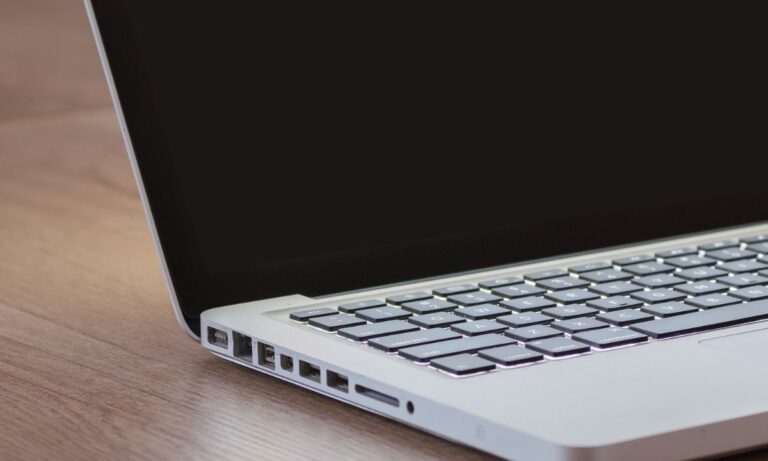
Many thin laptops remove ports to save space. Dell often keeps useful connections, especially on business and professional models. These may include USB-A, USB-C, HDMI, Ethernet, an audio jack, a microSD slot, a smart card reader, or a docking connector.
Each port needs a circuit board, shielding, support material, and space inside the chassis. A laptop with many ports may be thicker and heavier than one that relies on USB-C adapters.
Some Dell models also allow users to upgrade the RAM or storage. A removable solid-state drive, memory slot, or replaceable wireless card needs extra internal space. A fully sealed laptop can be thinner because its parts are smaller, soldered, or harder to replace.
This design creates a useful trade-off. A heavier Dell laptop may be easier to connect, repair, and upgrade. That can save money over time, especially for a business or student who plans to keep the laptop for several years.

Screen size and hinges affect total weight
A 15-inch or 16-inch laptop naturally needs more material than a 13-inch model. The screen panel is larger, and the lid needs stronger support to prevent flex. The base also needs a wider keyboard deck and a larger frame.
Touchscreen models can add more weight than standard displays. A touchscreen may require a touch sensor, stronger glass, and extra support around the display. A 2-in-1 Dell laptop also needs a flexible hinge that can survive repeated movement between laptop, tent, stand, and tablet modes.
A firm hinge is useful, but it is not weightless. Dell may reinforce the hinge mounts to reduce screen wobble and improve long-term durability. That is why a 14-inch Dell 2-in-1 can weigh more than a basic 14-inch clamshell laptop.
When people ask why are Dell laptops so heavy, they often compare models with different screen sizes or hinge designs. Always compare the same size and form factor before judging the weight.
Dell gaming laptops are heavy for good reasons
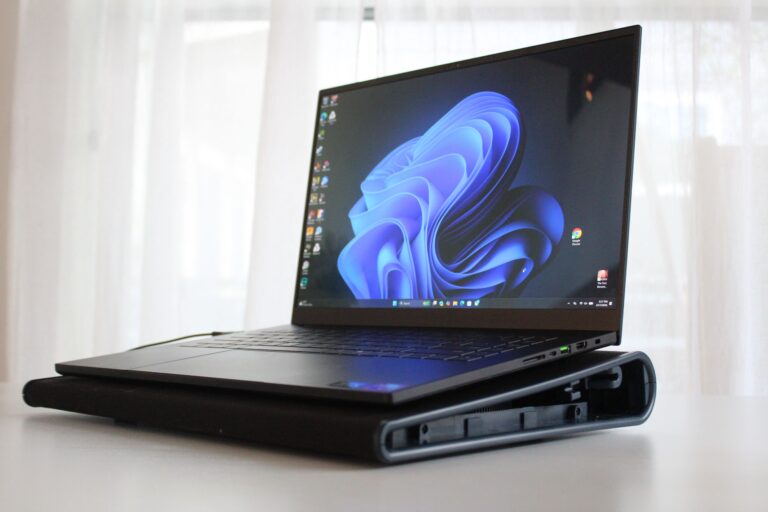
Gaming laptops are among the heaviest Dell computers. They must fit a powerful CPU, a dedicated GPU, large fans, heat pipes, stronger power systems, and sometimes a high-refresh-rate display.
A dedicated graphics card uses more energy than integrated graphics. It also produces more heat. The cooling system must be large enough to keep performance stable during long gaming sessions.
Gaming laptops may also include:
• Larger power delivery components
• Bigger speakers
• A full-size keyboard with a number pad
• Stronger hinges
• Extra cooling vents
• High-capacity batteries
• Large charging adapters
The charger is not part of the laptop’s listed weight, but it affects how heavy the whole travel setup feels. A gaming Dell can therefore feel heavy in both your bag and your hands.
For gaming at home, this may be a fair trade. For daily commuting, a desktop computer or lightweight laptop may be more practical.

Business Dell laptops may favor reliability over thinness
Dell Latitude and Precision models are often designed for professional use. Companies may value a laptop that can survive frequent travel, connect to office equipment, and remain easy to service.
Some business features can increase size or weight:
• Ethernet ports
• Smart card readers
• Docking connectors
• Replaceable batteries on selected models
• Serviceable internal parts
• Privacy shutters and reinforced webcams
• Stronger frames and hinges
A business laptop may also use a thicker cooling system to support stable performance during long work sessions. This can matter more to an office user than saving a few ounces.
In my own comparisons of business laptops, the heavier models often feel more secure when opened, carried, or placed on a desk. The mistake is to assume that a heavy laptop is poorly designed. Sometimes it reflects a clear focus on repair, security, and long service life.

Older Dell laptops were often thicker
Older Dell laptops can feel much heavier than current models. Previous generations often used thicker plastic shells, larger hard disk drives, removable optical drives, and less efficient processors.
A traditional 2.5-inch hard drive includes spinning disks and a motor. A modern solid-state drive is much smaller and lighter. Older batteries were also less energy-dense, so manufacturers needed more physical space to provide useful battery life.
Many older Dell laptops also had:
• VGA ports
• DVD or Blu-ray drives
• Multiple full-size USB ports
• Removable batteries
• Thicker display bezels
• Larger cooling fans
Technology has improved, but older laptops can still be reliable. If you like an older Dell model, check the battery condition and drive type before judging its weight. A weak battery or aging hard drive may cause more trouble than the extra pounds.

Is a heavy Dell laptop better?
A heavy Dell laptop is not automatically better. Weight can signal stronger materials, better cooling, or more features, but it can also come from an older design or unnecessary hardware.
The right question is whether the weight matches your needs. A student who carries a laptop across campus may value low weight above all else. A video editor may prefer a heavier workstation that stays fast and cool.
Consider these benefits and limits:
• Benefit: Stronger frames may resist daily wear.
• Benefit: Larger cooling systems may support better sustained speed.
• Benefit: More ports can reduce the need for adapters.
• Benefit: Upgradeable parts may extend the laptop’s useful life.
• Limitation: Extra weight can cause shoulder and back strain.
• Limitation: Large chargers make travel less convenient.
• Limitation: A heavy chassis may be less comfortable for tablet use.
• Limitation: More hardware can increase cost and repair complexity.
Weight is only one part of laptop quality. Look at battery life, screen quality, keyboard comfort, repair options, performance, and warranty support too.
How to choose a lighter Dell laptop
If portability matters, you can still find a lighter Dell computer. Start by choosing the right product family and size. Dell XPS, selected Inspiron, and smaller Latitude models are often more travel-friendly than Precision, Alienware, or large gaming systems.
Use this process:
- Check the official weight, not just the product name. Some configurations weigh more than others.
- Choose a 13-inch or 14-inch display if you do not need a large screen.
- Select integrated graphics for office work, study, and web browsing.
- Avoid a number pad if you rarely use it.
- Choose a standard clamshell model instead of a larger 2-in-1 if tablet mode is not important.
- Compare the battery size and expected battery life.
- Check whether the charger is compact or unusually large.
- Look for USB-C charging if it fits your work setup.
- Read the technical specifications for ports, memory, storage, and screen type.
- Visit a store if possible and lift the model before buying.
A common buying mistake is focusing only on screen size. A large screen can make work easier, but it also adds weight to the lid and base. A smaller model connected to an external monitor may be a better long-term setup.
How to make a heavy Dell laptop easier to carry
You cannot safely remove major internal parts just to reduce weight. However, a few simple changes can make travel easier.
• Use a smaller compatible charger when the manufacturer supports it.
• Carry only the cables you need that day.
• Use a sleeve instead of a heavy laptop case.
• Keep the laptop in a backpack with wide, padded straps.
• Remove unused USB devices and external drives.
• Store large files in secure cloud storage when practical.
• Use a USB-C dock at home or work instead of carrying many adapters.
• Check the battery health so you do not need to carry a backup battery.
Do not remove cooling parts, internal shields, or structural supports. Those parts protect the computer and help it work safely. Also avoid third-party batteries or chargers that lack the correct safety ratings.
One lesson I often share with laptop buyers is to weigh the complete travel kit. A laptop may seem manageable by itself, but the charger, mouse, notebook, and accessories can add a surprising amount. Test the full bag before committing to a daily commute.
What is a normal Dell laptop weight?
There is no single normal weight for a Dell laptop. Small models may be close to the 2.5 to 3-pound range, while larger business, gaming, and workstation models can reach 4 to 7 pounds or more.
The exact figure depends on the display size, battery, materials, cooling system, graphics hardware, storage, and operating configuration. The power adapter is usually listed separately, so remember to include it when planning for travel.
Frequently Asked Questions
Why are Dell laptops so heavy compared with MacBooks?
Some Dell laptops use more ports, thicker frames, larger batteries, or stronger cooling systems than similarly sized MacBooks. The comparison is also affected by model type, screen size, materials, and included hardware.
Why are Dell gaming laptops so heavy?
Dell gaming laptops need space for dedicated graphics, powerful processors, large fans, heat pipes, and high-performance power systems. These parts support better gaming performance but add weight and thickness.
Are heavy Dell laptops more durable?
They can be, especially when the extra weight comes from reinforced frames, strong hinges, and serviceable parts. However, weight alone does not prove durability, so check the model’s materials, testing claims, warranty, and user reviews.
Can I make my Dell laptop lighter?
You can reduce travel weight by using a lighter sleeve, carrying fewer accessories, and choosing a smaller charger approved for your model. Do not remove internal cooling or battery parts, because this can create safety and performance problems.
Which Dell laptops are best for portability?
Smaller XPS, Inspiron, and Latitude models are often better choices for travel than large Precision, Alienware, and gaming laptops. Always check the listed weight for the exact configuration before buying.
Does a bigger Dell battery make the laptop heavier?
Usually, yes. A higher-capacity battery needs more cells or larger cells, although improved battery technology can provide better capacity without a matching increase in size.
Is a heavy Dell laptop bad for students?
Not always. A heavier model may offer stronger construction and more ports, but students who walk between classes may prefer a 13-inch or 14-inch laptop with integrated graphics and a compact charger.
Conclusion
Why are Dell laptops so heavy? The answer usually comes down to a practical mix of durable materials, large batteries, powerful processors, advanced cooling, useful ports, strong hinges, and upgrade-friendly designs. Gaming laptops and mobile workstations add even more weight because they need high-performance hardware.
The best Dell laptop is not the lightest one for everyone. Choose a model that fits your daily work, travel needs, performance goals, and comfort. Check the official laptop weight and the charger weight before you buy, then compare the complete setup you will carry. Explore Dell’s current specifications carefully, and share your own laptop experience in the comments.