The Lenovo IdeaPad Slim 3 is worth considering for everyday work, school, browsing, and multitasking.
If your current laptop feels cramped for spreadsheets, video calls, browsing, and everyday work, a 15-inch model can offer a more comfortable workspace without moving into a bulky desktop replacement.
The Lenovo IdeaPad Slim 3 is aimed at shoppers who want practical performance, a larger WUXGA display, useful ports, and Windows 11 in a straightforward everyday laptop. This renewed configuration pairs a 13th-generation Intel Core i5-13420H processor with 16GB of DDR5 memory and a 256GB PCIe SSD.
Is Lenovo IdeaPad Slim 3 Good?
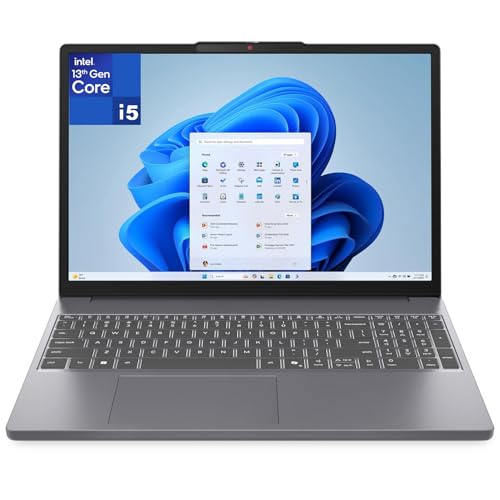
The Lenovo IdeaPad Slim 3 is a sensible choice for buyers who prioritize everyday productivity over gaming or demanding creative workloads. Its Core i5-13420H processor, 16GB DDR5 RAM, 256GB PCIe NVMe SSD, 15.3-inch WUXGA IPS display, and broad port selection make it well suited to office work, school assignments, web browsing, streaming, and general multitasking.
The biggest strengths are the practical 16GB memory configuration, comfortable 1920×1200 display format, full-size keyboard with numeric keypad, and useful connectivity. The main limitations are the integrated Intel UHD graphics, relatively modest 256GB storage in this configuration, and the fact that this particular listing is a renewed product with a limited warranty rather than a new retail unit.

My First Impression of the Lenovo IdeaPad Slim 3
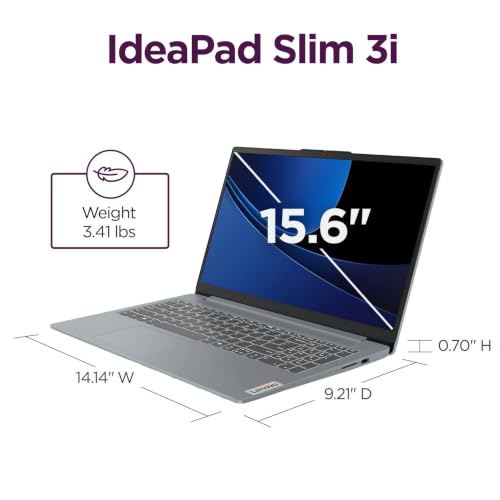
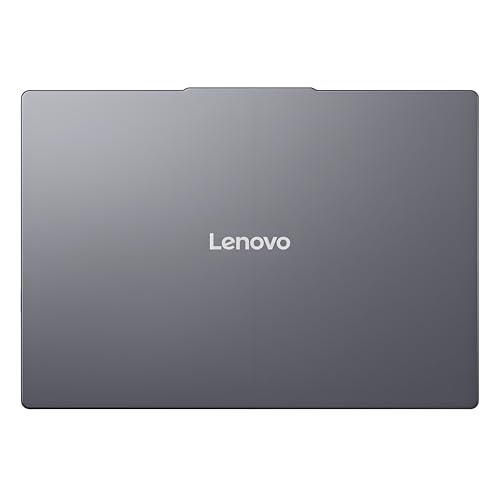
The Luna Grey chassis gives the laptop a clean, understated appearance rather than an overtly flashy look. Its 15.3-inch clamshell design provides a larger working area while remaining relatively slim, and the published configuration starts at about 3.51 pounds.
Because this is a renewed configuration, packaging and cosmetic condition can vary more than with a factory-new laptop. Buyers should inspect the included accessories, physical condition, battery behavior, and seller-specific return or warranty terms after delivery before committing to long-term use.

What Makes It Stand Out / Key Features
- 13th-Generation Intel Core i5-13420H: The 8-core, 12-thread Core i5-13420H gives this IdeaPad a capable foundation for office applications, multitasking, research, video calls, and other everyday workloads. The published processor specification lists up to 4.6 GHz maximum frequency.
- 16GB DDR5 Memory: The 16GB DDR5 configuration is a strong fit for users who routinely keep multiple browser tabs, documents, communication apps, and other programs open at the same time. The listing specifies DDR5 memory running at 4800 MHz.
- 15.3-Inch WUXGA IPS Display: The 1920×1200 IPS display provides a useful 16:10-style workspace that is well suited to documents and web pages. The listed panel is 300 nits, anti-glare, 60Hz, and rated at 45% NTSC, so it is designed more for everyday productivity than color-critical professional work.
- 256GB PCIe NVMe SSD: The 256GB PCIe NVMe solid-state drive should provide responsive startup and application loading for common tasks. Storage capacity is adequate for a focused work setup, but users with large photo, video, or game libraries may need external storage or another storage solution.
- Versatile Connectivity: The configuration includes USB-A ports, USB-C with Power Delivery and DisplayPort support, HDMI, an SD card reader, a headphone and microphone combination jack, and Wi-Fi 6 with Bluetooth 5.2. That makes it convenient for monitors, peripherals, storage devices, and common accessories.
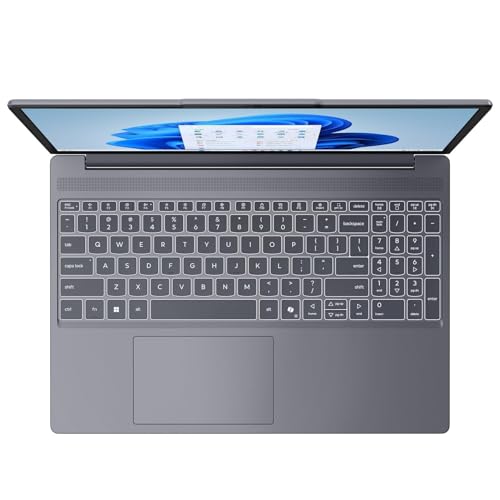
- Full-Size Keyboard With Numeric Keypad: The full-size keyboard includes a numeric keypad, which can be especially useful for spreadsheets, accounting tasks, data entry, and office applications. The published configuration does not list keyboard backlighting.
- 720p Webcam With Privacy Shutter: The integrated HD webcam supports everyday video calls, while the physical privacy shutter provides a simple way to cover the camera when it is not being used.

✅ What I Like
- ✔ The 13th-generation Core i5-13420H provides a solid performance base for everyday productivity and multitasking.
- ✔ 16GB of DDR5 memory gives users more breathing room when working with many browser tabs and applications simultaneously.
- ✔ The 15.3-inch 1920×1200 IPS display provides more vertical workspace than a typical 16:9 Full HD panel.
- ✔ The USB-C, HDMI, USB-A, SD card reader, and audio connectivity make it practical for a home office or school setup.
- ✔ The full-size keyboard with a numeric keypad is useful for spreadsheets, documents, budgeting, and data-entry tasks.
- ✔ Wi-Fi 6 and Bluetooth 5.2 provide modern wireless connectivity for compatible networks and accessories.
- ✔ The webcam privacy shutter is a useful physical privacy feature for people who regularly work from home.
⚠️ What Could Be Better
- ✖ The 256GB SSD can feel restrictive if you store large media libraries, many games, or extensive work files locally.
- ✖ Intel UHD integrated graphics are better suited to everyday computing than serious gaming or demanding GPU-accelerated creative work.
- ✖ Because this is a renewed configuration, buyers should pay close attention to the seller’s condition description, return policy, and warranty coverage.

My Recommendation
I would consider this IdeaPad Slim 3 for shoppers who want a practical Windows laptop for work, school, browsing, communication, and entertainment. The combination of a Core i5 processor and 16GB RAM is more appealing for multitasking than a basic entry-level configuration. At the same time, the 15.3-inch display and numeric keypad make it comfortable for desk-based productivity.
I would be more cautious if your priorities include serious gaming, professional color grading, extensive local storage, or a guaranteed brand-new condition. In those situations, a different laptop class or a new configuration with more storage may make more sense.
| Best For | Why It Fits |
|---|---|
| College and school students | The large 15.3-inch display, 16GB RAM, full-size keyboard, and Windows 11 make it suitable for research, assignments, online classes, and everyday productivity. |
| Home and office users | The Core i5 processor, numeric keypad, USB-C, HDMI, and multiple USB ports fit common document, spreadsheet, meeting, and peripheral needs. |
| Everyday multitaskers | The 16GB DDR5 memory and SSD storage provide a practical setup for running several everyday applications and browser tabs together. |
| Budget-conscious laptop shoppers | The renewed configuration can appeal to buyers who are willing to consider refurbished or renewed hardware in exchange for a potentially stronger specification mix. |
Alternative Products You Can Consider
| Product | Best For | Key Difference |
|---|---|---|
| Lenovo IdeaPad Slim 3 | Everyday productivity and multitasking | This configuration combines a 13th-generation Core i5, 16GB DDR5 memory, a 15.3-inch WUXGA IPS display, and a useful selection of ports. |
| Acer Aspire 5 | Flexible mainstream laptop shopping | The Aspire 5 family offers many configurations, giving buyers more combinations to compare across different budgets and workloads. |
| HP Pavilion 15 | General home, school, and office use | The Pavilion 15 family provides another mainstream Windows alternative with multiple configurations and HP’s design approach. |
Final Verdict: Which Should You Buy?
The Lenovo IdeaPad Slim 3 is a strong practical option when your priorities are everyday performance, a comfortable 15.3-inch workspace, 16GB memory, and useful connectivity. Its Core i5-13420H processor and 16GB DDR5 configuration give it a sensible productivity-focused foundation, while the numeric keypad and multiple ports add everyday convenience.
The biggest reason to choose it is the balance between productivity features and mainstream usability. The biggest limitation is that this specific renewed configuration has only 256GB of storage and integrated graphics, so shoppers with heavy storage or graphics demands should look elsewhere.
For students, home-office users, professionals handling documents and spreadsheets, and everyday multitaskers, it deserves a place on the shortlist. If you need high-end gaming performance, professional graphics power, or a larger local storage capacity, an alternative configuration will likely be the better purchase.