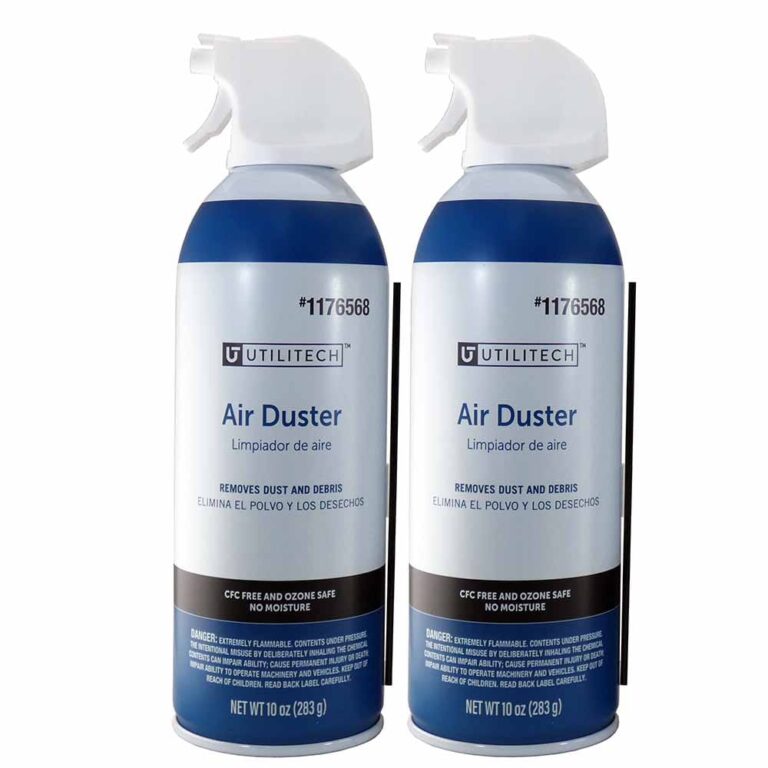
Blow out crumbs and dust with short, upright bursts of canned air, avoiding prolonged sprays.
I’ve spent years cleaning laptops and mechanical keyboards for myself and friends. I know how to clean keyboard with air duster safely and well. This guide gives clear steps, safety tips, and real-world advice. Read on to learn the exact tools, step-by-step actions, and common mistakes to avoid when you clean keyboard with air duster.

Why use an air duster for keyboard cleaning?
An air duster removes loose dust and crumbs fast. It reaches gaps that cloths and brushes miss. When you want a quick, no-contact clean, knowing how to clean keyboard with air duster is ideal. It works for desktop, laptop, and mechanical keyboards. It saves time and reduces wear from scrubbing.

What you need before you clean keyboard with air duster
- One can of canned air held upright.
- A soft brush or a small paintbrush for stubborn debris.
- Microfiber cloth for surface wipe down.
- Isopropyl alcohol 70% or higher for sticky spots.
- A keycap puller if you plan to remove keys.
- A grounded work surface to reduce static risk.
I keep a small kit at my desk. That way I can clean keyboard with air duster quickly between heavy use. It helps prevent buildup and keyboard failure.

Step-by-step: how to clean keyboard with air duster
- Power down and unplug the device. Turn off wireless keyboards or remove batteries.
- Flip the keyboard gently to dislodge loose debris. Tap softly with your palm.
- Hold the can of air upright. Short bursts only. Keep the nozzle 1–3 inches from keys.
- Work row by row. Sweep debris toward the keyboard edges with the air. Do not spray continuously.
- Use a soft brush to loosen stuck crumbs. Blow again after brushing.
- Wipe the top surfaces with a microfiber cloth. For sticky spots, dampen the cloth with isopropyl alcohol and wipe.
- If keys are very dirty, consider keycap removal. Clean caps separately and let them dry fully before reassembly.
I follow these steps each month for my main keyboards. Short bursts prevent moisture or propellant from contacting switches. Repeat the process if needed. This routine shows how to clean keyboard with air duster without harming electronics.

Deep cleaning and keycap removal when air duster isn't enough
- Assess the keyboard first. If dirt sits under switches, you may need to remove keycaps.
- Use a keycap puller on mechanical keyboards. Pull caps straight up to avoid breaking stems.
- Soak plastic keycaps in warm, soapy water for 15–30 minutes. Rinse and air-dry completely.
- While caps dry, blow dust from the board with an air duster. Avoid spraying liquid cleaners into the switch area.
- For laptop chiclet keys, avoid full removal unless you know the model. Use a soft brush and air duster instead.
I once removed keycaps on an old board that had soda spillage. The air duster helped reveal sticky residue, but soaking the caps fixed the rest. That taught me to try air cleaning first, then deep clean only when needed. Knowing how to clean keyboard with air duster and when to stop saves time and parts.

Safety, risks, and limitations of using an air duster
- Hold the can upright. Tilting can spray cold propellant that can damage plastics.
- Short bursts prevent condensation. Long sprays can freeze components.
- Avoid direct contact with switches for long periods. Compressed gas can produce static or moisture.
- Do not inhale the propellant. Use in a well-ventilated space.
- Keep away from heat and open flame—some cans are flammable.
- Air dusters remove loose debris but cannot dissolve sticky residues or remove corrosion.
Manufacturers and safety data recommend caution when using canned air near electronics. If you suspect corrosion or liquid damage, seek professional help rather than relying solely on an air duster. This honest view explains both the power and limits of how to clean keyboard with air duster.
Practical tips, frequency, and maintenance
- Quick clean: use an air duster once every 1–2 weeks for heavy use.
- Deep clean: do a full keycap removal and clean every 6–12 months or after spills.
- Keep food and drink away from your keyboard to reduce the need to clean.
- Use a keyboard cover for laptops in dusty environments.
- Test a small area before using alcohol on painted keys.
From experience, frequent light cleaning prevents large buildup. My mistake once was spraying too close and chilling a plastic stabilizer. After that I used measured bursts and kept the can upright. These lessons show practical ways to safely and effectively clean keyboard with air duster.

Troubleshooting and quick questions
Will an air duster damage my keyboard?
Used correctly, it will not. Hold the can upright and use short bursts at a safe distance to avoid propellant or cold damage.
Can I use a vacuum instead of an air duster?
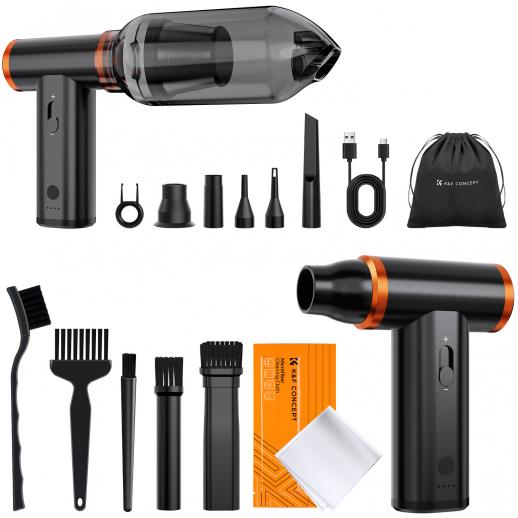
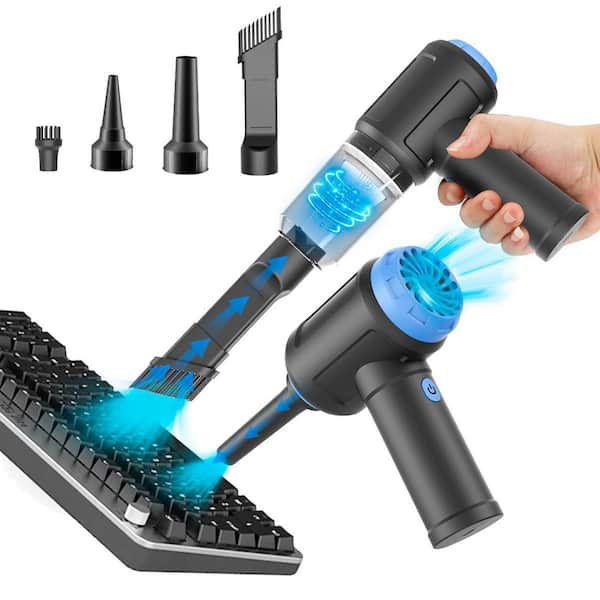
Vacuuming can work but may pull small parts or create static. Use vacuums made for electronics or a brush attachment on low power.
My keyboard still feels gritty after using an air duster. What next?
Try removing keycaps for a deeper clean or use a soft brush and isopropyl alcohol on sticky spots. Replace worn keycaps if needed.
Frequently Asked Questions of how to clean keyboard with air duster
How often should I use an air duster on my keyboard?
Use an air duster every 1–2 weeks for frequent use. Do a deeper clean every 6–12 months or after a spill.
Is canned air safe for mechanical switches?
Yes, when used correctly. Keep bursts short and the can upright to avoid propellant contact with switches.
Can I use compressed air from a compressor?
Compressed air can be used but at low pressure and filtered to avoid moisture and oil. Use caution to prevent blowing small parts away.
Should I remove keycaps before using an air duster?
Not always. Try the air duster first. Remove keycaps only if debris persists or there is sticky residue.
What if my keyboard had liquid spilled on it?
Power off and disconnect immediately. Use compressed air to dry but seek professional cleaning for severe spills, especially sugary liquids.
Can I use rubbing alcohol with an air duster?
Use isopropyl alcohol separately on a cloth for sticky areas. Avoid spraying alcohol into the switch gaps and do not mix with the air duster.
Conclusion
You can keep a keyboard clean and working well by using an air duster correctly. Follow simple steps: power down, use short upright bursts, brush loose debris, and deep clean only when needed. Start a small routine today and protect your investment. Try these tips this week, subscribe for more gear care guides, or leave a comment with your keyboard cleaning wins and questions.