Your monitor may hurt your eyes because of eye strain, dry air, glare, poor lighting, or an incorrect screen setup.
If you are asking, “why does my monitor hurt my eyes,” you are not alone. Long screen use can make your eyes feel tired, dry, sore, or blurry. In most cases, the problem is digital eye strain rather than permanent damage. Still, lasting pain should not be ignored. This guide explains the main causes, simple fixes, warning signs, and habits that can make screen time more comfortable.
What Is Digital Eye Strain?
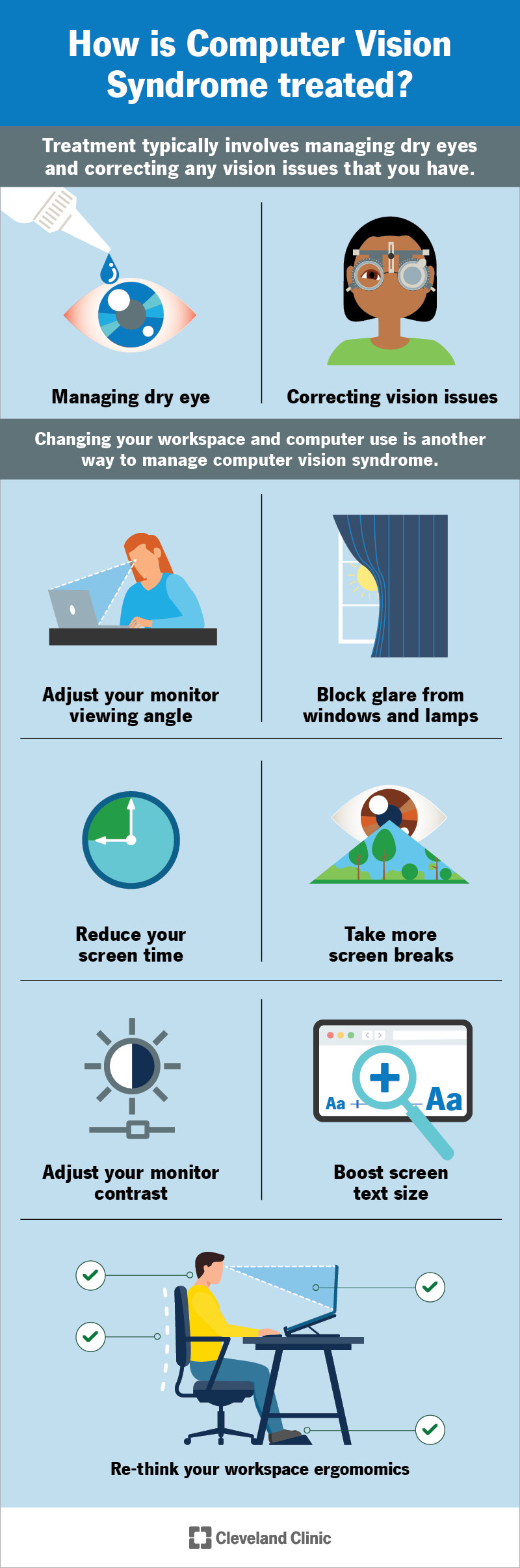
Digital eye strain is discomfort caused by long periods of looking at a computer, monitor, tablet, or phone. Eye doctors may also call it computer vision syndrome. It can affect people who work, study, game, or watch videos on a screen for many hours.
Common symptoms include:
• Tired or sore eyes
• Dryness, burning, or itching
• Blurred or double vision
• Headaches near the forehead or temples
• Neck and shoulder pain
• Trouble focusing after screen use
• Increased sensitivity to light
Digital eye strain usually does not mean that your monitor is permanently damaging your eyes. It often means that your eyes and eye muscles are working too hard without enough rest.
When you read printed text, your eyes change focus in a fairly natural way. A monitor adds glare, screen flicker, small text, and fixed viewing distance. Think of it like holding a small weight for hours. The weight may not hurt at first, but your muscles will feel tired later.
Why Does My Monitor Hurt My Eyes?
There is rarely one single cause. Several small problems can add up during a long workday. Understanding each cause can help you find the right fix.
You blink less when looking at a screen
Most people blink less while reading, gaming, or watching a video. Blinking spreads tears across the eye and keeps the surface smooth. When you blink less, your tears evaporate faster.
This can cause dry, gritty, burning, or watery eyes. Watery eyes may seem strange, but they can be your body’s response to irritation.
Your screen may be too bright
A bright screen in a dark room creates a strong contrast. Your eyes must keep adjusting between the glowing display and the darker space around it.
This can lead to discomfort and headaches. A very dim screen can also cause strain because you may squint to read. The best setting is often close to the brightness of the room.
Glare and reflections increase effort
Light from windows, lamps, and overhead bulbs can reflect from your monitor. Reflections reduce contrast and make text harder to see.
You may not notice that you are leaning forward or squinting. Over time, this posture can add to eye, neck, and shoulder pain.
Your monitor is too close or too far away
A screen that is too close may make your eyes work harder to focus. A screen that is too far away may force you to squint or lean forward.
For many adults, a viewing distance of about 20 to 30 inches works well. Your exact distance depends on screen size, text size, and personal comfort.
Text may be too small
Small text is a common reason why a monitor hurts your eyes. When letters are hard to read, you may squint, lean closer, or hold your gaze for too long.
Increasing text size is often better than moving closer. Larger text can improve comfort without changing your entire desk setup.
Your monitor may flicker
Some displays use pulse width modulation, or PWM, to control brightness. This can create rapid changes in light that many people do not consciously see.
Some people are more sensitive to flicker than others. Flicker may trigger eye fatigue, headaches, or nausea. A monitor with a flicker-free setting may help.
Your prescription may be outdated
An incorrect or outdated glasses prescription can make screen work much harder. Even a small focusing problem may become clear after several hours at a monitor.
Uncorrected farsightedness, astigmatism, or age-related focusing changes can cause screen discomfort. An eye exam can help identify these issues.
Your air may be too dry
Air conditioning, heating, fans, and low humidity can dry the eyes. The problem may become worse when air blows directly toward your face.
This is especially common in offices and rooms with strong central heating or cooling. Moving the fan or using a humidifier may help.

How to Tell What Is Causing the Pain
The pattern of your symptoms can offer useful clues. It cannot replace an eye exam, but it may help you test simple changes.
• Dryness or burning often points to reduced blinking, dry air, or contact lens use.
• Headaches may relate to glare, brightness, poor vision correction, or screen distance.
• Blurry vision after work may come from focusing fatigue or an outdated prescription.
• Pain that improves after leaving the screen may suggest digital eye strain.
• Neck pain with eye discomfort often points to poor monitor height or posture.
• Symptoms with flashing lights or vision loss need prompt medical care.
Try changing one factor at a time. For example, reduce glare for two days, then adjust the monitor distance. This approach helps you learn what works instead of changing everything at once.
Keep a simple note of when symptoms appear. Record the screen you use, the time of day, the room lighting, and whether you wear contacts. This information can help an eye doctor understand the problem.
How to Stop Your Monitor From Hurting Your Eyes
Small changes can make a large difference. Start with the adjustments that are easy and free.
Use the 20-20-20 rule
Every 20 minutes, look at something about 20 feet away for at least 20 seconds. This gives your focusing muscles a short break.
A timer or computer reminder can help. During the break, blink slowly several times and relax your shoulders.
Set the monitor at a comfortable height
Place the top of the screen at or slightly below eye level. You should look slightly downward toward the center of the monitor.
This position can reduce neck strain and may help keep your eyes partly covered by your upper eyelids. That can slow tear evaporation.
Keep a reasonable viewing distance
Place the monitor about an arm’s length away. Adjust the distance until you can read without leaning forward or squinting.
If you increase the font size, you may be able to move the screen slightly farther away. Comfort matters more than following an exact measurement.
Match screen brightness to the room
Avoid using maximum brightness in a dim room. Also avoid a screen that is so dark that you must strain to read.
Open a white document and compare it with the room around you. The screen should look bright and clear, but not like a lamp shining into your eyes.
Reduce glare
Try these changes:
• Move the monitor away from direct window light.
• Place lamps to the side instead of behind or in front of the screen.
• Close blinds during bright parts of the day.
• Clean dust and fingerprints from the display.
• Use a matte screen filter if reflections remain.
• Tilt the monitor slightly to reduce reflected light.
Anti-glare filters can help with reflections, but they do not fix poor lighting, dry eyes, or an incorrect prescription.
Increase text size and contrast
Use your operating system’s display settings to enlarge text. Clear, dark text on a light background works well for many people.
Some people prefer dark mode, especially in low light. Others find light text on a dark background less comfortable for long reading. Test both and choose the setting that lets you read without squinting.
Blink and use short breaks
Make a habit of blinking fully, not just partially. During long reading sessions, close your eyes for a few seconds.
Short breaks are better than waiting until your eyes hurt. Once discomfort starts, it may take longer for your eyes to recover.
Check your contact lenses
Contact lenses can make screen dryness worse. If your eyes feel better with glasses, speak with an eye care professional about lens wear, cleaning, and replacement.
Do not use someone else’s eye drops. If you need lubricating drops, ask a pharmacist or eye doctor which type fits your needs.

The Best Monitor Setup for Eye Comfort
A comfortable workstation should support your eyes, neck, and back at the same time. An eye-friendly setup is not only about buying a new monitor.
Use this checklist:
- Place the monitor directly in front of you.
- Keep it about 20 to 30 inches from your face.
- Set the top edge at or slightly below eye level.
- Reduce reflections from windows and lights.
- Use clear text at a readable size.
- Keep room lighting soft and even.
- Avoid air blowing directly toward your eyes.
- Take regular distance-viewing breaks.
- Keep the display clean.
- Adjust your chair so your feet rest flat on the floor.
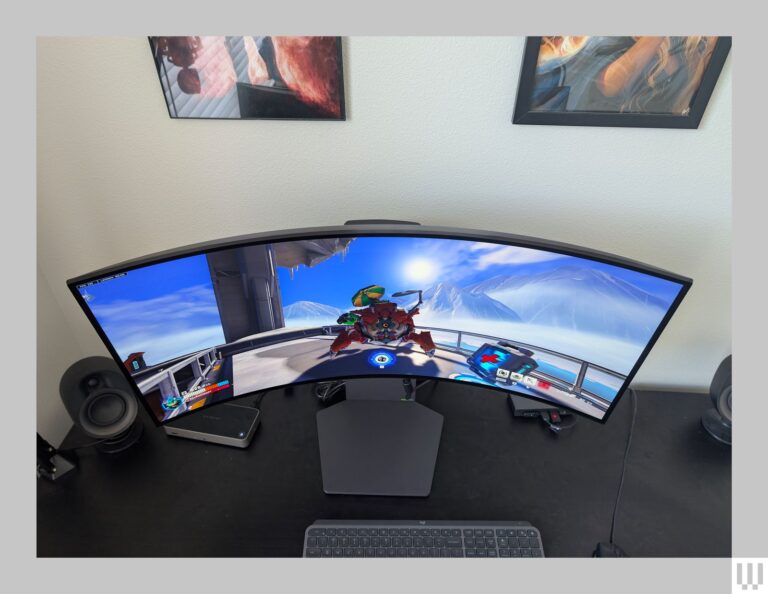
If you use two monitors, place the main screen directly in front of you. If both screens are used equally, place them close together and centered in front of your body. Repeatedly turning your head can create neck strain that feels connected to eye pain.
For laptop users, an external keyboard and monitor stand can help. A laptop screen is often too low, which encourages a bent neck and a closer viewing distance.
Can Blue Light Cause Eye Pain?
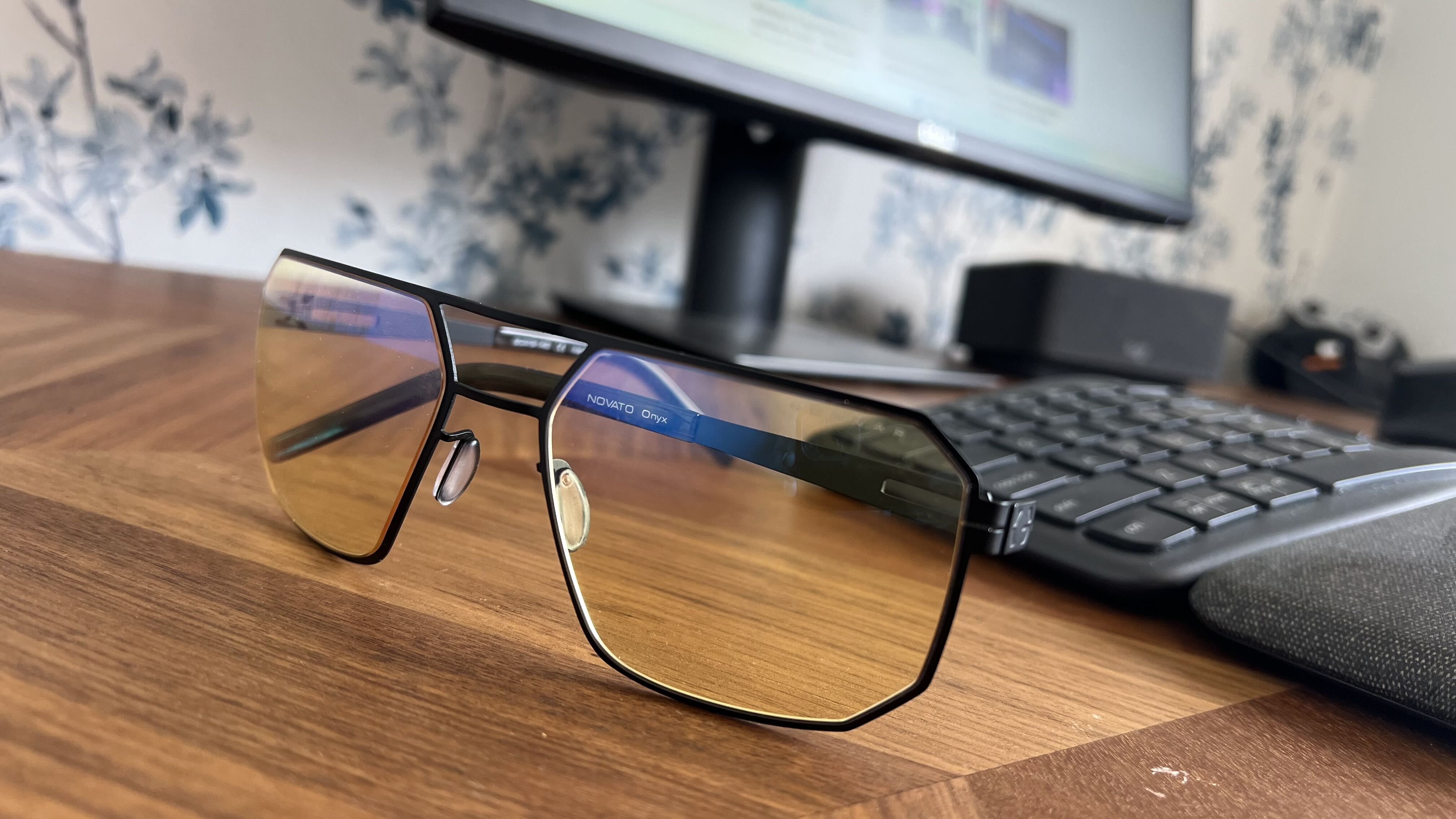
Blue light is a high-energy part of visible light. Screens produce some blue light, but sunlight produces much more. Current evidence does not show that normal screen use causes permanent eye damage from blue light alone.
Blue light may affect sleep when you use a bright screen late at night. It can also make some people feel uncomfortable, especially when the screen is bright in a dark room.
Night mode or warmer color settings may improve evening comfort. However, blue light filters are not a complete solution for digital eye strain. They will not correct glare, dryness, poor posture, or a bad prescription.
Blue-light glasses may feel comfortable for some users, but research has not clearly shown that they prevent eye strain for everyone. Consider them optional rather than essential.
When Should You See an Eye Doctor?
Most mild screen-related discomfort improves with rest and better setup. Make an appointment with an eye doctor if symptoms keep returning or do not improve after several days of changes.
Seek professional advice if you have:
• Frequent headaches after screen use
• Ongoing blurred or double vision
• Eye pain that continues away from the monitor
• Strong light sensitivity
• Redness, swelling, or discharge
• Trouble seeing at night
• A sudden change in vision
• Pain while wearing contact lenses
Get urgent medical help for sudden vision loss, severe eye pain, a curtain-like shadow, new flashes of light, or a sudden increase in floaters. These symptoms may have causes that are not related to screen strain.
An eye exam can check your prescription, focusing ability, eye health, and tear production. It can also rule out conditions such as dry eye disease, inflammation, glaucoma, or other problems.
Common Mistakes That Make Screen Strain Worse
Many people try to solve eye discomfort by buying a new monitor first. A newer or more expensive display may help in some cases, but it is not always the real answer.
Common mistakes include:
• Using maximum brightness all day
• Working in a completely dark room
• Sitting too close to the screen
• Ignoring small or blurry text
• Letting a fan blow toward the face
• Skipping breaks during intense work
• Wearing old glasses
• Rubbing dry or irritated eyes
• Using eye drops too often without advice
• Working with a dirty or reflective screen
I have found that the simplest changes often have the strongest effect: moving the screen away from a window, raising text size, and taking real breaks. Many people also forget that their monitor setup can cause neck tension, which may feel like pressure around the eyes.
Do not assume that pain is something you must tolerate because you work at a computer. A healthy work routine should include comfort checks, not just productivity goals.
A Simple Seven-Day Eye Comfort Plan
You can test the following plan for one week.
Day one: Check the room
Remove direct glare and make the room lighting more even. Do not work with a bright monitor in a fully dark room.
Day two: Adjust the monitor
Set the screen at a comfortable height and place it about an arm’s length away. Center it with your body.
Day three: Increase text size
Make text larger until you can read without leaning forward. Check your browser and operating system settings.
Day four: Use timed breaks
Set a reminder every 20 minutes. Look into the distance and blink several times.
Day five: Improve air flow
Move fans and vents away from your face. Consider a humidifier if the room feels very dry.
Day six: Test your display settings
Try a lower brightness, warmer color temperature, or a flicker-free mode. Keep the setting that feels most natural.
Day seven: Review your symptoms
Notice whether dryness, headaches, blurry vision, or pain has improved. If symptoms continue, schedule an eye exam.
This plan will not treat every cause of eye pain. It is a practical way to identify common triggers while deciding whether you need professional care.
Frequently Asked Questions About Why Does My Monitor Hurt My Eyes
Why does my monitor hurt my eyes after only a few hours?
Your eyes may become strained when you focus at one distance, blink less, or deal with glare for a long time. Dry air, small text, and an outdated prescription can make symptoms appear sooner.
Can a monitor damage my eyes permanently?
Normal monitor use is not generally known to cause permanent eye damage. However, ongoing pain, vision changes, or severe dryness should be checked by an eye care professional.
Should I wear blue-light glasses for screen strain?
Blue-light glasses may feel comfortable for some people, but they are not required for most users. Adjusting brightness, reducing glare, taking breaks, and using a correct prescription are usually more important.
Is dark mode better for your eyes?
Dark mode can feel easier in a dim room, but it is not automatically better for everyone. Choose the mode that gives you clear text and lets you read without squinting.
Can a bad monitor cause headaches?
A monitor can contribute to headaches when it has strong glare, uncomfortable brightness, visible flicker, low text clarity, or an unsuitable viewing angle. Headaches can also come from vision problems, migraines, poor posture, or dehydration.
Should I use eye drops when my monitor hurts my eyes?
Lubricating eye drops may help if dryness is the cause, but not every drop is suitable for frequent use. Ask an eye doctor or pharmacist for guidance, especially if you wear contact lenses or have redness and pain.
[CodeImg? No, FAQ no placeholder per instructions]
Conclusion
Your monitor may hurt your eyes because of digital eye strain, dry air, glare, poor brightness, small text, screen flicker, or an uncorrected vision problem. Start with simple steps: reduce reflections, enlarge text, adjust the screen height, match brightness to the room, blink often, and follow the 20-20-20 rule.
Do not ignore ongoing pain, vision changes, or severe symptoms. Give your eyes a better setup today, then arrange an eye exam if the discomfort continues. Share your screen comfort tips or explore more eye health resources to build a safer, more comfortable work routine.