A curved monitor wraps the screen around your view, improving comfort, focus, and immersion for many users.
If you are asking why curved monitor designs are popular, the answer depends on how you work, play, and use screen space. A curved display can feel more natural at close range, but it is not the perfect choice for everyone. This guide explains the real benefits, limits, viewing distance, eye comfort, gaming performance, and buying tips so you can make a smart choice.
What Is a Curved Monitor?
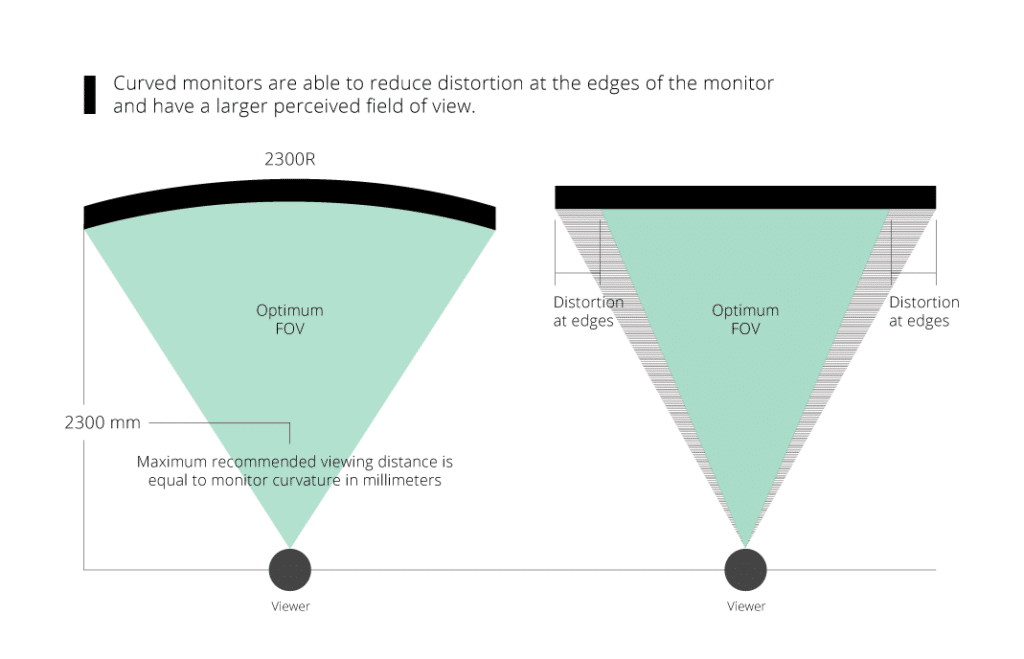
A curved monitor has a screen that bends slightly toward the viewer. The curve is measured by a radius, such as 1000R, 1500R, or 1800R. The “R” means radius in millimeters.
A 1000R monitor follows a tighter curve. An 1800R monitor has a gentler bend. Smaller numbers mean a stronger curve.
The goal is simple: bring the screen edges closer to your natural field of view. Think of it like sitting in the front row of a wide movie theater, but with the image gently turning toward you.
Curved monitors are most common in:
• Gaming setups
• Ultrawide workstations
• Video editing rooms
• Financial and data analysis offices
• Home offices with large displays
• Flight and racing simulation setups
A curved screen does not automatically provide better image quality. Resolution, panel type, refresh rate, brightness, color accuracy, and ergonomics still matter.
Why Curved Monitor Designs Are Popular
The main reason people choose a curved monitor is the way it changes the viewing experience. The screen feels less flat and more connected to your line of sight.
Here are the key reasons why curved monitor models attract so much attention.
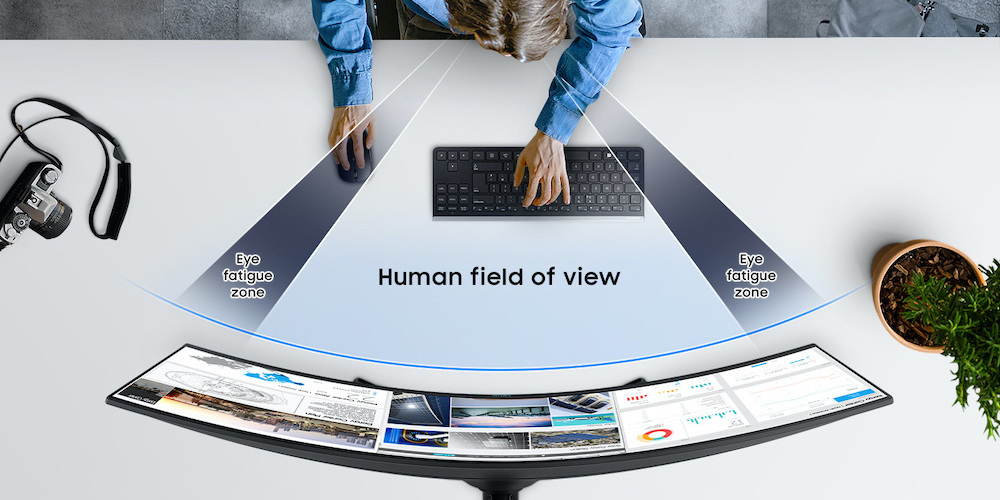
A More Natural Field of View
A flat screen places the center and edges at slightly different viewing distances. This difference becomes easier to notice on wide screens.
A curved display reduces that distance gap. The edges turn toward you, so your eyes may need to make fewer large adjustments when you scan across the screen.
This can be useful with a 34-inch ultrawide monitor or a larger 49-inch display. On a small 24-inch screen, the effect is usually much less noticeable.
Better Immersion
Curved monitors can make games and movies feel more involving. The screen fills more of your side vision, especially when you sit close enough and use an ultrawide aspect ratio.
In racing games, the curve can make the track feel wider. In flight simulators, it can help create a more surrounding view. In story games, the display may feel more like a window than a flat panel.
The curve does not create extra game detail by itself. The immersive effect comes from the combination of screen size, viewing distance, aspect ratio, and field of view settings.
Less Head Movement on Wide Screens
A very wide flat display may force you to move your head more often. A curved screen can keep the left and right edges within a more comfortable viewing angle.
This does not mean you will never turn your head. It simply makes the screen feel more balanced around your central position.
In my experience testing wide displays, the benefit was clearest when working with three or four windows at once. The curve made the layout feel less stretched across the desk.
A More Focused Workspace
A curved screen can create a subtle sense of separation from the room around you. That can help you focus during long gaming sessions or deep work.
This effect is not magic. Notifications, poor lighting, and an uncomfortable chair can still hurt focus. However, a well-positioned curved monitor can make your desk feel more like a dedicated workspace.
Better Use of an Ultrawide Display
Ultrawide monitors are a strong match for curved designs. Their width gives you more room for timelines, documents, browser tabs, and dashboards.
For example, a video editor can place the timeline across the bottom of the screen while keeping the preview window and tools visible. A developer can view code, documentation, and a test window without constantly switching tabs.
This is one of the clearest answers to why curved monitor products work well for productivity. The curve supports the large format.
Are Curved Monitors Better for Your Eyes?
A curved monitor may feel easier on your eyes because the screen edges can stay at a more consistent distance. This may reduce the need to refocus as you scan across a wide display.
However, the curve alone does not prevent eye strain. Eye comfort depends on many factors, including:
• Viewing distance
• Screen brightness
• Room lighting
• Text size
• Refresh rate
• Glare
• Blinking habits
• Break frequency
• Screen height
Research on digital eye strain points to factors such as prolonged near work, glare, dry eyes, poor viewing conditions, and uncorrected vision. A curved monitor can support comfort, but it is not a medical solution.
Use the 20-20-20 habit. Every 20 minutes, look at something about 20 feet away for at least 20 seconds. Adjust brightness so the screen does not look like a lamp in a dark room.
I once made the mistake of placing a bright curved monitor in front of a window. The screen looked impressive, but reflections caused more discomfort than the curve could solve. Moving the desk and lowering brightness made a bigger difference.

Curved Monitors for Gaming
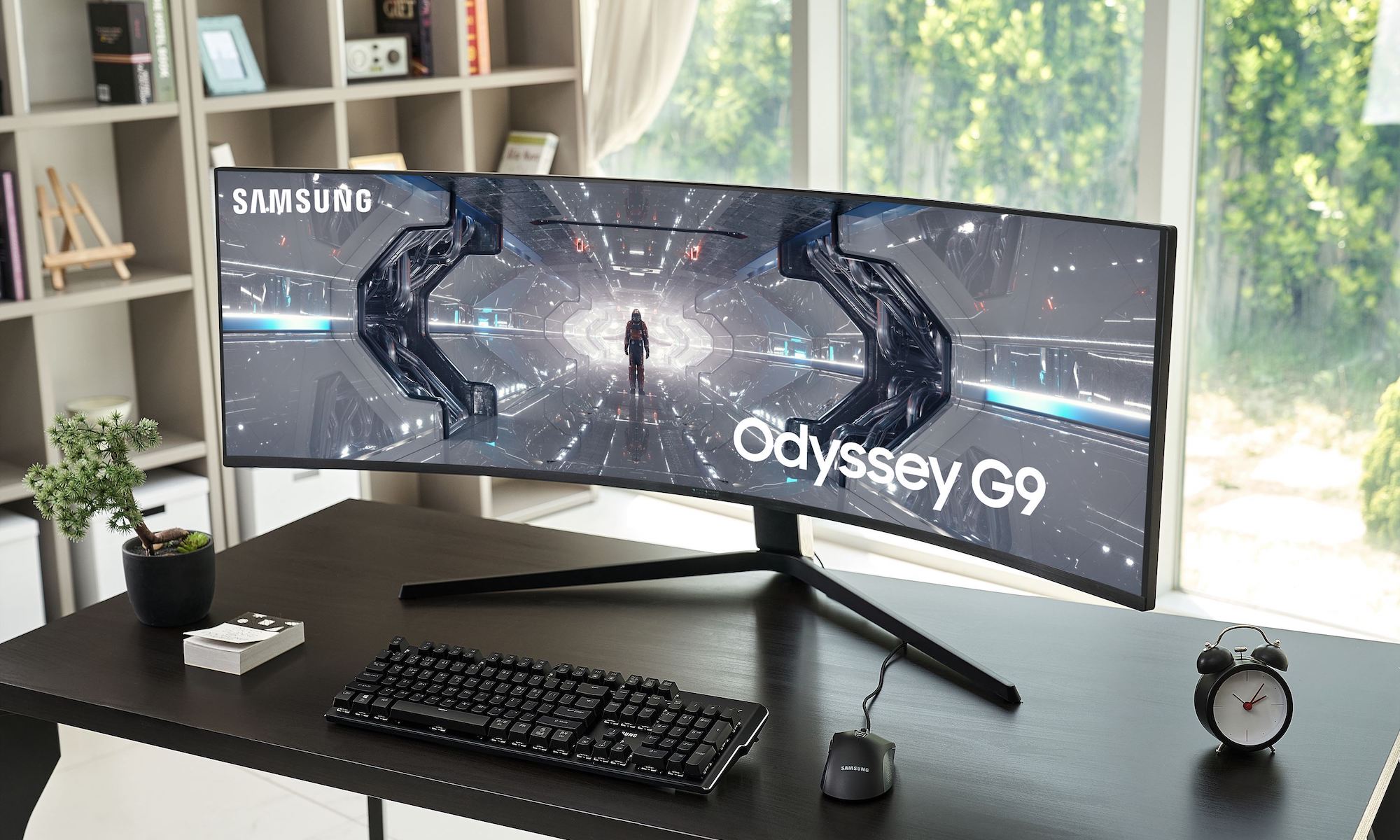
Gaming is one of the strongest use cases for a curved monitor. The display can improve immersion, especially in racing, flight, open-world, and first-person games.
A curved gaming monitor may offer:
• A wider field of view
• Better visual immersion
• Reduced edge distortion on large screens
• A more consistent viewing distance
• A stronger sense of depth
• Easier focus on the center of the action
The best result depends on the game. Some games support ultrawide resolutions well, while others may show black bars or stretch the image.
Competitive players should also consider refresh rate and response time. A 165Hz curved monitor with low input lag may be more useful than a slower display with a stronger curve.
Graphics power matters too. An ultrawide monitor has more pixels to drive. Your graphics card may need to work harder, especially at 1440p or 4K.
Before buying, check:
- Whether your favorite games support the monitor’s aspect ratio
- Whether your graphics card can reach your target frame rate
- Whether the monitor supports adaptive sync
- Whether the stand allows height and tilt adjustment
- Whether the curve matches your desk depth
Curved Monitors for Work and Productivity
A curved monitor can be useful for work, but the benefits depend on your tasks. It is especially helpful when you need many windows open at the same time.
A 34-inch ultrawide display can replace two smaller monitors for some users. This may reduce the need for a center bezel between screens.
Common productivity benefits include:
• More space for side-by-side documents
• Easier timeline editing
• Better dashboard visibility
• Fewer cable connections
• Less desk clutter
• A wider view of spreadsheets and project tools
For text-heavy work, choose a monitor with sharp resolution and good pixel density. A 3440 × 1440 ultrawide display usually provides a comfortable balance of space and clarity at 34 inches.
There are also limits. Straight lines may look slightly unusual at first. If you work with technical drawings, architectural plans, tables, or layouts that require perfect geometry, a flat monitor may be safer.
A curved monitor is also less useful when several people need to view the screen from different angles. The person sitting in the center usually gets the best experience.
Curved vs. Flat Monitor: Which One Should You Choose?
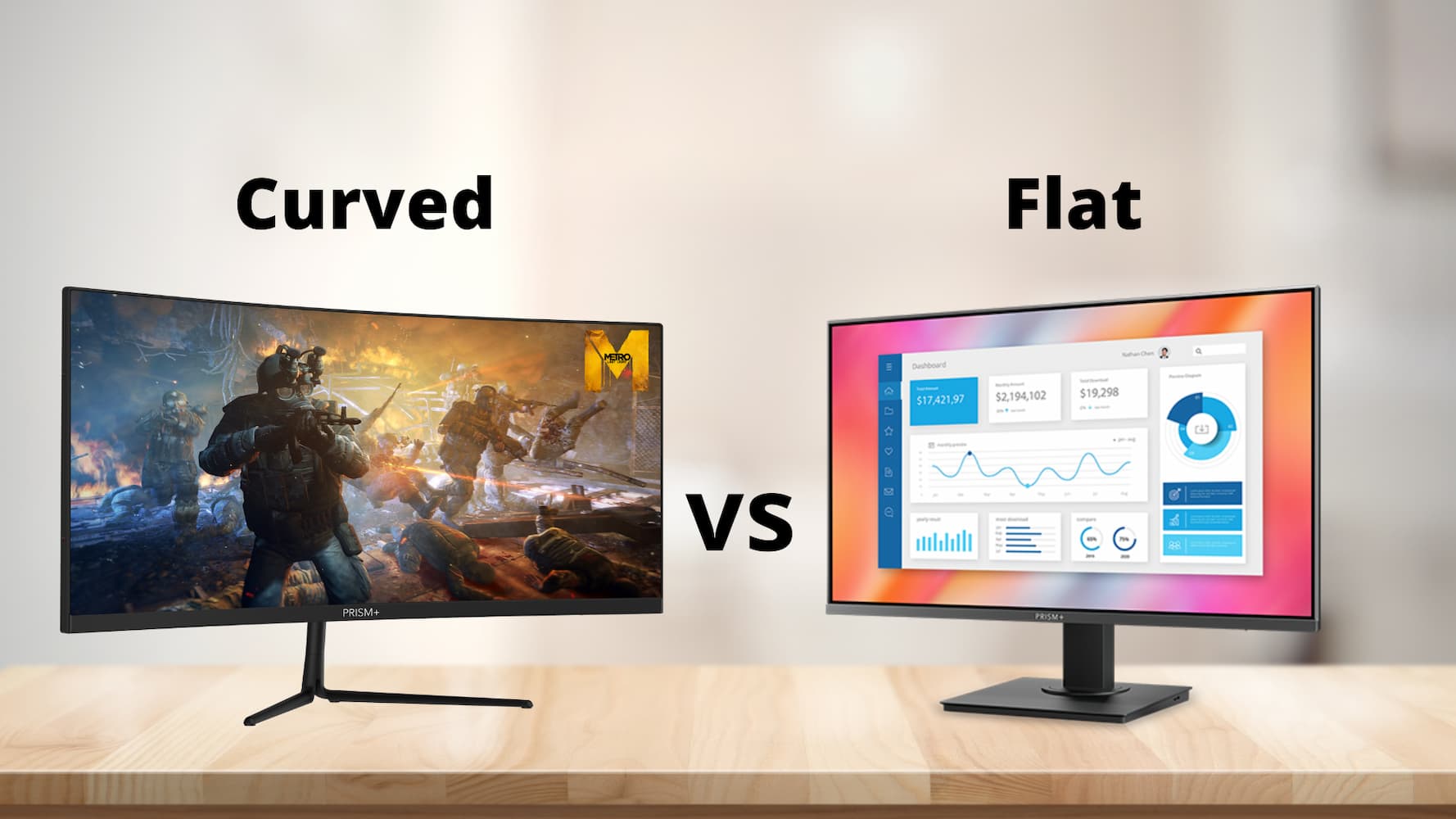
The choice between curved and flat monitors depends on your priorities, room, and budget.
Choose a Curved Monitor If:
• You want an immersive gaming display
• You plan to buy an ultrawide screen
• You sit directly in front of the monitor
• You work with many windows
• You enjoy racing or flight simulation
• You prefer a screen that fills more of your vision
Choose a Flat Monitor If:
• You need accurate geometric lines
• You often share the screen with others
• You sit far from the display
• You want to mount several screens in a simple grid
• You mainly use a small monitor
• You prefer a traditional viewing experience
Flat monitors are often easier to position in multi-monitor setups. They can also work better for image work where straight lines and consistent shapes are important.
Curved monitors are not automatically more advanced. They simply use a different shape to improve the experience for certain viewing conditions.
Understanding Monitor Curvature Ratings
Monitor curvature can sound confusing, but the basic rule is easy.
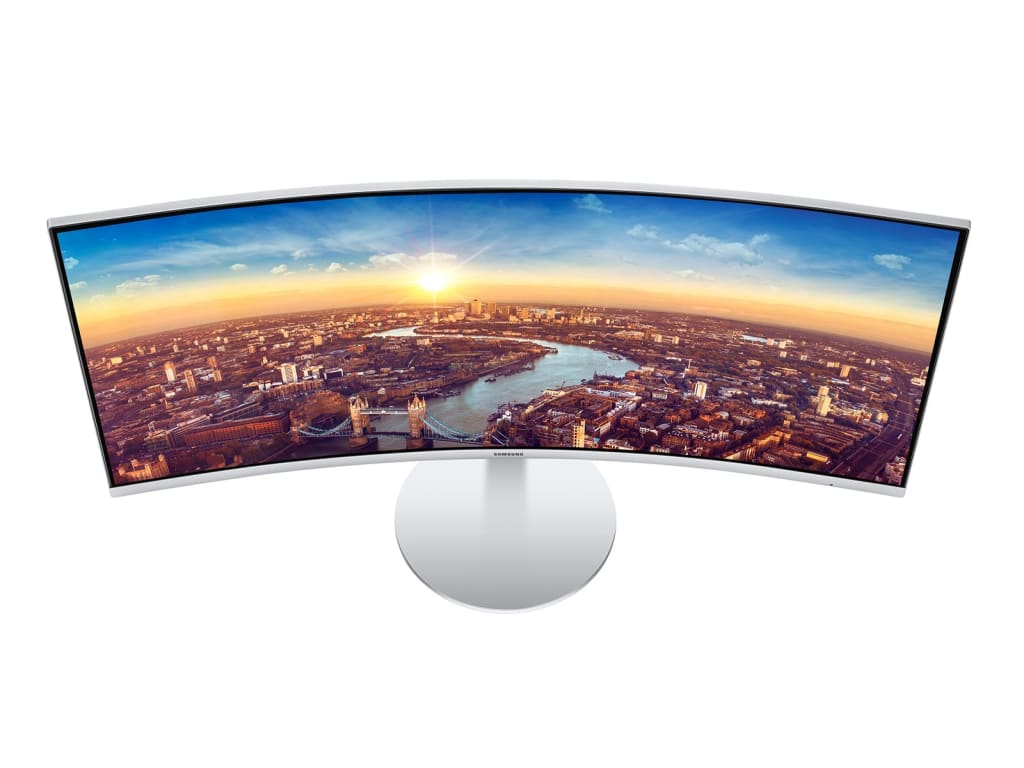
A lower number means a tighter curve:
• 1000R: Strong curve for close viewing
• 1500R: Moderate curve for gaming and work
• 1800R: Gentle curve for large screens
• 3000R: Very slight curve
A 1000R screen is designed to match the curve of the human field of view more closely. It may feel immersive, but some people need time to adjust.
An 1800R screen usually feels more subtle. It can be a good choice if you want some of the benefits of a curved monitor without a dramatic bend.
Screen size and viewing distance matter more than the number alone. A strong curve may feel uncomfortable if you sit too far away. A gentle curve may feel pointless on a small screen.
For most desk setups, a 1500R or 1800R monitor is a practical starting point. If you are buying a large ultrawide screen and sit close, 1000R may make more sense.

Possible Disadvantages of Curved Monitors
A balanced answer to why curved monitor designs are useful must include their drawbacks.
They Can Cost More
Curved models may cost more than similar flat monitors. You may pay extra for the shape, larger size, ultrawide format, or gaming features.
Compare the full specification list. Do not pay more for a curve if the panel has poor brightness, weak color accuracy, or slow response time.
They Need More Desk Space
A curved display may extend farther toward you than a flat screen. Deep desks work best, especially with a large ultrawide monitor.
Measure your desk before buying. Also check the stand width and the distance between the wall and the front edge of the screen.
They Are Not Ideal for Group Viewing
Curved screens are designed for a central viewer. The image may look less natural from the side.
This matters in meeting rooms, classrooms, and homes where several people watch together.
They Can Show Reflections Differently
The curved surface may reflect windows and lamps in ways that differ from a flat screen. The result depends on the coating, room layout, and light source.
Place the monitor away from direct sunlight. A matte coating can also help reduce glare.
Some People Need an Adjustment Period
At first, the curve may look strange. Straight lines can seem slightly bent, especially in documents or design software.
Most users adapt after a short period. Still, you should buy from a seller with a clear return policy if possible.
How to Set Up a Curved Monitor Correctly
Good setup matters as much as the monitor itself. Even the best display can feel uncomfortable when placed too high, too close, or at the wrong angle.
Follow these steps:
- Place the monitor directly in front of your chair.
- Keep your eyes near the top third of the screen.
- Set the viewing distance based on screen size and comfort.
- Tilt the display so you do not look sharply up or down.
- Reduce glare from windows and overhead lights.
- Increase text size instead of leaning toward the screen.
- Use a stable stand or monitor arm.
- Keep the center of the curve aligned with your nose.
For a large ultrawide monitor, start with a viewing distance of about 28 to 36 inches. Treat this as a starting point, not a strict rule.
If the screen feels overwhelming, move it slightly farther away or reduce the scaling. If text looks too small, change operating system scaling rather than sitting closer.

What Specifications Matter Most?
The curve should not be your only buying factor. A good monitor must match your actual use.
Pay attention to:
• Resolution: Higher resolution improves text and image detail.
• Refresh rate: 120Hz, 144Hz, or higher can make motion smoother.
• Response time: Lower values may reduce visible blur.
• Panel type: IPS often offers strong color and viewing angles, while VA panels often provide deeper contrast.
• HDR support: Check real brightness performance, not just the label.
• Adaptive sync: Useful for reducing tearing during gaming.
• Ports: Confirm support for HDMI, DisplayPort, USB-C, or a docking connection.
• Ergonomics: Height, tilt, swivel, and VESA support improve comfort.
• Warranty: Look for clear coverage of dead pixels and panel defects.
For office work, resolution, text clarity, and adjustability often matter most. For gaming, refresh rate, response time, adaptive sync, and graphics card support become more important.
For creative work, check color coverage and factory calibration. A curved shape does not guarantee accurate color.
Common Mistakes to Avoid
Many buyers focus on the curve and overlook the rest of the setup.
Avoid these mistakes:
• Buying a screen that is too large for your desk
• Choosing a strong curve without checking viewing distance
• Ignoring game compatibility with ultrawide resolutions
• Using very high brightness in a dark room
• Placing the monitor off-center
• Forgetting to check graphics card requirements
• Assuming HDR labels guarantee true HDR quality
• Buying without checking the return policy
• Using a curved screen for precision design without testing it first
One of the biggest lessons I learned is that monitor ergonomics beat impressive specifications. A beautifully curved screen will not feel good if your neck is bent, your chair is too low, or glare hits the panel all day.
Frequently Asked Questions About Why Curved Monitor
Why is a curved monitor better than a flat monitor?
A curved monitor can provide a more natural viewing angle and a more immersive experience, especially on large or ultrawide screens. It is not always better, because flat monitors may suit shared viewing, design work, and multi-screen setups.
Are curved monitors good for office work?
Yes, curved monitors can be useful for office work when you manage many windows, spreadsheets, timelines, or dashboards. A large ultrawide model can reduce the need to switch between applications.
Do curved monitors reduce eye strain?
A curved monitor may reduce visual effort when you scan across a wide screen, but it cannot prevent eye strain by itself. Proper brightness, fewer reflections, regular breaks, good text size, and correct viewing distance remain important.
Is a 1000R or 1800R curve better?
A 1000R curve is stronger and may feel more immersive at close range. An 1800R curve is gentler and may be easier to adjust to, so the better option depends on your screen size, desk depth, and personal preference.
Are curved monitors good for gaming?
Curved monitors are often excellent for gaming, especially for racing, flight, simulation, and ultrawide games. Check refresh rate, response time, adaptive sync, game compatibility, and graphics card performance before buying.
Can you use two curved monitors together?
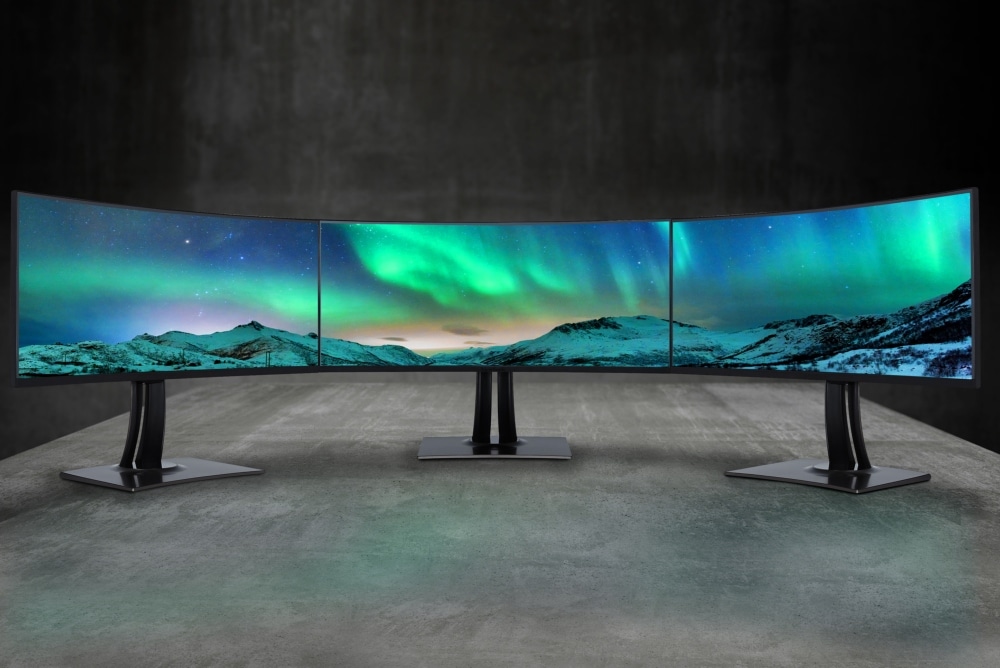
Yes, but two curved monitors may need careful alignment and a wide desk. Their curves can create a more surrounding view, although matching the size, curvature, resolution, and bezels can be difficult.
Are curved monitors bad for graphic design?
Not necessarily, but some designers prefer flat screens for precise lines, layouts, and technical drawings. If geometric accuracy is central to your work, test a curved display before replacing your current monitor.
Conclusion
The best answer to why curved monitor designs are popular is that they can make large screens feel more natural, immersive, and comfortable from a centered viewing position. They are especially useful for gaming, ultrawide productivity, video editing, and simulation.
Still, the curve is only one part of the decision. Consider screen size, curvature rating, resolution, refresh rate, panel quality, desk depth, lighting, and your daily tasks.
Measure your space, compare real specifications, and choose a display that fits your habits rather than chasing a trend. Explore trusted reviews and product guides, then share your monitor experience or questions in the comments.