AI needs so much RAM because it must store large models, data, and temporary calculations while it works.
If you have ever watched an AI app slow down or close when memory runs low, you have seen this problem firsthand. Understanding why does AI need so much RAM helps you choose the right computer, reduce crashes, and use tools such as chatbots, image generators, and local language models with confidence. This guide explains the role of RAM, VRAM, model size, training data, and memory management in simple terms.

What Does RAM Do in an AI System?
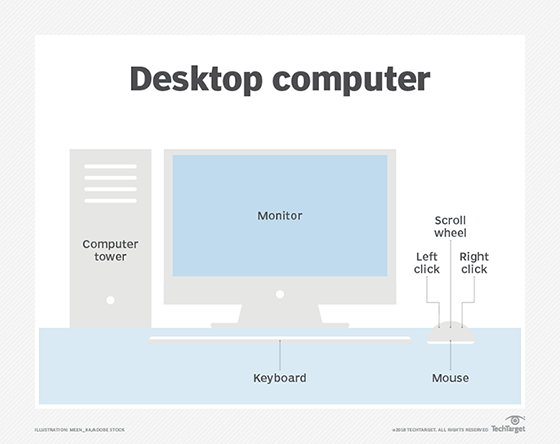
RAM, or random access memory, is the short-term workspace of a computer. It holds the data and instructions that active programs need right now. Unlike storage, RAM is fast and temporary.
When you open an AI application, the system may place several items in RAM:
• The AI model and its settings
• The input text, images, audio, or video
• Temporary calculations
• The operating system and background apps
• The output being created
• Data used for caching and faster access
A traditional app may use a modest amount of memory. An AI model can use much more because it performs many calculations at once. It must keep large blocks of numbers ready for quick access.
Think of RAM as a kitchen counter. A small recipe needs only a few ingredients. A large meal needs many ingredients, tools, bowls, and pans within reach. If the counter is too small, the cook must keep walking to the pantry. That extra movement makes the process slow.
This is a simple way to understand why does AI need so much RAM. AI systems work best when they can keep their model and working data in fast memory.

Why Does AI Need So Much RAM?
The main reason why does AI need so much RAM is that AI models contain millions or billions of numerical values called parameters. These values store patterns learned during training.
A parameter is not a word or a picture. It is a number used in the model’s calculations. A model with more parameters can often handle more complex patterns, although size alone does not guarantee better results.
For example, a language model may use parameters to understand:
• Grammar and sentence structure
• Word relationships
• Facts and common patterns
• Tone and writing style
• Links between text, images, or code
The model must load these values before it can generate an answer. If the model uses billions of parameters, the memory requirement can become large very quickly.
Model size and memory use
Model size is often measured in billions of parameters. The amount of memory needed depends on how each parameter is stored.
Common formats include:
• 32-bit floating point, or FP32
• 16-bit floating point, such as FP16 or BF16
• 8-bit integer, or INT8
• 4-bit quantized formats
A rough formula is:
Model memory = Number of parameters × Bytes per parameter
For example, a 7-billion-parameter model may need about:
• 28 GB at 32-bit precision
• 14 GB at 16-bit precision
• 7 GB at 8-bit precision
• About 3.5 GB at 4-bit precision
These figures describe the model weights alone. The real requirement is higher because the system also needs space for temporary calculations, the conversation history, and the operating system.
This is why does AI need so much RAM even when the model appears small after compression. The compressed file is only one part of the total memory load.

RAM, VRAM, and Storage: What Is the Difference?
Many people use RAM and memory as if they mean the same thing. In AI, that can cause confusion because systems often use both regular RAM and video RAM, or VRAM.
System RAM
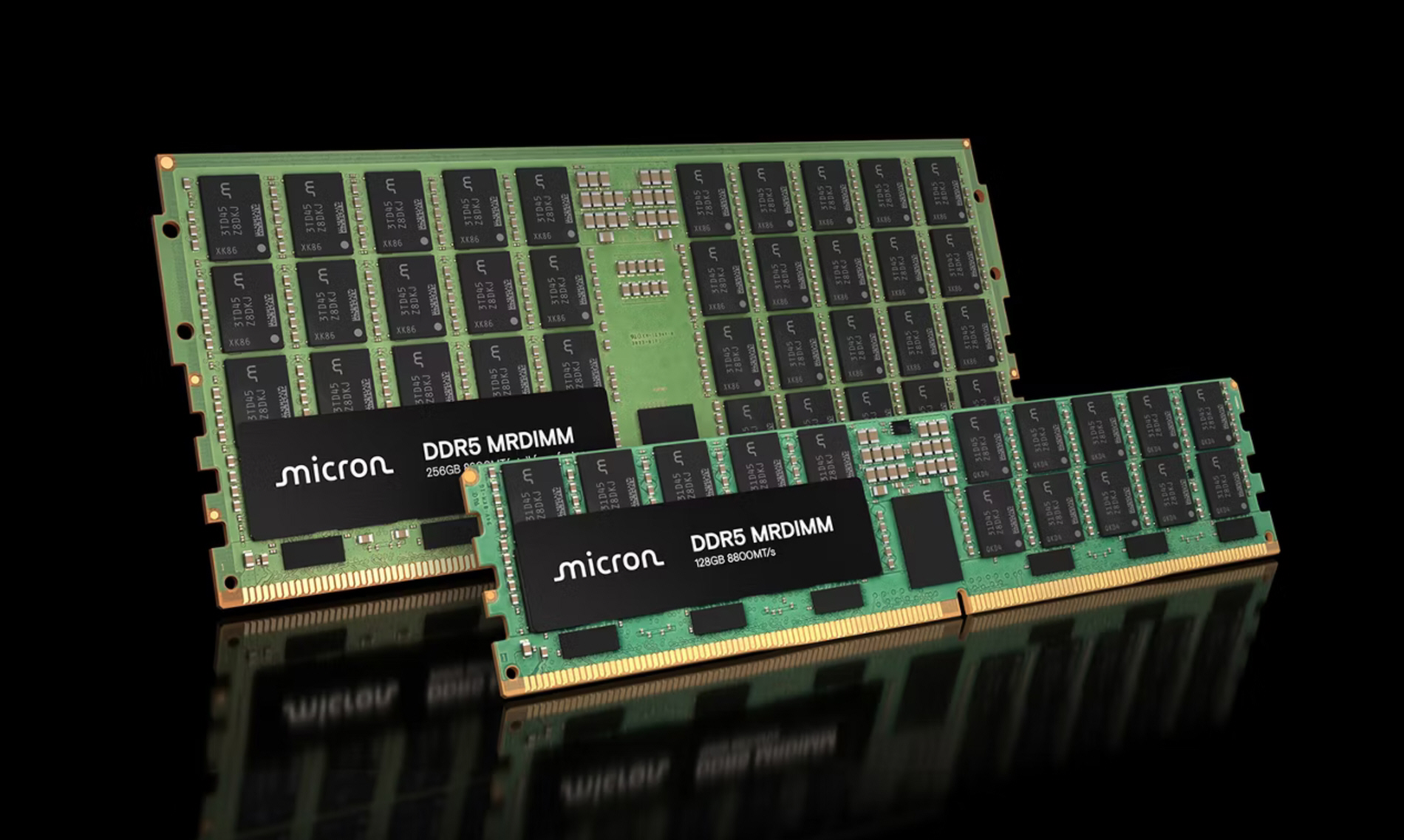
System RAM is the main memory in your computer. The CPU uses it for programs, files, browser tabs, and many AI tasks.
Local AI tools may use system RAM when:
• The computer has no dedicated graphics card
• The model does not fit into the GPU’s VRAM
• The software splits work between the CPU and GPU
• The system runs data preparation tasks
VRAM
VRAM is memory built into or connected to a graphics processing unit, or GPU. Modern AI applications often prefer VRAM because GPUs can perform many mathematical operations at the same time.
VRAM holds:
• Model weights
• Image data
• Video frames
• Intermediate calculations
• Attention and activation data
A graphics card with 8 GB of VRAM may run a small model but struggle with a larger one. A card with 16 GB or 24 GB of VRAM gives the AI more room to work.
Storage
Storage means an SSD or hard drive. It holds the model files when the AI is not running. Storage is much slower than RAM and VRAM.
A model may occupy 5 GB on an SSD but use 8 GB or more after loading. It may also need additional working memory. This difference explains why downloading a model is not the same as having enough memory to run it.
In simple terms:
• Storage keeps the model
• RAM feeds the CPU
• VRAM feeds the GPU
Understanding this difference makes it easier to see why does AI need so much RAM during active use.

How AI Training Uses Memory
AI training usually requires far more memory than AI inference. Inference means using a trained model to produce an answer. Training means teaching the model by showing it large amounts of data.
During training, the system stores more than the model’s basic parameters. It may also keep:
• Input batches
• Intermediate activations
• Gradients
• Optimizer states
• Checkpoints
• Data-loading buffers
Gradients show how the model should change after each training step. Optimizer states help the system decide how to make those changes. These extra values can use several times more memory than the model weights alone.
For example, training a large model in full precision can require hundreds of gigabytes or even terabytes of combined memory. That is why companies use many high-end GPUs and distribute the work across servers.
Why batch size matters
A batch is a group of examples processed together. A larger batch can improve training speed, but it also uses more memory.
If a training job runs out of memory, engineers may:
• Reduce the batch size
• Use lower numerical precision
• Split the model across several GPUs
• Use gradient accumulation
• Remove unnecessary data from memory
• Use memory-saving attention methods
This balance is one reason why does AI need so much RAM during development. The system is not only storing the model. It is also tracking how the model learns.
How AI Inference Uses Memory
Inference is usually lighter than training, but it can still require substantial memory. When you ask an AI chatbot a question, the system processes your input and predicts an output one step at a time.
A language model must keep track of the conversation context. This includes earlier messages, instructions, and sometimes documents that you uploaded.
The longer the context, the more memory the system may use. A short question needs little working space. A long research document or a conversation with thousands of words requires much more.
The role of the KV cache
Many language models use a temporary structure called a key-value cache, often shortened to KV cache. It stores information from earlier tokens so the model does not need to calculate the same details again.
The KV cache improves speed, but it grows when:
• The conversation becomes longer
• The model supports a larger context window
• More users are served at the same time
• Multiple requests run together
This explains why does AI need so much RAM even after the model has loaded. The model may fit in memory, but the active conversation and calculations need extra space.
Image and video AI can use even more memory because pictures contain many pixels. Video adds time, movement, and multiple frames to the workload.

Why Larger AI Models Need More Memory
Larger models generally contain more parameters. More parameters mean more numerical values that must be loaded and processed.
A small local language model may run on a modern laptop. A much larger model may need a workstation, multiple GPUs, or a cloud server.
Model size is not the only factor. Memory use also depends on:
• Quantization level
• Context length
• Number of active users
• Batch size
• Input type
• Software design
• GPU architecture
• Operating system overhead
A 13-billion-parameter model in 4-bit format may run on a computer with 16 GB of RAM, but performance can vary. The same model may need more memory if the context is long or if the software uses part of the system RAM for GPU overflow.
This is another reason why does AI need so much RAM cannot be answered with one fixed number. The correct amount depends on the model and the task.

What Is Quantization, and How Does It Reduce RAM Use?
Quantization reduces the number of bits used to store model values. It is one of the most useful ways to run AI on affordable hardware.
A model stored in FP16 uses 16 bits for each value. A quantized version may use 8, 6, or 4 bits. This reduces the model’s memory footprint.
The benefits include:
• Lower RAM and VRAM use
• Faster loading
• Easier local deployment
• Lower hardware costs
• Better energy efficiency
Quantization can slightly reduce accuracy, but the effect is often small for everyday tasks. The result depends on the model, the quantization method, and the task being tested.
A practical lesson from local AI testing is that people often focus only on the model’s download size. They forget to leave room for the operating system, the application, and the context window. A model that technically fits may still run poorly if the computer has no spare memory.
A good rule is to leave several gigabytes free beyond the listed model size. That extra space gives the system room to breathe.

How Much RAM Does AI Need?
There is no universal answer to how much RAM AI needs. The right amount depends on whether you use cloud AI, local AI, image tools, or training software.
Here is a general guide for local AI use:
• 8 GB RAM: Suitable for basic AI websites and very small local models
• 16 GB RAM: A practical starting point for small and medium local models
• 32 GB RAM: Better for larger models, long context, and multitasking
• 64 GB RAM or more: Useful for large local models, development, and heavy workloads
• 128 GB RAM or more: Often needed for advanced research, large models, and professional systems
For GPU-based tasks, VRAM is just as important:
• 4 GB VRAM: Basic image generation and light AI workloads
• 8 GB VRAM: Many common image tools and smaller models
• 12 to 16 GB VRAM: More comfortable for advanced image and language tasks
• 24 GB VRAM or more: Useful for large local models and professional experimentation
These figures are practical estimates, not strict rules. Software optimization can change the result.
If you mainly use online AI services, the provider’s servers handle most of the memory demand. Your computer only needs enough RAM to run the browser and display the results.

Why AI Image and Video Tools Use So Much RAM
AI image generators process large arrays of pixel data. A high-resolution image contains millions of individual color values. The system must transform noise into a detailed image through many steps.
Memory use grows when you increase:
• Image resolution
• Number of images created at once
• Number of generation steps
• Model size
• Control images or reference images
• Upscaling quality
Video generation is even more demanding. The system must consider many frames and try to keep them consistent. It must preserve details such as faces, objects, lighting, and motion from one frame to the next.
This makes image and video tools a clear example of why does AI need so much RAM. The system is working with large visual data, not just short text.
If an image tool reports an “out of memory” error, lowering the resolution or batch size often helps. Using a smaller model or an optimized attention setting can also reduce memory use.
What Happens When an AI System Runs Out of RAM?
When RAM becomes full, the operating system may move some data to storage. This is called swapping or paging.
An SSD is faster than an old hard drive, but it is still much slower than RAM. As a result, the AI tool may:
• Take longer to load
• Produce results more slowly
• Freeze for a while
• Cause the computer to become unresponsive
• Close with an out-of-memory error
If the model does not fit in VRAM, some software can place part of it in system RAM. This may allow the model to run, but performance can drop sharply because data must move between the GPU, RAM, and storage.
A common mistake is to keep many browser tabs, video editors, and game launchers open while running a local AI model. Closing those apps can free enough memory to make the difference.
Practical Ways to Reduce AI Memory Use
You do not always need to buy more RAM. Small changes can reduce memory pressure.
Try these steps:
-
Use a smaller model. A well-designed small model may perform better than a large model for a narrow task.
-
Choose a quantized version. Four-bit and eight-bit formats often use much less memory.
-
Shorten the context window. Remove old messages and unnecessary documents.
-
Lower image resolution. Start small, then upscale the final image if needed.
-
Reduce the batch size. Generate one image or process one item at a time.
-
Close background applications. Browsers, video editors, and games can consume several gigabytes.
-
Update your AI software. New versions may include better memory handling.
-
Monitor RAM and VRAM use. Operating system tools and GPU utilities can show which resource is full.
-
Use cloud computing for large workloads. A cloud GPU may be cheaper than buying a powerful workstation for occasional use.
-
Avoid running several AI models at once. Unload models that you are not using.
These steps address the practical side of why does AI need so much RAM. Better memory management can improve speed without changing your entire computer.
Cloud AI Versus Local AI Memory Needs
Cloud AI services run models on remote servers. Your device sends a request and receives a result. The provider pays for the GPUs, RAM, storage, cooling, and network systems.
This approach works well if you:
• Have a basic laptop
• Use AI only now and then
• Need access to large models
• Do not want to manage drivers and software
• Prefer simple setup
Local AI runs directly on your computer. It offers more control and may provide better privacy because your data does not need to leave the device.
Local use is helpful if you:
• Work with private files
• Need offline access
• Want to test different models
• Prefer predictable costs
• Enjoy customizing AI tools
The trade-off is hardware. The larger the local model, the more RAM and VRAM you need. This difference explains why does AI need so much RAM on a personal computer, while a cloud chatbot may work smoothly on an inexpensive phone.
Common Mistakes When Choosing RAM for AI
Buying the largest amount of RAM is not always the best plan. The rest of the computer must also support the workload.
Avoid these mistakes:
• Confusing storage space with RAM
• Checking only the model download size
• Ignoring GPU VRAM
• Buying slow memory that the motherboard cannot support
• Forgetting space for the operating system
• Expecting a large model to run well on a weak CPU
• Assuming quantization has no effect on quality
• Ignoring cooling and power limits
For a balanced system, consider the CPU, GPU, RAM, VRAM, SSD speed, and software support together. A computer with 64 GB of system RAM but a weak GPU may not outperform a system with 32 GB RAM and a capable GPU for image generation.
The best choice depends on your main task. Text, images, audio, video, and training have different memory needs.
Frequently Asked Questions About Why Does AI Need So Much RAM
Why does AI need so much RAM compared with normal software?
AI models contain large arrays of numerical values and perform many calculations at the same time. They also need memory for inputs, outputs, temporary data, and conversation context.
Is 16 GB of RAM enough for AI?
Sixteen gigabytes is enough for many online AI tools and some small local models. It may feel limited when you use large models, long documents, image generation, or several demanding apps at once.
Does AI use RAM or VRAM?
AI can use both. GPUs usually use VRAM for fast parallel calculations, while the CPU and operating system use system RAM; some applications can move model data between them.
Can I run AI without a dedicated graphics card?
Yes. Many small language models and basic AI tools can run on a CPU. However, generation is often slower, and larger models may need substantial system RAM.
Does more RAM make AI smarter?
More RAM does not make a model smarter. It allows you to run larger models, longer context windows, or more demanding tasks, while model design and training have a greater effect on intelligence.
Why does AI need so much RAM for long conversations?
Long conversations create a larger context that the model must review while generating each response. The system may store this information in a cache, which increases memory use.
Can quantization damage AI performance?
Quantization can slightly reduce accuracy, but the effect is often small for everyday tasks. It is a useful trade-off when lower memory use and faster local performance matter most.
Conclusion
AI needs so much RAM because it must hold model parameters, input data, context, and temporary calculations in fast memory. Training needs far more memory than normal use, while local AI depends on both system RAM and GPU VRAM. Model size, precision, context length, image resolution, and batch size all affect the final requirement.
Before upgrading, check the memory needs of the exact model and task you plan to use. Start with efficient software, quantized models, and sensible settings before spending money on new hardware. Explore trusted AI documentation, test your system carefully, and share your experience or questions in the comments.