Use your pen voice recorder by charging it, switching to record, placing it near the sound, and saving files to your PC.
I’ve used pen recorders for interviews, classes, and meetings for years, so I know what works. This guide explains how to use your pen voice recorder step by step, from setup to clear recordings, file transfer, and legal tips. Read on for simple instructions, practical examples, and real-world tips to get spotless audio and smooth workflow every time you need reliable voice capture.

Setup and first steps
Start by unboxing and checking items. Most pen voice recorders come with a USB cable, manual, and a small charger. Inspect the pen for a tiny mic hole and a mode or power button.
Quick setup steps:
- Charge the pen fully before first use.
- Turn on and test basic functions like record, stop, and playback.
- Set date and time if the menu allows. This helps label files.
Why this matters: a correct setup prevents missed recordings and corrupt files. Learning how to use your pen voice recorder well at the start saves time and stress later.

Basic recording modes and simple tips
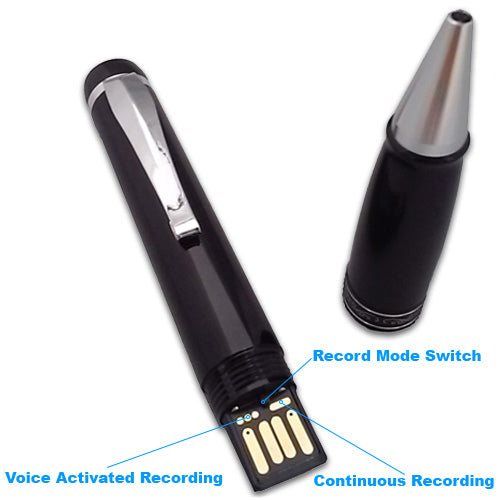
Most pens offer one-touch record, voice-activated mode, and continuous record. One-touch is best for short notes. Voice-activated saves space and starts only when sound is present. Continuous record is ideal for long lectures.
How to use your pen voice recorder in basic mode:
- One-touch record: press record, speak, press stop. File saved with a timestamp.
- Voice-activated: enable VAS (voice-activated system) and set sensitivity low to avoid false starts.
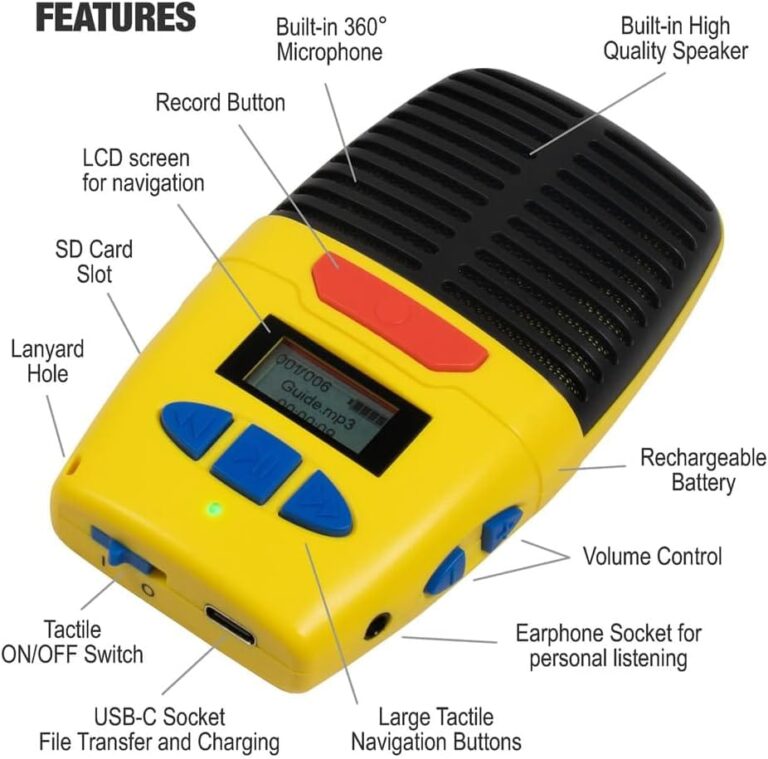
- Playback: use built-in speaker or plug in headphones for private listening.
Tips for clear audio:
- Point the pen’s mic toward the speaker.
- Keep the pen 6–12 inches away for most voices.
- Avoid placing the pen near a laptop fan or noisy area.
These simple habits make your recordings sharper and easier to transcribe later.
Advanced features and settings
Many pen voice recorders offer gain control, file format selection, and noise filter options. Learn these to improve quality.
Common advanced settings:
- Gain or sensitivity: increase for quiet speakers; lower for loud rooms.
- File format: WAV gives high quality; MP3 saves space.
- Noise reduction: turn on for steady hums; turn off for natural sound.
How to use your pen voice recorder with advanced features:
- For interviews, choose WAV and moderate gain.
- For meetings with many people, use MP3 for longer record times and lower gain to avoid clipping.
- Test combinations before the session.
Use these features to match your recording style to each situation.

Transfer, playback, and file management
After recording, you need to move files to a computer or phone. Most pens mount like a USB drive.
Steps to transfer files:
- Connect pen to PC using the USB cable.
- Open the removable drive and copy audio files to your folder.
- Rename files with date, speaker name, and topic for easy search.
Playback and editing:
- Use a simple audio player to check clips.
- Trim silence or export to transcription tools as needed.
File care:
- Back up recordings to cloud storage.
- Keep an organized folder structure for quick retrieval.
Knowing how to use your pen voice recorder for file transfer makes your workflow painless.

Battery, storage, and maintenance
Battery life and storage affect reliability. Most pens last 8–20 hours on a full charge and hold several hours of audio depending on quality settings.
Battery and storage tips:
- Fully charge before long sessions.
- Carry a small power bank or spare recorder for backups.
- Monitor free storage and delete test files after transfer.
Maintenance:
- Keep mic holes clean and dry.
- Avoid dropping the pen or exposing it to extreme heat.
- Update firmware when available for bug fixes.
These steps keep your pen ready when you need it most.

Legal, ethical use, and privacy
Recording rules matter. Laws vary by country and state. Many places require at least one party consent; some require all-party consent.
Best practices:
- Always ask permission before recording people.
- Explain how recordings will be used and stored.
- Secure recordings with encryption or locked folders if they contain sensitive info.
Being clear and ethical protects you and builds trust. It is an essential part of how to use your pen voice recorder responsibly.

Troubleshooting common problems
When recordings are faint or missing, simple checks often fix issues.
Quick fixes:
- No sound recorded: check mic hole and confirm device wasn’t muted.
- Corrupt files: use different USB port and try copying again. Avoid unplugging during transfer.
- Low battery: charge fully and reduce playback volume during recording.
If problems persist, consult the manual or contact support. These steps help you quickly get back to recording without lost time.
Accessories and real-world use cases
Small extras can help you get better results. Use them for interviews, lectures, and notes.
Useful accessories:
- Clip-on mic for clear one-on-one interviews.
- Small tripod or stand for stable placement.
- Case or pouch to protect the pen.
Use cases:
- Student: record lectures and mark timestamps for key points.
- Journalist: record interviews and back up files on the same day.
- Professional: capture client calls and meeting minutes for accurate notes.
Practical use of accessories improves the way to use your pen voice recorder in daily life.
Personal experience, mistakes to avoid, and practical tips
I once missed a key interview because the pen wasn’t charged. Since then, I always do a three-step routine: charge, test, and label. This simple habit saved me many times.
Lessons learned:
- Test record before important events.
- Always carry two recorders for critical work.
- Label files immediately after transfer to avoid confusion.
Common mistakes:
- Relying on voice-activated mode in noisy places.
- Forgetting to check storage space before long sessions.
- Not getting consent from participants.
Use these tips to avoid pitfalls and make how to use your pen voice recorder straightforward and reliable.
Frequently Asked Questions of how to use your pen voice recorder
How do I start recording with a pen voice recorder?
Press the record button or slide to record mode. A small LED or icon usually shows that recording is active.
Can I use a pen voice recorder for transcription?
Yes. Transfer the file to your computer and upload to a transcription tool or software that accepts WAV or MP3 files.
How long will the battery last during continuous recording?
Battery life varies, but expect 8–20 hours. Higher quality settings use more power.
Is it legal to record meetings without telling others?
Laws vary by location. Best practice is to ask for consent to stay on the safe and ethical side.
How do I improve low-volume recordings?
Move the pen closer to the speaker, increase gain if available, and reduce background noise during recording.
Conclusion
You now have clear, actionable steps for how to use your pen voice recorder. Start with proper setup, choose the right mode, and follow simple transfer and backup habits. Test before important sessions, ask for consent, and keep the pen charged and clean.
Takeaway: practice a quick pre-record checklist—charge, test, and position—and you’ll get consistent results. Try these tips in your next meeting or class, and leave a comment to share your best recorder trick or question.