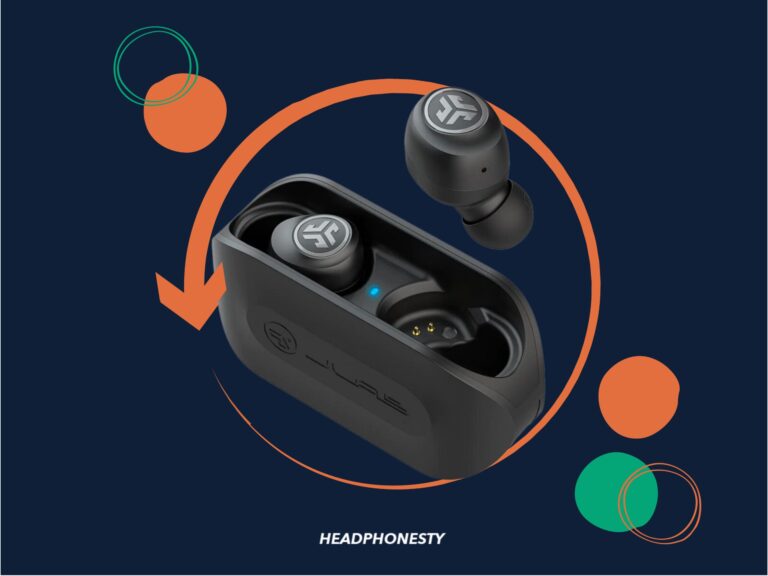
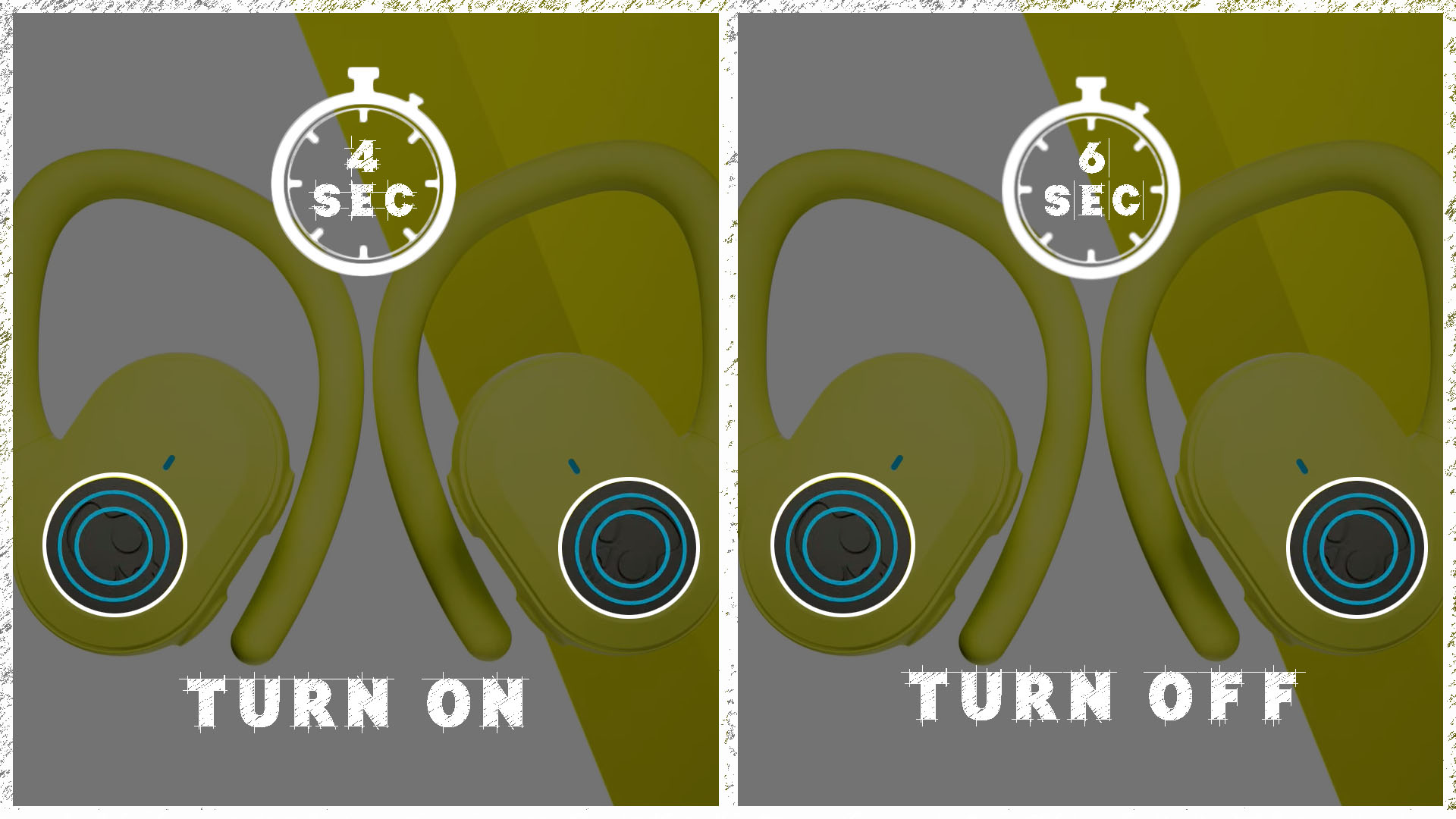
Press and hold each earbud's power button for 2–3 seconds until a tone or LED appears.
I’ve spent years testing earbuds and helping people get them working fast. This guide explains exactly how to turn on wireless earbuds, step by step, for popular types and tricky setups. You’ll learn simple checks, pairing tips, troubleshooting fixes, and real-life shortcuts I use myself so you can get sound quickly and reliably.
Why it helps to know how to turn on wireless earbuds
Most people expect earbuds to just work. Knowing how to turn on wireless earbuds avoids wasted time, missed calls, and frustrating resets. I’ll explain common patterns, variations across brands, and clear cues that tell you the earbuds are ready to pair or play.

Essential checklist before trying to power on
- Make sure the earbuds and case have charge. Low battery often prevents powering on.
- Read the quickstart for your model when possible. Buttons and gestures differ.
- Remove any protective film or shipping locks on the case or earbuds.
- Note whether your buds are true wireless, single-bud, or neckband style; each behaves differently.

Source: youtube.com
Step-by-step: how to turn on wireless earbuds
The exact steps vary by model. Use these clear methods to power on most earbuds and confirm they're working.
-
Standard true wireless earbuds
- Take both earbuds out of the charging case. Many models power on automatically when removed.
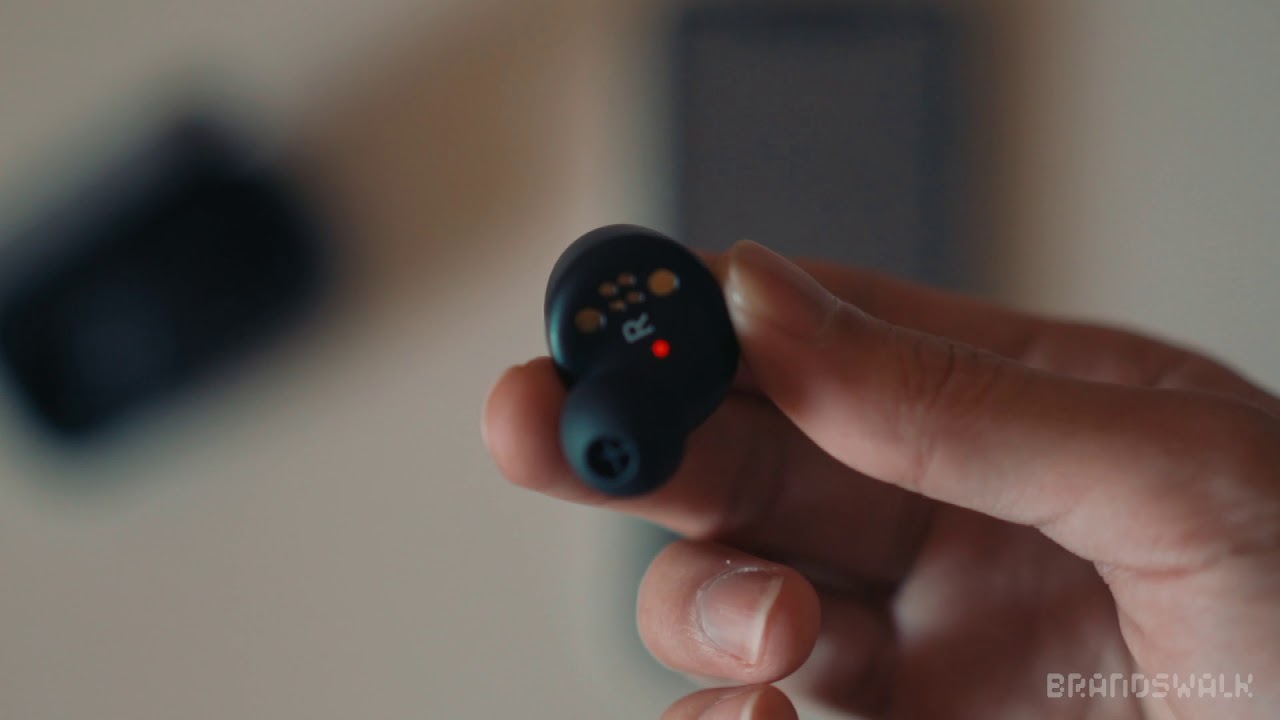
- If they don’t, press and hold the small button on each earbud for 2–3 seconds until a light flashes or you hear a tone.
- Wait for a voice prompt or LED confirmation that they’re on or in pairing mode.
-
Single-earbud or one-bud operation
- Press and hold the single bud’s power button for 2–3 seconds to turn it on.
- If your model uses touch controls, tap the touchpad once or twice as the manual instructs.
-
Neckband or wireless with inline controls
- Press the power button on the neckband or inline remote for 2–3 seconds.
- Look for a small LED near the button or listen for a chime.
-
Case-activated earbuds
- Open the charging case lid to power on and enable pairing for many models.
- If opening the case doesn’t work, press and hold a case button for a few seconds.
-
Confirm power-on
- Check for a steady or flashing LED.
- Listen for a voice prompt like "power on" or "pairing."
- Check your device’s Bluetooth list for the earbud name.
Practical tip from experience: if earbuds don’t respond, place them back in the case for 10 seconds, then take them out and try again. This simple cycle often resets minor glitches.
Pairing and connecting after you turn them on
After you learn how to turn on wireless earbuds, pairing is usually the next step. Follow these simple actions.
- Enable Bluetooth on your phone or computer.
- Select the earbuds name in the Bluetooth menu. If you do not see them, put the earbuds in pairing mode by holding their power buttons longer (5–10 seconds) until LEDs flash rapidly.
- For a first-time pair, accept prompts for access and permissions.
- For previously paired devices, remove or “forget” old entries in Bluetooth settings if the earbuds won’t reconnect.
Quick troubleshooting tip: turn Bluetooth off on other nearby devices to avoid automatic connections that block pairing. Firmware updates on earbuds or phone can improve pairing reliability.
Troubleshooting common problems when turning earbuds on
If your earbuds won’t power on, try these checks and fixes.
- No lights or sound after pressing power
- Charge the case and earbuds for at least 10–20 minutes. Use the original cable or a known-good charger.
- Only one earbud turns on
- Reset the earbuds by following the manufacturer reset steps or placing them in the case and holding the case button for 10 seconds.
- Earbuds turn on but won’t pair
- Put them back in pairing mode. Forget the device on your phone and re-pair.
- Touch controls accidentally power off earbuds
- Disable touch gestures in the companion app or use the physical button for power.
- Strange behavior after an update
- Reboot your phone, then re-pair the earbuds. If problems persist, perform a factory reset per the manual.
From hands-on testing, the most common fix is charging and a quick reset cycle. It resolves roughly eight out of ten power-on problems for me.

Care, battery habits, and best practices
Good habits help earbuds power on reliably and last longer.
- Charge regularly and avoid deep discharge. Frequent top-ups are fine and healthy for small lithium batteries.
- Store earbuds in the case when not in use. The case protects and keeps firmware current on some models.
- Keep charging contacts clean using a dry, soft brush. Dirty contacts can prevent charging and power-on.
- Update firmware when available. Updates fix power and pairing bugs.

Source: lumicapital.eu
When to contact support or seek repair
If you’ve tried charging, resets, and pairing steps and still can’t get power or lights, contact the seller or manufacturer. Battery failure, water damage, or internal faults can prevent power-on. If the earbuds are under warranty, request a replacement or repair.
Frequently Asked Questions of how to turn on wireless earbuds
Why won't my earbuds turn on when I press the button?
Often the battery is drained. Charge both the case and earbuds for at least 15–30 minutes, then try again. If charging doesn't help, try a reset per the manual.
How long should I press to power on earbuds?
Most models use a 2–3 second press to power on. Some need 5–10 seconds to enter pairing mode. Check your model’s quickstart for exact timing.
Can I turn on one earbud only?
Yes. Many true wireless models allow single-bud use. Press and hold the bud you want to use, or remove only that bud from the case if the model supports solo mode.
Do earbuds turn on automatically when removed from the case?
Many modern true wireless earbuds power on automatically when taken out of the case. If yours do not, press the power button on the buds or case as instructed.
What to do if earbuds power on but won't pair?
Put the earbuds into pairing mode by holding the power buttons longer, forget the device on your phone, then scan and reconnect. Turning Bluetooth off and on can also help.
How can I tell if earbuds are charging and ready to turn on?
Look for LED indicators on the earbuds or case. A steady or specific color usually means charged. Voice prompts may also confirm charge levels.
Conclusion
You now have clear, practical steps to learn how to turn on wireless earbuds for most brands and designs. Start with charging and simple button presses, use pairing mode when needed, and rely on short resets when things misbehave. Try the quick fixes first—charging, reset, and re-pair—and then reach out for support if hardware seems faulty. If this guide helped you, try these steps with your earbuds now, share your experience, or subscribe for more practical tips and troubleshooting guides.