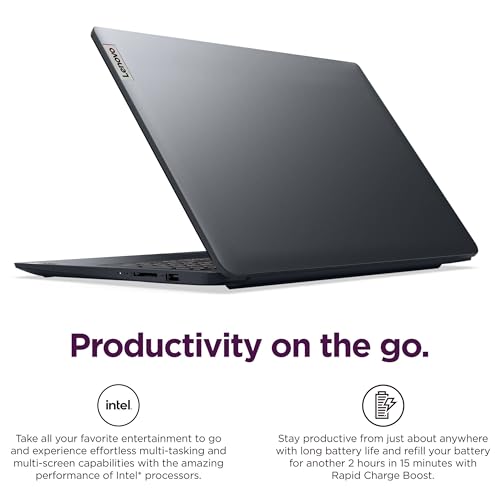
RTX 5070 laptops are strong choices for gamers and creators who want modern performance without flagship pricing.
You want a gaming laptop that can handle demanding PC games, creative software, and everyday work, but you do not want to carry a desktop-sized machine everywhere. That is where an RTX 5070 laptop can make sense for buyers who need a balance of performance and portability.
For a typical U.S. buyer, the appeal is having one Windows machine that can move from a home office to a gaming setup without sacrificing graphics capability. The important catch is that RTX 5070 laptops are not identical, so cooling, processor choice, display quality, memory, and GPU power limits can significantly affect the overall experience.
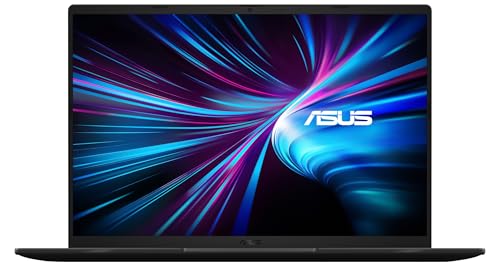
Is an RTX 5070 Laptop Good?
Yes, an RTX 5070 laptop is a compelling upper-midrange gaming option for buyers who want strong 1080p and 1440p-class gaming performance, modern ray tracing features, and access to NVIDIA’s DLSS 4 technologies. The RTX 5070 Laptop GPU uses the Blackwell architecture and comes with 8GB of GDDR7 memory, making it well suited to modern gaming and GPU-accelerated creative workloads.
The biggest strength is versatility. You get dedicated NVIDIA graphics, hardware-accelerated ray tracing, AI-focused features, and a performance level that can make a laptop useful for gaming, video editing, 3D work, and other demanding applications. The main limitation is that laptop implementations vary considerably in power limits and thermal design, so two laptops carrying the same RTX 5070 name can perform differently.

My First impression for an RTX 5070 Laptop
Because RTX 5070 is a GPU platform rather than one specific laptop model, packaging and build quality depend on the manufacturer. A buyer should therefore inspect the exact Amazon listing for the chassis material, included accessories, power adapter, dimensions, and warranty information rather than assuming every RTX 5070 machine is built the same way.
Setup is generally straightforward on a current Windows gaming laptop: connect the charger, complete Windows setup, install updates, and allow the NVIDIA software and system drivers to reach their current versions. Initial usability is usually excellent for gaming and productivity, although larger RTX 5070 machines can be noticeably heavier than ordinary work laptops.

What Makes It Stand Out / Key Features
- Blackwell Architecture: The RTX 5070 Laptop GPU is based on NVIDIA’s Blackwell architecture, bringing newer graphics and AI capabilities to gaming notebooks.
- 8GB GDDR7 Memory: The laptop GPU uses 8GB of GDDR7 memory, providing modern high-speed graphics memory for gaming and GPU-accelerated applications.
- DLSS 4: Supported games can take advantage of DLSS 4 features such as Super Resolution and Multi Frame Generation to improve perceived performance when the game supports them.
- Ray Tracing: Fourth-generation ray tracing hardware helps compatible games produce more realistic lighting, reflections, and shadows.
- AI Acceleration: The fifth-generation Tensor Core design provides dedicated hardware for AI-related workloads and NVIDIA features that use machine learning.
- NVIDIA Reflex: Supported games can use NVIDIA Reflex technologies to reduce system latency and make controls feel more responsive.
- Creator-Friendly GPU: The dedicated GPU can accelerate compatible video editing, rendering, 3D, AI, and other creative applications in addition to gaming.

✅ What I Like
- ✔ Strong graphics capability for demanding modern games, especially when paired with a capable CPU and adequate cooling.
- ✔ 8GB of GDDR7 graphics memory gives the platform a modern memory subsystem for gaming and creative workloads.
- ✔ DLSS 4 support can provide a meaningful performance advantage in compatible games.
- ✔ Hardware ray tracing makes the platform suitable for buyers who want more advanced lighting and visual effects.
- ✔ NVIDIA’s software ecosystem works across gaming, streaming, content creation, and professional applications.
- ✔ A laptop with this GPU can replace both a general-purpose computer and a separate gaming system for many users.
⚠️ What Could Be Better
- ✖ 8GB of VRAM can become a consideration in particularly demanding games and workloads, especially at higher resolutions or settings.
- ✖ Performance varies between laptop models because manufacturers can configure different GPU power limits and cooling systems.
- ✖ Gaming laptops with this level of graphics performance are typically heavier, louder under load, and less battery-focused than mainstream notebooks.

My Recommendation
I would consider an RTX 5070 laptop for buyers who want a serious gaming machine without stepping all the way into the highest-priced mobile GPUs. It is particularly attractive when the laptop combines the GPU with a strong processor, sufficient system memory, a good display, and a cooling system designed for sustained workloads.
Before purchasing, pay close attention to the complete configuration rather than the GPU name alone. Check the exact CPU, RAM capacity, SSD size, display resolution and refresh rate, GPU power specification when available, battery capacity, weight, ports, and warranty. A well-balanced RTX 5070 configuration is usually a better purchase than a cheaper model that cuts too many corners elsewhere.
| Best For | Why It Fits |
|---|---|
| PC Gamers | The dedicated RTX graphics platform provides the performance and modern features needed for demanding games and ray-traced titles. |
| Content Creators | GPU acceleration can help with compatible video editing, 3D rendering, image processing, and other creative applications. |
| Students and Professionals Who Game | One machine can handle school or office work during the day and demanding entertainment workloads afterward. |
| Desktop Replacement Buyers | It offers substantial graphics performance in a portable form factor for people who do not want a separate gaming desktop. |

Alternative Products You Can Consider
| Product | Best For | Key Difference |
|---|---|---|
| RTX 5070 Laptop | Balanced gaming and creative use | Strong Blackwell-based performance with 8GB GDDR7 memory and DLSS 4 support. |
| RTX 5070 Ti Laptop | Higher-performance gaming | Higher-tier mobile GPU with 12GB GDDR7 memory and additional graphics headroom. |
| RTX 5060 Laptop | Value-focused gaming | Lower-tier Blackwell option designed for buyers prioritizing overall system value. |
| RTX 5080 Laptop | High-end gaming and demanding creative work | Higher-tier mobile GPU aimed at buyers willing to spend more for greater graphics capability. |

Final Verdict: Which Should You Buy?
An RTX 5070 laptop is a strong choice when you want a capable gaming and creator machine without moving directly into the most expensive mobile GPU class. Its combination of Blackwell architecture, GDDR7 memory, ray tracing, AI acceleration, and DLSS 4 makes it a modern platform with plenty of useful features.
The smartest purchase depends on the laptop surrounding the GPU. Look for a well-matched CPU, adequate RAM and storage, a quality display, effective cooling, and a sensible power configuration. If you want more performance and VRAM, the RTX 5070 Ti tier is worth considering; if price is the priority, an RTX 5060 laptop may offer better overall value.