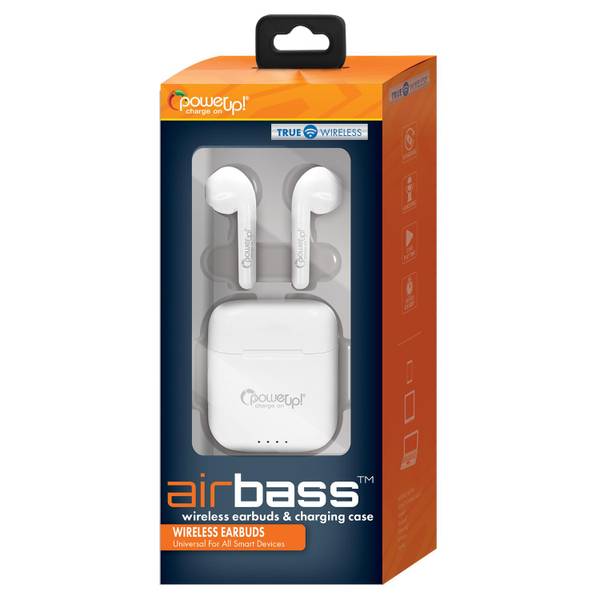
Charge wireless earbuds by placing them in their case, then plug or wirelessly charge the case.
I’ve spent years testing earbuds and teaching friends how to care for them. This guide explains how to charge wireless earbuds safely, quickly, and in ways that extend battery life. You’ll get clear steps, practical tips, troubleshooting fixes, and real-world lessons I learned while using dozens of true wireless models. Read on to master how to charge wireless earbuds with confidence and avoid common mistakes.

How to charge wireless earbuds: step-by-step
Start simple. Most earbuds charge when placed in their charging case. The case itself needs power, either through a USB cable or a wireless charging pad. Here’s a plain step-by-step you can follow right now.
- Place each earbud into its correct slot in the case; you'll usually feel a click.
- Ensure the metal contacts on the earbud and case touch cleanly.
- Close the case lid if it has one; some models only charge when closed.
- Plug the case into power using the supplied cable or place it on a compatible wireless charger.
- Wait for the LED or app indicator to show full charge before use.
Follow these steps every time you charge. Doing so makes how to charge wireless earbuds predictable and fail-safe.

Charging the case: wired vs wireless
Most charging cases accept power in two ways. Wired charging uses a USB-C, Micro-USB, or Lightning cable. Wireless charging works with Qi pads for convenience. Each method has pros and cons.
- Wired charging: Faster and more efficient for top-ups. Use the included cable for best results.
- Wireless charging: Good for convenience. It’s slower and adds charging cycles to the case battery.
- Portable battery packs: Great for travel. Look for a pack with stable output to protect battery health.
I often carry a small USB-C cable and a pocket wireless pad. When I'm on the road, I prefer wired charging because it recharges my case faster. This reflects real-life trade-offs when deciding how to charge wireless earbuds.

How long to charge wireless earbuds and the case
Charge times vary by model and battery size. Typical ranges are short and easy to remember.
- Earbuds: 30 minutes to 2 hours for a full charge. Fast-charge features often give an hour of playback in 10–15 minutes.
- Charging case: 1 to 3 hours for a full charge depending on input and battery capacity.
- Total cycles: A fully drained case plus earbuds usually recharges all components in one to three hours.
If you want exact numbers, check the manual. Still, these ranges help you plan daily use and know how to charge wireless earbuds without surprises.

Best practices to extend battery life
Good charging habits extend battery life and reduce the need for replacements. Small changes make a big difference.
- Avoid leaving earbuds in a dead state for long periods; charge within a week of deep discharge.
- Do short daily top-ups rather than deep discharges when possible.
- Use the original cable and quality chargers to keep voltage stable.
- Keep contacts clean; wipe metal points gently with a dry cloth before charging.
- Store the case charged to around 50% for long-term storage.
When I first started using wireless earbuds, I kept letting them die completely. That shortened battery life. After switching to short daily charges and keeping contacts clean, the performance stayed steady for years. These practical tips show real experience with how to charge wireless earbuds for longevity.

Troubleshooting common charging problems
Sometimes earbuds or cases fail to charge. Here are quick checks and fixes.
- Earbuds not charging: Check contact alignment, clean metal pins, and ensure the case has battery.
- Case not charging: Try a different cable or charger, test another wall outlet, and inspect the port for debris.
- Slow charging: Use a higher-output USB wall adapter and avoid charging from a laptop USB port.
- One earbud charges, the other doesn’t: Re-seat the earbud, reset the earbuds per the manual, and clean contacts.
If problems persist, a firmware update or factory reset can help. If that fails, contact support—some issues need repair or replacement. These steps will help you diagnose how to charge wireless earbuds when things go wrong.

Safety tips and care when charging
Charging safely protects you and your earbuds. Follow these safety tips every time.
- Use the charger and cable specified by the manufacturer when possible.
- Charge on hard, flat surfaces away from flammable materials.
- Avoid charging in extremely hot or cold places; room temperature is best.
- Do not force earbuds into the case—forcing can bend contacts.
- Unplug the case once fully charged to reduce unnecessary cycles.
I once charged a case on a soft pillow and noticed it got warm. Now I always put charging gear on a table. Small safety habits make how to charge wireless earbuds simple and risk-free.

When to reset or replace batteries
Batteries degrade over time. Know when to reset, repair, or replace.
- Try a reset first: Follow the manufacturer’s reset steps to fix odd charging behavior.
- Consider firmware updates: Sometimes patches fix charge detection bugs.
- Replace the case or earbuds if run time drops dramatically after normal care.
- Manufacturer support often covers battery issues during warranty periods.
I replaced a case after its capacity dropped by half within a year. The new case restored a full day of listening. This shows that replacement is sometimes the best option, even when you know how to charge wireless earbuds correctly.
Quick PAA-style questions (brief answers)
What is the fastest way to charge wireless earbuds?
Using the supplied cable and a high-output USB wall adapter gives the fastest reliable charge.
Can I use any wireless charger?
Use a Qi-compatible pad rated for small devices. Avoid chargers that get very hot or output very high voltage.
Will charging overnight damage earbuds?
Occasional overnight charging is fine; modern cases have charge management. Repeated long charges may slightly age the battery faster.
Why do earbuds stop charging in the case?
Dirty contacts, low case battery, or a firmware glitch are common causes; clean and reset to test.
Do wireless earbuds charge in any orientation?
Most need correct contact alignment in their slots; wireless pads require the case to sit centered on the coil.

Frequently Asked Questions of how to charge wireless earbuds
How long should I charge my earbuds the first time?
Most earbuds only need a full charge of 1–2 hours the first time. Check the manual, but a full case and earbuds charge is usually enough.
Can I charge my earbuds with a phone charger?
Yes, you can use a phone charger if it has the right cable and stable output. Use the original adapter when possible for best safety.
Is wireless charging bad for earbuds?
Wireless charging is not inherently bad. It’s a bit slower and may add small extra cycles, but it is safe with certified chargers.
Why do my earbuds show charging but battery doesn’t increase?
This can happen if the case battery is low or there’s a software glitch. Try a case charge, reset the earbuds, or update firmware.
How often should I fully charge the case?
Charging the case daily or every few days depending on use is fine. Avoid letting it stay at 0% for long periods to protect battery health.
Conclusion
Charging wireless earbuds is simple when you know the steps and the best habits to follow. Place earbuds correctly, use reliable power for the case, clean contacts, and prefer short top-ups over deep discharges. These actions keep batteries healthy and performance steady. Try the tips here, track what works for your model, and you’ll get the most from your earbuds. If this guide helped, share your experience, subscribe for more tips, or leave a comment with your model and charging questions.