Open the Voice Memos app, use Control Center, Siri, or Spotlight to record quickly.
I’ve guided hundreds of users on how to access voice recorder on iPhone so you can start recording fast. This guide walks you through every easy method, fixes common problems, and shares tips I learned from recording interviews, notes, and lectures on iPhone.
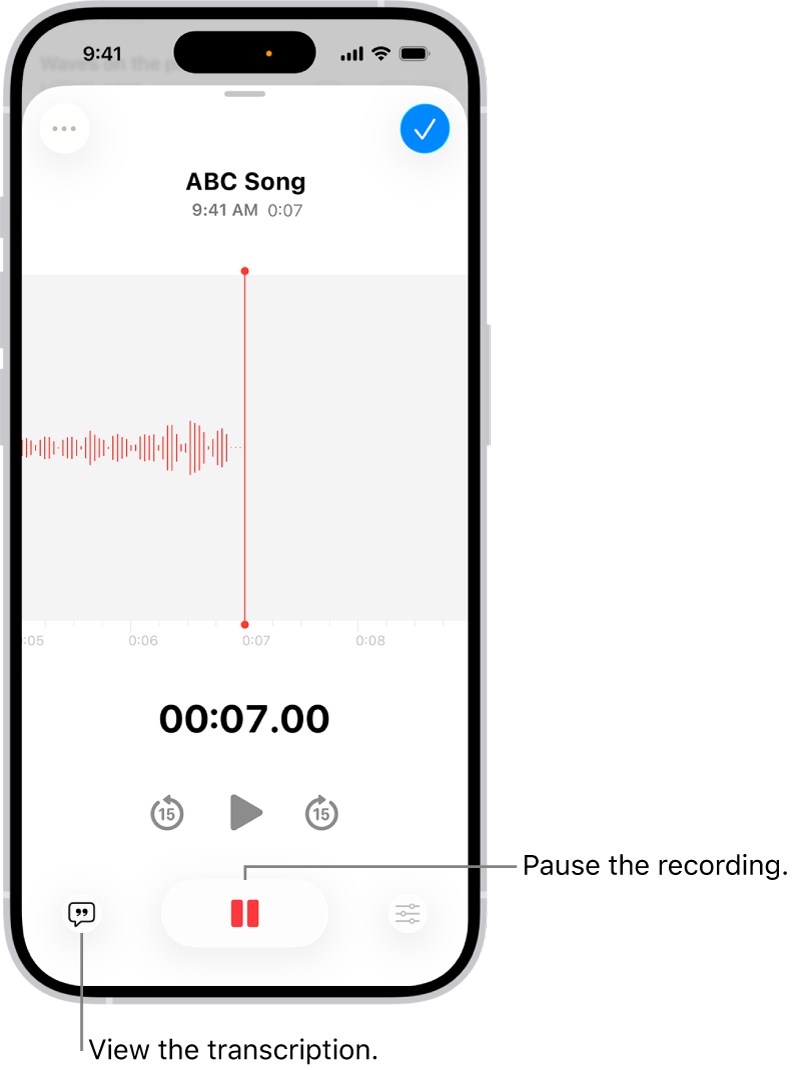
Why use Voice Memos on iPhone?
Voice Memos is built into iPhone and is ready to record with no extra apps. If you want a simple recorder that syncs to iCloud, Voice Memos is reliable and private. Learning how to access voice recorder on iPhone saves time and captures great audio when you need it most.

Ways to access voice recorder on iPhone
Below are the main ways to access and start recording. Each method fits a different need, from quick captures to hands-free recording.
Home screen or App Library
- Look for the Voice Memos app icon on your Home screen.
- If you can’t find it, swipe left to open the App Library and search Voice Memos.
- Tap the app to open and press the red record button.
This is the simplest method to access voice recorder on iPhone when you have a moment to unlock your phone.
Control Center
- Swipe down from the top-right corner (or up from the bottom on older iPhones).
- Tap the Voice Memos shortcut if it’s visible.
- If not present, add it via Settings > Control Center > Voice Memos.
Using Control Center is the fastest way to access voice recorder on iPhone for one-tap recording.
Siri voice command
- Say “Hey Siri, start a voice memo” or “Hey Siri, open Voice Memos.”
- Siri opens the app or begins recording depending on permission settings.
- To stop, use Siri or tap the red button.
Siri is great for hands-free use, especially when driving or when your hands are busy.
Spotlight search
- Swipe down on the Home screen to open Spotlight.
- Type “Voice Memos” or “voice memo.”
- Tap the result to open the app and record.
Spotlight makes it easy to access voice recorder on iPhone when apps are tucked away.
Widgets and Today View
- Add the Voice Memos widget via Edit Widgets or the Widget Gallery.
- Tap the widget to open the app or jump to recording.
- Widgets can speed up access from the Home screen or Today View.
Widgets are handy when you want to access voice recorder on iPhone without opening many apps.
From Apple Watch
- Open the Voice Memos app on Apple Watch.
- Record on the watch; memos sync to your iPhone automatically.
- This is useful for quick captures when your phone is away.
Recording via Apple Watch is an indirect but seamless way to access voice recorder on iPhone when you’re on the move.
Step-by-step: Add Voice Memos to Control Center
Follow these steps to make voice recording one swipe away.
- Open Settings on your iPhone.
- Tap Control Center.
- Scroll to More Controls and tap the plus next to Voice Memos.
- Rearrange the shortcut if you like, then swipe to test.
After this setup you can access the voice recorder on iPhone instantly from the Control Center.

Record, edit, and share — basic workflow
Recording and sharing on iPhone is fast and simple.
- Open Voice Memos and tap record.
- Tap Done to save and give the file a name.
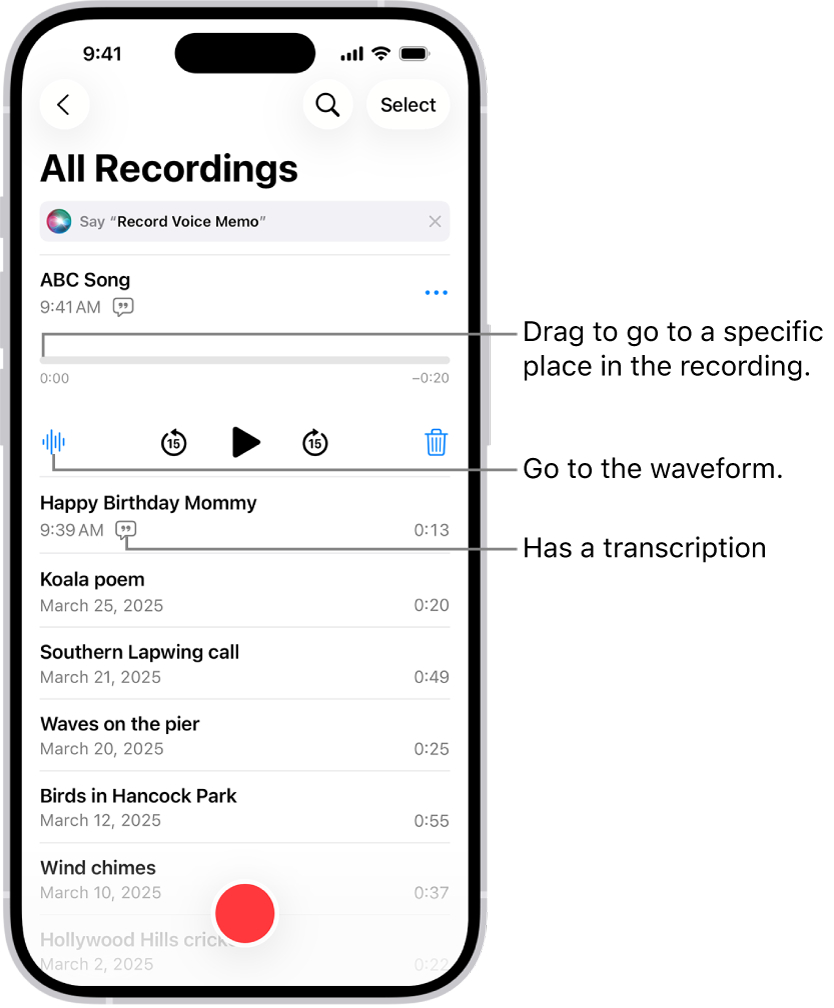
- Tap the three-dot menu to edit, trim, or share via Messages, Mail, or AirDrop.
You can also rename, replace, or mark a memo as a favorite for easy retrieval later. This workflow covers most everyday use cases for how to access voice recorder on iPhone and then manage files.

Troubleshooting and privacy
If you can’t find or use the voice recorder, try these fixes.
- Check Screen Time restrictions: Settings > Screen Time > Content & Privacy Restrictions.
- Confirm microphone permissions: Settings > Privacy & Microphone and enable for apps.
- Restart your iPhone or update iOS if the app acts odd.
If Voice Memos still fails, try reinstalling the app from the App Store or use a third-party recorder temporarily. I once lost a short interview when permissions blocked the mic; checking settings first saved me that headache later.

Tips for better recordings and pro setups
Improve clarity with small steps and simple gear.
- Move close to the mic and face it.
- Record in a quiet room and turn off fans or noisy devices.
- Use an external lightning or Bluetooth mic for interviews or music.
I use a compact lavalier for interviews and notice a big jump in clarity. Also change Settings > Voice Memos > Audio Quality to High Fidelity for better files when you need more detail.
PAA-style quick Q&A
-
Q: Can I record from the Lock Screen?
A: You can use Control Center from the Lock Screen if allowed in settings, but you can’t open the full app without unlocking on newer iOS versions. -
Q: Do voice memos sync across devices?
A: Yes, if you enable iCloud sync for Voice Memos they appear on your other Apple devices. -
Q: Is Voice Memos good for music?
A: It works well for quick demos, but use a dedicated recorder or external mic for studio-quality music.
Frequently Asked Questions of how to access voice recorder on iphone
How do I open the voice recorder on iPhone quickly?
Open Control Center or ask Siri to start a voice memo. You can also tap the Voice Memos app on your Home screen or App Library.
Why can’t I record audio on my iPhone?
Check microphone permissions in Settings > Privacy > Microphone and ensure Voice Memos or your app has access. Restart the phone and update iOS if needed.
How do I save and share recordings from Voice Memos?
Tap a memo, choose the share icon, and pick Mail, Messages, AirDrop, or save to Files. You can also trim and then share the edited file.
Can I recover deleted voice memos?
Deleted memos go to Recently Deleted in the Voice Memos app for 30 days. Open Recently Deleted and restore the memo before it’s permanently removed.
How do I make Voice Memos easier to access?
Add Voice Memos to Control Center, place a widget on your Home screen, or use Siri voice commands for instant access.
Conclusion
You now have clear, practical ways to access voice recorder on iPhone and use it like a pro. Try adding Voice Memos to Control Center and test Siri for hands-free capture. If you found this helpful, leave a comment, subscribe for more tips, or share your favorite recording trick below.