There are no mainstream 4K ultrawide monitors because true ultrawide 4K needs more pixels, power, bandwidth, and cost.
The question “why are there no 4K ultrawide monitors” has a simple twist: many models marketed as ultrawide 4K are actually 5K2K displays. Once you understand screen ratios, pixel counts, panel costs, and graphics limits, the market makes much more sense.
What Does “4K Ultrawide” Actually Mean?
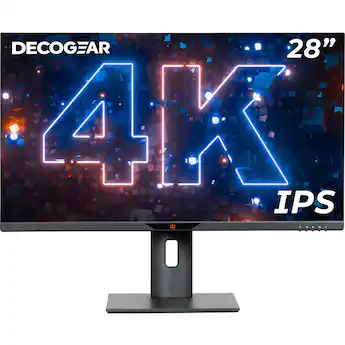
A standard 4K monitor usually has a resolution of 3840 × 2160 pixels. This is also called 4K UHD, and it uses a 16:9 aspect ratio.
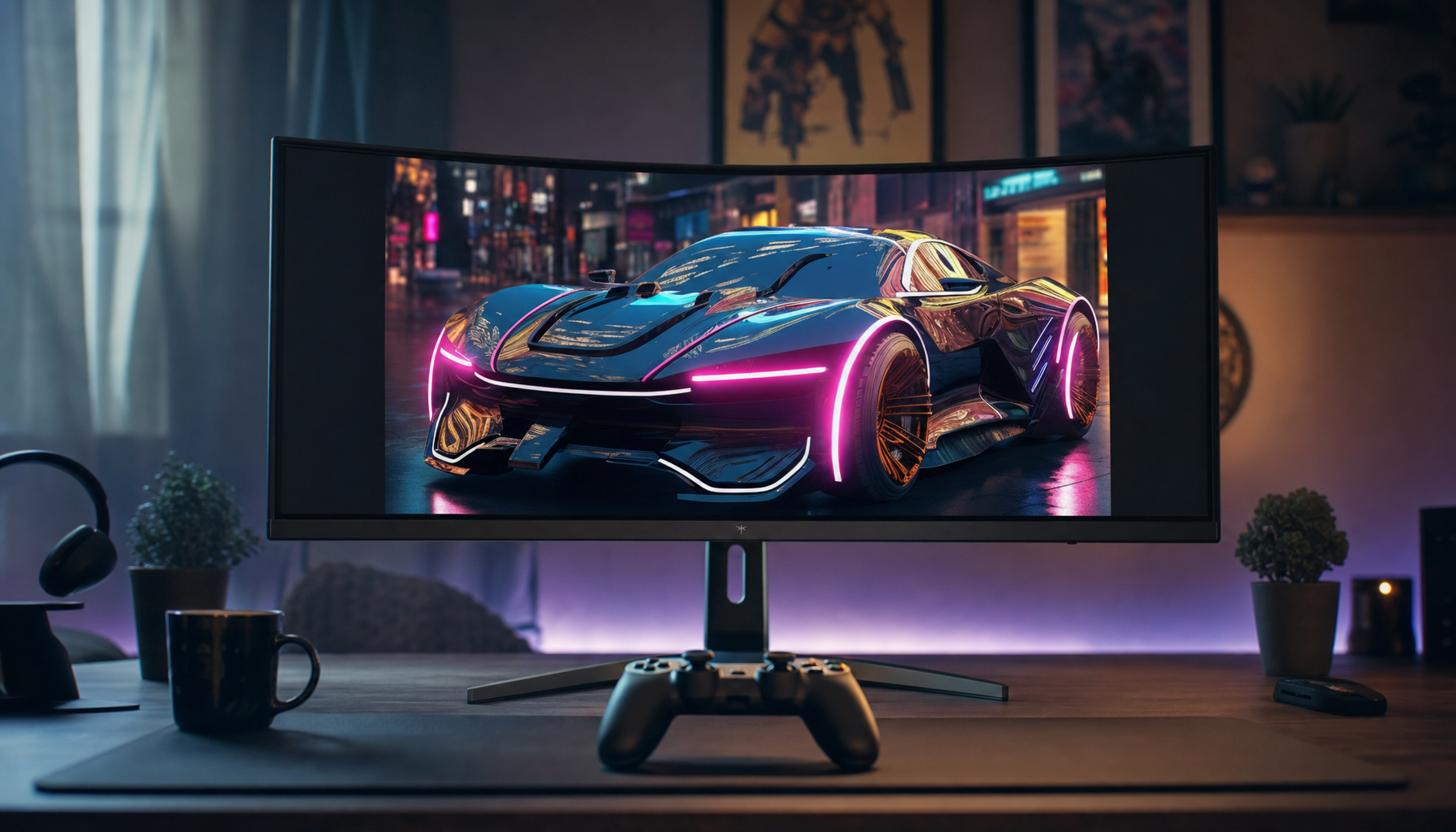
An ultrawide monitor is wider than a normal display. Common formats include:
• 21:9, usually 3440 × 1440
• 32:9, usually 5120 × 1440
• 21:9 with a 4K-height image, usually 5120 × 2160
That last format is the important one. A true 4K ultrawide would need to keep the 2160-pixel vertical height of a 4K screen while adding horizontal space.
This means the display would use 5120 × 2160 pixels. The industry often calls this resolution 5K2K, not 4K ultrawide.
The Main Reason There Are Few 4K Ultrawide Monitors
The biggest reason is that a true 4K ultrawide monitor requires far more pixels than a regular 4K display.
A 3840 × 2160 monitor has about 8.3 million pixels. A 5120 × 2160 monitor has about 11.1 million pixels. That is roughly one-third more pixels to produce, process, illuminate, and drive.
This creates extra challenges in several areas:
• Panel manufacturing becomes more difficult.
• The monitor needs faster display electronics.
• The graphics card must render more pixels.
• High refresh rates require much more bandwidth.
• The final product costs more.
For this reason, manufacturers often choose 3440 × 1440. It looks wide, costs less, runs more easily, and fits the current monitor market better.
This is the central answer to why are there no 4K ultrawide monitors in large numbers. The technology exists, but the business case is not as strong as it is for standard 4K or regular 1440p ultrawide screens.
A True 4K Ultrawide Is Usually Called 5K2K
The phrase “4K ultrawide” can be confusing because it describes two different ideas.
Some people mean an ultrawide screen with a 4K-like level of detail. Others mean an ultrawide screen with the exact vertical resolution of 4K UHD.
A 5120 × 2160 monitor is the closest match to the second meaning. Its height is 2160 pixels, just like a 3840 × 2160 4K monitor, but it is much wider.
The term 5K2K comes from:
• About 5000 horizontal pixels
• About 2000 vertical pixels
A 5K2K monitor is, therefore, a genuine high-resolution ultrawide. Examples have appeared in professional and productivity ranges, including 40-inch-class IPS monitors and a few 34-inch models.
However, these displays are still uncommon. Many shoppers search for “4K ultrawide,” while manufacturers list the products as “5K2K,” “5120 × 2160,” or “UHD ultrawide.” This naming gap makes it seem as if the category does not exist.

Why 5120 × 2160 Is Harder to Drive
Every pixel must be sent from the computer to the monitor. More pixels require more data.
At 60 Hz, a 5120 × 2160 display needs to refresh about 33% more pixels than a 3840 × 2160 monitor. At 120 Hz or 144 Hz, the data load becomes much higher.
The exact bandwidth also depends on color depth, chroma format, blanking intervals, and compression. Still, the basic rule is easy to remember: higher resolution plus higher refresh rate demands a faster connection.
Modern connections can help. DisplayPort 2.1 and HDMI 2.1 offer much higher bandwidth than older standards, while Display Stream Compression can reduce the data sent without a visible loss in normal use.
Even so, a 5K2K monitor running at 120 Hz is more demanding than a typical 4K 60 Hz display. Manufacturers must use advanced scalers, strong firmware, and newer ports. Those parts increase the price and development risk.
Graphics Card Demands Limit the Gaming Market
Gaming is another major reason why are there no 4K ultrawide monitors aimed at the mass market.
A 5120 × 2160 display has about 11.1 million pixels. A 4K screen has about 8.3 million. At the same graphics settings, the ultrawide model can place a much heavier load on the GPU.
This matters most in demanding games with ray tracing, detailed lighting, and large open worlds. Even high-end graphics cards may need help from technologies such as:
• NVIDIA DLSS
• AMD FSR
• Intel XeSS
• Dynamic resolution
• Lower shadow or ray-tracing settings
A player may also want a 144 Hz refresh rate. That means the graphics card must render more than 11 million pixels many times each second. For many buyers, 3440 × 1440 offers a better balance between image quality, frame rate, and price.
This is why 4K ultrawide monitors are not yet a natural choice for mainstream gaming. They are impressive, but the hardware needed to use them well is expensive.

Panel Manufacturing Makes Them Expensive
Display factories are built around panel sizes and formats that sell in high volume. Standard 16:9 4K panels are popular in TVs, laptops, monitors, and professional equipment. That broad demand helps reduce costs.
Ultrawide panels have a smaller market. A 5120 × 2160 panel is even more specialized because it needs a different glass layout, different electronics, and a suitable monitor enclosure.
Manufacturers also face a higher risk of defects. A large, dense panel has more pixels and more opportunities for problems such as:
• Dead pixels
• Uneven backlighting
• Backlight bleed
• Uniformity issues
• Image retention on OLED models
A company must recover these costs through a higher retail price. That can push a 5K2K monitor far above the price of a standard 4K display.
OLED adds another layer. OLED offers excellent contrast and fast response times, but large high-resolution OLED ultrawide panels are costly to produce. It is easier for brands to sell 3440 × 1440 OLED monitors than to invest in a smaller 5120 × 2160 OLED market.
The Monitor Market Rewards 1440p Ultrawide Models
Most buyers want a monitor that works well with the computer they already own. A 3440 × 1440 display is much easier to run than a 5120 × 2160 model.
This resolution also offers useful benefits:
• It is sharper than 2560 × 1440.
• It is wider than 16:9 1440p.
• It can reach high refresh rates at a reasonable cost.
• It works well with midrange and high-end GPUs.
• It is common in gaming, office, and creator products.
For many users, 3440 × 1440 is the sweet spot. It gives enough room for two windows, a wide game view, and a cinematic shape without demanding a top-tier graphics card.
By contrast, 5K2K ultrawide monitors target a narrower group:
• Video editors who need a wide timeline
• Programmers who want several large windows
• Photographers and designers who value sharp text
• Financial users who work with wide tables
• Professionals replacing two 27-inch monitors
The market is not ignoring 4K ultrawide monitors. It is simply serving the larger 1440p ultrawide audience first.
Why TVs Help Standard 4K More Than Ultrawide 4K
Standard 4K has a huge advantage because the television industry supports it. Millions of 4K TVs use 3840 × 2160 panels. That large production volume benefits monitor makers too.
Ultrawide panels do not receive the same support from the TV market. Almost no televisions use a 21:9 or 32:9 shape. Without that extra demand, factories have fewer reasons to produce these panels at very low prices.
This difference explains part of why are there no 4K ultrawide monitors at normal 4K monitor prices. A regular 4K panel can share a large supply chain. A 5K2K panel mostly depends on the smaller professional monitor market.
It is similar to buying a custom-sized window. The glass may not be difficult to make, but fewer people want that exact shape, so the production cost rises.
Desk Size and Viewing Distance Matter
A high-resolution ultrawide monitor must also be physically large enough to make sense.
A 34-inch 5120 × 2160 display has very high pixel density, close to 172 pixels per inch. Text and icons can look extremely sharp, but many users need display scaling to read comfortably.
At 40 inches, the same resolution has a pixel density closer to 140 pixels per inch. That still looks sharp, while providing a more comfortable size for desktop use.
The problem is that a 40-inch monitor takes up substantial desk space. It also needs a strong stand or monitor arm. Some desks cannot place the screen far enough away for comfortable viewing.
This creates a design tradeoff:
• Smaller models offer sharper images but may require scaling.
• Larger models are easier to read but cost more and need more space.
Manufacturers must choose which group to serve. That makes a single “perfect” 4K ultrawide monitor difficult to design.
5K2K Ultrawide Monitors Do Exist
The claim that there are no 4K ultrawide monitors is not completely accurate. They are available, but they are limited and often sold under different names.
Look for these specifications:
• 5120 × 2160 resolution
• 21:9 aspect ratio
• 5K2K label
• DisplayPort and HDMI support that match your target refresh rate
• USB-C with enough power delivery for your laptop
• A screen size between about 34 and 40 inches
Professional 5K2K models often focus on color accuracy, USB-C docking, productivity, and factory calibration. They may run at 60 Hz rather than 144 Hz.
A few gaming-focused products have explored higher refresh rates, but they remain much less common than 3440 × 1440 gaming displays. This is one of the clearest answers to why are there no 4K ultrawide monitors in every major gaming lineup: the category exists, but it has not reached mass-market volume.
4K Ultrawide Versus 3440 × 1440
The best choice depends on how you use your computer.
| Feature | 3440 × 1440 ultrawide | 5120 × 2160 5K2K ultrawide |
|---|---|---|
| Common use | Gaming and general work | Professional work and detailed content |
| Pixel count | About 4.9 million | About 11.1 million |
| GPU demand | Moderate to high | High to very high |
| Typical refresh rates | 100 Hz to 240 Hz | Often 60 Hz, with fewer high-refresh options |
| Text sharpness | Good | Excellent |
| Product availability | High | Limited |
| Typical cost | Lower | Higher |
A 3440 × 1440 model is usually better for fast gaming. A 5K2K display is usually better for text, editing timelines, spreadsheets, and detailed creative work.
There is no universal winner. Buying the sharper screen can be a mistake if your graphics card struggles or your desk is too small.
Benefits of a 5K2K Ultrawide Monitor
A true 4K ultrawide, usually sold as 5K2K, can be excellent for the right user.
More workspace
You can place a video timeline, preview window, and media panels on one screen. Developers can keep code, documentation, and a browser visible at the same time.
Sharp text
The high pixel count makes small text and fine interface details look clean. This is especially helpful on macOS and Windows when display scaling is handled well.
Fewer bezels
One large screen can replace two monitors. This removes the gap between displays and makes wide editing tasks feel more natural.
Better cinematic framing
Many films and games use wide aspect ratios. An ultrawide screen can provide a more immersive view, though game support varies.
Strong laptop workspace
A USB-C 5K2K monitor with charging can act as a display, hub, and laptop dock. This can reduce desk clutter.
Limitations You Should Know Before Buying
The biggest mistake is focusing only on resolution. A monitor is a system, not just a pixel count.
Check these limits before you buy:
• Your GPU may not provide smooth frame rates at 5120 × 2160.
• Older DisplayPort or HDMI versions may restrict refresh rate.
• Some laptops may support the resolution only at 30 Hz or 60 Hz.
• Windows and macOS scaling can affect how much space you gain.
• Some games may show black bars or use poor ultrawide support.
• Large screens need deep desks and strong stands.
• HDR quality depends on brightness, local dimming, and contrast, not resolution alone.
• OLED models can still have image-retention concerns during long static work sessions.
A useful buying habit is to check the complete connection table in the manual. Do not rely only on a store listing that says “supports 5K.” It may support that resolution at 30 Hz, which feels poor for everyday use.
How to Choose the Right Resolution
Start with your main task, then choose the resolution.
-
Choose 3440 × 1440 for fast gaming, lower cost, and easier GPU performance.
-
Choose 5120 × 2160 for sharp text, editing, coding, and wide professional workflows.
-
Choose 3840 × 2160 if you want the widest range of prices, sizes, and refresh rates.
-
Choose 5120 × 1440 if you want a very wide 32:9 layout without the full vertical pixel load of 5K2K.
-
Choose two 27-inch 4K monitors if you need maximum workspace and flexible window placement.
For gaming, compare the monitor with your graphics card. For example, a high-end GPU may handle 5120 × 2160 well in lighter games, but modern ray-traced titles can still require upscaling or reduced settings.
For office work, also check text scaling. A display with more pixels is not automatically more comfortable if the icons and text become too small.
Practical Buying Tips From Real-World Use
When comparing wide monitors, I recommend testing the workflow rather than judging the screen from a product photo. Open the apps you use every day, such as a browser, spreadsheet, editor, or game, and see how they fit.
One common mistake is assuming that a 40-inch 5K2K monitor feels like two 27-inch 4K monitors. It offers a wide continuous canvas, but window management and vertical space feel different. Some users love the single clean screen, while others prefer the flexibility of separate displays.
Another lesson is to check scaling before buying. At 100% scaling, a dense 5K2K screen may show tiny interface elements. At 125% or 150%, it can become much easier to use, but some of the extra workspace is consumed by larger text and controls.
Also pay attention to:
• Stand height and depth
• USB-C charging wattage
• KVM support
• Built-in speakers
• Warranty and dead-pixel policy
• Adaptive sync support
• Screen coating and glare
• The number and location of USB ports
These practical details often affect daily comfort more than a small difference in brightness or response time.
Will More 4K Ultrawide Monitors Arrive?
They may become more common, but growth will depend on several trends.
DisplayPort 2.1 and HDMI 2.1 make high-resolution, high-refresh connections more practical. Newer graphics cards also use better upscaling and frame-generation technologies. These improvements reduce some of the performance concerns.
OLED and mini-LED production may also expand. If manufacturers can produce large, dense ultrawide panels with fewer defects, prices could fall.
Still, demand remains the deciding factor. If most gamers prefer 3440 × 1440 and most office users choose regular 4K, brands may continue treating 5K2K as a niche product.
The future answer to why are there no 4K ultrawide monitors could change as professional creators, laptop users, and high-end gamers show stronger demand. For now, the category is real but specialized.
Frequently Asked Questions About Why Are There No 4K Ultrawide Monitors
Are 5K2K monitors the same as 4K ultrawide monitors?
They are the closest technical match. A 5120 × 2160 monitor keeps the 2160-pixel height of 4K UHD while adding horizontal pixels, so manufacturers usually call it 5K2K.
Why is 3440 × 1440 called ultrawide but not 4K?
3440 × 1440 is an ultrawide resolution, but it has fewer pixels than 3840 × 2160. It is generally considered a 1440p ultrawide rather than a 4K ultrawide.
Can a laptop run a 5120 × 2160 monitor?
Many modern laptops can, but the result depends on the USB-C, Thunderbolt, HDMI, or DisplayPort connection. Check whether the port supports 5120 × 2160 at the refresh rate you want.
Is a 5K2K monitor good for gaming?
It can be excellent with a powerful graphics card, especially in slower or visually rich games. However, 3440 × 1440 is usually easier to run at high frame rates.
Why are 4K ultrawide monitors so expensive?
They use specialized panels with more pixels and often require advanced display electronics. Lower production volume also prevents the same price advantages enjoyed by standard 4K panels.
Will a 4K ultrawide monitor replace two 4K monitors?
It can replace two monitors for many workflows, but it does not provide the same flexibility as separate screens. A 5K2K ultrawide offers one continuous canvas, while two monitors provide independent positioning and sometimes more vertical space.
Conclusion
The reason why are there no 4K ultrawide monitors in large numbers is mainly market balance, not a lack of technology. A true 4K-height ultrawide uses 5120 × 2160 pixels, so it is usually called 5K2K and costs more to manufacture and operate.
These monitors are valuable for editing, coding, design, and serious multitasking. For gaming and general use, 3440 × 1440 often delivers a better mix of speed, price, and compatibility.
Before buying, compare resolution, refresh rate, GPU power, connection bandwidth, scaling, and desk space. If you want one continuous high-detail workspace, explore 5K2K models; if you want smooth gaming at a lower cost, consider a 3440 × 1440 ultrawide. Share your preferred ultrawide setup or explore more monitor guides to make your next upgrade a smart one.