A graphics card helps your laptop display images, run games, edit video, and handle visual tasks smoothly.
If you have ever asked, “why do we need a graphics card in a laptop,” the answer goes beyond gaming. A graphics card, also called a GPU, turns data into the images, videos, animations, and interfaces you see every day. This guide explains how laptop graphics work, when you need a dedicated GPU, and how to choose the right one without wasting money.
What Is a Graphics Card in a Laptop?
A graphics card is the part of a laptop that creates and displays visual content. It processes images, videos, games, 3D scenes, and animations before sending them to the laptop screen.
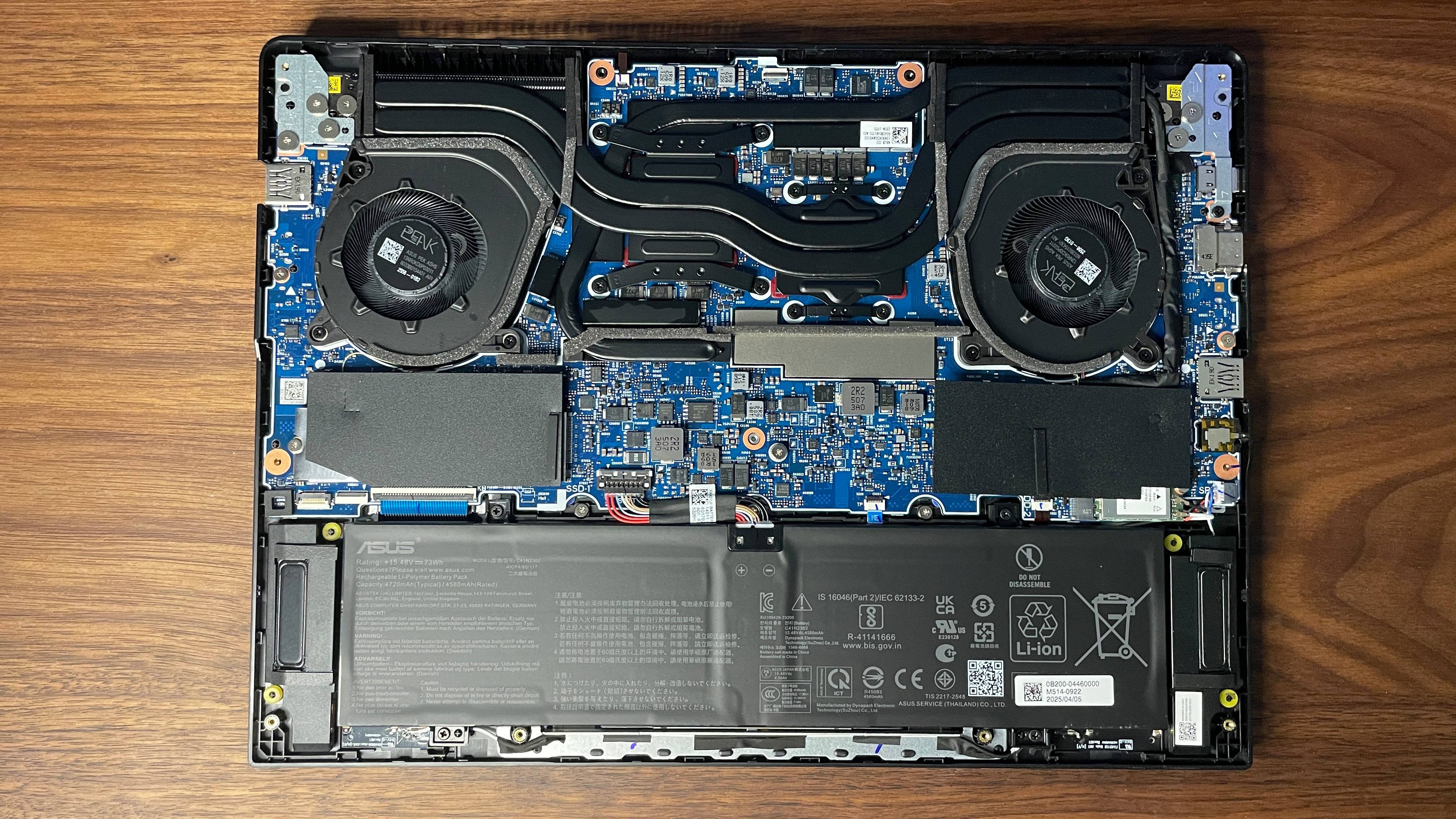
Many laptops do not have a separate graphics card. Instead, they use integrated graphics built into the processor. Other laptops include a dedicated graphics card with its own memory and cooling system.
The main types are:
• Integrated graphics share memory with the laptop’s processor.
• Dedicated graphics use a separate chip and their own video memory, often called VRAM.
• Hybrid graphics switch between integrated and dedicated graphics to balance speed and battery life.
A simple way to understand this is to think of the CPU as the laptop’s manager. The GPU is the artist who draws everything you see. The CPU can help with basic drawing, but a strong GPU is better when the scene becomes complex.
Why Do We Need a Graphics Card in a Laptop?
The main reason why do we need a graphics card in a laptop is to process visual information quickly and efficiently. Without graphics hardware, your laptop would struggle to show smooth video, detailed images, modern games, and rich software interfaces.
A graphics card performs several important jobs:
• It renders images and text on the screen.
• It plays high-resolution videos smoothly.
• It supports external monitors and high screen refresh rates.
• It speeds up games and 3D applications.
• It helps with video editing and visual effects.
• It supports some artificial intelligence and machine learning tasks.
• It reduces the visual workload placed on the CPU.
Modern operating systems also use GPU acceleration for everyday tasks. Window animations, web pages, video calls, photo apps, and streaming services can all use graphics processing.
That is why the answer to why do we need a graphics card in a laptop applies to more people than gamers. Even a basic laptop needs some form of graphics processor to create the picture on its display.
How Does a Laptop Graphics Card Work?
A laptop graphics card receives instructions from software and converts them into pixels. Pixels are the tiny colored dots that form every image on your screen.
For example, when you watch a movie, the GPU helps decode video frames and display them in the correct order. When you play a game, it calculates lighting, shadows, textures, movement, and object shapes many times per second.
Key graphics card parts include:
GPU cores
GPU cores handle many small calculations at the same time. This makes them useful for images, video, games, and other tasks that can run in parallel.
VRAM
Video RAM stores textures, frames, models, and other visual data. More VRAM can help with large games, high-resolution video, and 3D work.
Cooling system
Graphics processing creates heat. Laptop GPUs use fans, heat pipes, and metal cooling plates to control temperature.
Graphics drivers
Drivers are software programs that help the operating system and applications communicate with the GPU. Keeping them updated can improve performance and fix errors.
When people ask why do we need a graphics card in a laptop, these parts explain the practical answer. The GPU is a specialized engine built to move visual data faster than a general-purpose processor alone.

Integrated Graphics vs. Dedicated Graphics
Choosing between integrated and dedicated graphics depends on your work, budget, and battery needs.
Integrated graphics
Integrated graphics are built into the CPU or a shared system chip. They use part of the laptop’s regular memory instead of having separate VRAM.
They are a good choice for:
• Web browsing
• Office work
• Online classes
• Streaming video
• Basic photo editing
• Video calls
Integrated graphics usually use less power and produce less heat. This can lead to longer battery life, a lighter laptop, and a lower price.
Dedicated graphics
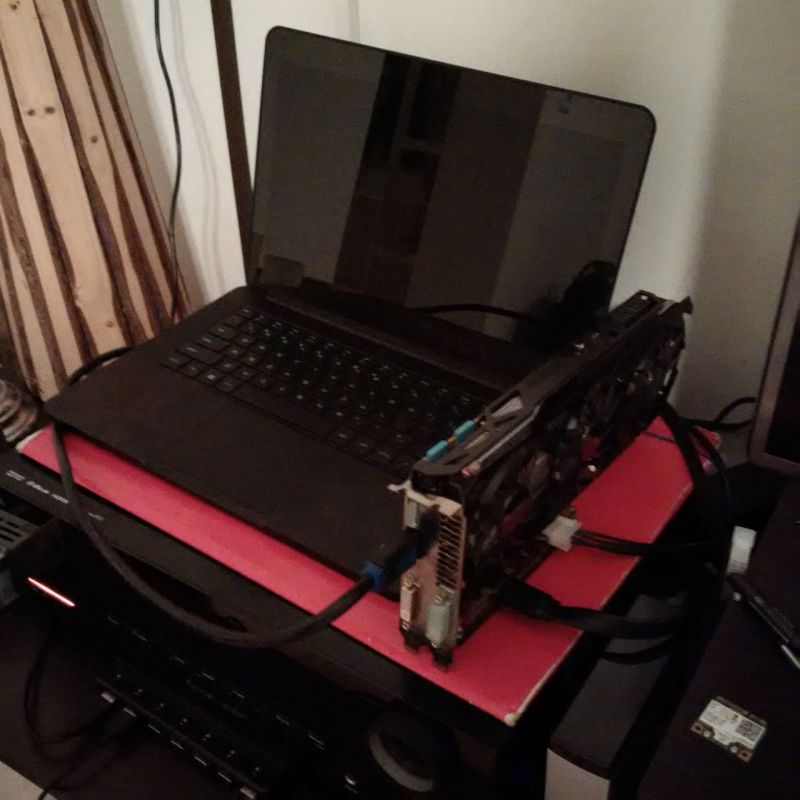
A dedicated GPU is a separate chip designed for heavier visual work. It normally has its own VRAM and stronger processing power.
Dedicated graphics are useful for:
• Modern PC games
• 3D modeling
• CAD software
• Video editing
• Motion graphics
• Game development
• Professional photo work
• Local AI tools
The trade-off is higher cost, more heat, louder fans, and shorter battery life during demanding work. Therefore, why do we need a graphics card in a laptop depends on the tasks you expect to perform.
What Tasks Need a Dedicated Graphics Card?
Not every laptop user needs a powerful dedicated GPU. Still, some tasks benefit greatly from one.
Gaming
Games use the GPU to render a world in real time. A stronger graphics card can deliver higher frame rates, better textures, improved lighting, and higher resolutions.
A dedicated GPU is helpful if you want to play recent games at 1080p or higher. Check the game’s recommended requirements before buying a laptop, since performance varies between GPU models.
Video editing
Video editing software uses the GPU for playback, effects, color correction, and export. A dedicated graphics card can make timelines feel smoother, especially with 4K video and complex effects.
However, the CPU, RAM, storage speed, and video editing software also matter. A powerful GPU cannot fix a laptop with too little memory or a slow hard drive.
3D design and CAD
Programs for architecture, product design, engineering, and animation can display large 3D models. A dedicated GPU helps rotate, zoom, and edit these models with fewer pauses.
Some professional applications also support GPU rendering. This can reduce export times, but the exact benefit depends on the software and the graphics card.
Creative work
Photo editing usually works well on integrated graphics. A dedicated GPU becomes more useful when you edit large images, use complex filters, work with many layers, or create motion graphics.
Artificial intelligence
Some AI programs can use GPU acceleration. GPUs are good at the repeated math used in many AI models. Still, software support is important, and not every GPU works equally well with every AI tool.

Do You Need a Graphics Card for Everyday Laptop Use?
For many people, integrated graphics are enough. You probably do not need a dedicated GPU if your main activities include browsing, email, documents, video calls, and streaming.
A modern integrated GPU can handle common tasks such as:
• Playing 1080p and 4K video
• Connecting to an external display
• Running office applications
• Viewing web-based graphics
• Editing simple photos
• Playing older or casual games
This is an important part of understanding why do we need a graphics card in a laptop. You need graphics processing, but you may not need a large or expensive graphics card.
In laptops I have tested for office work and school use, integrated graphics often felt quick and reliable. The bigger performance limits were usually low RAM, a slow storage drive, or too many background apps.

Benefits of Having a Dedicated Laptop GPU
A dedicated graphics card offers several clear benefits when your workload needs it.
Better gaming performance
A dedicated GPU can produce more frames per second and support higher visual settings. It also handles modern graphics technologies that basic integrated graphics may not manage well.
Faster creative workflows
Video exports, 3D previews, and visual effects can finish sooner when the software uses GPU acceleration. This saves time if you work with media every day.
Support for high-resolution displays
A stronger GPU can better support 1440p, 4K, ultrawide, and high-refresh-rate displays. The exact limit depends on the GPU, display output, and laptop design.
Improved multitasking for visual work
A dedicated GPU can handle graphics tasks while the CPU manages other work. This may help when you edit video, stream, record gameplay, or use several demanding applications.
Longer useful life for demanding software
A laptop with a capable GPU may remain useful for modern games and creative programs for more years. It cannot guarantee future performance, but extra graphics power gives you more room to grow.
These benefits show why do we need a graphics card in a laptop when performance and visual quality matter more than low weight or long battery life.
Limitations of Laptop Graphics Cards
A graphics card can improve performance, but it also has limits.
• Laptop GPUs are often slower than desktop versions with similar names.
• Thin laptops may reduce GPU speed to control heat.
• A dedicated GPU can increase fan noise.
• Heavy graphics work can reduce battery life quickly.
• Laptop graphics cards are usually difficult or impossible to upgrade.
• More GPU power often increases the laptop’s price.
• Poor cooling can cause the GPU to slow down during long tasks.
One mistake I have seen many buyers make is choosing a laptop based only on the GPU name. The same graphics chip can perform differently in two laptops because of cooling, power limits, and design.
Before you buy, check independent performance tests, sustained gaming results, fan noise, and temperature reports. A short benchmark score does not always show how a laptop behaves after an hour of real work.
How to Choose the Right Laptop Graphics Card
The best GPU depends on your actual needs. Start with your applications, not the graphics card brand.
For school and office work
Choose a modern processor with integrated graphics. Focus more on:
• At least 8 GB of RAM, with 16 GB being better for long-term use
• A fast solid-state drive
• A comfortable screen
• Good battery life
• A reliable keyboard
For casual gaming
Look for a laptop with strong integrated graphics or an entry-level dedicated GPU. Check benchmarks for the games you play, not just general specifications.
For serious gaming
Look for a dedicated GPU with enough VRAM for your target resolution. Also check the laptop’s cooling system, display refresh rate, and power limit.
For video editing
Choose a balanced system with a capable GPU, a modern multi-core CPU, at least 16 GB of RAM, and fast storage. If you edit 4K footage, more RAM and VRAM can make a noticeable difference.
For 3D and professional design
Check the software requirements carefully. Some professional programs favor specific drivers or certified graphics cards. Compatibility can matter as much as raw speed.
A practical buying process looks like this:
-
List the programs and games you use.
-
Read their recommended hardware requirements.
-
Choose your target resolution and quality settings.
-
Compare real laptop benchmarks.
-
Check cooling, weight, battery life, and upgrade options.
-
Buy only as much GPU power as your work requires.
This approach answers why do we need a graphics card in a laptop without pushing every reader toward an expensive gaming machine.
Graphics Card Specifications That Matter
Graphics card specifications can look confusing, but a few details matter most.
GPU model
The model gives you a general idea of performance. Newer does not always mean faster than every older model, so compare real benchmarks.
VRAM capacity
VRAM helps the GPU store visual data. More VRAM is useful for high-resolution games, large textures, 3D models, and demanding creative projects.
Power limit
The power limit affects how fast the GPU can run. A laptop with a higher power limit may outperform a thinner laptop using the same GPU model.
Architecture and features
Newer GPU designs may support better video encoding, ray tracing, image upscaling, and AI features. These features can improve quality or performance when supported by your software.
Display output
Check whether the laptop supports the external monitor resolution and refresh rate you need. USB-C, HDMI, and DisplayPort support can vary by model.
Do not judge a laptop by one specification alone. A balanced system usually provides a better experience than a laptop with a strong GPU but weak cooling, limited RAM, or poor storage.
How to Improve Graphics Performance on a Laptop
You can often improve a laptop’s graphics performance without replacing the GPU.
• Update the graphics driver through the laptop maker or GPU maker.
• Keep the laptop on a hard, flat surface.
• Clean dust from the vents when needed.
• Close programs that use memory and processing power.
• Use the laptop’s performance mode when plugged in.
• Lower game settings that affect the GPU, such as shadows and ray tracing.
• Reduce the game resolution if frame rates are low.
• Keep enough free storage space for system updates and temporary files.
• Avoid blocking the cooling vents with blankets or soft furniture.
In my experience, cleaning blocked vents and changing power settings can make a bigger difference than many users expect. Still, these steps cannot turn a basic integrated GPU into a high-end gaming card.
Common Mistakes When Buying a Laptop GPU
Buying the most powerful graphics card is not always the best decision. Watch for these common mistakes:
Ignoring the screen
A powerful GPU paired with a poor display may not feel like a premium experience. Check brightness, color quality, resolution, and refresh rate.
Forgetting battery needs
Gaming laptops can be powerful but heavy. If you travel often, a lighter laptop with integrated graphics may suit you better.
Focusing only on VRAM
More VRAM helps, but it does not tell the whole story. GPU architecture, power limits, cooling, and software support also affect performance.
Overlooking heat
Heat can cause a laptop to slow down during long sessions. Read reviews that test sustained performance, not only short bursts.
Assuming upgrades are easy
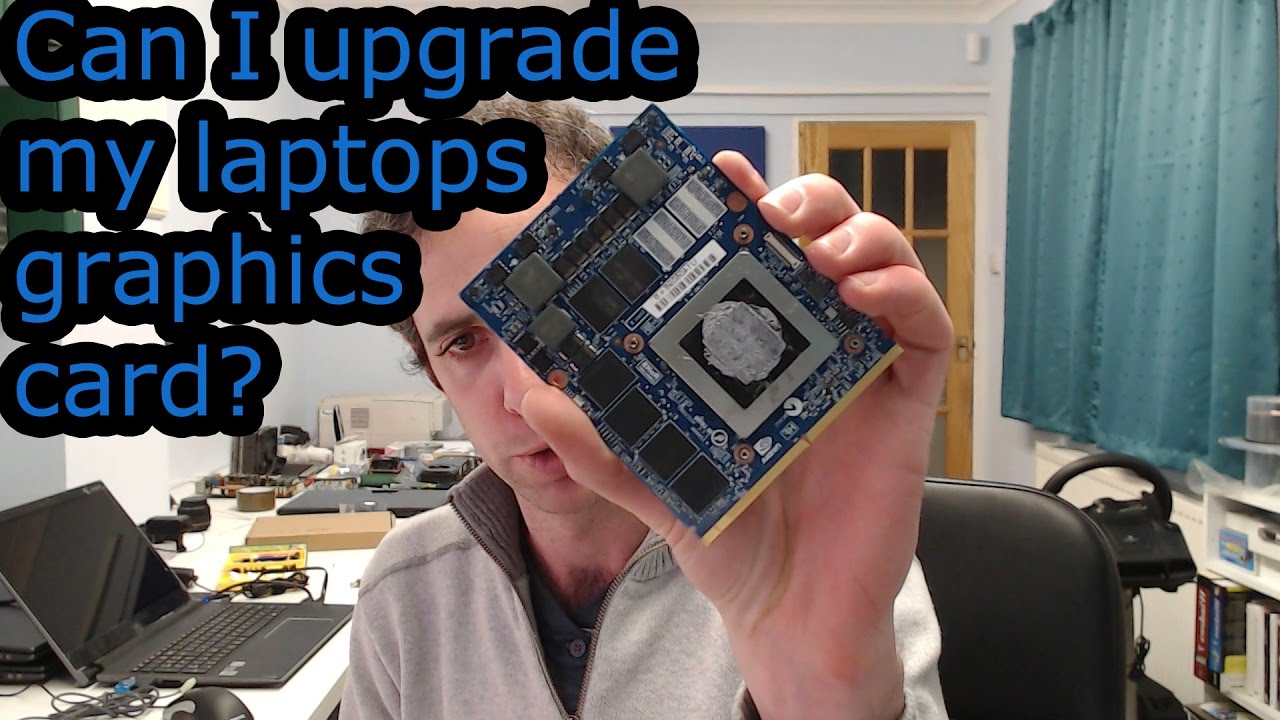
Most laptop GPUs are soldered to the motherboard. Choose carefully because you may not be able to upgrade the graphics card later.
These points make the answer to why do we need a graphics card in a laptop more practical. The right GPU is the one that fits your work, budget, and daily habits.
Frequently Asked Questions
Why do we need a graphics card in a laptop if the CPU already works?
The CPU can handle basic graphics, but a GPU is designed to process many visual calculations at once. This makes games, video, animations, and high-resolution displays smoother.
Is a dedicated graphics card necessary for a laptop?
No. Integrated graphics are enough for browsing, office work, streaming, school tasks, and casual games. You need a dedicated GPU mainly for demanding games, 3D work, advanced editing, or similar tasks.
Can a laptop run without a graphics card?
A laptop must have some graphics processor to produce an image on its screen. It may not have a separate dedicated card, but it will usually have integrated graphics inside the processor.
Does a graphics card improve laptop speed?
It can improve speed in tasks that use GPU acceleration, such as gaming, video editing, and 3D rendering. It will not automatically make every task faster, such as writing documents or opening simple websites.
Can I upgrade the graphics card in a laptop?
In most laptops, the GPU is permanently attached to the motherboard and cannot be upgraded. External GPU systems may work with some laptops, but they require compatible ports and additional equipment.
Does a graphics card reduce battery life?
A dedicated graphics card usually uses more power than integrated graphics, especially during games or rendering. Hybrid graphics systems can switch to integrated graphics during light tasks to save battery.
Is more VRAM always better?
More VRAM is helpful for high-resolution games, large textures, and professional graphics work. However, VRAM alone does not determine performance because the GPU chip, cooling, and power limit also matter.
Conclusion
A graphics card gives a laptop the power to create smooth images, play games, edit video, run 3D software, and support demanding visual tasks. Integrated graphics work well for everyday use, while dedicated graphics are better for gaming, creative work, and professional applications.
The best way to decide why do we need a graphics card in a laptop is to match the GPU to your real workload. Check software requirements, compare tested performance, and consider heat, battery life, price, and upgrade limits before buying.
Choose a laptop that fits your needs instead of paying for power you will never use. Explore more laptop buying guides, compare trusted benchmarks, and share your graphics needs in the comments.