A desktop computer offers more power, comfort, upgrade options, and long-term value than most laptops.
Wondering why buy a desktop computer when laptops are so popular? A desktop can be the better choice for work, gaming, school, creative projects, and home use. It gives you room to grow, better cooling, a larger screen setup, and strong performance without forcing you to pay for portability. This guide explains the real benefits, trade-offs, and buying tips so you can make a smart choice.
What Is a Desktop Computer?
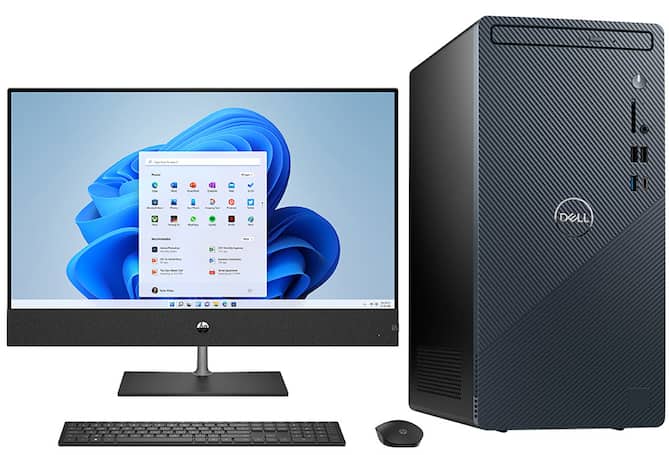
A desktop computer is a personal computer designed to stay in one place. It usually includes a computer tower, monitor, keyboard, and mouse. Some models, called all-in-one computers, place the main computer parts inside the monitor.
Desktops connect to power from a wall outlet. Unlike laptops, they do not rely on a built-in battery. This simple design gives manufacturers more space for cooling systems, larger parts, and stronger power supplies.
The answer to why buy a desktop computer often starts with one key idea: desktops are built for steady, long-term use. They can handle demanding tasks without the tight space limits found in many portable computers.
Common desktop types include:
• Tower PCs for work, gaming, and upgrades
• Small form factor PCs for compact desks
• All-in-one computers for clean setups
• Workstations for engineering, video editing, and 3D work
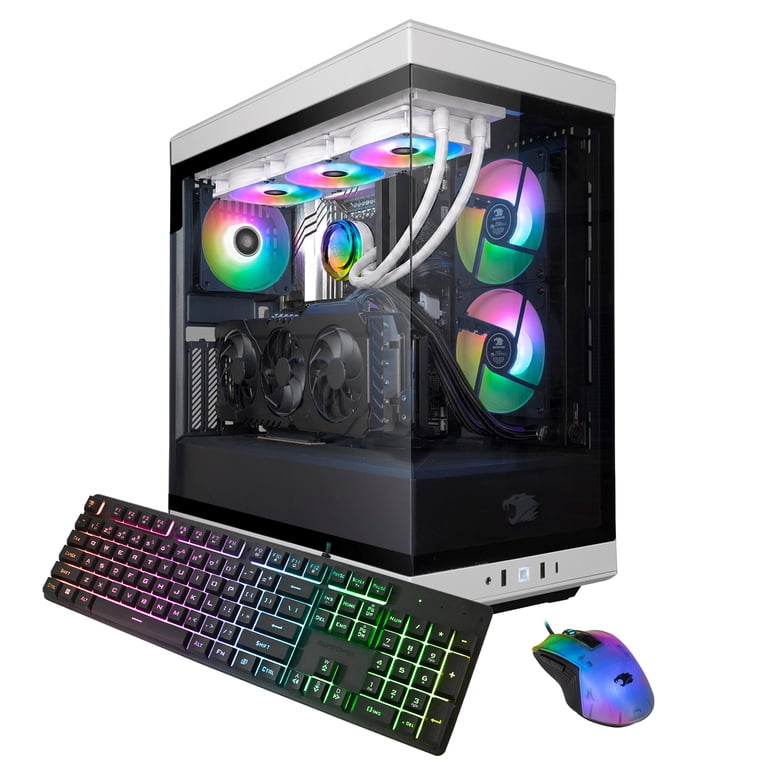
• Gaming desktops with dedicated graphics cards

Why Buy a Desktop Computer for Better Performance?
Performance is one of the strongest reasons to choose a desktop. A desktop can use a full-size processor, a stronger graphics card, more memory, and faster storage. These parts help the computer run demanding software with less slowdown.
A desktop also has better airflow than most laptops. Larger fans and heat sinks move heat away from the processor and graphics card. This matters because high heat can reduce performance over time.
For example, a desktop may handle these tasks well:
• Editing 4K video
• Running large spreadsheets
• Playing modern PC games
• Rendering 3D designs
• Managing music production software
• Using several programs at once
In my experience helping people choose computers, many buyers focus only on the processor name. That can be a mistake. A balanced system matters more. The processor, graphics card, memory, storage, cooling, and power supply must work well together.
A desktop also tends to maintain its performance during long sessions. A laptop may lower its speed when it gets hot or runs on battery power. A desktop connected to wall power can keep working at a steady level.
Desktop Computers Offer Better Value
A desktop often gives you more performance for your money. Laptop makers must pay for a screen, battery, keyboard, trackpad, compact cooling, and portable design. A desktop does not need all those built-in parts.
This means your budget can go toward the parts that affect speed. You may get:
• A faster processor
• More RAM
• A larger solid-state drive
• A dedicated graphics card
• Better cooling
• A higher-quality power supply
The value becomes even clearer when you already own a monitor, keyboard, or mouse. You can reuse those items and spend more of your budget on the computer itself.
Desktops can also cost less to repair. If a laptop screen, keyboard, or charging port fails, the repair may require special parts and labor. With a desktop, you can often replace one part without replacing the entire computer.
That is another important answer to why buy a desktop computer: you pay for useful performance instead of paying a premium for portability.
Still, price is not the only factor. A low-cost desktop with a weak power supply or limited upgrade path may not be a good deal. Check the full specification list before buying.
Why Buy a Desktop Computer for Upgrades?
Upgrades are a major desktop advantage. Many desktop cases allow you to add or replace memory, storage, graphics cards, cooling fans, and other parts.
This makes a desktop more like a house than a hotel room. You can change the parts as your needs change. A laptop often offers only limited upgrades, such as a replaceable solid-state drive or memory module.
Useful desktop upgrades include:
• Adding more RAM for multitasking
• Installing a larger SSD for files and games
• Replacing an older graphics card
• Adding extra case fans
• Installing a faster processor, if the motherboard supports it
• Adding a Wi-Fi card or extra USB ports
Before buying, check the motherboard and case limits. Some small computers use custom parts. These systems may offer fewer upgrade choices than standard tower PCs.
I once saw a buyer choose a very small desktop because it looked neat on a desk. Later, the buyer wanted a stronger graphics card, but the case could not fit one. The lesson is simple: plan for your future needs before choosing the smallest computer.
A good upgrade path can extend the useful life of a desktop. You may improve one part instead of replacing the whole system.
Desktops Are Excellent for Gaming
Gaming is another clear reason why buy a desktop computer. Desktop gaming systems can use powerful graphics cards that deliver high frame rates and sharp image quality.
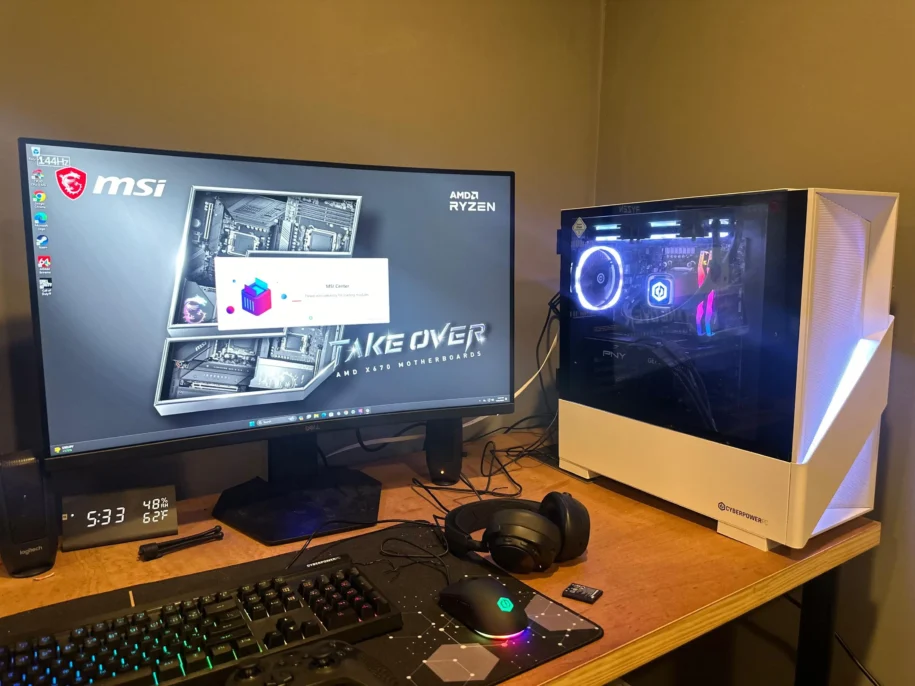
They also support larger monitors. A gaming desktop can connect to a 1440p, 4K, ultrawide, or high-refresh-rate display. Many gaming laptops can do this too, but desktops often offer better performance at the same price.
A desktop gaming setup may provide:
• Higher frame rates
• Better cooling during long sessions
• More storage for large game files
• Easier graphics card upgrades
• Support for multiple monitors
• Better control over noise and temperatures
A dedicated graphics card is important for modern games. Integrated graphics can work for casual games, older titles, and basic use. However, demanding games may need a separate graphics card with its own video memory.
Gaming desktops are also easier to customize. You can choose quiet fans, colorful lighting, a large case, or a simple professional design. The computer can match your space and your style.
Keep in mind that a complete gaming setup costs more than the tower alone. Include the monitor, keyboard, mouse, headset, speakers, and operating system in your budget.
Why Buy a Desktop Computer for Work and Productivity?
A desktop is useful for office work, remote work, accounting, research, and business tasks. It can run office software, web apps, communication tools, and large files for many hours.
A larger monitor can make work more comfortable. You can view a document on one side and a spreadsheet on the other. With two or three monitors, you can keep email, research, and project tools open at the same time.
This setup can reduce constant window switching. It may also help people who work with:
• Financial reports
• Customer databases
• Design documents
• Code editors
• Online meetings
• Large data tables
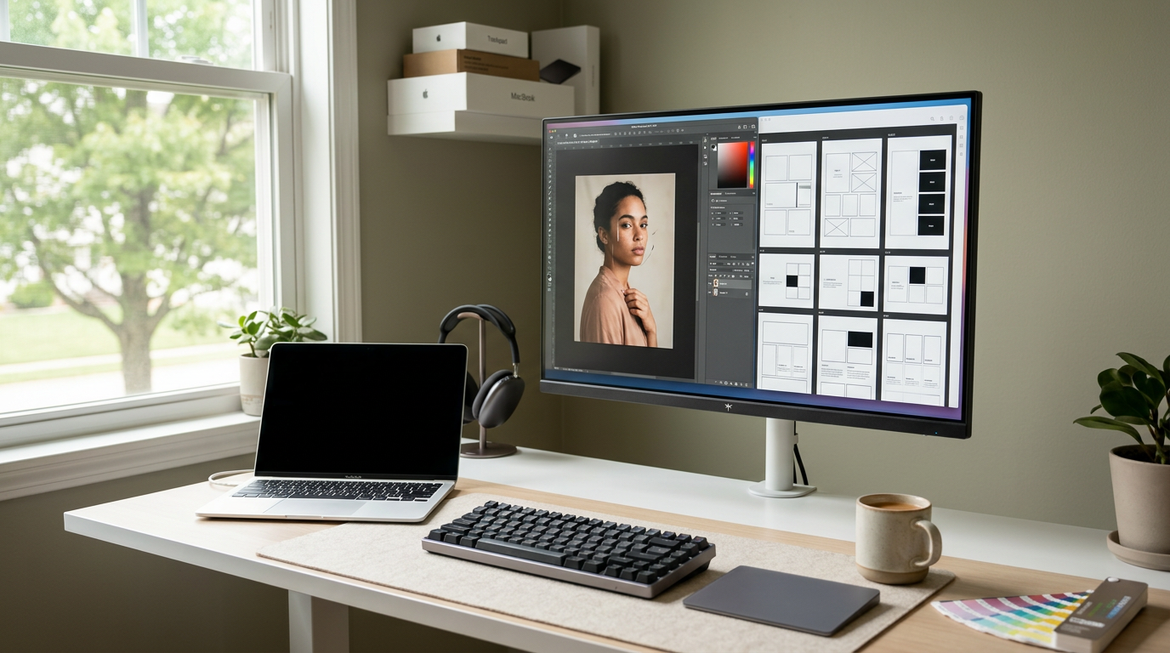
An ergonomic desktop setup may support a better posture than a small laptop on a kitchen table. You can set the monitor at eye level and place the keyboard at a comfortable height. A good chair and regular breaks still matter, but the larger setup gives you more control.
For remote workers, desktops can also offer stable wired internet. Ethernet connections often provide lower delay and fewer connection problems than weak wireless signals.
The best answer to why buy a desktop computer for work depends on your routine. If you work in one main location, the benefits can be greater than the loss of portability.
Desktops Are Better for Creative Work
Creative professionals often need strong hardware. Video editing, photo work, animation, music production, and 3D design can use a large amount of processing power.
A desktop can support:
• A powerful multi-core processor
• A professional or gaming graphics card
• Large amounts of RAM
• Several fast storage drives
• Color-accurate monitors
• External audio and video equipment
Video editors may benefit from a fast SSD for active projects and a larger drive for finished files. Photographers may want a high-resolution monitor with accurate colors. Music producers may need quiet cooling and many ports for audio devices.
Creative work also creates large files. A desktop can hold multiple drives or connect to external storage. A reliable backup system remains essential. No computer, whether desktop or laptop, protects your files from every possible failure.
Use the 3-2-1 backup rule when possible:
-
Keep three copies of important files.
-
Store those copies on two different types of media.
-
Keep one copy in another location or in secure cloud storage.
A strong desktop can save time during exports and renders. Time saved on every project can add up over months.
Why Buy a Desktop Computer for Home and Family Use?
A desktop can serve many people in a home. It can support homework, online learning, budgeting, video calls, photo storage, and entertainment.
Families may prefer a shared desktop in a study area. It gives children a dedicated place for schoolwork and helps parents manage files, accounts, and software. A desktop can also connect to a printer, webcam, speakers, and other home devices.
For basic home use, you may not need expensive hardware. A practical system might include:
• A modern entry-level processor
• 8GB to 16GB of RAM
• A 512GB SSD
• Built-in graphics
• Wi-Fi and Bluetooth
• A full HD monitor
An SSD is especially useful. It makes startup and app loading feel much faster than an old mechanical hard drive. If you store many photos or videos, add a larger drive or external backup storage.
A desktop also reduces the risk of a laptop being dropped, lost, or carried around the house. It stays in one place, which can be helpful for a shared family setup.
Desktop Computer Security and Reliability
A desktop can be a reliable home or office device when you maintain it properly. Its larger case makes it easier to clean, inspect, and repair.
Dust is one common problem. Dust can block vents and reduce airflow. Clean the case vents and fans with suitable compressed air, while following the manufacturer’s safety guidance. Do not place the tower inside a cramped cabinet where heat cannot escape.
Good security habits include:
• Install operating system updates
• Use strong, unique passwords
• Turn on multi-factor authentication
• Keep antivirus protection active
• Back up important files
• Avoid unknown downloads and links
• Use a surge protector or uninterruptible power supply
A desktop is not automatically safer than a laptop. Security depends on software, user habits, network settings, and updates. The fixed location may make physical security easier, but it can also make the computer a target if many people share access.
For business use, consider a desktop with a warranty and support plan. A reliable warranty can reduce stress if a component fails.
Desktop Computers Have Some Limitations
A balanced guide to why buy a desktop computer must also cover the drawbacks. The biggest limitation is portability. You cannot easily carry a tower from a desk to a coffee shop or classroom.
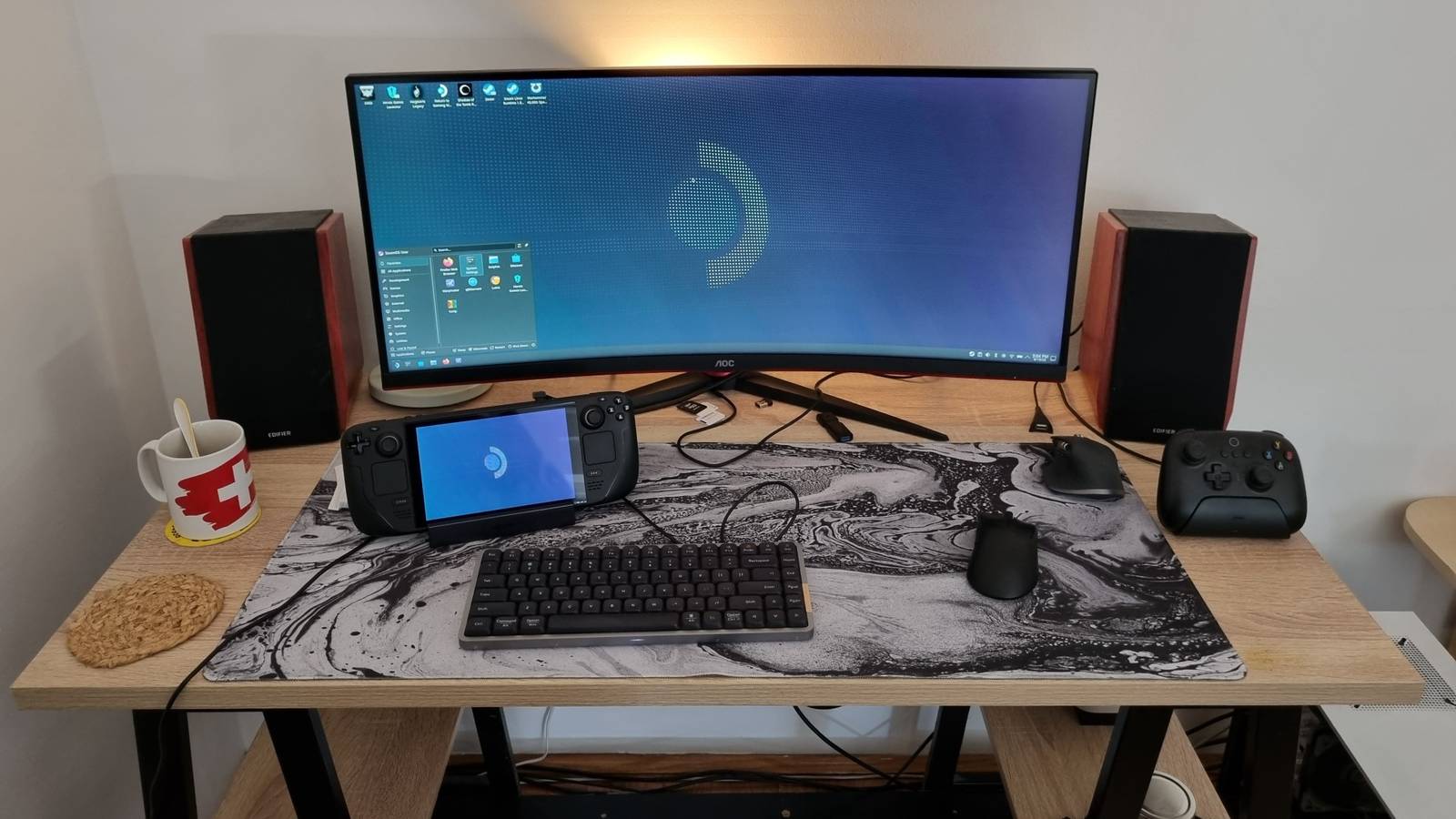
A desktop also needs more space. You may need room for the tower, monitor, keyboard, mouse, speakers, and cables. An all-in-one computer can reduce clutter, but it may offer fewer repair and upgrade options.
Other limitations include:
• It needs a wall outlet
• Moving it can be inconvenient
• The setup may cost more when you include accessories
• It may use more power than a small laptop
• It can create fan noise under heavy loads
• Some compact models use nonstandard parts
Power use varies widely. A basic desktop may use modest energy, while a powerful gaming or workstation PC can use much more under load. Look for efficient components and use sleep settings when the computer is not active.
A desktop may not be right for students who move between classrooms, travelers, field workers, or people with very limited space. In those cases, a laptop or tablet may be the better tool.
The right choice depends on your daily life, not just benchmark scores.
Desktop Computer vs. Laptop
The desktop versus laptop decision becomes easier when you compare your priorities.
Choose a desktop if you value:
• Maximum performance for your budget
• Easy upgrades
• A large screen or multi-monitor setup
• Long work or gaming sessions
• Repairable parts
• A fixed home or office workspace
Choose a laptop if you value:
• Portability
• A built-in screen and keyboard
• Battery power
• Flexible work locations
• A smaller setup
Some people need both. A desktop can serve as the main work machine, while a lightweight laptop handles travel and meetings. Cloud storage and remote access can help keep files available across devices.
When people ask why buy a desktop computer, I often suggest they picture a normal week. Where do they work? How long do they use the computer? Do they carry it often? Do they edit video, play games, or use large programs?
Those answers are more useful than simply asking which device is newer.
How to Choose the Right Desktop Computer
Start with your main tasks. Do not buy a high-end workstation for email, and do not expect an entry-level office PC to handle advanced 3D work.
Use this simple process:
-
List your main programs and games.
-
Set a total budget, including the monitor and accessories.
-
Choose the performance level you need.
-
Check RAM, storage, graphics, and cooling.
-
Review upgrade options.
-
Compare warranty and return policies.
-
Read independent reviews and user feedback.
For general use, 8GB of RAM may work, but 16GB gives more room for modern multitasking. Creative software, gaming, and professional workloads may benefit from 32GB or more.
Choose an SSD for the main drive. A 512GB SSD is a useful starting point for many users. If you install many games or manage media files, consider 1TB or more.
Pay close attention to the power supply. A trusted power supply with enough capacity protects system stability and leaves room for future upgrades. Avoid buying a powerful graphics card paired with a low-quality power supply.
Also check the ports. You may need USB-C, USB-A, HDMI, DisplayPort, Ethernet, audio connections, or a memory card reader.
Build or Buy a Desktop Computer?
Buying a prebuilt desktop is often easier. The system arrives assembled and tested. It may include technical support and a warranty for the complete computer.
Building a desktop can offer more control. You select each part and may get better value for a specific purpose. However, building requires research, time, and careful installation.
A prebuilt computer may suit you if:
• You want a simple setup
• You need support
• You are not familiar with computer parts
• You want a single warranty
Building may suit you if:
• You enjoy learning about hardware
• You want precise part selection
• You plan to upgrade over time
• You need a specialized configuration
A common mistake is to spend too much on the processor while choosing weak memory, storage, or cooling. A well-balanced prebuilt system can outperform a poorly planned custom build.
Whichever path you choose, check the exact parts. Terms such as “fast graphics” or “high-performance storage” do not tell you enough. Look for specific model numbers.
Common Mistakes to Avoid
Buying a desktop is easier when you know what to avoid. Marketing can make almost any system sound powerful, but the details matter.
Avoid these mistakes:
• Buying without checking the total setup cost
• Choosing a hard drive when an SSD fits the budget
• Ignoring the power supply brand and wattage
• Buying too little RAM for your work
• Forgetting monitor resolution and refresh rate
• Choosing a case with poor airflow
• Assuming every desktop is easy to upgrade
• Skipping backups
• Buying an old processor just because the price looks low
I also recommend checking the return period. If the computer arrives with faults, a clear return policy can save time and money.
Do not assume that a higher price always means better value. Professional branding, extra lighting, and premium cases may not improve the tasks you care about. Spend first on the processor, memory, SSD, graphics card, cooling, and reliable power delivery.
Frequently Asked Questions About Why Buy a Desktop Computer
Why buy a desktop computer instead of a laptop?
A desktop usually provides more performance, easier upgrades, better cooling, and more value for the same budget. A laptop is better when portability and battery life matter most.
Is a desktop computer good for everyday use?
Yes. A desktop works well for web browsing, email, schoolwork, streaming, video calls, and office programs. An SSD and at least 8GB to 16GB of RAM can provide a smooth experience for many basic users.
Are desktop computers cheaper than laptops?
Desktops often offer more performance per dollar because they do not include a battery, built-in screen, or compact components. However, you must include the cost of a monitor, keyboard, mouse, and other accessories.
Can a desktop computer last longer than a laptop?
A desktop can last longer because it is easier to clean, repair, and upgrade. Its useful life still depends on build quality, software support, maintenance, and how demanding your tasks are.
Is a desktop computer better for gaming?
A desktop is often better for gaming because it can support stronger graphics cards, better cooling, larger monitors, and easier upgrades. Gaming laptops offer portability but may cost more for similar performance.
How much RAM does a desktop computer need?
For basic work, 8GB may be enough, while 16GB is a comfortable choice for most modern users. Gaming, video editing, software development, and professional tasks may benefit from 32GB or more.
Should I buy an all-in-one desktop?
An all-in-one can be a good choice when you want a clean, simple workspace with fewer cables. A traditional tower is usually better if you want easy repairs, stronger upgrades, or high-end performance.
Conclusion
Why buy a desktop computer? The main reasons are strong performance, better value, easier upgrades, improved cooling, and a comfortable workspace. Desktops work especially well for gaming, creative work, business tasks, studying, and family use.
They are not ideal for everyone. If you travel often or need battery power, a laptop may suit you better. But if your computer will stay in one place, a desktop can give you more power and flexibility for years.
Start by listing your real tasks and setting a complete budget. Then compare the processor, RAM, SSD, graphics, cooling, ports, warranty, and upgrade options. Explore trusted computer guides, compare current models, and share your desktop needs or questions in the comments.