A gaming laptop delivers strong performance, portability, and extra features for games, work, study, and creative tasks.
Wondering why a gaming laptop makes sense when regular laptops cost less? The answer goes beyond colorful lights and fast games. A modern gaming laptop combines a powerful processor, dedicated graphics, a high-refresh display, strong cooling, and upgrade-friendly parts in one portable computer. This guide explains why a gaming laptop may be worth your money, where it falls short, and how to choose one without overpaying.
What Is a Gaming Laptop?
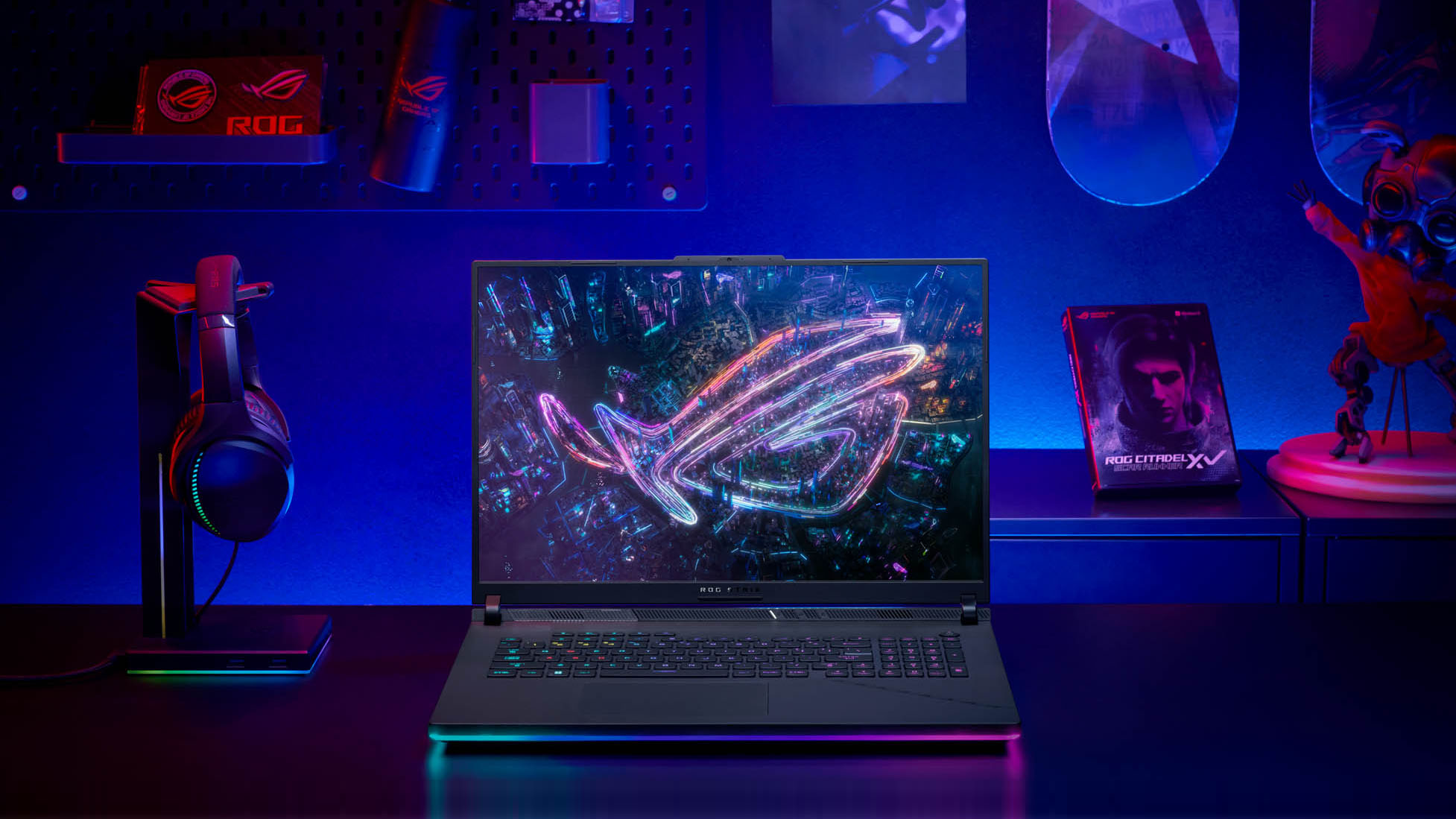
A gaming laptop is a portable computer built to run demanding games and heavy software. It usually includes a dedicated graphics processing unit, or GPU, from NVIDIA or AMD. It also has a stronger cooling system than a basic office laptop.
Many gaming laptops include features such as:
• A fast Intel Core, AMD Ryzen, or similar processor
• A dedicated GPU for 3D graphics
• At least 16GB of RAM in many current models
• A solid-state drive for fast loading
• A 120Hz, 144Hz, or faster display
• Better cooling with heat pipes and multiple fans
• A full-size keyboard with gaming controls
• Several ports for monitors, storage, mice, and headsets
The main reason why a gaming laptop stands out is its balance of power and mobility. A desktop may offer more performance for the price, but you cannot easily carry it to class, work, a friend’s home, or a hotel.
A gaming laptop is not only for gaming. Its hardware can also support video editing, 3D design, music production, software development, photo work, and demanding school projects.

Why a Gaming Laptop Is Worth Considering
The biggest reason why a gaming laptop attracts buyers is versatility. It can act as a gaming machine at night, a work computer during the day, and a creative tool when you need extra power.
Here are the key benefits.
Strong Performance for Games
Gaming laptops use dedicated graphics cards. These cards process lighting, textures, shadows, and other visual effects much faster than basic integrated graphics.
This matters in games such as:
• Cyberpunk 2077
• Call of Duty
• Fortnite
• Microsoft Flight Simulator
• Baldur’s Gate 3
• Red Dead Redemption 2
• Minecraft with advanced shaders
A dedicated GPU also helps maintain smoother frame rates. A smooth image can make games feel more responsive, especially in racing, action, and competitive titles.
Better Displays
Many regular laptops use 60Hz screens. Gaming laptops often use displays with refresh rates of 120Hz, 144Hz, 165Hz, or higher.
A higher refresh rate means the screen can show more frames each second. It does not guarantee better performance by itself, but it can make movement look clearer and controls feel more immediate.
Look for these display features:
• Full HD resolution for a good balance of speed and battery life
• QHD resolution for sharper images
• High refresh rates for smooth movement
• Good color coverage for creative work
• Adaptive sync to reduce screen tearing
• Adequate brightness for rooms with strong light
Useful Power for Work and Study
The same hardware that runs games can speed up many daily tasks. A good gaming laptop can handle large spreadsheets, dozens of browser tabs, coding tools, video calls, and demanding applications at once.
Students may use one device for school, entertainment, and creative projects. Remote workers may appreciate the power for data analysis, design, or software testing.
This is one of the clearest answers to why a gaming laptop can replace several devices. You may not need a separate desktop for demanding work and a basic laptop for travel.
Portable Desktop-Class Performance
A gaming laptop gives you access to serious computing power without a permanent desk setup. You can close the lid, place it in a padded bag, and move it to another room or location.
It is not as light as an ultrabook. Still, newer models are often much easier to carry than older gaming systems. Slim designs can weigh around four to five pounds, while high-performance models may weigh more.
Portability is especially useful if you:
• Move between home and school
• Travel for work
• Live in a small apartment
• Attend gaming events
• Need one computer in several locations
Upgrade Options
Some gaming laptops let you upgrade the RAM and storage. This can extend the useful life of the device.
For example, you might buy a laptop with 16GB of RAM and add more later. You could also replace a small SSD with a larger one when your game library grows.
Always check the exact model before buying. Some thin laptops have soldered RAM or limited storage access. A service manual or manufacturer specification page can confirm what you can replace.
Gaming Laptop Versus Regular Laptop
A regular laptop is usually designed for web browsing, office work, streaming, and light applications. It may use integrated graphics and focus on low weight, quiet fans, and long battery life.
A gaming laptop gives priority to performance. That changes its design, price, and daily feel.
| Feature | Gaming laptop | Regular laptop |
|---|---|---|
| Graphics | Dedicated GPU in many models | Often integrated graphics |
| Cooling | Larger fans and heat pipes | Smaller cooling system |
| Display | Often high refresh rate | Commonly 60Hz |
| Weight | Medium to heavy | Often lighter |
| Battery life | Usually shorter during heavy use | Often longer |
| Ports | More ports in many models | May have fewer ports |
| Keyboard | Gaming controls and lighting | Basic keyboard |
| Price | Often higher | Wide range, including budget models |
Why a gaming laptop may be a better choice depends on your tasks. If you only write documents and watch videos, a regular laptop may offer better value. If you want to play modern games or use GPU-heavy software, a gaming laptop gives you more room to grow.
A gaming laptop also tends to have a larger power adapter. This small detail surprises many first-time buyers. The adapter can feel like carrying a small brick, so include it in your travel plans.
The Main Benefits of Buying a Gaming Laptop
One Device for Several Needs
A gaming laptop can combine entertainment, work, school, and creative use. This reduces the need to buy and maintain multiple computers.
For example, a college student might use one laptop to:
• Take notes in class
• Edit videos for a project
• Join online meetings
• Play games after studying
• Store large design or media files
Faster Multitasking
A strong processor and enough RAM help when several programs run at once. You can use a browser, music app, chat program, game launcher, and editing tool without constant slowdowns.
RAM still matters. For most modern gaming and everyday multitasking, 16GB is a sensible starting point. Heavy editing, virtual machines, and professional 3D work may benefit from 32GB or more.
Better Long-Term Flexibility
Technology changes quickly. A laptop with a stronger CPU, dedicated GPU, and replaceable storage may remain useful for more years than a low-cost model with entry-level hardware.
This does not mean every expensive gaming laptop will last longer. Build quality, cooling, battery care, and repair options matter too.
External Display Support
Many gaming laptops connect to one or more external monitors. This is useful for a home workstation.
You might use the laptop screen for chat, notes, or a video call while the external monitor displays a game, timeline, code editor, or design project.
Check the ports before purchase. HDMI, DisplayPort over USB-C, Thunderbolt, and USB4 can have different limits.

Limitations of Gaming Laptops
Why a gaming laptop may not be right for everyone becomes clear when you consider its disadvantages. Performance comes with trade-offs.
Shorter Battery Life
Gaming laptops use power-hungry processors and dedicated graphics cards. Battery life may drop sharply during gaming or video editing.
Even when you are browsing the web, the battery may not last as long as one in an ultraportable laptop. For the best performance, many gaming laptops should stay plugged in.
More Heat and Fan Noise
Gaming creates heat. Fans must move that heat away from the CPU and GPU.
You may hear a clear fan sound during a demanding game. The keyboard deck may also become warm. This is normal within safe limits, but poor airflow can cause performance drops.
Use the laptop on a hard, flat surface. Avoid beds, blankets, and soft couches because they can block air vents.
Higher Weight
A powerful GPU, larger cooling system, and big battery add weight. The charging brick adds more.
If you carry your computer every day, compare the total travel weight rather than the laptop weight alone.
Higher Cost
Gaming laptops often cost more than basic models because they include more powerful components. However, price does not always equal quality.
A low-cost gaming laptop may have a strong GPU but a weak display, limited storage, or poor cooling. Read the full specification list instead of judging by the graphics card alone.
Limited Upgradeability
Some thin gaming laptops allow only SSD upgrades. Others limit RAM upgrades or make repairs difficult.
This is an important buying check. A laptop with replaceable memory and storage can offer more value over time.

How to Choose the Right Gaming Laptop
Choosing why a gaming laptop fits your needs starts with your games, work, budget, and travel habits. Do not start with brand names alone.
Choose the Right GPU
The GPU has a major effect on game performance. Entry-level graphics cards suit esports games and many popular titles at 1080p. More powerful GPUs help with high settings, ray tracing, QHD screens, and demanding games.
Consider:
• 1080p gaming: A midrange GPU is often enough
• QHD gaming: Choose a stronger GPU for stable frame rates
• Ray tracing: Look for hardware with good ray-tracing support
• Creative work: Check software-specific GPU requirements
• Future use: Avoid buying hardware that only meets today’s minimum needs
Laptop GPU performance can differ from desktop GPU performance, even when the model name looks similar. Power limits, cooling, and laptop design affect real results.
Pick a Suitable Processor
The CPU handles game logic, background apps, file work, and many creative tasks. A modern six-core or eight-core processor is a strong fit for most users.
For gaming, a balanced CPU and GPU usually make more sense than spending too much on one part. A very powerful processor cannot fix a weak graphics card in a graphics-heavy game.
Get Enough RAM and Storage
Choose at least 16GB of RAM for a modern gaming laptop when possible. For large creative projects or heavy multitasking, 32GB may be a better choice.
A 1TB SSD is more practical than a 512GB drive for many gamers. Modern games can take up well over 100GB each, so storage fills quickly.
Check the Screen
A fast screen is useful, but image quality also matters. Look at resolution, brightness, color accuracy, response time, and viewing angles.
A 144Hz Full HD display may be better for competitive play than a slow 4K screen. A QHD display may offer a stronger balance for single-player games and creative work.
Review Cooling and Build Quality
Look for clear airflow paths, multiple heat pipes, and reliable reviews that test sustained performance. Short benchmark results may not show what happens after 30 minutes of heavy use.
A good chassis should feel solid. The hinge should open smoothly, and the keyboard should not flex heavily under light pressure.
Consider Warranty and Support
A strong warranty can protect you from costly repair problems. Check:
• Length of coverage
• Accidental damage terms
• Battery coverage
• Repair locations
• Return period
• Availability of replacement parts
These details may matter more than a small difference in benchmark performance.

Common Mistakes to Avoid
Many buyers focus on one impressive specification and miss the wider picture. Here are mistakes worth avoiding.
-
Buying the cheapest model with a powerful GPU
A strong GPU is useful, but a poor display, weak cooling, and small SSD can reduce the overall experience.
-
Ignoring the screen quality
A fast refresh rate does not guarantee accurate colors or good brightness. Read the complete display specifications.
-
Choosing too little storage
A small drive can become frustrating after only a few large games and applications.
-
Forgetting the charger size
A large adapter affects portability. Include it when comparing models.
-
Expecting desktop-level upgrades
Laptop upgrades are limited. Confirm access to RAM, SSDs, Wi-Fi cards, and the battery before buying.
-
Using the laptop on soft surfaces
Blocked vents can increase heat and reduce performance. Use a desk, stand, or cooling pad with clear airflow.
-
Buying based only on brand reputation
Every brand has excellent and weak models. Compare the exact CPU, GPU, screen, cooling design, and warranty.
In my experience helping people compare computer setups, the most common regret is not choosing the wrong brand. It is buying a laptop with too little storage or a poor screen because the GPU looked impressive on the product page.

Are Gaming Laptops Good for School and Work?
Yes, a gaming laptop can be excellent for school and work if you can accept its size, weight, and battery limits. It can run office apps, research tools, programming environments, creative software, and video calls with ease.
It may be especially useful for fields such as:
• Architecture
• Engineering
• Computer science
• Film and media
• Graphic design
• Data analysis
• Game development
For a quiet office or classroom, fan noise can be a concern. You can often reduce noise by using a balanced power mode, limiting background programs, and keeping vents clean.
You should also check the webcam, microphone, and speaker quality. Gaming laptops often focus on performance first, so these parts may be average rather than excellent.

Can a Gaming Laptop Replace a Desktop?
A gaming laptop can replace a desktop for many people, but not in every situation. A desktop usually offers better performance per dollar, easier upgrades, larger cooling systems, and simpler repairs.
A gaming laptop is the better fit when you value:
• Portability
• One-device convenience
• Limited living space
• Gaming in more than one location
• Easy access to a built-in screen and keyboard
A desktop is often better when you want maximum performance, low long-term upgrade costs, and a permanent desk setup.
Think of a gaming laptop as a Swiss Army knife. It does many jobs well in a compact form, while a desktop is more like a full tool chest built for one location.
Gaming Laptop Care Tips
Good care can improve comfort and help your laptop remain reliable.
• Keep air vents clear
• Clean dust from vents with suitable tools
• Use a hard surface during heavy work
• Install system and graphics updates
• Avoid extreme heat and moisture
• Use a surge protector at your desk
• Do not keep the battery at high heat for long periods
• Back up important files
• Check temperatures if performance suddenly drops
Modern laptops include safety controls that reduce speed when components get too hot. This process, called thermal throttling, protects the hardware but can lower frame rates.
If a laptop becomes unusually hot, shuts down, or shows sudden performance changes, stop heavy use and check the cooling system. A repair professional can inspect the fans and thermal interface when needed.
Frequently Asked Questions About Why a Gaming Laptop
Why should I buy a gaming laptop instead of a regular laptop?
A gaming laptop offers a dedicated GPU, stronger cooling, a faster display, and better performance for demanding software. It is useful when you want one device for games, school, work, and creative tasks.
Is a gaming laptop good for everyday use?
Yes, a gaming laptop works well for browsing, streaming, office work, and communication. Its main drawbacks for daily use are extra weight, fan noise, and shorter battery life.
Are gaming laptops worth the money?
They can be worth the money if you need strong graphics performance and portability. They are less valuable if you only use simple apps and do not play demanding games.
How much RAM does a gaming laptop need?
Sixteen gigabytes is a practical starting point for most current games and everyday tasks. Choose 32GB if you use video editing software, virtual machines, advanced 3D tools, or heavy multitasking.
Can I use a gaming laptop without a charger?
You can use one on battery for light tasks, but gaming performance and battery life will usually be limited. For demanding games, connect the charger to allow the laptop to use its full power profile.
Do gaming laptops overheat?
They can become warm during heavy use, but a well-designed model should control its temperature through fans and heat pipes. Keep vents clear and use a hard surface to support proper airflow.
Can I upgrade a gaming laptop?
Many models allow SSD upgrades, and some allow RAM upgrades. Always check the exact model because thin laptops may have soldered memory or limited internal access.
Conclusion
Why a gaming laptop matters comes down to power, flexibility, and mobility. It can run modern games, demanding work tools, creative software, and everyday apps from one portable machine.
The trade-offs include higher cost, more weight, fan noise, heat, and shorter battery life. Compare the GPU, CPU, RAM, storage, screen, cooling system, upgrade options, and warranty before making a decision.
If you need one computer that can handle both entertainment and serious tasks, a gaming laptop may be a smart long-term choice. Set your budget, list your real needs, compare tested models, and share your own gaming laptop experience in the comments.