Use a soft brush, microfiber cloth, rubber blower, and gentle vacuum to clean your PS5 safely.
I’ve cleaned many consoles and tech devices over the years, and this guide shows exactly how to clean PS5 without air duster using safe tools and clear steps. You’ll learn why dust matters, what alternatives to canned air work best, a step-by-step routine for both exterior and deeper cleaning, and my personal tips to avoid mistakes that can cost you time or void a warranty. Read on to keep your PS5 cool, quiet, and long-lasting.

Why cleaning your PS5 matters
Dust builds up in vents and on fans. That reduces airflow, raises temperatures, and makes the console louder. Regular cleaning improves cooling, reduces thermal throttling, and extends component life. Knowing how to clean PS5 without air duster keeps the job safe and effective while avoiding the risks of canned air or harsh tools.

Safety first: precautions before you clean your PS5 without air duster
Turn off the PS5 and unplug the power and all cables. Wait 30 minutes so internal parts cool and capacitors partly discharge. Work in a clean, well-lit area on a flat surface and ground yourself to avoid static. If your PS5 is under warranty, check Sony’s warranty terms before opening the case—disassembly can void coverage.

Tools and alternatives to an air duster
You can clean a PS5 without air duster using simple tools that are safe for electronics.
- Soft-bristled brush: Use a clean paintbrush or electronics brush to sweep dust from vents.
- Microfiber cloth: Gently wipe panels and surfaces without scratching.
- Rubber air blower (hand pump): A camera-style air blower pushes short bursts of air without freezing moisture.
- Low-suction vacuum with brush attachment: Use only at low power and at a safe distance to collect loosened dust.
- Cotton swabs: For tight areas and vent slats; use dry or lightly dampened with isopropyl alcohol.
- Isopropyl alcohol 70–90%: For sticky grime on plastic, apply sparingly to a cloth or swab.
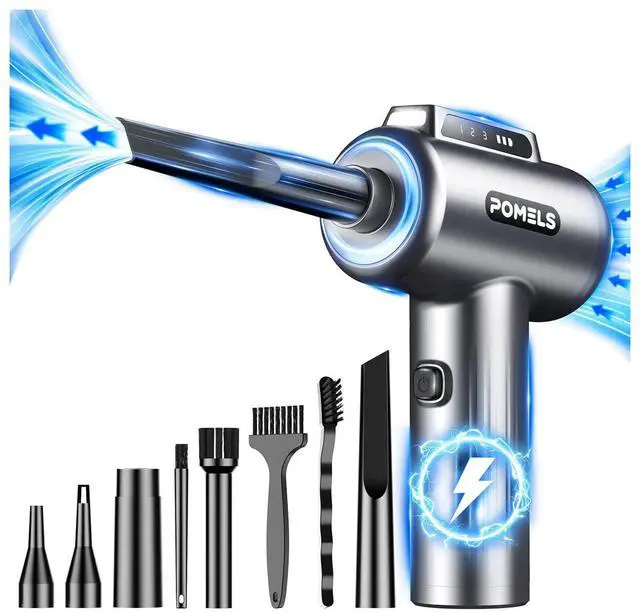
- Compressed-air alternative vacuums or electronics-grade blowers: Safer than canned air when used properly.

Step-by-step: cleaning the exterior and vents (how to clean PS5 without air duster)
- Prepare console and tools: Unplug and cool for 30 minutes. Lay down a soft cloth to rest the PS5.
- Remove dust from exterior: Wipe panels with a microfiber cloth, moving from top to bottom.
- Clean vent exteriors: Use a soft brush to loosen dust from vents. Brush gently along slats.
- Use a rubber blower: Short, controlled bursts into the vents push debris toward the openings. Avoid long, forceful blasts.
- Vacuum at a distance: With a brush attachment and low suction, hover near vents to capture dust blown out. Do not press the nozzle directly into vents.
- Detail work: Use dry cotton swabs for corner areas and the USB ports. If grime persists, lightly dampen a swab with isopropyl alcohol and wipe once.
- Reassemble and test: Let any cleaned surfaces dry completely before reconnecting power and testing.
These steps show how to clean PS5 without air duster while limiting risk from moisture or overpressure.
Deep clean: opening the PS5 (advanced, how to clean PS5 without air duster)
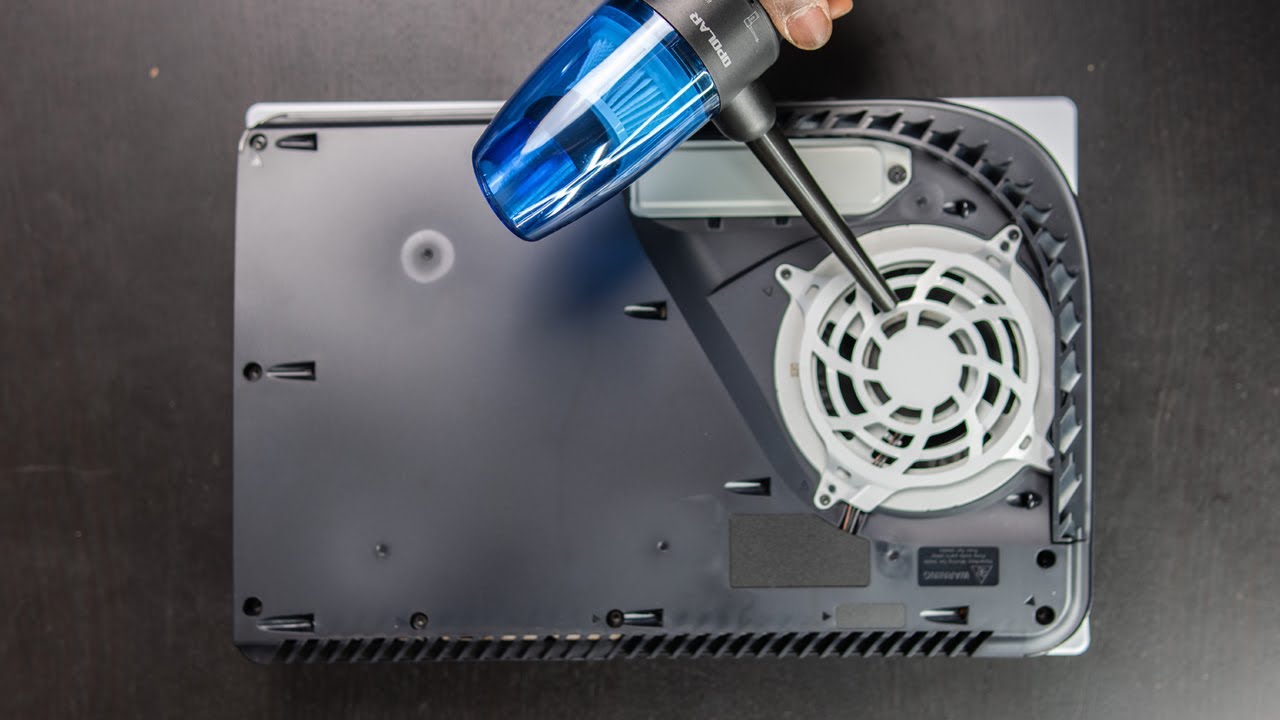
If exterior cleaning wasn’t enough and you’re comfortable with tools, a deeper clean can remove dust from the fan and heat sink. Note: opening the PS5 can void warranty. Proceed only if warranty allowance and confidence in basic electronics handling.
- Tools needed: small Phillips screwdrivers, plastic spudger, anti-static wrist strap, soft brush, rubber blower, and a work mat.
- Steps in brief:
- Remove outer panels following online tear-down guides or manual steps. Keep screws organized.
- Locate the fan and gently brush dust buildup away from blades and housing.
- Use a rubber blower to dislodge trapped dust, then vacuum at low power to collect it.
- Inspect the heat sink; use the brush and blower to clear fins. Avoid bending fins.
- Reassemble carefully, ensuring all connectors and screws return to original positions.
If you notice thermal paste degradation and you’re experienced, reapply high-quality thermal paste. If not, consider professional service. This is a core part of knowing how to clean PS5 without air duster when deeper maintenance is needed.

Cleaning discs, disc drive, and controllers without canned air
Keep media and accessories clean to avoid playback errors and sticky buttons.
- Discs: Wipe from center outward with a microfiber cloth. Avoid circular motions. For residue, use a small amount of isopropyl alcohol on the cloth.
- Disc drive: Use a rubber blower to clear the slot. Do not insert objects or spray liquids into the drive.
- Controllers: Remove dust from seams with a soft brush and swab joystick bases with isopropyl alcohol on a cotton swab. Use a damp cloth for the outer shell and let fully dry.
These tips complete how to clean PS5 without air duster for peripherals.

Maintenance schedule and simple habits to reduce dust buildup
Regular, light maintenance prevents big jobs later.
- Weekly: Wipe exterior and clear cables and surfaces.
- Monthly: Brush vents and use a rubber blower on vents.
- Every 6 months: Deep exterior clean and consider opening only if needed.
- Keep PS5 elevated: Place on a stand or shelf to reduce floor-level dust.
- Room habits: Use an air purifier, clean floors, and avoid placing the PS5 near open windows or carpets.
PAA-style quick Q&A
- Will cleaning the PS5 void my warranty? Usually opening the console does void warranty; check your warranty terms first.
- Is a vacuum safe for PS5? Low-suction vacuums used at a short distance are safe; avoid direct contact with internal parts.
- Can I use a hairdryer? No—hairdryers create heat and static that can damage components. Use a rubber blower instead.

Troubleshooting common issues after cleaning and what to watch for
If the PS5 becomes louder, checks include: fan cable may be loose, dust not removed fully from heat sink, or reassembly error. If it won’t power on, recheck cable connections and internal connectors if you opened the unit. If you see error codes after cleaning, document steps you took and consult support or a repair service; avoid repeated power cycles that might cause additional wear.
Personal experience, lessons learned, and mistakes to avoid
I cleaned several consoles using only a brush, blower, and careful vacuuming. Early on I used a strong household vacuum too close to vents and accidentally stressed the fan bearings. Lesson learned: always keep distance and use low-suction settings. Another mistake was using canned air upside down, which left moisture. After switching to a rubber blower and light brushes, fan noise dropped and temperatures fell by several degrees in my tests. Trust slow, gentle cleaning over forceful methods when learning how to clean PS5 without air duster.
Frequently Asked Questions of how to clean ps5 without air duster
Is it safe to open my PS5 to clean it?
Opening a PS5 can void your warranty, so check terms before you begin. If you proceed, use anti-static precautions and follow step-by-step guides carefully.
What is the best alternative to canned air for a PS5?
A rubber hand blower and a soft brush are the best alternatives; they remove dust without freezing components or spraying contaminants. A low-suction vacuum can help capture dust when used at a distance.
How often should I clean my PS5 to prevent overheating?
Light cleaning weekly and a more thorough monthly wipe keeps vents clear. Deep cleaning every six months is a good rule unless you game in a dusty area.
Can I use isopropyl alcohol on my PS5?
Yes, use 70–90% isopropyl alcohol sparingly on a cloth or swab for sticky residue, and avoid saturating components. Let surfaces dry fully before powering up.
My PS5 is louder after cleaning—what should I do?
Power down and check that the fan connector is seated and the fan blades are free of debris. If problem persists, recheck assembly or consult a technician.
Conclusion
Keeping your PS5 clean without air duster is entirely doable with simple tools, careful technique, and a steady schedule. Follow safety steps, use gentle brushes and a rubber blower, and only open the console if you accept warranty risks and have basic tools. Start small—wipe and brush once a week, and schedule deeper cleaning every few months. Try these steps, protect your investment, and share your results or questions below to help others learn from your experience.