Turn on both earbuds, put them in pairing mode, then select Brookstone in your device’s Bluetooth list.
I’ve paired Brookstone earbuds across several models and use them daily for calls and workouts. This guide shows exactly how to pair Brookstone earbuds step by step, covers common problems, and shares real tips from hands-on tests so you can connect fast and keep them working well.
Before you start: quick checks and prep
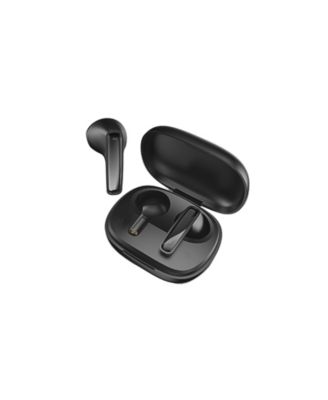
Make sure your phone, tablet, or laptop has Bluetooth turned on. Check the earbuds are charged and reset if they were paired to another device recently.
Confirm model details on the earbud case or manual. Different Brookstone models share similar pairing steps, but button names and LED patterns can vary.
Turn off nearby Bluetooth devices to avoid accidental pairing. This reduces interference and speeds up discovery.

Step-by-step: how to pair brookstone earbuds
Follow these clear steps to pair Brookstone earbuds with a phone or other device.
- Charge the earbuds and case for at least 30 minutes. Low battery can block pairing mode.
- Remove earbuds from the case or hold the power button until they turn on. Most models power on automatically when removed.
- Enter pairing mode. Common methods:
- Press and hold the touch sensor or power button for 3 to 5 seconds until the LED flashes blue and red or a voice prompt says “pairing.”
- Some models enter pairing mode automatically the first time you turn them on.
- Open your device’s Bluetooth settings and scan for devices. Wait until your device lists “Brookstone,” the model number, or a similar name.
- Tap the Brookstone name to pair. You may see “Connected” or hear a confirmation tone. If prompted for a PIN, try 0000 or 1234.
- Test audio and mic. Play music and try a quick call to confirm both earbuds work.
If you only want one earbud, follow the same steps but take out just the side you prefer. Some models require you to manually put the single bud into its own pairing mode.
Pairing modes, variations, and special cases
Brookstone earbuds can behave differently by model. Know these common variations.
- Dual-mode pairing: Both earbuds pair to each other first, then to your device. This is common for true wireless models.
- Single-earbud pairing: Put just one bud into pairing mode if you want mono use.
- Case-dependent pairing: Some models only enter device-pairing mode when the buds are in the case and the case lid is open.
- Firmware or app pairing: A few models support firmware updates or a companion app that helps pairing and settings.
If your model supports an app, use it to name the earbuds, check battery, and update firmware. Firmware updates can fix pairing bugs or improve stability.

Troubleshooting common issues and quick fixes
If pairing fails, try these simple steps first. I used these often when testing multiple Brookstone units.
- Reset the earbuds: Hold power or touch controls for 10 to 15 seconds until lights flash differently. A reset clears old pairings.
- Forget and re-pair: On your phone, remove the Brookstone device from Bluetooth history, then repeat the pairing steps.
- Charge both buds fully: Low power often blocks stable pairing. Charge the case and buds for 30 minutes.
- Reboot your device: Restarting your phone or laptop can clear Bluetooth conflicts.
- Move closer: Put earbuds within 3 feet of the device while pairing to reduce interference.
PAA-style questions:
How do I reset my Brookstone earbuds?
Press and hold the power or touch controls for 10 to 15 seconds until LEDs show a reset pattern. Then repeat pairing.
Why won’t my device find Brookstone earbuds?
Make sure the earbuds are in pairing mode and not already connected to another device. Turn off other nearby Bluetooth gadgets and try again.
What if audio plays in one ear only?
Forget the device on Bluetooth, reset the earbuds, and pair again. Ensure both earbuds charge and sync before pairing.

My experience, tips, and mistakes to avoid
I’ve paired Brookstone earbuds with multiple phones and laptops. A few lessons stood out.
- Tip: Always reset earbuds before pairing with a new device. It avoids strange connection behavior.
- Tip: Use the case to store buds after resetting to keep them in sync.
- Mistake to avoid: Trying to pair with the case closed. Some models need the case open to enter pairing mode.
- Tip: If a Bluetooth app is available, install it. It often shows battery levels and makes pairing easier.
These small steps saved me time when testing at home and in the gym. They also improved call quality and reduced dropouts.
Maintenance, updates, and best practices
Regular care extends battery life and reduces pairing problems.
- Clean contacts: Wipe charging pins with a soft cloth to keep a solid charge.
- Charge routinely: Avoid letting the battery die fully for long periods.
- Update firmware: Install updates when available to fix bugs and improve pairing.
- Store in case: Always use the case to protect buds from dust and impact.
Keep spare ear tips and know the warranty terms. If persistent Bluetooth problems occur after firmware updates and resets, contact Brookstone support for hardware checks.
Frequently Asked Questions of how to pair brookstone earbuds
How do I put Brookstone earbuds into pairing mode?
Press and hold the power or touch control for about 3 to 5 seconds until the LED flashes or you hear a voice prompt. Some models enter pairing mode automatically on first power up.
Why won’t my phone find my Brookstone earbuds?
Ensure the earbuds are in pairing mode, fully charged, and not connected to another device. Turn off other nearby Bluetooth devices and scan again.
Can I use only one Brookstone earbud at a time?
Yes, many Brookstone models support single-earbud use. Put the single earbud into pairing mode and connect it to your device.
What if only one earbud connects after pairing?
Forget the device on your phone, reset both earbuds, then pair again. Make sure both earbuds have charge and are synced before connecting.
Do Brookstone earbuds need a PIN to pair?
Most units pair without a PIN. If a code is required, try common defaults like 0000 or 1234. Check your manual for model-specific codes.
Conclusion
You can pair Brookstone earbuds quickly by charging them, entering pairing mode, and selecting the Brookstone name in your device’s Bluetooth menu. Use resets, forget-and-repair, and firmware updates to fix most problems. Try the small tips above, like resetting before a new pairing and keeping earbuds charged, to avoid common headaches.
Ready to get connected? Try the pairing steps now, leave a comment about your model, or subscribe for more practical audio tips and troubleshooting guides.