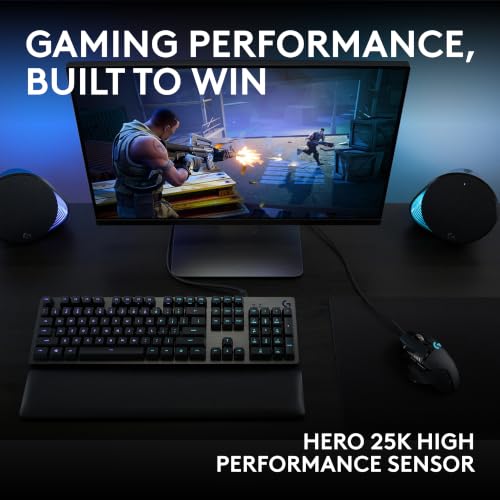
The Logitech G305 is the best gaming mouse for beginners for easy setup, reliable wireless play, and strong value.
A new mouse can make PC games feel much easier to control. But a crowded market full of buttons, lights, and technical terms can make the first choice hard. I compared these options by connection type, ease of use, helpful features, and value. My picks include simple wireless mice, comfortable wired models, and a few low-cost ways to build a starter setup.
See the differences between my top picks at a glance.
| Mouse | Best for | Connection | Notable feature | Link |
|---|---|---|---|---|
| Logitech G305 Lightspeed | Best overall for beginners | Wireless | Simple, compact design | View on Amazon |
| Logitech G502 HERO | Extra controls | Wired | Many buttons and adjustable weight | View on Amazon |
| Redragon M612 | Low-cost customization | Wired | 8000 DPI and remapping keys | View on Amazon |
| BENGOO wired RGB mouse | Basic, low-cost play | Wired | RGB lighting | View on Amazon |
| Razer Basilisk V3 | Feature-rich wired play | Wired | Ergonomic shape and RGB | View on Amazon |
| BlueFinger gaming combo | Starter desk bundle | Wired | Mouse, keyboard, and headset | View on Amazon |
| Redragon M602 | Comfort and extra buttons | Wired | 7200 DPI and 9 programmable buttons | View on Amazon |
| Aula SC620 | Wireless mode choice | Tri-mode | 2.4GHz, USB-C, and Bluetooth | View on Amazon |
| Razer DeathAdder Essential | Simple ergonomic shape | Wired | Classic right-hand design | View on Amazon |
| Logitech G305 Lightspeed, White | Wireless setup in white | Wireless | Same G305 design in another color | View on Amazon |
Logitech G305 Lightspeed Wireless Gaming Mouse

The G305 is my first choice for a new PC player who wants a capable mouse without a cord on the desk. Its design stays simple, with the familiar left and right buttons, a scroll wheel, and side buttons. Logitech’s LIGHTSPEED connection gives it a wireless gaming focus, while its compact shape suits many everyday setups. It is a practical step up from a basic office mouse.
Beginners do not need to master a long list of settings before they can use it. You can plug in its small wireless receiver and start with the default settings, then adjust pointer speed later if needed. The G305 runs on a replaceable AA battery, so remember to keep one available rather than expecting built-in USB charging. Its modest feature set also means fewer distractions while you learn a comfortable grip and steady aim.
Pros:
- Wireless design keeps the play area clear.
- Simple button layout feels familiar to new users.
- LIGHTSPEED receiver is made for responsive wireless play.
- Side buttons can add useful shortcuts.
- Compact body is easy to pack with a laptop.
- Does not require a complex setup to get started.
Cons:
- Uses a replaceable AA battery rather than built-in charging.
- Compact shape may feel small in a large hand.
- It has fewer extra controls than some larger gaming mice.
What Amazon Buyers Are Saying
When checking buyer feedback, look for comments about wireless response, comfort, battery use, and how the mouse fits the buyer’s hand. Those are the details that matter most in daily use. Individual impressions can differ, so check recent reviews for notes on the exact color and listing you plan to buy.
My Recommendation
I recommend the G305 to most first-time players who want a straightforward wireless mouse. It balances ease of use and gaming features without loading the design with extra controls. Consider another model if you want a rechargeable battery or a larger body. Overall, it is a strong beginner pick.
Logitech G502 HERO Wired Gaming Mouse

The G502 HERO is a feature-packed wired mouse for beginners who like the idea of extra controls. Its many buttons can support game actions, shortcuts, or common desktop tasks once you set them up. The cable means you do not need to charge it or change batteries. It also has an adjustable-weight system, which lets you tune how substantial it feels in your hand.
That flexibility can be useful, but it may feel like too much at first. New players can ignore the extra buttons and use the main controls until they feel ready to customize them. The larger, sculpted shape is made for a right-handed grip, so fit matters more than the feature list. If you prefer a light, compact mouse, the G502 may not be the most comfortable match.
Pros:
- Many buttons offer room to add shortcuts over time.
- Wired connection avoids battery management.
- Adjustable weights let you change the feel.
- Scroll wheel and controls support varied tasks.
- Useful for games that benefit from extra commands.
Cons:
- More controls can overwhelm a first-time user.
- Its larger body may not suit small hands.
- The cable can add clutter to a simple desk.
What Amazon Buyers Are Saying
Buyer feedback for a mouse with this many controls is most useful when it discusses hand fit, button access, and the wired setup. Read comments with your own grip in mind. A layout that feels handy to one player may feel crowded to another, and preferences for mouse weight vary a lot.
My Recommendation
Choose the G502 HERO if you want a mouse that can grow with your gaming habits and do not mind a wired connection. It is less simple than my top beginner pick, but it offers more room to customize. Check its size and weight before buying. Overall, it is a capable choice for players who want extra controls.
Redragon M612 Wired RGB Gaming Mouse

The Redragon M612 is a wired option for new players who want a low-cost way to try gaming features. The listed model offers adjustable DPI settings up to 8000 and remapping keys. DPI is a measure of how far the pointer moves when you move the mouse; a higher number is not automatically better. Start with a setting that feels easy to control, then make small changes.
RGB lighting gives the mouse a more game-focused look, while the cord keeps charging out of the picture. Remapping can help you place a common action under a convenient button, though you do not have to customize anything on day one. For a beginner, the useful part is the option to explore settings without paying for a premium wireless model. Check the product listing for current software support and compatibility before purchase.
Pros:
- Wired setup is simple and does not need battery power.
- Adjustable DPI lets you test different pointer speeds.
- Remapping keys offer room for basic customization.
- RGB adds a visual touch to a gaming desk.
- Useful feature set for a budget-focused first mouse.
Cons:
- Its cable may limit desk movement or add clutter.
- New users may not need all the settings right away.
- Software and feature support can vary by operating system; check the listing.
What Amazon Buyers Are Saying
For this type of budget mouse, read recent buyer comments about setup, button feel, and whether the software works with your computer. Also check feedback about size and cable handling. A buyer’s experience can depend on their game, grip, and expectations, so use reviews to spot patterns rather than treat one comment as a guarantee.
My Recommendation
The M612 is worth considering if you want adjustable settings and extra buttons at a modest cost. It gives a beginner features to explore, but the added options are not essential for learning basic control. I would choose it over a basic office mouse when customization matters more than wireless convenience. Overall, it is a good value-focused starter.
BENGOO Wired RGB Gaming Mouse

The BENGOO wired mouse is a basic entry point for someone who wants to try PC gaming without spending much. It offers a familiar mouse layout with RGB backlighting and a USB cable. There is no wireless receiver to lose and no battery to keep charged. That straightforward setup can be welcome when you are still learning the difference between a gaming mouse and a standard office model.
It is best viewed as a simple starter, not a high-end tool with advanced tuning. Before ordering, read the listing closely for the exact supported features, since product versions and descriptions can change. A new player may find that a basic mouse is enough for casual games, schoolwork, and everyday browsing. If you later want more control, you can move to a model with clear software support and extra buttons.
Pros:
- Wired USB connection makes setup direct.
- RGB lighting gives it a gaming look.
- No battery or charging routine to manage.
- Can serve for everyday computer use as well as casual play.
- A low-cost way to test whether you enjoy gaming with a mouse.
Cons:
- It is a basic choice compared with feature-rich models.
- Check the listing for precise DPI and software details.
- The cable may be less convenient than wireless play.
What Amazon Buyers Are Saying
When reviewing buyer feedback, focus on the basics: whether the mouse works as expected, how the buttons feel, and whether the size suits your hand. Comments about lighting and cable length may also help you judge desk fit. Check the most recent reviews and product details, since listings can change over time.
My Recommendation
I would consider the BENGOO when price is the main concern and you want a simple wired mouse with RGB. It is not the option I would pick for advanced tuning, but that may not matter to a casual beginner. Confirm the features you need before buying. Overall, it is a basic, budget-minded starting point.
Razer Basilisk V3 Wired Gaming Mouse

The Basilisk V3 is a comfortable-looking, feature-rich wired model for a beginner who wants options. Its ergonomic shape is built around a right-handed fit, and its RGB lighting lets you add color to a desk. The mouse offers more customization than a very basic starter model. You can begin with the default controls and explore the extra features at your own pace.
A wired mouse avoids battery worries, but its cord can get in the way if your desk is crowded. The Basilisk also makes more sense for a buyer who plans to use its controls and software, rather than someone who only needs a simple pointer. Think about your hand size and grip before you commit to its shape. A mouse can have many features and still be the wrong fit if it feels awkward after a long session.
Pros:
- Ergonomic shape can suit long sessions for some right-handed users.
- Wired connection needs no battery charging.
- Customizable features give room to learn and adjust.
- RGB lighting adds a personal touch.
- Can handle gaming and everyday computer tasks.
Cons:
- Extra features may be more than a new player needs.
- Wired use may not suit a clean or portable setup.
- Its shape may not work for every hand size or grip.
What Amazon Buyers Are Saying
Look for recent buyer notes on hand comfort, setup, and how easy it is to use the controls. These are more helpful than broad claims that a mouse is “perfect,” since grip and hand size vary. Check comments about software and compatibility if you want to change its settings.
My Recommendation
The Basilisk V3 is a good fit if you want a comfortable, customizable mouse and expect to use its added features. It is not the simplest choice for someone who wants to plug in and forget about settings. I would favor it over a bare-bones model for a beginner who likes to personalize a setup. Overall, it offers useful room to grow.
BlueFinger Gaming Keyboard, Mouse, and Headset Combo

This BlueFinger set is a bundle rather than a mouse-only purchase. It includes a keyboard, mouse, and headset, so it may suit someone building a first gaming desk on a budget. One order can provide several basic tools for a PC setup. The mouse is wired, which avoids battery care and makes the connection process simple.
A bundle can save the time spent choosing each item, but it also means you should judge the set as a whole. Check the listing for current compatibility, included parts, and exact features before you buy. If you already own a good keyboard or headset, a bundle may add little value. And if the mouse is your only concern, a standalone model may offer a better fit or more useful mouse controls.
Pros:
- Includes a mouse, keyboard, and headset in one bundle.
- Can help a new player outfit a desk quickly.
- Wired mouse avoids charging needs.
- Backlighting adds a coordinated gaming look.
- May be practical when you need several starter items.
Cons:
- You may pay for parts you do not need.
- A bundle gives less choice over the mouse shape.
- Check the listing for exact fit, compatibility, and features.
What Amazon Buyers Are Saying
For a bundle, buyer feedback should cover each part, not just the mouse. Check comments about keyboard feel, headset comfort, and whether the mouse suits the buyer’s hand. Recent reviews can help you spot issues that affect the full set, but remember that comfort is personal.
My Recommendation
I recommend this combo only when you need a mouse, keyboard, and headset at the same time. It is a convenient way to begin, but it is not my first pick for someone seeking the best gaming mouse for beginners by itself. Compare the bundle cost with buying only the parts you need. Overall, it is a practical all-in-one option for a new desk.
Redragon M602 Ergonomic Gaming Mouse

The Redragon M602 is a wired ergonomic mouse with a listed maximum of 7200 DPI and nine programmable buttons. Those extra buttons can help once you know which game actions or shortcuts you use most. The wide range of settings also gives you room to tune pointer speed. A beginner can ignore the advanced options and start with the basic left, right, and scroll controls.
Its contoured body aims to support a comfortable right-hand grip, but no shape works for everyone. The M602 may appeal to a player who wants more buttons without moving to a high-cost model. A wired connection keeps the mouse ready, though it does leave a cable on the desk. Check the product page for software details and current compatibility before relying on programmable features.
Pros:
- Nine programmable buttons offer many shortcut choices.
- Adjustable DPI can help you find a comfortable pointer speed.
- Wired design avoids battery changes and charging.
- Ergonomic shape may feel natural to some right-handed users.
- RGB lighting gives it a gaming style.
Cons:
- Nine buttons can feel crowded for a first-time user.
- The contoured shape may not suit every hand or grip.
- Its cable reduces the freedom of a wireless setup.
What Amazon Buyers Are Saying
Read buyer comments for details about comfort, button placement, and whether the software is easy to use. A mouse with many buttons can be helpful for one game and distracting in another. Look for comments from users with a similar grip and hand size to yours.
My Recommendation
The M602 is worth a look if you want a comfortable-feeling wired mouse with plenty of buttons to customize. It may be more mouse than a beginner needs, but you can learn its features in stages. Choose a simpler model if you want fewer controls and less setup. Overall, it is a flexible starter for players who value shortcuts.
Aula SC620 Tri-Mode Wireless Gaming Mouse
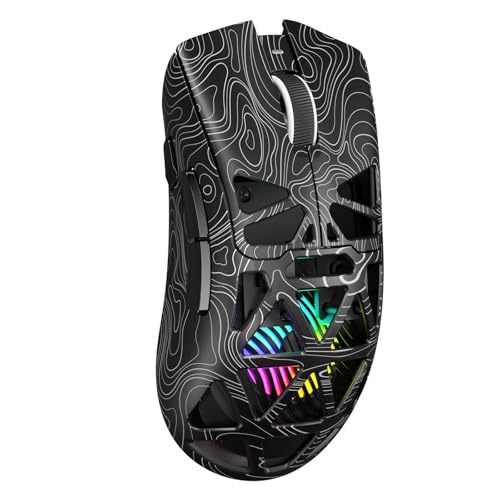
The Aula SC620 stands out for offering three connection modes: 2.4GHz wireless, USB-C, and Bluetooth, as stated in its listing. That range can help if you switch between a gaming PC, laptop, or other compatible device. The product listing also names 12000 DPI, programmable macro support, and RGB lighting. These features give a beginner plenty to explore as their needs grow.
More connection choices can also mean more setup steps. Decide which mode you plan to use most, then check the included instructions and device support before relying on the others. For fast-paced PC games, a dedicated wireless receiver or a wired connection may feel more direct than Bluetooth, depending on the mouse and game. The SC620 is a good match for a user who wants flexibility, but it may be more complex than a basic plug-in mouse.
Pros:
- Three connection modes offer setup flexibility.
- Can work across compatible PCs and laptops.
- Listed DPI range allows pointer-speed changes.
- Programmable macro support gives options for custom commands.
- RGB lighting adds a visual feature.
Cons:
- Multiple modes may take time to learn.
- Check device compatibility and included accessories before purchase.
- Extra features may be unnecessary for a first gaming mouse.
What Amazon Buyers Are Saying
For this model, look for current buyer notes on switching between modes, setup, and battery or charging behavior. Also check comments about software support and the mouse’s size. As with any newer or feature-heavy listing, recent feedback is more useful than assuming every listed feature works the same way on every device.
My Recommendation
I would choose the SC620 if you want a wireless mouse that can connect in more than one way and you are comfortable checking device support. It offers more flexibility than a basic beginner mouse, but its extra modes are not essential for learning. Confirm the listing details before ordering. Overall, it is an appealing option for a multi-device setup.
Razer DeathAdder Essential Wired Gaming Mouse

The DeathAdder Essential is a straightforward wired mouse with an ergonomic right-hand shape. Its design gives new players the core controls they need without a long list of buttons to learn. The USB cable means you can connect it and begin, with no battery to charge. That simplicity makes it a sensible pick for someone who wants a recognized gaming style without a complicated setup.
Its main strength is ease of use, not a large set of advanced features. A beginner can focus on grip, aim, and pointer speed before trying more controls. The shape is designed for right-handed use, so left-handed buyers should look elsewhere or confirm that the fit works for them. As with any mouse, check dimensions and recent listing details before ordering.
Pros:
- Simple layout is easy for a first-time player to learn.
- Wired setup avoids charging and battery changes.
- Ergonomic right-hand shape may feel comfortable for many users.
- Works for everyday tasks as well as gaming.
- Gaming-focused design without an overload of controls.
Cons:
- Wired connection can add desk clutter.
- Right-handed shape may not fit left-handed users.
- It offers fewer advanced options than feature-rich alternatives.
What Amazon Buyers Are Saying
Check customer comments about the shape, click feel, and cable, since those details affect day-to-day use. Buyers may have different views based on hand size and grip style. Recent reviews can help you assess the current listing and whether it suits your intended setup.
My Recommendation
The DeathAdder Essential is a strong option if you want a simple, wired gaming mouse with an ergonomic shape. It is easy to understand and does not ask a beginner to spend time on extra features. Consider a wireless model if a cable bothers you. Overall, it is a reliable style of starter mouse for right-handed players.
Logitech G305 Lightspeed Wireless Gaming Mouse in White

This white version of the G305 offers the same beginner-friendly idea as the black model: wireless play, a familiar layout, and a compact shape. It can suit a light-colored desk or a matching computer setup. A small receiver handles its wireless connection, so there is no long cable across the mouse pad. The basic controls also make it easy to use before you explore any settings.
Color is the main reason to choose this listing over the black G305. The replaceable AA battery and compact body remain points to consider, especially if you prefer built-in charging or have large hands. Check the selected color and seller details before placing an order. If you like the G305 but want your accessories to match, this is a neat way to get the same general experience.
Pros:
- Wireless design helps keep a desk tidy.
- Simple control layout suits a new player.
- White finish can match a light-colored setup.
- Compact form is easy to carry with a laptop.
- Does not require advanced setup to begin playing.
Cons:
- Uses a replaceable AA battery rather than built-in charging.
- Compact size may not suit larger hands.
- Costs and stock can differ by color and seller.
What Amazon Buyers Are Saying
Look for comments on comfort, battery use, wireless performance, and the condition of the exact color listing. Some reviews may describe the G305 generally rather than the white version, so check that they apply to the item in your cart. Personal fit still matters more than color choice.
My Recommendation
If you want a G305 and prefer white, this version is an easy choice. It keeps the same simple strengths that make the model a good beginner mouse. Compare its current price with the black version, since color listings can vary. Overall, it is a strong option for a clean, wireless starter setup.
How to Choose the Best Gaming Mouse for Beginners
The best gaming mouse for beginners is not the one with the biggest number on its box. It is the one that feels comfortable, works with your computer, and lets you control your games without a steep learning curve. Focus on fit and useful features first. You can learn advanced settings later.
1. Pick a shape and size that fit your hand
Your hand should rest on the mouse without strain. A small mouse can feel quick to move, but it may cramp a large hand. A larger, sculpted body can feel supportive, but it may not suit a fingertip grip. If you can, test a similar shape in a store. If you shop online, check the listed size and read comments from people who mention hand fit.
Also check whether the mouse favors the right or left hand. Several models in this guide use a right-handed shape. A symmetrical design may be easier for a left-handed player to use, though button placement still matters. Comfort is personal, so do not buy based on looks alone.
2. Choose wired or wireless for your desk
A wired gaming mouse is easy to set up and does not need charging. It can be a smart first choice if you want fewer things to manage. The trade-off is a cable that may drag or take up desk space. A mouse bungee or a roomy mouse pad can help, but neither is required for a beginner.
Wireless mice keep the desk clear and work well for travel. Check whether a model uses a small receiver, Bluetooth, or both. Also see how it gets power. Some use a replaceable battery, while others recharge by cable. Think about how often you want to deal with battery changes before you choose.
3. Look for useful controls, not the highest DPI
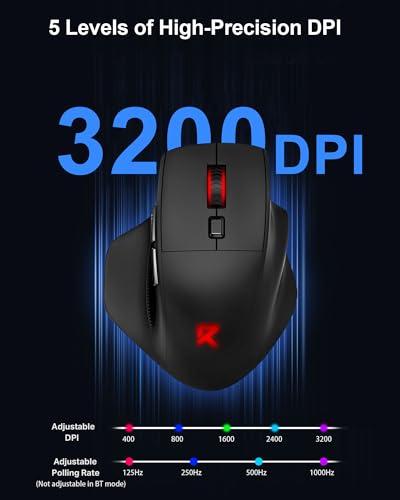
DPI tells you how far the pointer moves when you move the mouse. A high setting can make the pointer move very fast, but it does not make you more accurate by itself. Start with a comfortable speed and change it in small steps. Keep the setting steady for a while as you learn a game.
Extra buttons can help with actions you use often, but they can also add clutter. A beginner may only need the main buttons, scroll wheel, and perhaps two side buttons. Consider software support if you plan to remap controls. Always check that the features you want work with your computer and games.
Final Verdict: Which Should You Buy?
The Logitech G305 is my top pick for most new players. It offers a simple layout, wireless play, and enough useful features to support a first gaming setup. Choose the DeathAdder Essential for simple wired use, or the G502 HERO if you want more controls.
The best gaming mouse for beginners should feel right in your hand and suit your desk. Compare shape, connection, and current listing details before you buy, then start with settings that feel easy to control.
FAQs Of best gaming mouse for beginners
What is the best gaming mouse for beginners?
The Logitech G305 is my top pick for most beginners because it is wireless, simple to use, and has a familiar button layout.
Should a beginner choose a wired or wireless gaming mouse?
Choose wired for simple power and no battery care. Choose wireless if you want a cleaner desk and do not mind managing its battery or charging needs.
How much DPI does a beginner gaming mouse need?
Most beginners should focus on a comfortable pointer speed, not the highest DPI number. Start with a moderate setting and adjust it in small steps.
Are extra buttons useful on a first gaming mouse?
Extra buttons can help with common game actions or shortcuts, but they are optional. A basic layout is often easier to learn at first.
Is a gaming mouse good for everyday computer use?
Yes. A gaming mouse can also work for browsing, school, and office tasks. Check that its size and shape feel comfortable for your hand.