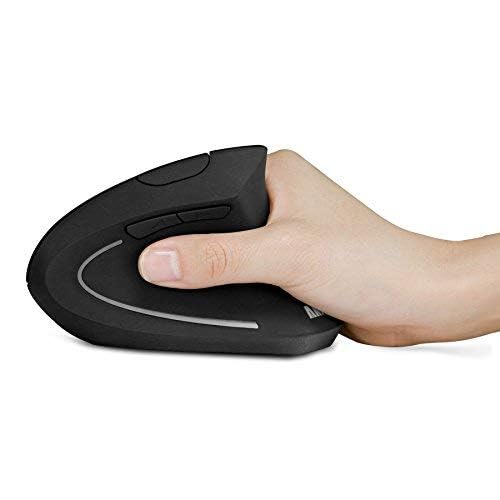
The Logitech G203 is my best cheap gaming mouse for reliable wired play, useful software, and strong everyday value.
A mouse that skips, feels awkward, or lacks the buttons you need can spoil a good gaming session. Yet you do not need to spend a lot to get a capable upgrade. I compared ten budget-friendly wired and wireless picks, looking at their controls, connection type, comfort, and practical value. The best cheap gaming mouse for you depends on your grip, favorite games, and whether you want a cable-free desk.
See the differences between my top picks at a glance.
| Mouse | Connection | Key feature | Best for | Link |
|---|---|---|---|---|
| Razer DeathAdder Essential | Wired | Ergonomic shape; 5 buttons | Simple, comfortable play | View on Amazon |
| Logitech G305 Lightspeed | Wireless, 2.4 GHz | HERO sensor; LIGHTSPEED link | Wireless gaming | View on Amazon |
| Redragon M612 | Wired | Extra programmable controls | Button-rich play | View on Amazon |
| BENGOO Wired Gaming Mouse | Wired | RGB lighting; extra buttons | Very low-cost basics | View on Amazon |
| Razer Basilisk V3 | Wired | 11 buttons; scroll modes | Many controls and features | View on Amazon |
| Logitech G305 Lightspeed, White | Wireless, 2.4 GHz | HERO sensor; LIGHTSPEED link | Wireless play, white setup | View on Amazon |
| Logitech G502 HERO | Wired | Programmable controls; weights | Feature-rich wired gaming | View on Amazon |
| Acer Wired Gaming Mouse | Wired | Listing states up to 12,800 DPI | Basic RGB wired gaming | View on Amazon |
| Logitech G203 | Wired | LIGHTSYNC RGB; 6 buttons | Best overall value | View on Amazon |
| MELOGAGA Wireless Gaming Mouse | Bluetooth, 2.4 GHz, USB-C | Three connection modes | Flexible everyday use | View on Amazon |
Razer DeathAdder Essential

The DeathAdder Essential is a straightforward wired mouse with a familiar right-handed shape. Its design puts comfort ahead of extra features, which suits long sessions and everyday computer use. It has five programmable buttons and a sensor with sensitivity settings up to 6,400 DPI. You can adjust the sensitivity to match your screen and game.
The simple layout makes it easy to learn, even if this is your first gaming mouse. Its cable means you do not need to charge it or replace a battery. The shape is made for a right hand, so left-handed players should look elsewhere. Razer Synapse software can help you set up supported button and sensitivity options.
Pros:
- Comfort-focused shape works well for many right-handed users.
- Five buttons give you useful controls without a crowded layout.
- Wired connection needs no charging or battery changes.
- Adjustable sensitivity helps you tune pointer speed.
- Simple design makes it a friendly first gaming mouse.
Cons:
- Its shape does not suit left-handed use.
- The cable can drag or catch on a crowded desk.
- It has fewer extra controls than larger feature-rich models.
What Amazon Buyers Are Saying
When reading current buyer reviews, look for comments on hand comfort, button feel, and long-term cable condition. Those points matter more than the maximum DPI number for most people. Also check whether reviewers have a similar hand size and grip, since comfort is personal. I would not rely on an old star rating alone because listings and buyer feedback can change.
My Recommendation
I recommend the DeathAdder Essential if you want a familiar, comfortable wired mouse and do not need a long list of controls. Its main strength is a simple design that covers the basics well. It is less appealing if you need a left-handed mouse or wireless freedom. Overall, it is a sensible budget choice for everyday play.
| Category | Rating |
|---|---|
| Comfort and shape | 4.5/5 |
| Gaming control | 4/5 |
| Useful features | 3.5/5 |
| Budget value | 4.5/5 |
| Overall Rating | 4.2/5 |
Logitech G305 Lightspeed

The G305 is a compact wireless gaming mouse built around Logitech’s LIGHTSPEED receiver and HERO sensor. It offers a cable-free setup without relying on Bluetooth for its main gaming link. Its six buttons cover common actions, and Logitech software lets you adjust settings. The small shape is easy to move, though it may feel short for larger hands.
This model uses a replaceable AA battery, so you can swap the cell instead of waiting for a built-in battery to charge. That adds a little weight compared with some rechargeable mice. The wireless receiver needs a USB port, so check that your computer has room for it. For a budget wireless gaming mouse, the G305 balances a simple shape with practical features.
Pros:
- LIGHTSPEED wireless link avoids a cable across the desk.
- HERO sensor offers adjustable sensitivity for different games.
- Six buttons provide useful basic control.
- Replaceable AA battery can be changed when needed.
- Compact shell suits travel and smaller setups.
Cons:
- The compact body may not suit large hands.
- It uses a replaceable battery rather than built-in USB charging.
- The receiver takes up a USB port.
What Amazon Buyers Are Saying
Check recent buyer comments for details about hand fit, wireless performance, and battery use. Those are the key questions for this model. A compact mouse can feel nimble to one player and cramped to another, so compare reviews with your grip and hand size. Look for reports tied to current use rather than assuming every buyer has the same experience.
My Recommendation
The G305 is a strong option if you want a wireless gaming mouse without moving into a high-priced tier. I like that it uses a dedicated receiver and a replaceable battery. Its main trade-offs are the small size and battery-based power. If wireless play matters more than a rechargeable design, it deserves a place on your shortlist.
| Category | Rating |
|---|---|
| Wireless gaming | 4.5/5 |
| Sensor and control | 4.5/5 |
| Hand fit | 3.5/5 |
| Budget value | 4/5 |
| Overall Rating | 4.2/5 |
Redragon M612

The Redragon M612 is a wired mouse for players who want more buttons than a basic two-side-button design offers. Its listing highlights an optical sensor with sensitivity up to 8,000 DPI and programmable controls. Software support helps you set buttons and lighting to your liking. The extra controls can be useful in games that rely on repeated actions or shortcuts.
More buttons are not automatically better, so think about how you play before choosing this mouse. It can take time to learn each control and avoid pressing the wrong one. The wired connection keeps the mouse ready without charging, but the cable remains part of your setup. RGB lighting adds a visual touch, though it does not improve aim or response.
Pros:
- Several programmable controls offer more ways to map actions.
- Adjustable sensor sensitivity suits different play styles.
- Wired use avoids battery care and charging breaks.
- RGB lighting lets you add color to a gaming desk.
- Software gives you a way to tailor supported settings.
Cons:
- Extra buttons can feel crowded until you learn their positions.
- Wired use may not suit a tidy or portable setup.
- Software setup adds a step for players who want plug-and-play use.
What Amazon Buyers Are Saying
For current buyer feedback, focus on whether the side controls feel easy to reach and whether the software works well on your computer. Also scan for recent notes about the cable and button feel. Those details tell you more about daily use than lighting photos. The number of buttons is a benefit only if you plan to use them.
My Recommendation
I would choose the M612 if you play games that benefit from extra mapped actions. It offers more control options than a simple budget mouse, while keeping a wired connection. If you prefer a clean, minimal shell or dislike setup software, a simpler pick may suit you better. It is a good feature-focused choice when its extra controls match your needs.
| Category | Rating |
|---|---|
| Button options | 4.5/5 |
| Sensitivity control | 4/5 |
| Ease of setup | 3.5/5 |
| Budget value | 4/5 |
| Overall Rating | 4/5 |
BENGOO Wired Gaming Mouse

The BENGOO wired gaming mouse aims to cover basic needs at a low cost. It has RGB backlighting and a shaped body with extra buttons, giving it a more game-focused look than a plain office mouse. The exact feature set can vary by listing or version, so check the current product page for its stated DPI steps and button count. Its wired design keeps setup simple.
This mouse makes most sense as an entry-level pick for a first gaming setup or a spare computer. RGB effects can make a desk look more lively, but they should not be the main reason to buy. I would pay close attention to the seller’s listed details and recent buyer photos before ordering. That check helps confirm the version and included features match your expectations.
Pros:
- Wired connection is easy to set up.
- RGB lighting gives the mouse a gaming-style look.
- Extra buttons can add handy shortcuts.
- Its basic feature set can suit a first gaming PC.
- Useful as a spare mouse for a second computer.
Cons:
- Listing details may differ by version, so verify the current specs.
- It does not offer the same established software ecosystem as major brands.
- Wired cable management remains part of the setup.
What Amazon Buyers Are Saying
Read the latest reviews for notes on which version buyers received, how the buttons feel, and how the lighting works in person. Pay special attention to comments that identify the exact model or listing option. For an entry-level product, recent feedback can help you judge whether its simple features fit your needs. Avoid treating one review as proof of long-term reliability.
My Recommendation
The BENGOO is worth considering if you want a basic wired mouse with lighting and extra controls, and you have a strict spending limit. I would compare the listing details with your needs before buying. If sensor data, software, or long-term support matter most, I would choose a more established model such as the Logitech G203 instead.
| Category | Rating |
|---|---|
| Basic gaming use | 3.5/5 |
| Lighting and style | 4/5 |
| Feature clarity | 3/5 |
| Budget value | 3.5/5 |
| Overall Rating | 3.5/5 |
Razer Basilisk V3

The Basilisk V3 is a wired ergonomic gaming mouse with many controls and more advanced features than a basic budget model. It has 11 programmable buttons and a scroll wheel with selectable modes, including free-spin scrolling. Its sensor supports high sensitivity settings, and Razer Synapse offers ways to adjust supported controls and lighting. The thumb rest helps shape the mouse for right-handed use.
This model can be an excellent deal when its price drops, but it may cost more than a simple entry-level mouse. Its larger body and extra controls suit players who like a fuller grip and customization. The cable avoids battery worries but can still affect movement if it snags. Check the sale price against simpler options before calling it a bargain.
Pros:
- Eleven programmable buttons offer broad control options.
- Scroll wheel modes work for both quick browsing and precise steps.
- Ergonomic thumb rest supports a right-handed grip.
- Software supports customization of buttons and lighting.
- Wired power means no charging or battery replacement.
Cons:
- Its many features can push it above the lowest budget tier.
- The larger shape may not suit small hands or fingertip grip.
- It is designed for right-handed users.
What Amazon Buyers Are Saying
In recent reviews, check for feedback on the scroll wheel, comfort over longer sessions, and the learning curve for its buttons. The wheel and customization are central parts of this model, so they deserve more attention than the lighting alone. Buyer comments about hand size can also help you judge its fit. Confirm the current listing and price before comparing it with cheaper picks.
My Recommendation
I recommend the Basilisk V3 to players who want many controls and a versatile scroll wheel. It may be the best cheap gaming mouse for you if you find it at a good sale price and will use its added features. If you only need accurate basic movement, the G203 or DeathAdder Essential may offer better value.
| Category | Rating |
|---|---|
| Controls and scroll wheel | 5/5 |
| Customization | 4.5/5 |
| Comfort and fit | 4/5 |
| Budget value | 4/5 |
| Overall Rating | 4.4/5 |
Logitech G305 Lightspeed, White

This white version of the G305 keeps the same core design as the black model. It uses Logitech LIGHTSPEED wireless and a HERO sensor, with six buttons for common game actions. Its clean color can fit a light-themed desk or laptop setup. As with the other G305, it runs on a replaceable AA battery.
The main choice here is color, not a major performance difference. You still get a compact shell that may suit smaller hands better than larger ones. The receiver connects through USB, so plan for that port on a laptop or desktop. Compare the current prices of both colors before buying, as color options can have different sale prices.
Pros:
- Wireless LIGHTSPEED connection removes the mouse cable.
- HERO sensor sensitivity can be adjusted for different games.
- Six buttons cover everyday gaming controls.
- White finish suits a bright or minimal setup.
- Replaceable battery avoids waiting for a built-in battery to recharge.
Cons:
- Compact shape may feel small in larger hands.
- Battery replacement adds an ongoing task.
- The USB receiver uses a port and can be misplaced.
What Amazon Buyers Are Saying
For this color option, check recent feedback on the same core points as the black G305: grip size, receiver use, and battery life in real setups. Also look at buyer photos to judge the white finish against your desk. Do not assume color variants always cost the same or share identical listing details. Confirm the exact option before checkout.
My Recommendation
Choose the white G305 if you want wireless play and prefer its look. It offers the same useful core design as the black model, so the best buy often comes down to price and color. It is less suitable if you want a rechargeable mouse or a larger shell. Overall, it is a capable wireless choice with a compact fit.
| Category | Rating |
|---|---|
| Wireless gaming | 4.5/5 |
| Sensor and control | 4.5/5 |
| Hand fit | 3.5/5 |
| Style and value | 4/5 |
| Overall Rating | 4.2/5 |
Logitech G502 HERO

The G502 HERO is a feature-rich wired mouse with a high-resolution HERO sensor and a broad set of programmable controls. It has 11 buttons, plus a scroll wheel with tilt input. Logitech also includes adjustable weights, which let you change the mouse’s feel. These features make it more flexible than a basic gaming mouse.
The G502 has a larger, more involved design, so it may feel like too much if you want a light, simple mouse. The extra buttons can help with games that use many commands, but they need a little setup. Its cable removes battery concerns, though cable drag can still matter during quick movement. It can be a smart buy when discounts bring it close to basic budget models.
Pros:
- Eleven programmable controls support varied game layouts.
- HERO sensor offers a wide range of sensitivity settings.
- Adjustable weights let you change the feel of the mouse.
- Scroll wheel tilt adds extra input options.
- Wired connection avoids charging and battery replacement.
Cons:
- Its size and feature set can feel bulky or complex.
- The cable may drag without good desk routing.
- It may cost more than a basic cheap gaming mouse.
What Amazon Buyers Are Saying
Look for current comments about weight, grip comfort, scroll behavior, and button setup. These are the parts that shape day-to-day use. Reviews from players with similar hands can help you decide if the larger shell will work for you. Check feedback on the exact listing, since long-running products may have different versions or bundles.
My Recommendation
The G502 HERO is a good choice if you want a wired mouse with lots of controls and adjustable weight. Its feature list is stronger than what many low-cost mice offer, but the extra size and complexity are not for everyone. I would buy it on sale if I planned to use its controls. For simple play, the G203 is easier to recommend.
| Category | Rating |
|---|---|
| Controls and features | 5/5 |
| Sensor adjustment | 4.5/5 |
| Comfort and size | 4/5 |
| Sale value | 4/5 |
| Overall Rating | 4.4/5 |
Acer Wired Gaming Mouse
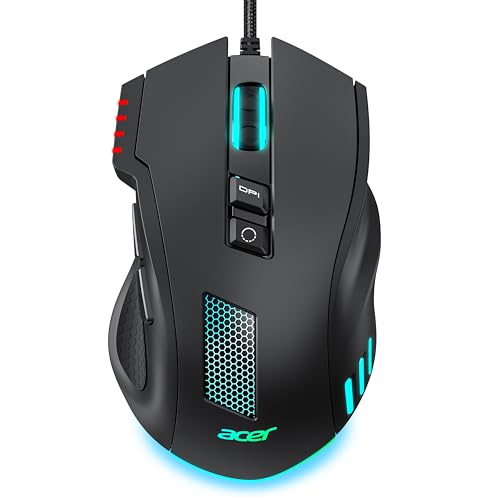
This Acer wired mouse is listed with RGB lighting, an ergonomic shape, and sensitivity up to 12,800 DPI. It offers a simple route into PC gaming if you want a familiar wired design. The headline DPI figure describes a setting range, not a guarantee of better aim. You can choose a lower setting if that gives you steadier control.
Before buying, confirm the current listing’s button count, software support, and exact lighting controls. Those details matter more than a large sensitivity number. A wired mouse also suits players who want to avoid charging or batteries. I would compare its current price with known options from Logitech and Razer before making a final choice.
Pros:
- Wired connection offers simple, ready-to-use power.
- RGB lighting adds a colorful desk effect.
- Listing states sensitivity up to 12,800 DPI.
- Ergonomic styling may suit a relaxed right-hand grip.
- Suitable for a basic gaming and everyday computer setup.
Cons:
- High DPI does not prove better tracking or aim.
- Check the listing for exact controls and software details.
- Its cable can limit movement or add desk clutter.
What Amazon Buyers Are Saying
Check recent reviews for clear details on the exact model, button layout, and setup. Since the headline listing information does not answer every question, buyer photos and model-specific comments can help. Pay attention to feedback on comfort and whether the sensitivity settings are easy to change. I would treat broad praise or complaints with care if the reviewer does not name the version.
My Recommendation
The Acer is worth a look if its current price is low and you want a basic wired mouse with RGB. I would verify its full feature list before choosing it over an established model. For many buyers, the G203 offers clearer-known controls and software. The Acer may suit a simple setup, but I would not buy it for DPI alone.
| Category | Rating |
|---|---|
| Basic wired use | 4/5 |
| Listed sensitivity range | 4/5 |
| Feature detail | 3.5/5 |
| Budget value | 3.5/5 |
| Overall Rating | 3.8/5 |
Logitech G203

The G203 is my top all-round pick because it keeps the essentials clear and useful. It has a wired connection, six programmable buttons, and a sensor with sensitivity settings up to 8,000 DPI. LIGHTSYNC RGB adds customizable lighting through Logitech software. Its compact, ambidextrous shape works for many users, though it is not shaped for every hand.
For everyday play, this mix is more useful than a very high DPI number or a long list of buttons. You can adjust pointer speed and set supported button actions in the software. The cable is the main drawback, especially if it catches on a desk edge. Still, the G203 gives new PC players a practical starting point without making the setup hard to manage.
Pros:
- Six buttons cover common gaming actions and shortcuts.
- Adjustable sensitivity suits different games and screen sizes.
- LIGHTSYNC RGB can be changed with Logitech software.
- Wired design needs no charging or battery changes.
- Simple layout makes it easy to learn and use.
Cons:
- The cable can get in the way during fast movement.
- Its compact body may not suit users with large hands.
- Software is needed for some customization options.
What Amazon Buyers Are Saying
When you read current G203 reviews, focus on mouse size, click feel, cable movement, and software setup. Those are practical details that can vary with personal preference and desk layout. Look for recent comments from users who describe their hand size or games. That kind of review can help you decide whether the compact shape will feel right.
My Recommendation
The G203 is my best cheap gaming mouse for most buyers who want a dependable wired model with useful settings. It offers a solid balance of control, customization, and ease of use. If you need wireless freedom or a larger body, look at the G305 or DeathAdder Essential instead. For the usual budget PC setup, I rate it as the strongest all-round value here.
| Category | Rating |
|---|---|
| Everyday gaming control | 4.5/5 |
| Useful features | 4/5 |
| Ease of use | 4.5/5 |
| Budget value | 4.5/5 |
| Overall Rating | 4.5/5 |
MELOGAGA Wireless Gaming Mouse

The MELOGAGA mouse is listed with three connection options: Bluetooth, 2.4 GHz wireless, and USB-C. That range can help if you switch between a gaming PC, laptop, or other compatible device. The listing also describes multiple DPI settings, though check the current page for the exact range and details. Its white finish suits a light desk setup.
Connection choice is its main draw, but it is important to understand how each mode works before buying. Bluetooth can be useful for general use, while the included wireless mode may better suit gaming; verify the maker’s instructions and your device support. USB-C can offer a wired option or charging, depending on the product design. I would read recent listing details closely, as battery and software information matters for wireless use.
Pros:
- Three listed connection modes add device flexibility.
- White finish fits a light or minimal desk theme.
- Multiple sensitivity settings let you adjust pointer speed.
- Wireless options reduce cable clutter during use.
- USB-C connection offers a wired connection option as listed.
Cons:
- Verify the exact DPI range and included accessories on the live listing.
- Wireless battery details should be checked before purchase.
- Bluetooth may not suit every gaming setup or use case.
What Amazon Buyers Are Saying
Look for current reviews that name the connection mode they used, the device they paired it with, and how charging works. These details matter more here than general comments about appearance. Check whether reviewers found switching between modes clear and reliable. If the listing has several variants, confirm that the reviews match the white model you plan to order.
My Recommendation
The MELOGAGA is an interesting option if you want several connection types in one mouse. I would choose it for flexibility rather than assuming it will outperform a dedicated gaming model. Confirm its exact battery, sensor, and software details first. If you want a low-risk gaming pick, the Logitech G203 or G305 has a clearer, more established feature set.
| Category | Rating |
|---|---|
| Connection flexibility | 4.5/5 |
| Gaming details | 3.5/5 |
| Everyday use | 4/5 |
| Value clarity | 3.5/5 |
| Overall Rating | 3.9/5 |
How to Choose the Best Cheap Gaming Mouse
The right budget mouse should feel steady in your hand and work well with the games you play. Look past flashy lighting and huge DPI claims. Focus on fit, connection, controls, and the full cost of using it. These checks can help you find the best cheap gaming mouse for your own desk.
1. Match the shape to your hand and grip
Comfort matters more than a long feature list. A mouse that feels too small can make your fingers curl, while a broad shell may feel hard to move. If you can, check the shape in a store or compare its size with a mouse you already own. Right-handed ergonomic designs, such as the DeathAdder Essential and Basilisk V3, do not suit every player. A more compact shape, like the G203 or G305, may work better for a smaller hand or travel setup. Read reviews with hand-size details, not just general praise.
2. Choose wired or wireless based on your setup
A wired gaming mouse is simple: plug it in and play. It does not need a battery, and you do not need to charge it. The trade-off is cable drag and desk clutter. A wireless mouse gives you more room to move, but check its power source, receiver, and connection options. The G305 uses a small USB receiver and a replaceable AA battery. A multi-mode mouse may connect in more ways, but you should confirm how each mode performs and whether your devices support it. Do not pay more for wireless features you will not use.
3. Focus on useful controls, not headline DPI
DPI tells you how far the pointer moves for a given hand movement. A higher maximum does not make a mouse more accurate by itself. Many players use a moderate setting that lets them aim with control. Look at whether the mouse lets you change sensitivity easily, and check if its buttons fit your games. A few extra buttons can help with shortcuts, but too many can feel crowded. Software can add useful options, though some players prefer a plug-and-play mouse. Choose features you will use often, then compare the price with models that offer similar basics.
Final Verdict: Which Should You Buy?
The Logitech G203 is my best cheap gaming mouse for most people. It has useful controls, adjustable sensitivity, and easy-to-use software at a practical wired design.
Choose the G305 for wireless play or the Basilisk V3 for extra controls. Compare current prices, check the fit, and pick the budget gaming mouse that suits your games and desk.
FAQs Of best cheap gaming mouse
What is the best cheap gaming mouse for most players?
The Logitech G203 is my top all-round pick. It offers six buttons, adjustable sensitivity, and customizable lighting in a simple wired design.
Is a cheap gaming mouse good for competitive games?
Yes. A budget mouse can work well if it tracks reliably, fits your hand, and lets you set a comfortable sensitivity. Fit and control matter more than a high DPI number.
Should I buy a wired or wireless budget gaming mouse?
Choose wired for simple setup and no battery care. Choose wireless for fewer cables, but check the battery type, receiver, and connection mode first.
How much DPI do I need for gaming?
There is no single best DPI setting. Pick a sensitivity that feels easy to control, then adjust it for your game and screen.
Are extra buttons useful on a cheap gaming mouse?
Extra buttons help when you use them for game actions or shortcuts. If you prefer a simple layout, a mouse with fewer buttons may feel easier to use.