The HP 15.6-inch FHD laptop is worth considering for everyday work, school, browsing, streaming, and home-office tasks.
A laptop can quickly become frustrating when you need a larger screen for spreadsheets, online classes, video calls, and everyday browsing but do not want to spend heavily on a premium machine.
That is where this HP 15.6-inch FHD laptop makes sense. Its Full HD display, Intel N100 processor, 8GB memory, 256GB SSD, Windows 11 Home, and practical connectivity are aimed at students, families, and people handling routine computing in a U.S. home or office.

Is HP 15.6-inch FHD Laptop Good?
Yes, this HP laptop is a sensible choice when your priorities are everyday productivity, a spacious 15.6-inch Full HD screen, and straightforward Windows computing. The configuration associated with this listing uses an Intel N100 processor, 8GB DDR4 memory, and a 256GB PCIe NVMe SSD, which is a reasonable combination for browsing, documents, email, streaming, online learning, and light multitasking.
Its biggest strengths are the Full HD anti-glare display, full-size keyboard with numeric keypad, Wi-Fi 6 connectivity, and SSD-based storage. The main limitation is performance: the Intel N100 is designed for everyday computing rather than demanding gaming, professional video editing, 3D work, or heavy workstation workloads.
My First Impression for HP 15.6-inch FHD Laptop
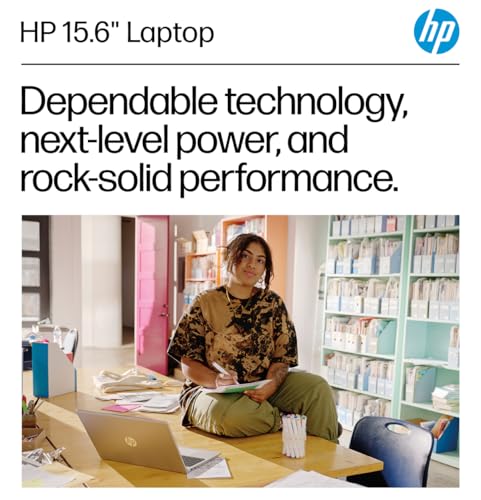
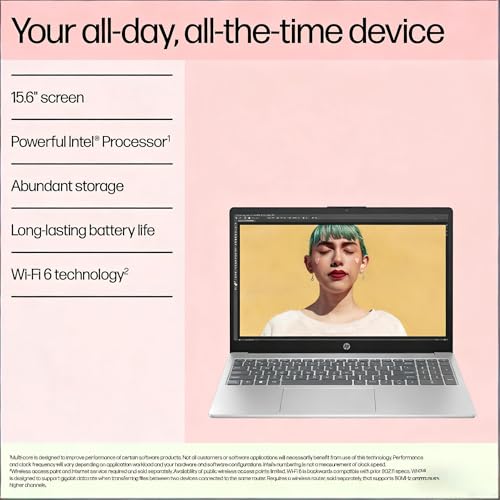
The product presentation is focused on practicality rather than premium styling. The Natural Silver finish, thin-bezel 15.6-inch chassis, and full-size keyboard give it the familiar layout many users expect from a conventional home or office laptop.
Getting started should be straightforward because the listed configuration comes with Windows 11 Home. The combination of an SSD, integrated graphics, Wi-Fi 6, Bluetooth 5.3, USB connectivity, HDMI, and a headphone/microphone combo makes the machine ready for common peripherals and everyday tasks without requiring an unusual setup.
One useful detail is the numeric keypad. For users who regularly work with spreadsheets, invoices, budgets, or data entry, that dedicated keypad can be more convenient than the compact layouts found on many smaller laptops.

What Makes It Stand Out / Key Features
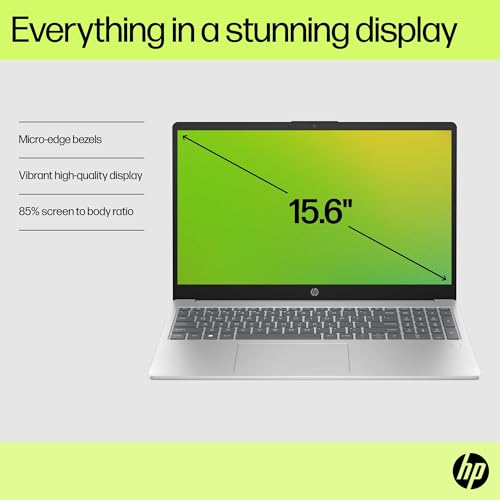
- 15.6-inch Full HD Display: The 1920 x 1080 LCD display provides a practical amount of workspace for documents, web pages, streaming, and side-by-side windows. Its anti-glare design is useful when working in rooms with noticeable ambient light.
- Intel N100 Processor: The four-core Intel N100 is built for everyday computing rather than demanding professional workloads. It is a suitable match for web browsing, office applications, email, video playback, online classes, and other routine tasks.
- 8GB DDR4 Memory: The listed configuration includes 8GB of DDR4 memory, providing a practical starting point for everyday multitasking such as working with documents while keeping several browser tabs open.
- 256GB PCIe NVMe SSD: The 256GB solid-state drive offers faster storage access than a traditional mechanical hard drive and provides enough room for common documents, applications, and personal files, although users with large media libraries may eventually want additional storage.
- Wi-Fi 6 and Bluetooth 5.3: Modern wireless connectivity makes it easier to connect to compatible home or office networks and pair accessories such as wireless mice, keyboards, headphones, and other Bluetooth devices.
- Full-Size Keyboard With Numeric Keypad: The full-size keyboard includes a dedicated numeric keypad, making frequent number entry more convenient for spreadsheets, budgeting, schoolwork, and basic office tasks.
- Practical Port Selection: The configuration is listed with USB-C, USB-A, HDMI, and a headphone/microphone combo, giving users useful options for external displays, storage devices, printers, and wired audio accessories.
- Windows 11 Home and 720p Camera: Windows 11 Home provides a familiar desktop environment, while the listed HP True Vision 720p HD camera and dual-array microphones support common video calls and online meetings.

✅ What I Like
- ✔ The 15.6-inch 1920 x 1080 display provides more workspace than smaller budget laptops, which is helpful for documents, spreadsheets, and multitasking.
- ✔ The 256GB PCIe NVMe SSD should make everyday startup and application loading feel more responsive than a traditional hard-drive-based laptop.
- ✔ The full-size keyboard includes a numeric keypad, which is particularly useful for accounting, budgeting, spreadsheets, and frequent number entry.
- ✔ Wi-Fi 6 and Bluetooth 5.3 provide modern wireless connectivity for compatible networks and accessories.
- ✔ USB-C, USB-A, HDMI, and a headphone/microphone combo give the laptop useful connectivity for common home-office equipment.
- ✔ Windows 11 Home makes the laptop suitable for familiar everyday tasks such as web browsing, document creation, email, streaming, and online learning.
⚠️ What Could Be Better
- ✖ The Intel N100 is an entry-level processor, so buyers expecting demanding gaming, advanced editing, or heavy professional workloads should look at a more powerful laptop.
- ✖ The 256GB internal SSD may feel limiting for users who keep large video collections, extensive photo libraries, or many large applications locally.
- ✖ The 15.6-inch size provides a comfortable viewing area but is less compact for frequent travel than a smaller 13- or 14-inch laptop.

My Recommendation
I would consider this HP model for buyers who want a straightforward Windows laptop for school, home, and office basics rather than a performance-focused machine. The screen size, numeric keypad, SSD storage, and everyday connectivity make it particularly practical for users who spend time on documents, web applications, email, video meetings, and spreadsheets.
The important buying consideration is to match expectations with the processor. If your workload consists mainly of everyday applications, this configuration is appropriately positioned; if you plan to edit high-resolution video, play demanding modern games, run complex development workloads, or use specialized creative software heavily, a laptop with a stronger processor and graphics solution would be a better fit.
| Best For | Why It Fits |
|---|---|
| Students | The 15.6-inch Full HD screen, Windows 11, SSD storage, webcam, and everyday performance suit research, writing, online classes, and general schoolwork. |
| Home Office Users | The numeric keypad, large display, wireless connectivity, and practical ports work well for email, documents, spreadsheets, video meetings, and household administration. |
| Budget-Conscious Families | It provides a conventional Windows laptop format for browsing, streaming, homework, personal documents, and other shared household tasks. |
| Light Remote Workers | The display, webcam, microphones, SSD, and Wi-Fi 6 support common remote-work activities without targeting high-end professional workloads. |

Alternative Products You Can Consider
| Product | Best For | Key Difference |
|---|---|---|
| HP 15.6-inch FHD Laptop | Everyday Windows computing | Combines a large Full HD display, numeric keypad, SSD storage, and practical connectivity around an entry-level Intel processor. |
| Acer Aspire 3 | Budget productivity | Offers a broad range of configurations, allowing shoppers to select different hardware combinations depending on availability. |
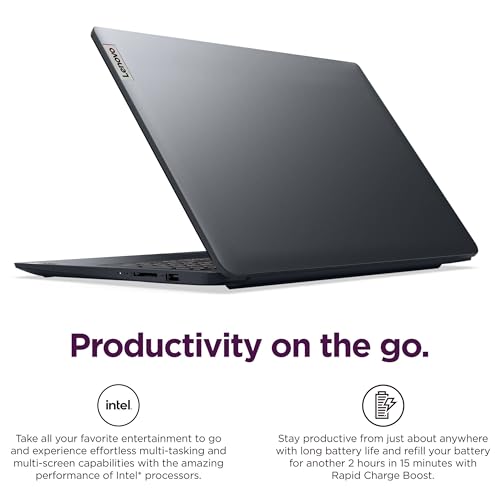
| Lenovo IdeaPad 1 | Students and basic home use | Provides another value-focused Windows option with different configuration and design choices. |
Final Verdict: Which Should You Buy?
The HP 15.6-inch FHD laptop is a good match for buyers who value a large Full HD screen, straightforward Windows 11 use, an SSD, a numeric keypad, and useful everyday connectivity. For school assignments, web browsing, streaming, email, office documents, spreadsheets, and light remote work, its feature set is practical and easy to understand.
The biggest reason to choose it is its balanced everyday design rather than raw performance. The biggest limitation is the Intel N100 platform, which means demanding creative applications, serious gaming, and intensive professional workloads are better handled by a more powerful alternative.
Before buying, check the exact configuration shown on the product page because laptop listings can have different memory and storage variants. If the listed hardware matches your needs, this HP is a reasonable option for everyday computing without paying for performance you may never use.