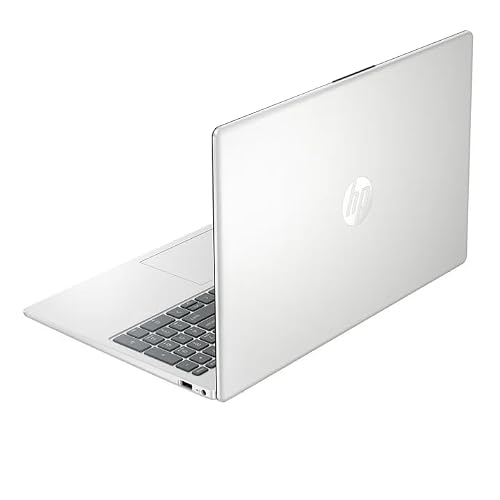
Acer laptops are cheap because Acer controls costs through efficient design, large production, simple materials, and strong competition.
The question “why are Acer laptops so cheap” has a clear answer, but price alone does not tell the whole story. Acer sells everything from basic Chromebooks to powerful gaming laptops, so the value depends on the model, its parts, its warranty, and how you plan to use it. This guide breaks down the real reasons behind Acer’s low prices and shows how to decide if an Acer laptop is right for you.
Why are Acer laptops so cheap?
Acer laptops are often affordable because the company focuses on value rather than luxury design. It uses practical materials, common hardware, large-scale manufacturing, and broad product lines to keep prices down.
That does not mean every Acer laptop is weak. A budget Acer may use a slower processor or a plastic case, while a higher-end Predator or Swift model can offer strong performance, premium screens, and better build quality.
The key is to compare the full package. A low price may reflect smart cost control, but it can also mean fewer features in areas such as display quality, battery size, speakers, or upgrade options.

1. Acer uses practical materials
One major reason why Acer laptops are so cheap is the use of plastic in many models. Plastic costs less than aluminum or magnesium alloy, and it is easier to shape during production.
A plastic body can still be useful. It keeps the laptop light, resists small dents, and helps Acer offer a lower price. However, it may flex more than a metal laptop and can feel less premium in your hands.
This design choice is common in budget laptops from many brands. A metal frame often adds style and strength, but it does not automatically make a laptop faster or more reliable.
When you shop, check the hinge, keyboard deck, and screen lid. These areas tell you more about build quality than the material name alone.

2. Acer benefits from large-scale production
Acer sells laptops in many countries and price ranges. This large sales volume helps the company order parts in bulk and spread design, factory, shipping, and marketing costs across many units.
Think of it like buying rice in a large bag instead of a small box. The product is similar, but the cost per unit is lower. Acer uses the same basic approach with processors, memory, storage, screens, chargers, and laptop frames.
Large production also helps Acer reuse parts across different models. A keyboard, hinge system, or motherboard design may support several related products. This can reduce engineering costs and speed up production.
These savings help explain why Acer laptops are so cheap without suggesting that the company skips every quality check.

3. Budget Acer laptops use entry-level hardware
Acer keeps prices low by using affordable processors and smaller amounts of memory in entry-level machines. Common examples include Intel Celeron, Intel N-series, AMD Athlon, and lower-tier Ryzen chips.
These processors can handle tasks such as:
• Web browsing
• Email
• Online classes
• Microsoft Word and Google Docs
• Video calls
• Streaming services
• Basic home finance work
They may struggle with large spreadsheets, heavy photo editing, modern games, 3D design, and professional video production. A laptop with 4GB of RAM and 64GB of storage may look cheap, but it can feel slow after updates and several open browser tabs.
For a smoother Windows experience, 8GB of RAM and a 256GB solid-state drive are safer starting points. A Chromebook can work well with less storage because ChromeOS relies more on cloud apps, but local storage still matters if you save many files.

4. Acer offers different levels of quality
Another reason why Acer laptops are so cheap is that Acer has a wide product range. It sells basic machines under lines such as Aspire and Chromebook, as well as premium thin laptops and gaming systems.
This range lets Acer attract students, families, office workers, travelers, and gamers. The company does not build every model for the same buyer.
Here is a simple view of common Acer categories:
• Chromebook models suit web use, schoolwork, and light daily tasks.
• Aspire models often target home users, students, and office work.
• Swift models focus on thin designs, mobility, and better materials.
• Nitro models target affordable gaming with stronger graphics hardware.
• Predator models offer higher gaming performance and more advanced cooling.
A $250 Acer Chromebook and a $1,500 Acer gaming laptop may share a brand name, but they are not built for the same job. Always judge the exact model, not only the logo.

5. Acer saves money on premium features
Some Acer laptops cost less because they leave out features found on more expensive models. These omissions may include a brighter screen, a metal body, a fingerprint reader, a large battery, premium speakers, or a high-resolution webcam.
For example, a budget laptop may use a 1080p display with a standard refresh rate. That is fine for documents and video, but it may not look as bright or colorful as an expensive OLED screen.
A lower-priced Acer may also include:
• A basic 720p webcam
• Average speakers
• A smaller trackpad
• A less rigid lid
• A standard 60Hz display
• Limited port selection
• A modest battery
None of these features make a laptop unusable. They simply show where Acer trimmed costs to reach a lower retail price.

6. Acer competes aggressively on price
The laptop market is very competitive. Acer must compete with Lenovo, HP, Dell, ASUS, Samsung, Microsoft, and Chromebook manufacturers.
Price competition is especially strong during back-to-school sales, holiday events, and major shopping periods. Retailers may discount Acer laptops to attract customers, clear older inventory, or promote a larger sale.
This competitive pressure is a major part of why Acer laptops are so cheap. Acer often chooses a modest profit on a popular model instead of charging more for branding or luxury materials.
The result can be good value, but shoppers should watch for confusing model names. Two laptops may look similar while using different processors, screens, RAM, and storage drives.

7. Acer may use older or last-generation parts
Acer often sells laptops with hardware from an earlier generation. This helps reduce the price while keeping performance suitable for everyday tasks.
Older does not always mean bad. A previous-generation Core i5 or Ryzen 5 chip can still handle office work, school tasks, browsing, and media use very well. In some cases, a discounted older model offers better value than a new laptop with a very weak processor.
Still, check the release date and support outlook. An older laptop may have:
• Shorter remaining warranty availability
• A smaller battery due to age
• Fewer future upgrade options
• An older Wi-Fi standard
• Slower storage
• Less time before it feels outdated
Look for independent benchmark results when possible. Processor names alone can be misleading because different generations can perform very differently.
8. Acer keeps some designs simple
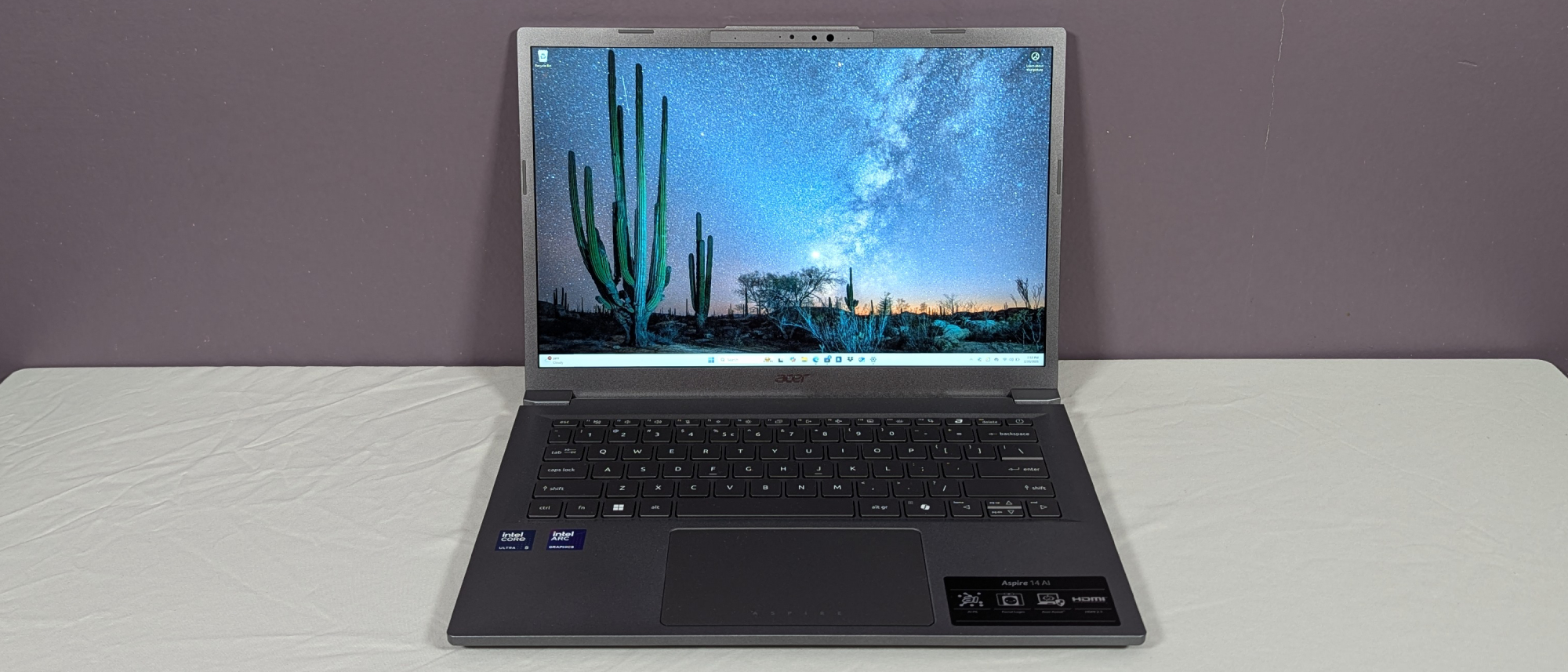
A simple design costs less to manufacture and repair. Acer often uses standard ports, common screws, familiar cooling systems, and proven internal layouts.
This can be helpful for buyers. Standard parts may make repairs easier, and simple designs can reduce the chance of paying for features you do not need.
However, thin laptops often limit upgrades. Some Acer models have soldered RAM, meaning you cannot replace or expand the memory later. Others may have a replaceable M.2 solid-state drive but no extra memory slot.
Before buying, search the exact model number and check:
- Whether the RAM is upgradeable
- Whether the SSD can be replaced
- How many USB ports it has
- Whether it supports USB-C charging
- Whether the battery is easy to service
- Whether the Wi-Fi card is replaceable
A five-minute check can prevent years of frustration.

Are cheap Acer laptops reliable?
Many Acer laptops are reliable for the work they are designed to do. A basic model can last several years with careful use, regular updates, and good battery habits.
Reliability depends on the processor, cooling system, hinge design, battery, and how heavily you use the computer. A laptop used for web browsing may experience much less stress than one used daily for gaming or video editing.
In my experience with laptop buying and testing advice, the most common mistake is judging reliability by price alone. A cheap laptop with an SSD and 8GB of RAM may feel better over time than a more expensive model with a slow hard drive and poor cooling.
To improve long-term reliability:
• Keep air vents clear
• Do not use the laptop on soft bedding
• Install system and security updates
• Avoid carrying it by the screen
• Use a padded case
• Keep drinks away from the keyboard
• Replace a worn battery through a qualified repair service
What are the main disadvantages of cheap Acer laptops?
The biggest drawbacks usually involve speed, screen quality, build feel, and upgrade limits. These issues matter more when you buy the cheapest model available.
A budget Acer may slow down when you open many browser tabs. It may also have a dim screen that is hard to see near a window. A small storage drive can fill quickly after installing apps and saving photos.
Common limitations include:
• Low RAM
• Small storage capacity
• Dim or narrow-viewing-angle displays
• Weak webcams
• Average speakers
• Flexible plastic bodies
• Shorter battery life
• Limited upgrade paths
• Basic customer support experiences in some regions
The exact experience varies by model and country. Read the warranty terms carefully, since service options and coverage can differ by seller and location.
How to choose a good-value Acer laptop
Understanding why Acer laptops are so cheap helps you avoid both great deals and bad deals. The goal is not to find the lowest price. The goal is to find the lowest price that still meets your needs.
Use this checklist before buying:
• Choose at least 8GB of RAM for a Windows laptop when possible.
• Choose a 256GB SSD or larger for normal daily use.
• Look for a modern Intel Core, Intel N-series, or AMD Ryzen processor.
• Pick a 1080p display instead of a very low-resolution screen.
• Check battery tests, not just the battery capacity listed on the box.
• Confirm that the charger and operating system are included.
• Read the return policy and warranty terms.
• Check the exact model number, not only the Acer series name.
• Look for user reviews that mention hinges, heat, fan noise, and battery life.
• Compare the final sale price with similar Lenovo, HP, ASUS, and Dell models.
A $350 laptop may be a smart buy for email and schoolwork. It may be a poor choice for gaming, editing, or advanced business software.
Acer laptops compared with other budget brands
Acer is not the only company that offers low-cost laptops. Lenovo, HP, ASUS, Dell, and Samsung also sell affordable models.
Acer often competes well on specifications. You may find more RAM, storage, or screen size for the price. Another brand may offer a stronger hinge, better keyboard, longer support, or easier repair.
The best comparison method is to create a simple table with these details:
| Feature | Acer model | Competing model |
|---|---|---|
| Processor | Check exact chip | Check exact chip |
| RAM | 8GB or 16GB | 8GB or 16GB |
| Storage | SSD size | SSD size |
| Display | Resolution and brightness | Resolution and brightness |
| Battery | Independent test | Independent test |
| Warranty | Length and service | Length and service |
| Upgrade options | RAM and SSD | RAM and SSD |
This approach explains why Acer laptops are so cheap while also showing whether the savings are worth the tradeoffs.
Who should buy an Acer laptop?
Acer can be a strong choice for students, families, remote workers, casual users, and buyers who need a second computer. Its affordable models often provide enough power for everyday tasks.
Acer may also suit gamers who want a capable entry-level gaming laptop. Nitro models, for example, can offer dedicated graphics at a lower price than many premium gaming systems, although they may be heavier and louder.
You may want another brand or a higher Acer tier if you need:
• Professional video editing
• Advanced 3D work
• A bright color-accurate display
• A premium metal design
• All-day battery life
• Frequent travel
• Business-class repair service
• Silent operation under heavy loads
Match the laptop to your workload. Buying more power than you need wastes money, but buying too little creates daily stress.
Common mistakes to avoid when buying a cheap Acer
The biggest mistake is buying by price and screen size alone. A large 15.6-inch display does not help much if the laptop has only 4GB of RAM and a tiny storage drive.
Another mistake is confusing storage types. An SSD usually makes Windows feel much faster than an old mechanical hard drive. Some low-cost laptops also use slower eMMC storage, which can limit performance and future storage space.
Avoid these buying errors:
-
Do not assume every Acer Aspire model has the same performance.
-
Do not ignore the processor generation.
-
Do not buy 4GB of RAM for demanding Windows use.
-
Do not expect a budget laptop to run new games well.
-
Do not skip reviews about heat, noise, and hinges.
-
Do not forget to check the return window.
-
Do not pay extra for a large display without checking its brightness and resolution.
A clear list of your daily tasks makes the choice much easier.
Frequently Asked Questions About Why Are Acer Laptops So Cheap
Why are Acer laptops so cheap compared with other brands?
Acer keeps prices low through practical materials, large-scale production, affordable hardware, and strong competition. Some models also use older processors or skip premium features such as metal bodies and high-end screens.
Are cheap Acer laptops good for students?
Yes, many are suitable for browsing, documents, online classes, video calls, and streaming. Choose a model with at least 8GB of RAM and a 256GB SSD for a smoother Windows experience.
How long can a cheap Acer laptop last?
A well-maintained Acer laptop can last several years, but its useful life depends on the hardware and workload. Basic models may age faster if they have very little RAM, small storage, or a weak processor.
Are Acer laptops good for gaming?
Some Acer laptops are good for gaming, especially models with dedicated graphics from the Nitro or Predator families. The cheapest Acer laptops usually work best for older, simple, or cloud-based games rather than demanding new releases.
Do Acer laptops have poor build quality?
Not all Acer laptops have poor build quality. Budget models often use more plastic and simpler hinges, while premium Acer lines can have stronger bodies, better screens, and more refined designs.
Can Acer laptop RAM and storage be upgraded?
It depends on the exact model. Some Acer laptops allow SSD or RAM upgrades, while others use soldered memory and provide little room for expansion, so check the service manual or official specifications first.
Is an Acer Chromebook cheaper than an Acer Windows laptop?
Often, yes. Chromebooks can cost less because ChromeOS needs fewer system resources and is designed mainly for web apps, but they may not run traditional Windows software.
Conclusion
The answer to why Acer laptops are so cheap comes down to smart cost control, high sales volume, practical materials, affordable processors, and fewer luxury features. Acer offers real value, but the best choice depends on the exact model and your daily workload.
Focus on the processor, RAM, SSD, display, battery, warranty, and upgrade options before checking the price. Choose a laptop that fits your needs instead of simply choosing the cheapest one. Compare a few Acer models with competing brands, read trusted reviews, and share your experience or questions in the comments.