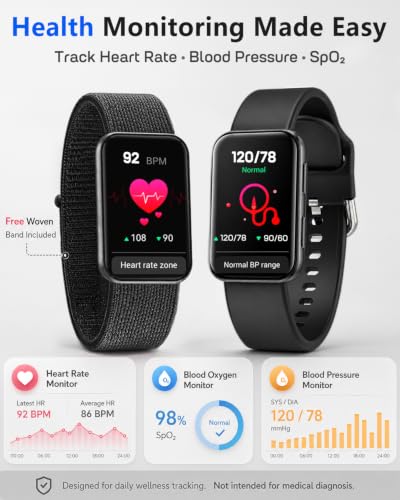
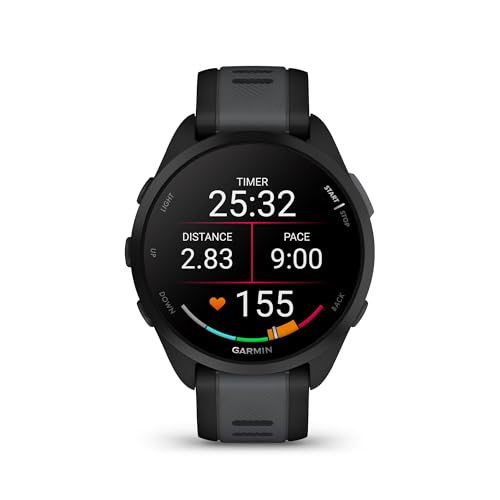
The best smartwatch for iPhone under $100 is the Smart Watch for Men Women with calls, fitness tools, and IP68 water resistance.
An iPhone can do almost everything, but checking every alert or reaching for it during a walk gets old fast. A budget smartwatch solves that small daily hassle. It can show calls, texts, steps, heart rate trends, sleep data, and workout details right on your wrist. I reviewed nine affordable options with iPhone support, useful health features, call tools, screen quality, water protection, and overall value in mind. These watches cannot replace an Apple Watch, but many offer the core features most people use at a much lower price.
How I Chose the Best Smartwatch for iPhone Under $100
Buying a low-cost smartwatch is not only about counting features. A long list can look impressive, yet the watch may have weak software, poor battery life, or limited iPhone support. I focused on the details that matter after the first week of use.
First, I looked for clear iPhone compatibility. A watch should pair with the Apple Health-friendly lifestyle without making setup feel like a puzzle. Most budget models connect through Bluetooth and a companion app. However, they do not offer the same deep integration as an Apple Watch. For example, many can mirror notifications but cannot run every iPhone app or reply to messages with a full keyboard.
I also considered call support. A watch that lets you answer calls needs a speaker and microphone, plus a stable Bluetooth link. This feature works best when your iPhone stays nearby. It is useful at home, during chores, or when your phone is in a bag. It does not usually provide independent cellular service.
Health tracking received close attention as well. Step counts, heart rate readings, sleep estimates, blood oxygen readings, and stress scores can help you notice patterns. Still, these are wellness tools, not medical devices. The FDA warns consumers not to treat unapproved smartwatch readings as a diagnosis or a replacement for professional care. I use these features to spot trends, not to make health decisions.
Finally, I checked comfort, screen size, water ratings, fitness modes, battery claims, and band options. An IP67 or IP68 rating can help with sweat and rain, but it does not mean every watch is safe for hot showers, salt water, or deep swimming. Always follow the brand’s care instructions.
Best Smartwatch for iPhone Under $100 Reviews
Smart Watch for Men Women With 110+ Sports Modes

This 1.83-inch smartwatch is a strong all-around choice for iPhone users who want a large screen and simple fitness tools. Its call feature lets you answer or make calls when the watch remains connected to your phone. The display gives notifications, activity data, and watch controls enough room to read without constant swipes.
With more than 110 sport modes, it suits people who enjoy variety rather than one specific workout. Heart rate, sleep, and step tracking add useful daily feedback, while the IP68 rating helps with sweat and rain. I would still avoid treating any low-cost sensor as a clinical tool, and I would check the watch after water exposure.
Pros:
- Large 1.83-inch screen is easy to read
- Supports Bluetooth calling from the wrist
- Offers more than 110 sport modes
- Tracks heart rate, sleep, and steps
- IP68 protection helps during daily activity
- Works with both iPhone and Android phones
Cons:
- Needs the phone nearby for calls
- Health readings are for wellness use only
- The large case may feel wide on a small wrist
My Recommendation
I recommend this model to shoppers who want the best smartwatch for iPhone under $100 without giving up call tools or workout choices. It is especially useful for busy parents, walkers, gym users, and anyone who prefers a big display. The mix of practical features makes it a very good value if the current Amazon price stays below your budget.
Smart Watch With Alexa and 105+ Sport Modes

This watch stands out with a bright 1.91-inch HD screen and built-in Alexa support. The larger panel is helpful when you read alerts, check a workout, or tap through menus while moving. It also supports Bluetooth calls, so you can speak from your wrist when your iPhone is close.
The watch includes heart rate, sleep, blood oxygen, and stress monitoring features. Its 105-plus sports modes cover common activities such as walking, running, cycling, and gym work. Alexa can be useful for quick voice tasks, but the exact experience depends on the companion app, phone settings, account setup, and internet access.
Pros:
- Large 1.91-inch display provides comfortable viewing
- Built-in Alexa adds convenient voice control
- Supports Bluetooth answer and call functions
- Includes more than 105 exercise modes
- Offers heart rate, sleep, SpO2, and stress tracking
- IP68 rating suits many everyday conditions
Cons:
- Alexa features may need extra setup
- Requires an iPhone connection for smart functions
- Large screen may look bulky on narrow wrists
My Recommendation
This is a smart pick for iPhone owners who want a voice assistant on a budget. I see it as the best smartwatch for iPhone under $100 for users who value a roomy screen and broad health menus. It also works well for people who want call alerts and light voice control without paying Apple Watch prices.
Smart Watch for Women With Two Bands

This 1.85-inch smartwatch combines a larger display with a more style-focused design. It supports answering and making calls through a connected iPhone, which can help when your phone is across the room. The screen gives enough space for notifications, step totals, and workout details.
It includes more than 100 sport modes, along with heart rate, sleep, and blood oxygen tracking. The two included bands add welcome flexibility for daily wear and exercise. I like this approach because a watch feels more useful when it can move from a work outfit to a weekend walk without looking out of place.
Pros:
- Includes two bands for different looks and activities
- Large 1.85-inch HD display is easy to use
- Supports Bluetooth calling with a paired phone
- Offers more than 100 sport modes
- Tracks sleep, heart rate, and blood oxygen trends
- IP68 water resistance helps protect against sweat and rain
Cons:
- Some iPhone features may be limited by iOS permissions
- Call quality depends on Bluetooth range
- Sensor results should not guide medical choices
My Recommendation
I would choose this model for someone who wants the best smartwatch for iPhone under $100 with a little more fashion flexibility. The second band is a practical bonus, not just a decoration. It fits women and men who want a daily watch for calls, walks, sleep tracking, and basic fitness without a stiff or overly technical look.
1.69-Inch Smartwatch for Women

This pink smartwatch offers a compact 1.69-inch touch display and a design aimed at everyday wear. It can show calls and notifications from an Android or iPhone connection. The smaller case may feel more comfortable than a large fitness watch, especially for users with slim wrists.
Its fitness tools include step tracking, heart rate monitoring, and sleep information. The waterproof design helps with normal activity, though I would not assume it is made for diving or hot water. This model keeps the focus on simple daily feedback rather than a crowded list of advanced functions.
Pros:
- Compact size may suit smaller wrists
- Pink finish gives it a friendly casual style
- Displays calls and phone notifications
- Tracks steps, heart rate, and sleep
- Touchscreen controls are simple for daily use
- Works with iPhone and Android phones
Cons:
- Smaller screen shows less information at once
- May offer fewer sport tools than newer models
- Water resistance has practical limits
My Recommendation
This watch is best for shoppers who want a light, simple wearable rather than a mini phone on the wrist. It can be the best smartwatch for iPhone under $100 for a first-time user, a teen, or someone who values a smaller pink design. I would pick it for alerts and basic health habits, not for serious training or deep Apple integration.
Women’s Smartwatch With 1.32-Inch AMOLED Screen

The main attraction here is the 1.32-inch AMOLED screen. AMOLED panels often provide strong contrast and deep black tones, which can make watch faces and small text look sharper. The smaller round-style display also gives this watch a dressier feel than many large rectangular fitness models.
It supports answer-and-make-call functions when paired with a compatible phone. That makes it useful for quick conversations, alerts, and daily reminders. I would favor this watch for style-conscious users who want core smart features in a compact body, while accepting that the smaller screen gives less room for menus and messages.
Pros:
- AMOLED display offers vivid contrast
- Compact design can look polished on the wrist
- Supports Bluetooth calling with a paired phone
- Suitable for notifications and everyday reminders
- May feel lighter than large fitness watches
- Works with iPhone and Android devices
Cons:
- Small screen may be harder to read during exercise
- May provide less room for detailed workout data
- Phone must remain nearby for calling
My Recommendation
I recommend this model to people who care about screen quality and a neat, smaller look. It may be the best smartwatch for iPhone under $100 for dress wear, office use, and quick calls. Choose it over a larger fitness watch if comfort and appearance matter more than a huge sports-mode list.
1.83-Inch Smartwatch With Blood Oxygen Tracking

This 1.83-inch model keeps its feature list focused on daily fitness and phone alerts. Its full-touch screen makes it easy to view steps, heart rate, sleep data, and notifications. It also supports blood oxygen tracking, a feature many shoppers now expect in an affordable fitness watch.
The IP68 design is suited to normal sweat, splashes, and rain when used as directed. It pairs with iPhone and Android phones through Bluetooth, giving users a simple way to see alerts away from the phone screen. Blood oxygen and heart rate readings can shift with fit, motion, skin contact, and other factors, so I treat them as estimates.
Pros:
- Large touch display is easy to navigate
- Includes blood oxygen tracking
- Monitors heart rate and sleep patterns
- Tracks steps for daily movement goals
- IP68 rating supports active daily wear
- Compatible with iPhone and Samsung Android phones
Cons:
- Older design may feel less refined than newer options
- Does not offer independent cellular calling
- Wellness sensors are not medical instruments
My Recommendation
This is a sensible choice for users who want clear basics and blood oxygen tracking at a low price. I would call it the best smartwatch for iPhone under $100 for someone who wants a broad daily health snapshot without Alexa or a complicated interface. It is a steady, practical option for walking, light workouts, and notification viewing.
Women’s Smartwatch With Alexa and 120 Sport Modes

This pink smartwatch offers 120 sport modes, Alexa support, music control, and Bluetooth calling. The 1.83-inch HD screen gives it a useful balance between readability and wrist comfort. I like the range of controls because you can leave your iPhone in a pocket while changing music or checking a workout summary.
Heart rate and sleep monitoring help users follow everyday patterns. The IP67 rating offers protection against dust and ordinary water exposure, but it is less protective than IP68 in many competing models. I would use it for walks, gym sessions, and daily errands, while removing it before swimming unless the manual clearly approves that use.
Pros:
- Provides 120 sport modes
- Includes built-in Alexa support
- Offers Bluetooth calling and music controls
- 1.83-inch screen balances size and comfort
- Tracks heart rate and sleep
- Attractive pink style suits casual daily wear
Cons:
- IP67 protection is more limited than IP68
- Alexa needs compatible setup and permissions
- Some sports modes may mainly change labels or tracking goals
My Recommendation
I would choose this watch for an active user who wants many workout choices and voice features. It can be the best smartwatch for iPhone under $100 for people who enjoy music control, walking, and varied exercise. It is not my first pick for water-heavy activities, but it offers excellent feature breadth for casual fitness.
Women’s Smartwatch With Alexa and Call Alerts

This 1.8-inch smartwatch focuses on the features many people use most: alerts, calls, Alexa, heart rate, and sleep tracking. Its dark purple finish gives it a softer look than a typical black sports watch. The screen is large enough for quick glances while still keeping the overall design approachable.
For iPhone users, notification alerts can reduce the need to pull out a phone during meetings, chores, or walks. Alexa adds voice control for compatible tasks, though the watch still depends on the phone and its connection for much of the smart experience. I see this as a lifestyle watch first and a serious training tool second.
Pros:
- Includes Alexa for supported voice tasks
- Shows call and notification alerts
- Tracks heart rate and sleep
- 1.8-inch display is easy to view
- Dark purple finish looks less sporty
- Designed for both iPhone and Android phones
Cons:
- Advanced iPhone integration is limited
- Alexa performance depends on setup and connection
- May not satisfy athletes seeking detailed training data
My Recommendation
This model is best for someone who wants a friendly, everyday wearable with voice help and call alerts. I would consider it the best smartwatch for iPhone under $100 for a user who spends more time managing notifications than tracking intense workouts. It is also a nice gift choice because the style feels less technical and more like a normal watch.
1.69-Inch Smartwatch With IP68 Protection

This starlight-colored watch uses a 1.69-inch full-touch screen and a compact design. It supports phone compatibility with iPhone, Samsung, and other Android devices. The clean display is useful for checking steps, sleep information, and alerts without making the watch feel oversized.
Its IP68 rating adds confidence during normal workouts and rainy commutes. Heart rate and sleep monitoring provide simple data for users who are building healthier routines. It does not try to overwhelm you with premium features, which can be a benefit for anyone who wants a straightforward watch that works as a daily companion.
Pros:
- Compact 1.69-inch screen may suit smaller wrists
- IP68 protection supports active daily use
- Full-touch controls are easy to learn
- Tracks heart rate and sleep
- Compatible with iPhone and Android phones
- Starlight color offers a bright neutral style
Cons:
- Smaller display may limit message readability
- May lack call tools found on newer models
- Bluetooth range affects notification reliability
My Recommendation
I recommend this watch to people who prefer a smaller case and a calm, simple interface. It may be the best smartwatch for iPhone under $100 for daily steps, sleep checks, and rain-ready wear. Select it when comfort and basic tracking matter more than Alexa, music control, or a very large screen.
Best Features to Compare Before Buying
A low price does not mean every budget smartwatch works the same way. I suggest checking these points before choosing one.
iPhone Compatibility
Look for a model that supports your iPhone version and the required companion app. Pairing usually involves downloading the app, turning on Bluetooth, granting notification access, and allowing health permissions. If you skip a permission, calls or alerts may not appear.
Bluetooth Calling
“Answer calls” normally means the watch uses your iPhone’s cellular connection through Bluetooth. The phone must remain close enough for a stable link. A watch with a speaker and microphone can handle short calls, but it will not replace an iPhone with its own cellular plan.
Health Tracking
Heart rate, sleep, SpO2, stress, and step tools can help you see habits over time. Fit the watch snugly above the wrist bone for more consistent readings. Even then, motion and skin contact can affect results. Do not use a budget watch to diagnose illness or change medicine.
Water Resistance
IP67 and IP68 are protection ratings, not a promise that a watch can handle every water activity. Sweat and rain are usually less demanding than swimming, hot tubs, soap, or salt water. Dry the watch and charging contacts after exposure, and read the product manual before taking it in a pool.
Screen Size and Comfort
A large screen makes text easier to read, but it can feel heavy on a small wrist. A smaller watch may feel better overnight and under a sleeve. I recommend measuring your wrist and checking the case size before ordering, especially when buying a smartwatch as a gift.
Battery Expectations
Battery life varies with screen brightness, call use, heart rate scans, notifications, and workouts. Brand estimates often assume light use. A watch that lasts several days in normal use can be more convenient than one that needs nightly charging. Turn off features you do not use to stretch battery life.
App Quality
The watch hardware is only half the experience. The companion app handles setup, watch faces, firmware updates, health history, and permissions. Read recent customer feedback about pairing and syncing, not only comments about the screen. An affordable watch with a stable app often beats a feature-packed watch with poor software.
Best-for Comparison
| Best for | Why |
|---|---|
| Best overall | The 1.83-inch model with 110-plus sport modes balances calls, fitness tools, screen size, and IP68 protection. |
| Best for Alexa users | The 1.91-inch smartwatch offers a large display, Alexa, 105-plus sports modes, and health tracking. |
| Best compact style | The 1.32-inch AMOLED model offers vivid contrast and a smaller, dressier design with calling support. |
How to Set Up a Budget Smartwatch With an iPhone
Start by charging the watch and turning on Bluetooth on your iPhone. Download the companion app named in the watch manual, then create an account if the app requests one. Keep the watch close to the phone during pairing.
Next, allow the permissions you want. Notification access helps show calls and messages. Bluetooth permission supports calls and syncing. Health permissions may allow the app to read or write selected Apple Health data, depending on the brand and app.
I suggest turning on only useful alerts at first. Too many notifications can drain the battery and make the watch feel noisy. Set your step goal, choose a watch face with readable numbers, and wear the watch snugly for a day before judging its comfort.
If calls do not work, check that the watch has a separate Bluetooth call connection. Some models pair once for data and again for audio. Also check that the iPhone has not connected to headphones or a car system at the same time.
What These Watches Can and Cannot Do
The best smartwatch for iPhone under $100 can handle many everyday tasks. It can mirror alerts, count steps, show activity data, track approximate heart rate, and sometimes answer calls. It can also give you a reason to leave your phone in your pocket during a walk.
However, budget watches have limits. They usually cannot match Apple Watch accuracy, app support, emergency features, build quality, or iPhone integration. Most do not support Apple Pay, full iMessage replies, independent GPS, or cellular service. Some use connected GPS, which means the iPhone supplies location data during an outdoor workout.
That does not make them poor choices. It simply helps set a fair expectation. Think of these watches as helpful sidekicks, not full replacements for an iPhone or Apple Watch. For alerts and basic fitness, the gap may not matter much.
FAQs Of best smartwatch for iphone under $100
Can I use a budget smartwatch with an iPhone?
Yes. Most models in this guide support iPhone pairing through Bluetooth and a companion app. Check the required iOS version before buying, and allow Bluetooth and notification permissions during setup.
Can these smartwatches answer iPhone calls?
Models with a built-in speaker and microphone can usually answer calls when paired to an iPhone nearby. They do not normally make calls independently because they lack cellular service. Call quality depends on Bluetooth range and the surrounding noise.
Are smartwatch heart rate and SpO2 readings accurate?
They can be useful for general wellness trends, but readings may change with movement, fit, skin contact, and temperature. These watches are not medical devices. Do not use their readings to diagnose a condition or replace advice from a qualified health professional.
Can I swim with an IP68 smartwatch?
Do not assume it is safe for swimming just because it has an IP68 label. Ratings and test conditions vary, and water resistance can weaken over time. Read the manual and avoid hot water, soap, salt water, and deep submersion unless the maker specifically approves them.
Will a budget smartwatch sync with Apple Health?
Some companion apps can share selected data with Apple Health, while others only store data inside their own app. Review the app description and permission screen before purchase. Steps, sleep, and heart rate sharing may vary by model.
Final Verdict: Which Should You Buy?
The 1.83-inch model with 110-plus sports modes is my top choice. It offers the best balance of calls, fitness tracking, screen size, iPhone support, and IP68 protection for most shoppers.
If you want the best smartwatch for iPhone under $100, start with your needs: calls, Alexa, a small case, or workout tools. These watches deliver useful daily help without the high Apple Watch cost.