A digital voice recorder captures sound, converts it to digital data, and saves it for playback.
I’ve worked with audio gear for years, and I’ll walk you through exactly how does a digital voice recorder work in plain language. This guide breaks down the core parts, the recording chain, common file types, practical tips, and real-world mistakes I’ve made—so you can pick, use, or troubleshoot a recorder with confidence. Read on to learn how does a digital voice recorder work, why some models sound better than others, and what features matter most for your needs.

How does a digital voice recorder work: the basics
A digital voice recorder captures acoustic sound with a microphone. The mic turns sound waves into tiny electrical signals. An analog-to-digital converter (ADC) samples those signals and turns them into numbers. The device stores those numbers as audio files on internal memory or a removable card. Playback reverses the process: the digital file goes to a digital-to-analog converter (DAC), then to a speaker or headphones.
How does a digital voice recorder work in simple steps:
- Sound reaches the microphone and becomes an electrical signal.
- The preamp boosts the signal for clear capture.
- The ADC samples and converts the signal to digital data.
- The processor compresses and saves the file to storage.
- On playback, the DAC rebuilds the waveform into sound.

Main components that explain how does a digital voice recorder work
Knowing the parts makes the process easy to follow. Here are the main components and their roles in how does a digital voice recorder work.
- Microphone
- Picks up sound. Internal mics are small and convenient. External mics can boost quality a lot.
- Preamp
- Raises the mic signal to a usable level. Good preamps cut noise.
- Analog-to-digital converter (ADC)
- Samples the signal at set rates and bit depths. Higher rates and depths mean more accurate sound.
- Processor and codec
- Handles compression, file formatting, and control functions.
- Storage
- Internal flash memory or microSD cards hold your recordings.
- Power supply
- Batteries or rechargeable cells power all parts.
- Output stage and DAC
- Converts stored data back to analog for playback or headphones.

The recording chain: step-by-step view of how does a digital voice recorder work
This shows the signal’s path from sound to file and back.
- Capture
- Sound waves hit the microphone diaphragm. The mic converts them to voltage.
- Amplify and condition
- The preamp cleans and boosts the signal. Filters may cut noise or rumble.
- Convert
- The ADC samples at a chosen sample rate (like 44.1 kHz or 96 kHz) and bit depth (like 16-bit or 24-bit).
- Encode and compress
- The processor writes the data as WAV, MP3, or other formats. Compression reduces file size with varying quality trade-offs.
- Store
- Files write to flash memory or a memory card.
- Playback
- The DAC and output stage convert digital files back to audible sound.

Recording formats and quality settings that affect how does a digital voice recorder work
Different formats and settings change file size and sound.
- WAV or PCM
- Uncompressed, high quality, larger files. Best when you need fidelity.
- MP3 and AAC
- Compressed. Smaller files, lower quality at low bitrates. Good for notes and long meetings.
- FLAC
- Lossless compression. Smaller than WAV but retains full quality.
- Sample rate and bit depth
- Common choices: 44.1 kHz/16-bit (CD quality), 48 kHz/24-bit (better for editing), 96 kHz/24-bit (high-res).
- Bitrate for compressed files
- Higher bitrate means better sound but larger files.
How does a digital voice recorder work depends on these choices. If you choose high sample rates and lossless formats, the recorder will use more processing power and storage.

Features and modes that change how does a digital voice recorder work
Many recorders add smart features that change the user experience.
- Voice-activated recording
- Recorder starts when sound passes a threshold. Saves space for interviews or lectures.
- Noise reduction and filtering
- Reduces hiss and low-frequency hum. Can alter tone.
- Multiple microphones and stereo/mono modes
- Stereo gives space and depth. Mono focuses on a single source.
- Time stamping and markers
- Makes editing easier when reviewing long recordings.
- USB or wireless transfer
- Moves files to a computer or cloud without removing cards.
- Gain controls and limiter
- Prevents clipping when sound is loud.

Practical examples: real-world uses for how does a digital voice recorder work
Here are ways people use recorders and why their setup matters.
- Journalists
- Use external mics and lossless formats for accuracy and legal records.
- Students
- Often record lectures in compressed formats to save space.
- Musicians
- Use high sample rates and external mics for demos and practice.
- Meetings and notes
- Use voice-activated mode and MP3 for long sessions.
- Field recording
- Use handheld recorders with windscreens and high bit depth for nature sounds.
My experience, tips, and mistakes to avoid when learning how does a digital voice recorder work
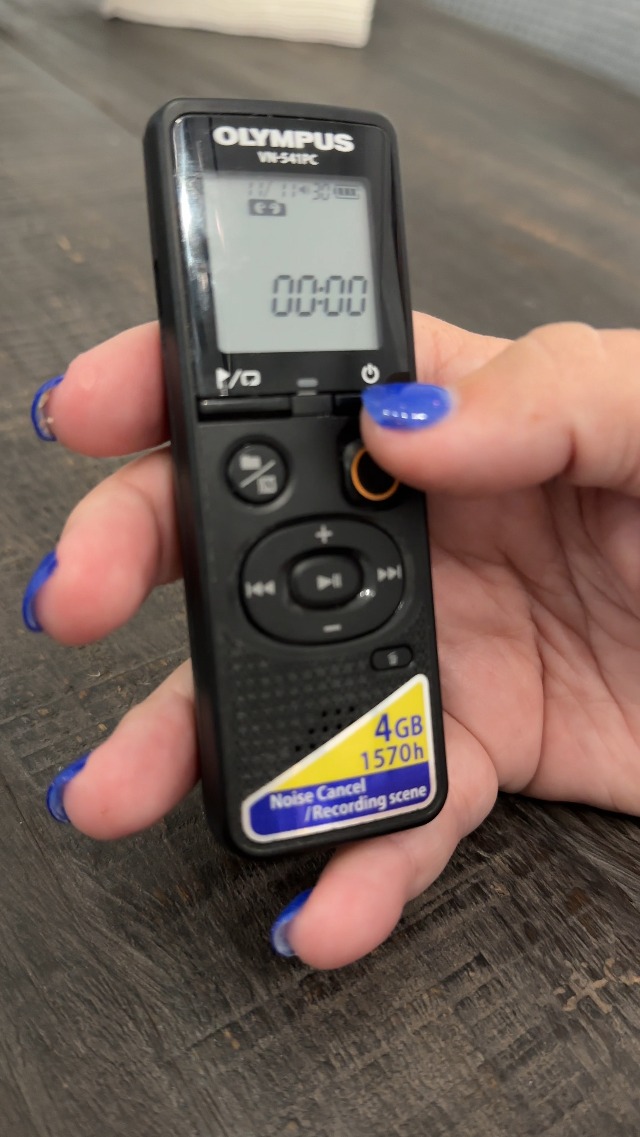
I’ve used many models, from pocket recorders to field units. These lessons come from real use.
- Tip: Test levels before important recordings. I once clipped an interview by 10 dB and lost peaks.
- Tip: Use 24-bit if you plan to edit. It gives headroom and cleaner results.
- Mistake: Relying on built-in mics for crowded rooms. An external mic fixed that problem for me.
- Tip: Carry spare batteries and a spare memory card. Storage and power fail more than electronics.
- Tip: Label files immediately after transfer to avoid confusion later.
These practices help you understand how does a digital voice recorder work in real life and avoid common pitfalls.
Benefits and limitations of how does a digital voice recorder work
Quick view of pros and cons to weigh before buying or using one.
Benefits:
- Clear capture of speech and sound for later review.
- Compact and easy to carry.
- Long recording times with modern storage.
- Simple workflow for interviews and notes.
Limitations:
- Built-in mics can be poor in noisy settings.
- Compressed formats reduce fidelity.
- Battery life may limit long sessions.
- Higher settings require more storage and processing.
Buying guide: choose the right recorder based on how does a digital voice recorder work
Match the device to your use to get the best results.
- For interviews and journalism
- Look for external mic support, XLR inputs, and lossless formats.
- For students and meetings
- Voice-activated recording, long battery life, and MP3 support are helpful.
- For musicians and field recording
- High sample rates, quality preamps, and wind protection matter.
- For casual use
- Simple interface, compact size, and easy file transfer work well.
Check microphone sensitivity, ADC quality, memory options, and battery life to see how does a digital voice recorder work for your needs.
Troubleshooting common problems in how does a digital voice recorder work
Short fixes for frequent issues.
- No sound recorded
- Check if the mic is muted, the gain is low, or the media is full.
- Distorted or clipped audio
- Lower input gain or enable a limiter.
- Background noise
- Move the recorder closer, use directional mics, or enable noise reduction.
- Files won’t open
- Verify format compatibility and try a different player or convert the file.
Two quick PAA-style questions about how does a digital voice recorder work
Q: Does a digital voice recorder need a microphone?
A: Most have built-in mics, but external microphones give better sound. Use an external mic for interviews or music to improve clarity.
Q: Is MP3 good enough for voice recordings?
A: MP3 is fine for note-taking and meetings because it saves space. For editing or high clarity, use WAV or FLAC instead.
Frequently Asked Questions of how does a digital voice recorder work
How long can a digital voice recorder record continuously?
Most recorders can record for hours, limited by battery life and storage. Using lower sample rates and compressed formats extends recording time.
Can a digital voice recorder pick up distant sound clearly?
Distance depends on the microphone type and environment. Directional mics and close placement work best for distant sources.
Is there a big quality difference between brands?
Yes. Quality varies by mic design, preamp quality, and ADC specs. Higher-end brands often deliver clearer, cleaner recordings.
Do I need special software to edit recordings?
No. Many basic edits can be done with free audio editors. Professional needs may require advanced software for noise reduction and mixing.
Can I use my phone instead of a digital voice recorder?
Phones can work for casual notes, but dedicated recorders often give better audio quality, battery life, and handling for long sessions.
Conclusion
You now know how does a digital voice recorder work from sound capture to playback. The key steps are microphone capture, preamplification, analog-to-digital conversion, encoding, and storage. Choose settings and gear that match your needs, test levels, and back up files. Try one recorder with different formats to see what fits you best.
Take action: test a model with an external mic, practice recording in your typical environment, and compare MP3 versus WAV to see the difference. Leave a comment with your recordings or questions, or subscribe to get hands-on tips and gear reviews.