About 3,000 to 17,000+ hours, depending on format and bitrate used.
I’ve spent years testing recorders and advising podcasters, journalists, and students on storage needs, so I know the key factors that determine how many hours 1 terabyte digital voice recorder can hold. This guide breaks down the math, compares common formats, gives real examples, and offers tips so you can choose the best settings for your needs.
Understanding storage basics and key terms
When you ask how many hours 1 terabyte digital voice recorder can hold, you must know what a terabyte means. One terabyte (1 TB) usually means 1,000 gigabytes. That equals 1,000,000 megabytes or 8,000,000,000,000 bits. Bitrate and channels decide how fast that space fills.
Bitrate is the speed of data in bits per second. Higher bitrate means better sound and bigger files. Mono uses one channel. Stereo uses two channels. Mono files are smaller and often enough for voice.
File format matters too. Uncompressed PCM (WAV) files are large. Compressed formats like MP3 or AAC save space. Lossless formats like FLAC save some space but keep full quality.
Common audio formats and how they affect capacity
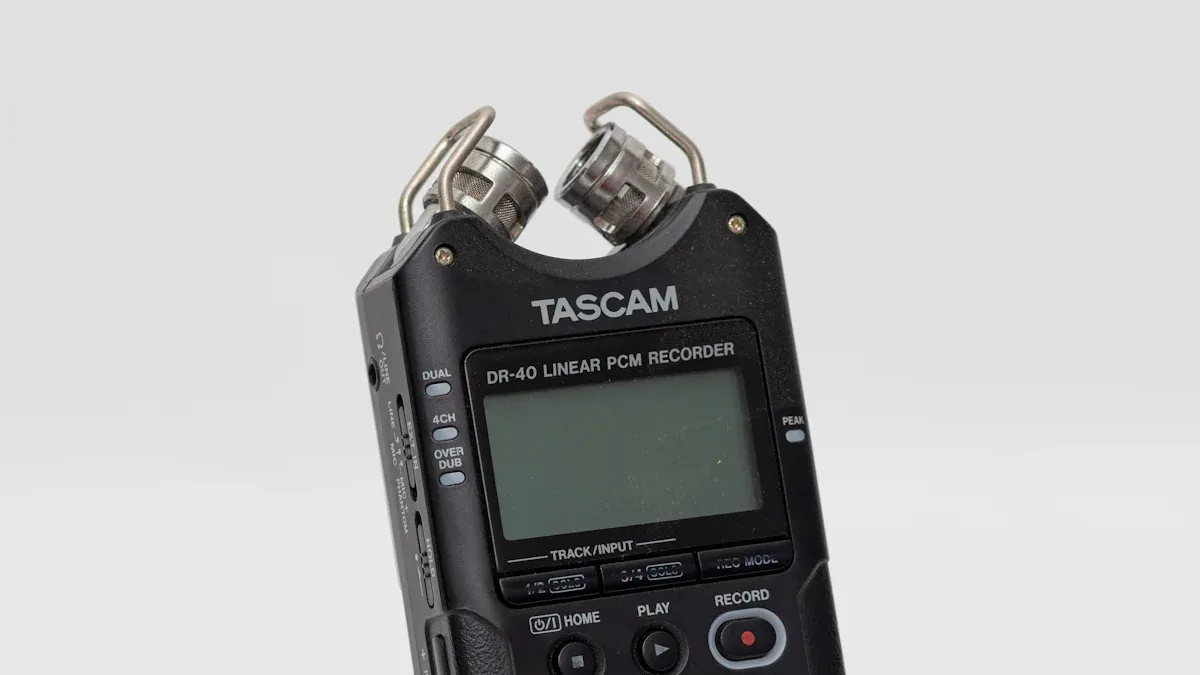
To answer how many hours 1 terabyte digital voice recorder can hold, you must compare formats and bitrates. Here are common choices and what they mean for voice.
-
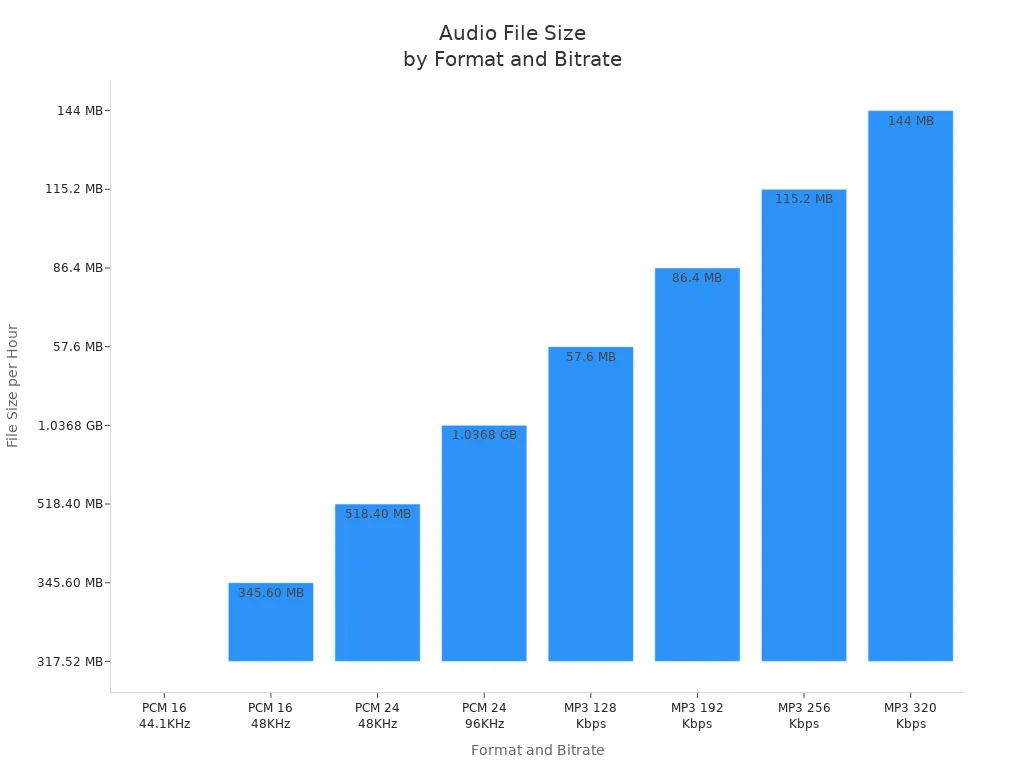
WAV (PCM) 16-bit 44.1 kHz mono
- Uncompressed. High quality for editing. Big files. Often used for archiving or professional interviews.
-
MP3 or AAC compressed formats
- Lossy. Much smaller files. Good for long interviews, lectures, and casual use. Bitrate choices commonly 64 kbps, 96 kbps, 128 kbps, or 192 kbps.
-
FLAC (lossless)
- Compressed without quality loss. Files are smaller than WAV but larger than MP3. Good when you want full fidelity with some savings.
-
Voice-optimized modes on recorders
- Many recorders have modes labeled “voice” that use mono and low bitrate. These modes extend recording time significantly.
Each choice directly answers how many hours 1 terabyte digital voice recorder can hold by changing bytes per second.

How to calculate hours for 1 TB — step-by-step with examples
Here is a simple formula to estimate how many hours 1 terabyte digital voice recorder can hold:
- Formula: Hours = (1 TB in bits) / (bitrate in bits per second) / 3600
- Using decimal 1 TB = 8,000,000,000,000 bits.
Practical examples. These use decimal units and round for clarity.
-
MP3 128 kbps (common voice quality)
- 128,000 bits/s → about 17,361 hours on 1 TB.
- That equals roughly 723 days of continuous audio.
-
MP3 64 kbps (voice mono, fair quality)
- 64,000 bits/s → about 34,722 hours on 1 TB.
-
MP3 32 kbps (low, voice-only)
- 32,000 bits/s → about 69,444 hours on 1 TB.
-
WAV PCM 16-bit 44.1 kHz mono (high quality)
- 44,100 samples/s × 16 bits = 705,600 bits/s → about 3,149 hours on 1 TB.
-
WAV PCM 16-bit 44.1 kHz stereo
- Double mono → about 1,574 hours on 1 TB.
-
FLAC (typical 50–60% of WAV)
- If FLAC cuts WAV size in half, expect about 6,298 hours on 1 TB for what would be 3,149 hours in WAV.
These examples show wide ranges. The exact number depends on the exact bitrate, sample rate, and number of channels. If you want to know how many hours 1 terabyte digital voice recorder can hold for a specific model, check its settings and plug the numbers into the formula above.
Real-world examples and use cases
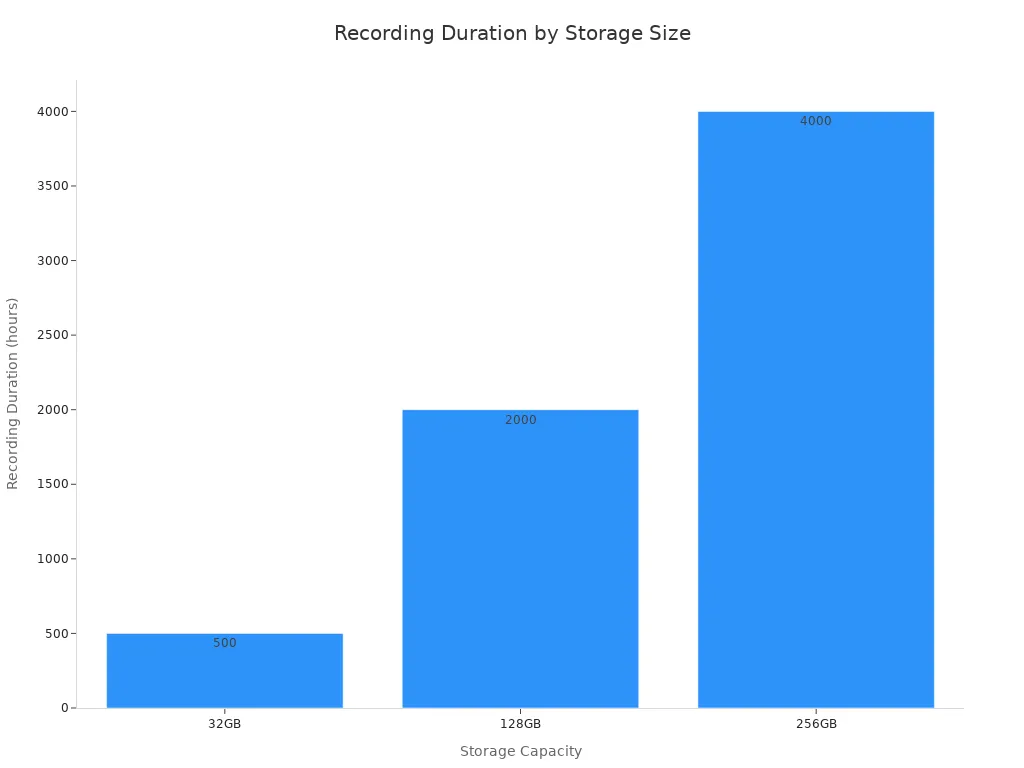
Knowing how many hours 1 terabyte digital voice recorder can hold helps you plan for events and projects. Here are common use cases.
-
Lecture recording for a semester
- Use MP3 128 kbps mono to get many hours and easy playback. One TB can store years of weekly lectures.
-
Long field interviews for journalism
- I often use WAV for key interviews and MP3 for backups. For WAV, plan about 3,000 hours per TB if using 44.1 kHz mono.
-
Podcast backlog or voice memos
- If you record raw conversations at 128 kbps, a TB can store thousands of hours. That’s ample for long archives.
-
Legal depositions or court records
- Use lossless formats or high-bitrate settings to keep detail. You still get many hundreds to thousands of hours on one TB.
Personal note: I once recorded a week of street interviews at 64 kbps mono. The files were small and clear enough for transcription. One TB lasted me months of field work before I needed to offload files.
Tips to maximize recording time and manage files
If you care about how many hours 1 terabyte digital voice recorder can hold, use these practical tips.
- Use mono for voice unless stereo matters. Mono halves file size.
- Choose lower bitrate for spoken word. 64–96 kbps often works well.
- Enable voice-activated recording if silence is common. This saves huge space.
- Use FLAC for a balance of quality and space if you need lossless.
- Regularly archive old files to external drives or the cloud. One TB fills up faster than you expect.
- Label files and use folders to ease retrieval. Searchable names cut time and re-records.
Small steps like mono and lower bitrate yield big gains in how many hours 1 terabyte digital voice recorder can hold.

Limitations and factors to consider
There are tradeoffs when deciding how many hours 1 terabyte digital voice recorder can hold for your needs. Be clear about limits.
-
Quality vs. size
- Lower bitrate saves space but may lose clarity. For speech, many listeners find 64–128 kbps acceptable.
-
Battery life and power
- Storage is not the only limit. Long recording sessions need power. Plan battery swaps or external power.
-
File system and device limits
- Some devices cap file size or total recordings. Check recorder specs even if you have 1 TB free.
-
Metadata and indexing
- Large collections need good metadata. Poor naming makes retrieval hard even if you have storage.
-
Backup and redundancy
- One TB of critical audio should be backed up. Hard drives fail. Keep copies.
Be transparent about these limits when you estimate how many hours 1 terabyte digital voice recorder can hold in practice.
Frequently Asked Questions of how many hours 1 terabyte digital voice recorder can hold
How many hours will 1 TB hold at 128 kbps MP3?
At 128 kbps MP3, 1 TB holds about 17,361 hours of audio. That equals roughly 723 days of continuous recording.
Will WAV files hold fewer hours than MP3 on 1 TB?
Yes. WAV is uncompressed and uses much more space, so 1 TB holds far fewer hours—often around 3,000 hours for WAV mono at 44.1 kHz.
How does mono vs stereo change hours on 1 TB?
Stereo doubles the data compared to mono. So if mono gives 3,000 hours for a format, stereo gives about 1,500 hours on the same 1 TB.
Can voice-activated recording extend how many hours 1 TB can hold?
Yes. Voice-activated recording saves space by skipping silence and can dramatically extend total recording hours. Savings vary with how much silence occurs.
Is FLAC a good middle ground for storage and quality?
Yes. FLAC compresses losslessly and can roughly halve WAV size. It gives more hours than WAV while keeping full quality.
Conclusion
Choosing settings for your recorder decides how many hours 1 terabyte digital voice recorder can hold. Low bitrates and mono give huge time savings. WAV or high sample rates give far fewer hours but boost quality. Think about your goals, test a short sample, and pick the mode that fits your needs.
Try this: record one minute in your chosen format and check the file size. Scale that to see how many hours 1 TB will hold for your exact settings. If this guide helped, leave a comment with your recorder model or subscribe for more tips on recording and storage.