Open the Voice Recorder app or enable it from Quick Panel and tap Record to start.
I’ve used Samsung phones for years and helped friends set up voice recording for interviews, classes, and notes. This guide shows clear, tested steps for how to activate voice recorder on samsung phone across One UI versions and models. You’ll get step-by-step activation methods, permission checks, troubleshooting tips, and practical tricks I’ve learned on the job. Read on to master how to activate voice recorder on samsung phone quickly and confidently.

How to activate voice recorder on samsung phone
Below are the most common, reliable ways to activate the built-in Voice Recorder on Samsung phones. Follow the method that matches your phone or situation. Each method helps you learn how to activate voice recorder on samsung phone in under a minute.
Method 1 — Use the Voice Recorder app
- Open the Apps screen and find Voice Recorder. Tap to launch.
- If this is the first time, grant Microphone and Storage permissions when prompted.
- Tap the red Record button to start. Tap Stop to save the file.
This is the simplest way to learn how to activate voice recorder on samsung phone. Many Samsung models include the app preinstalled.
Method 2 — Add a home screen shortcut
- Long-press an empty area on the home screen.
- Tap Widgets, then find Voice Recorder or Recorder.
- Drag the recorder widget to your home screen. Tap it to start the app fast.
A home shortcut speeds up how to activate voice recorder on samsung phone during meetings or classes.
Method 3 — Quick Panel (Quick Settings)
- Swipe down from the top twice to open Quick Panel fully.
- Look for a Recorder or Voice Recorder tile. If missing, tap the three-dot menu or Edit to add it.
- Tap the tile to open the recorder or to start recording directly (depending on One UI).
Using Quick Panel is a fast solution for how to activate voice recorder on samsung phone without unlocking apps.
Method 4 — Bixby or Google Assistant voice command
- Say “Hey Bixby, open Voice Recorder” or “Hey Google, start voice recording.”
- Grant voice access if asked. The assistant will open the app and often start recording.
Voice commands are helpful when your hands are full and you need to know how to activate voice recorder on samsung phone hands-free.
Method 5 — Lock screen or shortcut gesture (if supported)
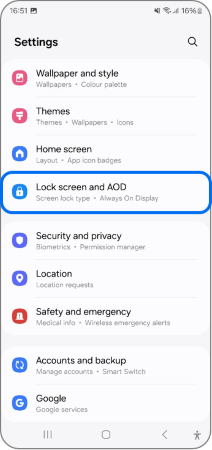
- Check Settings > Advanced features > Motions and gestures for shortcuts.
- Some models let you use a side key or double-tap to launch apps. Assign Voice Recorder to that quick key.
This method gives one-touch access and shows another way how to activate voice recorder on samsung phone quickly.
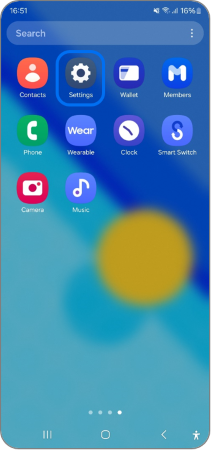 settings”
style=”max-width: 100%; height: auto; border: 2px solid black; border-radius: 10px; display: block; margin: 0 auto;”
loading=”lazy”
/>
Permissions, formats, and settings
Before you record, check permissions and settings to ensure reliable recordings. These checks make how to activate voice recorder on samsung phone consistent and trouble-free.
- Grant permissions: Go to Settings > Apps > Voice Recorder > Permissions and enable Microphone and Storage.
- Storage location: Change save location to internal or SD card from the app settings if space is low.
- File formats: Samsung Voice Recorder typically saves in M4A or WAV. Pick WAV for higher quality or M4A for smaller files.
- Advanced settings: Enable Noise Reduction or High Quality mode if available for cleaner audio.
Proper permissions and settings help you avoid errors and teach you how to activate voice recorder on samsung phone that actually records what you need.

Troubleshooting common issues
If the recorder won’t start or audio is poor, use these fixes. I’ve used these steps to solve real problems on several Samsung phones.
- App missing: Install Voice Recorder from Galaxy Store or use Samsung Members to restore built-in apps. This fixes cases where users don’t know how to activate voice recorder on samsung phone because the app is gone.
- Microphone not working: Test the mic in Voice Recorder or Camera. If it fails, reboot, clear the recorder app cache, or check for debris in the mic port.
- Permission denied: Open Settings > Apps > Voice Recorder and re-enable Microphone. Revoke and re-grant if needed.
- Low volume or noise: Move to a quieter spot, face the mic, or use an external mic. Turn on noise reduction in settings.
- Files won’t save: Check available storage and set the save location to internal memory. Restart the phone and try again.
These steps reflect practical solutions I’ve used while helping colleagues record interviews and meetings. They show clear ways how to activate voice recorder on samsung phone and keep it working.

Tips for better recordings and real-life examples
Small habits make recordings much better. From my experience recording lectures and interviews, these tips matter more than gear at first.
- Hold or place the phone mic toward the speaker. This improves clarity.
- Use Airplane mode for long recordings to prevent interruptions from calls or notifications.
- Test a 10-second sample before an important session to check levels and clarity.
- Use an external lavalier or USB-C mic for interviews. It reduces background noise and boosts voice quality.
- Label files immediately after saving to avoid losing track. Include date and short description.
I once recorded a 90-minute meeting without testing and lost half the file to low battery. Now I always charge, test, and label—small steps that make how to activate voice recorder on samsung phone reliable under pressure.

Alternatives and recommended apps
If the Samsung Voice Recorder doesn’t suit your needs, try these options. I’ve tested several to find tools that handle transcriptions, cloud backup, and cross-device sync.
-
Samsung Voice Recorder
- Pros: Simple, built for One UI, often preinstalled.
- Cons: Fewer advanced editing features.
-
Third-party apps to consider
- Easy Voice Recorder: Great for quick notes and file format options.
- Otter or Rev: Best for built-in transcription and cloud sync.
- Smart Recorder: Good for long recordings and voice-activated start/stop.
-
Cloud backup and transfer
- Back up recording files to Samsung Cloud, Google Drive, or Dropbox to avoid data loss.
- Use Samsung Smart Switch or file transfer apps to move recordings to a PC for editing.
These alternatives expand how to activate voice recorder on samsung phone to include transcription and cloud workflows.
Frequently Asked Questions of how to activate voice recorder on samsung phone
How do I find the Voice Recorder app if it’s not on my home screen?
Open the Apps screen and swipe through or use the search bar at the top. If it’s truly missing, install it from the Galaxy Store and check app settings.
Can I record phone calls with the Samsung Voice Recorder?
Samsung’s built-in recorder usually does not record calls due to legal and OS limitations. Use approved call-recording apps or external devices where legally permitted.
Why does my voice recorder say “permission denied”?
You likely denied microphone access. Go to Settings > Apps > Voice Recorder > Permissions and enable Microphone. Restart the app afterward.
How do I change where recordings are saved?
Open Voice Recorder > Settings and look for Save location. Choose internal storage or SD card depending on availability.
Will voice recordings drain my battery quickly?
Long recordings use power, especially if screen and Wi-Fi are active. Use Airplane mode and lower screen brightness to save battery while recording.
Can I transcribe recordings on my Samsung phone?
Some Samsung models or apps offer built-in transcription, but third-party apps like Otter or paid services give more accurate transcripts and editing features.
How can I improve audio quality on my Samsung phone?
Move closer to the speaker, reduce background noise, and use noise reduction or an external mic for best results.
Conclusion
You now have clear, practical ways to learn how to activate voice recorder on samsung phone, plus settings, fixes, and tips that work in real life. Start by checking the Voice Recorder app, granting permissions, and choosing the activation method that fits your routine. Try a short test recording today and make a habit of charging and labeling files. If this guide helped, leave a comment or subscribe for more simple, useful tech tips and troubleshooting advice.