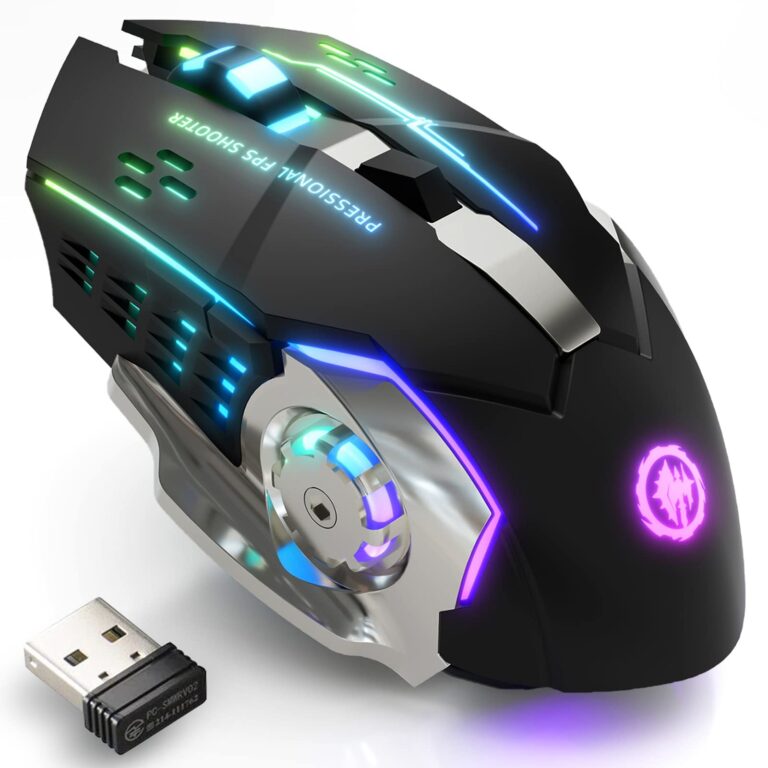
The Redragon M908 is my top pick for Guild Wars 2, thanks to its MMO-friendly button layout and adjustable DPI.
If you have ever fumbled for a skill key during a busy Guild Wars 2 fight, you know how much a well-placed mouse button can help. Extra buttons can put skills within reach, while a shape that suits your hand can make long play sessions more comfortable. I compared ten wired and wireless options, from MMO mice with many side buttons to simpler models for players who want a clean setup. The best choice depends on your hand, play style, and budget.
See the differences between my top picks at a glance.
| Mouse | Connection | Button highlights | DPI listed | Best for | Link |
|---|---|---|---|---|---|
| Redragon M908 | Wired | Remapping keys; MMO layout | 12,400 | Skill access | View on Amazon |
| Redragon M901K | Wired | 19 programmable buttons; 12 side buttons | 12,400 | Lots of macros and binds | View on Amazon |
| Razer Basilisk V3 | Wired | Customizable controls | — | Flexible all-round play | View on Amazon |
| Razer Basilisk V3 X HyperSpeed | Wireless | Customizable controls | — | Wireless play | View on Amazon |
| Redragon M612 | Wired | Remappable keys | 8,000 | Value and control | View on Amazon |
| Redragon M602 | Wired | 9 programmable buttons | 7,200 | Budget customization | View on Amazon |
| Redragon M801 | Wired | 9 programmable buttons; fire button | 16,000 | High DPI range | View on Amazon |
| Corsair IRONCLAW Wireless SE | Wireless | Gaming mouse controls | — | Wireless comfort seekers | View on Amazon |
| SOLAKAKA SM600 | Tri-mode | 2 side buttons; programmable | — | Flexible connections | View on Amazon |
| Razer DeathAdder Essential | Wired | Simple gaming controls | — | Basic, focused setup | View on Amazon |
Best Gaming Mouse for Guild Wars 2: Reviews
Guild Wars 2 lets players assign many actions to keys, so the right mouse can make combat feel smoother. A mouse with extra buttons can bring weapon skills, mounts, dodge, or other chosen actions closer to your thumb. Still, more buttons do not always mean a better fit. Hand size, grip style, weight, and the comfort of the side controls matter just as much.
My picks below suit different players. I give the most weight to useful controls, clear product details, and how well the mouse fits common MMO play. DPI numbers show the range listed in the product information; a larger number alone does not make a mouse more accurate. I also avoid claiming live customer-review trends that I cannot verify. Check current Amazon reviews for recent reports on comfort, durability, and software before buying.
Redragon M908 Wired MMO Gaming Mouse

The Redragon M908 is the clearest fit here for players who want an MMO-style layout. Its listing gives a maximum sensitivity of 12,400 DPI and calls out remapping keys. That gives you room to assign useful actions to buttons, rather than reaching for every skill on the keyboard. It is a wired mouse, so it avoids charging and wireless pairing.
The side controls can help when you need several skills close at hand. Take time to learn their positions before using them in fast fights. The M908 makes more sense for players who want a dedicated gaming layout than for people who prefer a plain mouse. If your thumb finds a dense button cluster hard to use, a simpler design may feel better.
Pros:
- MMO-oriented control layout supports many in-game binds.
- 12,400 DPI is listed, with room to tune pointer speed.
- Remapping can place chosen actions within thumb reach.
- Wired connection means no battery charging routine.
- Useful for players who want gaming and skill controls on one device.
Cons:
- A large set of side controls can take time to learn.
- The cable may bother players who prefer a clear desk.
- More controls can feel crowded for small hands or simple play styles.
What Amazon Buyers Are Saying
I can’t verify current Amazon review comments for this listing, so I won’t attribute specific praise or complaints to buyers. Before you order, scan recent reviews for notes about button feel, software setup, cable life, and whether the side grid suits your hand. Those details matter more than a high DPI figure for most Guild Wars 2 players.
My Recommendation
I recommend the M908 to MMO players who want many reachable controls at a budget-minded level. It is my top pick for the best gaming mouse for Guild Wars 2 because its listed remapping features suit skill-heavy play. Start with a few familiar binds and add more only after the layout feels natural. My overall rating is 4.5/5.
| Category | Rating |
|---|---|
| Guild Wars 2 control access | 4.8/5 |
| Setup simplicity | 3.8/5 |
| Flexibility | 4.5/5 |
| Value | 4.5/5 |
| Overall Rating | 4.5/5 |
Redragon M901K MMO Gaming Mouse

The M901K listing highlights 19 programmable buttons, including 12 side buttons, and a maximum of 12,400 DPI. That button count gives you many ways to assign skills, menus, and other actions. Its wired connection keeps the mouse ready without a battery check. It also includes adjustable weights, which may appeal if you want to change how the mouse feels on your desk.
This layout suits players who like to keep many actions near the thumb. It can also serve other games that use lots of shortcuts. The trade-off is a steeper learning curve than a standard mouse. Set up only the binds you use often, then test the layout in a safe area before relying on it in group content.
Pros:
- 19 programmable buttons offer broad control options.
- 12 side buttons can put many actions within reach.
- 12,400 DPI maximum is listed for sensitivity adjustment.
- Adjustable weights let you alter the feel of the mouse.
- Wired play avoids charging and wireless connection steps.
Cons:
- The dense button grid may feel confusing at first.
- It may be excessive for players who use only a few extra binds.
- A wired design limits how freely you can move the mouse around.
What Amazon Buyers Are Saying
I can’t confirm the current review mix for this exact listing. Check recent buyer posts for practical points such as whether the side buttons are easy to tell apart, how the software behaves, and whether the weight system feels useful. Also look for comments from people with a grip style and hand size like yours.
My Recommendation
The M901K is a strong option if your ideal Guild Wars 2 setup has a button for nearly every regular action. Its features are impressive on paper, but the large control set only helps when you can use it without looking down. I would choose it over a simpler mouse for skill-heavy play, but not for a minimalist setup. My overall rating is 4.3/5.
| Category | Rating |
|---|---|
| Guild Wars 2 control access | 4.8/5 |
| Setup simplicity | 3.4/5 |
| Flexibility | 4.7/5 |
| Value | 4.3/5 |
| Overall Rating | 4.3/5 |
Razer Basilisk V3 Wired Gaming Mouse

The Razer Basilisk V3 is a customizable wired gaming mouse for players who want useful controls without a full MMO button grid. Its listing highlights customizable RGB and an ergonomic design. That makes it a natural match for players who want a familiar main-button layout and a few extra controls. The wired link also means you can play without tracking battery life.
In Guild Wars 2, a few well-placed binds can be enough for dodge, weapon swap, or a mount action. A mouse with a more restrained layout may be easier to learn than one with a dozen side buttons. The Basilisk also makes sense if you want one mouse for both games and daily computer use. Check the current product listing for its precise controls and software features before purchase.
Pros:
- Customizable design lets you adapt controls to your play style.
- Ergonomic shape is aimed at extended use.
- Wired connection removes the need to charge.
- RGB lighting offers a visual option for a gaming setup.
- Balanced choice for games and regular desktop tasks.
Cons:
- It does not offer the MMO-style 12-button side grid listed by some rivals.
- The cable may be less appealing than a wireless setup.
- Some useful features may require time in the software.
What Amazon Buyers Are Saying
I can’t verify current Amazon feedback for this product, and review scores can change over time. Read recent comments about shape, button access, software, and long-term use before you decide. For Guild Wars 2, pay close attention to whether buyers find the side controls easy to reach with your preferred grip.
My Recommendation
I recommend the Basilisk V3 to players who want a flexible everyday gaming mouse rather than a specialist MMO model. It should suit a player who uses a modest number of mouse binds and values customization. If you need a large bank of thumb buttons, choose the M908 or M901K instead. My overall rating is 4.4/5.
| Category | Rating |
|---|---|
| Guild Wars 2 control access | 4.1/5 |
| Setup simplicity | 4.1/5 |
| Everyday flexibility | 4.6/5 |
| Value | 4.2/5 |
| Overall Rating | 4.4/5 |
Razer Basilisk V3 X HyperSpeed Wireless Mouse

The Basilisk V3 X HyperSpeed brings a customizable design to a wireless gaming mouse. Its listing names HyperSpeed wireless and Bluetooth connectivity, giving you options for pairing. Wireless play can help keep the desk clear and reduce cable drag. The mouse can also suit players who move between a gaming PC and another device.
For Guild Wars 2, wireless freedom may matter more than having a large side-button grid. You can assign a small set of frequent actions and keep the rest on your keyboard. Remember to check the listing for current battery details and connection support for your setup. A wireless mouse is most useful when its shape and controls feel right in your hand.
Pros:
- Wireless design keeps a cable off the desk.
- HyperSpeed and Bluetooth are named connection options in the listing.
- Customizable controls support personal key assignments.
- Suitable for players who value a tidy gaming area.
- Can serve as a flexible mouse beyond Guild Wars 2.
Cons:
- Wireless use means you need to consider battery care.
- It does not focus on a large MMO side-button grid.
- Connection and battery details should be checked against the current listing.
What Amazon Buyers Are Saying
I can’t confirm recent customer-review themes for this Amazon listing. Before ordering, check current feedback for battery life, connection stability, button feel, and comfort over long sessions. Those are the most useful real-world details for a wireless mouse.
My Recommendation
Choose the Basilisk V3 X HyperSpeed if you want wireless freedom and customizable controls in a familiar gaming format. It is a better fit for players who use a few extra binds than for those who want a thumb full of MMO buttons. My overall rating is 4.2/5, with the final value depending on the current price and your preference for wireless play.
| Category | Rating |
|---|---|
| Guild Wars 2 control access | 4.0/5 |
| Wireless flexibility | 4.6/5 |
| Setup simplicity | 4.0/5 |
| Value | 4.1/5 |
| Overall Rating | 4.2/5 |
Redragon M612 Wired RGB Gaming Mouse

The Redragon M612 is a wired RGB optical gaming mouse with 8,000 DPI and remapping keys in its product title. It offers a middle ground between a basic office mouse and a full MMO model. You can use its remappable controls for a few actions that you press often. Its wired design keeps the setup simple and ready for play.
This mouse may fit players who want some customization without learning a crowded side grid. A lower count of easy-to-find controls can be more useful than many buttons you rarely touch. The listed DPI gives room to adjust pointer speed, though comfort and control matter more than the highest setting. It is worth comparing the shape and software needs with your current setup.
Pros:
- Remapping keys can bring selected actions closer.
- 8,000 DPI is listed for adjustable sensitivity.
- Wired connection avoids battery upkeep.
- RGB lighting adds a customizable visual touch.
- Offers a less complex path into gaming mouse controls.
Cons:
- It does not list the large side-button array of MMO-focused models.
- A cable may restrict movement for some desk setups.
- Software support and compatibility should be checked before buying.
What Amazon Buyers Are Saying
I can’t validate current Amazon buyer comments for this item. Review the latest posts for notes on the shape, button remapping, software setup, and how the mouse holds up with regular use. Look for details from buyers who use similar games or hand positions.
My Recommendation
The M612 is a sensible choice for a Guild Wars 2 player who wants a few useful mouse binds at a moderate feature level. I would not pick it when a large MMO layout is the main goal, but it looks more approachable for a mixed-use setup. My overall rating is 4.1/5.
| Category | Rating |
|---|---|
| Guild Wars 2 control access | 4.0/5 |
| Setup simplicity | 4.2/5 |
| Sensitivity options | 4.1/5 |
| Value | 4.3/5 |
| Overall Rating | 4.1/5 |
Redragon M602 Ergonomic Gaming Mouse

The M602 is a wired ergonomic gaming mouse with 9 programmable buttons and a listed maximum of 7,200 DPI. Its design aims to give the hand a shaped place to rest. For Guild Wars 2, those programmable buttons can take a few regular actions off the keyboard. It also includes RGB lighting and software support in the product details.
The M602 suits players who want a traditional mouse shape with extra controls. Its nine-button count gives more room than a basic model, yet it avoids the very dense layout of an MMO mouse. Consider whether the listed ergonomic form matches your grip and hand size. The wired connection may also be a plus if you want to avoid charging.
Pros:
- Nine programmable buttons provide options for useful binds.
- 7,200 DPI maximum is listed for sensitivity adjustment.
- Ergonomic shape may suit players who like a contoured mouse.
- Wired use avoids battery charging.
- RGB lighting gives some setup customization.
Cons:
- The button layout is not as MMO-focused as a 12-button thumb grid.
- The cable can add drag or clutter to a desk.
- Hand comfort depends on personal grip and size.
What Amazon Buyers Are Saying
I can’t verify live buyer feedback for the M602 listing. Check recent reviews for reports on comfort, durability, and how well the programmable buttons work in daily play. Since shape is personal, reviews that mention hand size or grip style may help you judge fit.
My Recommendation
I recommend the M602 for budget-minded players who want several programmable controls and an ergonomic shape. It is not as specialized as the M908, but it can be a practical match for people who use only a few extra binds. My overall rating is 4.0/5.
| Category | Rating |
|---|---|
| Guild Wars 2 control access | 4.0/5 |
| Ergonomic potential | 4.1/5 |
| Setup simplicity | 3.9/5 |
| Value | 4.2/5 |
| Overall Rating | 4.0/5 |
Redragon M801 Wired Gaming Mouse

The Redragon M801 is a wired gaming mouse with 9 programmable buttons and a listed 16,000 DPI maximum. Its product information also calls out macro recording and a fire button. Those features give players several ways to tune the controls. It is a more general gaming mouse than a dedicated MMO model with a full thumb grid.
For Guild Wars 2, its programmable buttons can help with a small group of key actions. The high DPI figure is a range option, not a promise of better aim; many players prefer a lower setting. Check how the fire button and other controls fit your planned binds. As with all programmable mice, use settings that follow the game’s current rules.
Pros:
- Nine programmable buttons let you assign frequent commands.
- 16,000 DPI maximum is listed for a broad sensitivity range.
- Macro recording offers ways to configure controls.
- A named fire button adds a dedicated control.
- Wired connection needs no battery charging.
Cons:
- It does not list a full MMO-style 12-button side grid.
- The high DPI ceiling may not matter to most Guild Wars 2 players.
- Macro features need careful setup and should follow current game rules.
What Amazon Buyers Are Saying
I can’t confirm current Amazon review themes for the M801. Check the latest customer comments for the feel of its buttons, software use, and reliability over time. Review any reports about the fire button or macro setup with your own intended use in mind.
My Recommendation
The M801 is worth considering if you want a high listed DPI range and a few programmable controls in a wired mouse. For Guild Wars 2, I would focus on whether its buttons are comfortable to reach rather than its maximum DPI. My overall rating is 4.0/5.
| Category | Rating |
|---|---|
| Guild Wars 2 control access | 4.0/5 |
| Sensitivity range | 4.5/5 |
| Setup simplicity | 3.8/5 |
| Value | 4.0/5 |
| Overall Rating | 4.0/5 |
Corsair IRONCLAW Wireless SE Gaming Mouse

The Corsair IRONCLAW Wireless SE is a wireless gaming mouse for players who want freedom from a cable. The provided listing identifies it as a gaming mouse but does not give button count, DPI, or battery details. I would check the current product page for those details before choosing it for a specific Guild Wars 2 layout. Its strongest clear appeal from the listing is wireless play.
A wireless mouse can make a desk feel less crowded, but it still needs a comfortable shape and dependable power plan. Think about how many actions you want on the mouse before buying. If you need a full row of MMO buttons, confirm the exact control layout first. If you mainly want a wireless pointer and a few mapped actions, it may be a more natural fit.
Pros:
- Wireless design avoids a mouse cable on the desk.
- Built as a gaming mouse rather than a basic office model.
- Could suit players who value flexible movement.
- May work for both play and everyday computer use.
- Lets you consider a different connection style from wired picks.
Cons:
- The supplied listing details do not state DPI or button count.
- Wireless devices need battery or charging care.
- Confirm the side controls suit your Guild Wars 2 binds before purchase.
What Amazon Buyers Are Saying
I can’t verify the current Amazon reviews for this specific listing. Check recent buyer feedback for battery life, fit, wireless performance, and button access. Make sure you compare its confirmed specifications with your needs rather than relying on the product name alone.
My Recommendation
I would shortlist the IRONCLAW Wireless SE if you want a wireless gaming mouse and can confirm its current button layout meets your needs. The listing details available here are not enough to rate its MMO control options with confidence. My overall rating is 3.8/5, pending a closer check of the live specifications and price.
| Category | Rating |
|---|---|
| Guild Wars 2 control access | 3.5/5 |
| Wireless appeal | 4.3/5 |
| Specification clarity | 3.2/5 |
| Value confidence | 3.7/5 |
| Overall Rating | 3.8/5 |
SOLAKAKA SM600 Tri-Mode Wireless Mouse

The SOLAKAKA SM600 supports three connection modes listed as Bluetooth 5.0, USB-C wired, and 2.4 GHz wireless. Its product title also notes two side buttons, programmable macro support, and RGB lighting. That mix gives you a choice between wired and wireless play. It may suit someone who wants one mouse for more than one device or desk setup.
For Guild Wars 2, two side buttons can cover a small number of frequent actions, but they will not replace a large MMO grid. The programmable feature may help you tune those controls to your needs. Confirm software compatibility with your system before purchase. Also use any macro function in line with the game’s current rules and avoid automation that plays for you.
Pros:
- Three listed modes provide connection flexibility.
- USB-C wired mode offers a cable option.
- Two side buttons can handle a few selected binds.
- Programmable controls add setup options.
- RGB lighting provides a visual customization feature.
Cons:
- Two side buttons offer fewer direct binds than MMO mice.
- Wireless use means you need to manage battery power.
- Check software support and connection needs for your devices.
What Amazon Buyers Are Saying
I can’t confirm live customer feedback for the SM600 listing. Look through recent reviews for real-world notes on switching between modes, charging, Bluetooth pairing, and the feel of the two side buttons. Those details can help show whether its flexible connection options work well in your setup.
My Recommendation
The SM600 is a practical choice if you value connection options more than a large number of gaming buttons. It can support basic Guild Wars 2 binds, but players who want many skills on the mouse should look at the Redragon MMO picks. My overall rating is 4.0/5.
| Category | Rating |
|---|---|
| Guild Wars 2 control access | 3.8/5 |
| Connection flexibility | 4.7/5 |
| Setup simplicity | 3.9/5 |
| Value | 4.1/5 |
| Overall Rating | 4.0/5 |
Razer DeathAdder Essential Wired Gaming Mouse

The DeathAdder Essential is a wired ergonomic gaming mouse with a straightforward design. Its listing does not provide DPI or button-count details in the product information included here, so check the live page for those figures. A simple layout can be a benefit if you do not want to learn a row of thumb buttons. The cable also means you do not need to charge it.
Guild Wars 2 players can use a basic mouse and keep most actions on the keyboard. A few extra mouse binds may still help, but this model is best for people who value a familiar, uncluttered setup. It is also a sensible option for a player moving from an office mouse to a gaming model. Confirm its fit and features against your needs before buying.
Pros:
- Ergonomic design is intended for gaming comfort.
- Wired connection needs no battery charging.
- Simple layout can be easy to learn.
- Suitable for players who prefer keyboard-first controls.
- Can serve for everyday computer tasks as well as games.
Cons:
- The supplied listing details do not state DPI or button count.
- It offers less obvious MMO specialization than the Redragon M908.
- A cable may not suit every desk or play space.
What Amazon Buyers Are Saying
I can’t verify current Amazon review patterns for this product. Read recent feedback for comments on comfort, button response, durability, and shape. If comfort is your main reason for buying, focus on reviews from people with a similar hand size and grip.
My Recommendation
The DeathAdder Essential is worth a look if you want a simple wired gaming mouse and do not need many side buttons. It is not my first choice for skill-heavy MMO control, but it can suit a player who keeps most binds on the keyboard. My overall rating is 3.9/5.
| Category | Rating |
|---|---|
| Guild Wars 2 control access | 3.4/5 |
| Ease of use | 4.4/5 |
| Comfort potential | 4.2/5 |
| Value confidence | 3.8/5 |
| Overall Rating | 3.9/5 |
How to Choose the Best Gaming Mouse for Guild Wars 2
The best gaming mouse for Guild Wars 2 should make your controls easier to reach without making your hand work harder. Start with the way you play, not the biggest number on the box. Do you want a button for each skill, or only a couple of extra controls? Do you play at a desk where a cable is fine, or do you want wireless freedom? These questions narrow the list fast.
1. Match the Button Layout to Your Skill Use
Guild Wars 2 has many actions, but you do not need to map them all to a mouse. Think about the controls you use most often. You might want a side button for dodge, weapon swap, or a mount key. A mouse such as the M908 or M901K gives you more places to assign actions. A Basilisk, M612, or M602 can make more sense if you only need a few.
Button placement matters as much as button count. A large thumb grid can be useful when each button feels distinct and easy to press. If you keep hitting the wrong one, extra controls can slow you down. Try to choose a layout you can learn by touch. Add binds in small groups, then practice before using them in a demanding fight.
2. Choose Comfort, Grip, and Connection
A mouse can have useful features and still feel wrong in your hand. Think about your grip: palm, claw, or fingertip. If possible, compare the shape with a mouse you already find comfortable. A contoured body may suit one player, while another may prefer a smaller or flatter design. Hand size also affects how easy it is to reach side buttons.
Wired mice keep the setup simple and do not need battery care. Wireless models can reduce cable clutter and offer more freedom to move. That convenience comes with charging or battery needs, and you should check the listed connection modes before buying. If you choose wireless, make sure it works with your computer and desk setup.
3. Focus on Useful Features and Total Value
DPI is a measure of pointer sensitivity, not a direct measure of quality. A very high maximum does not help if the cursor feels too fast or hard to control. Many players prefer a moderate setting that feels steady. Look at programmable buttons, software support, sensor controls, and build details instead of choosing by DPI alone.
Price also changes the value of a mouse. Compare the current cost with the features you will use every week. Paying extra for buttons you never touch is poor value. At the same time, a comfortable shape and reliable controls can be worth more than a long feature list. Check current product details and recent customer reviews for reports on software, durability, and day-to-day comfort.
For Guild Wars 2, use button remapping with care. Keep each button tied to a direct action, and avoid scripts that automate play. Game rules can change, so check the current ArenaNet policy before using macros. A safe setup should help you reach commands, not play the game for you.
Final Verdict: Which Should You Buy?
The Redragon M908 is my top pick for Guild Wars 2 because its MMO-style controls and listed remapping support suit players who want skills near the thumb. Choose the M901K for even more buttons, or the Basilisk V3 for a less crowded layout.
The best gaming mouse for Guild Wars 2 is the one that fits your hand and makes your most-used actions easy to reach. Compare current prices, check recent reviews, and choose the controls you will use.
FAQs Of best gaming mouse for Guild Wars 2
What is the best gaming mouse for Guild Wars 2?
The Redragon M908 is my top pick for players who want MMO-style controls and remapping. The best fit still depends on your hand and how many actions you want on the mouse.
Do I need an MMO mouse to play Guild Wars 2?
No. An MMO mouse can make extra binds easier to reach, but a standard gaming mouse works well if you prefer keyboard controls or need only a few side buttons.
How many side buttons do I need for Guild Wars 2?
There is no required number. Two side buttons can handle a few key actions, while a 12-button grid suits players who want many binds within thumb reach.
Is a wireless mouse good for Guild Wars 2?
Yes. A wireless mouse can reduce cable clutter, but check its connection options and battery needs. Wired models are a simple choice if you do not want charging.
Does a higher DPI make a gaming mouse better?
No. DPI sets pointer sensitivity. Choose a setting that feels steady and easy to control instead of buying based on the highest number alone.